Home
» 🎮 Esports
»
Xbox Live Monthly Subscription: Do You Still Need It for Online Gaming in 2026?
Xbox Live Monthly Subscription: Do You Still Need It for Online Gaming in 2026?
Xbox Live Monthly Subscription: Do You Still Need It for Online Gaming in 2026?
Short answer: no, an Xbox Live monthly subscription is not required for every kind of online gaming. On Xbox consoles, most paid games require a subscription that includes online console multiplayer. Microsoft’s current entry tier is Xbox Game Pass Essential. Free-to-play multiplayer games and Windows PC multiplayer are notable exceptions.
The old Xbox Live Gold label is no longer the plan name to look for. Xbox now lists Game Pass Essential, Premium, and Ultimate as console plans with online multiplayer. The right choice depends on the game and the device you use, so you may not need to pay at all.
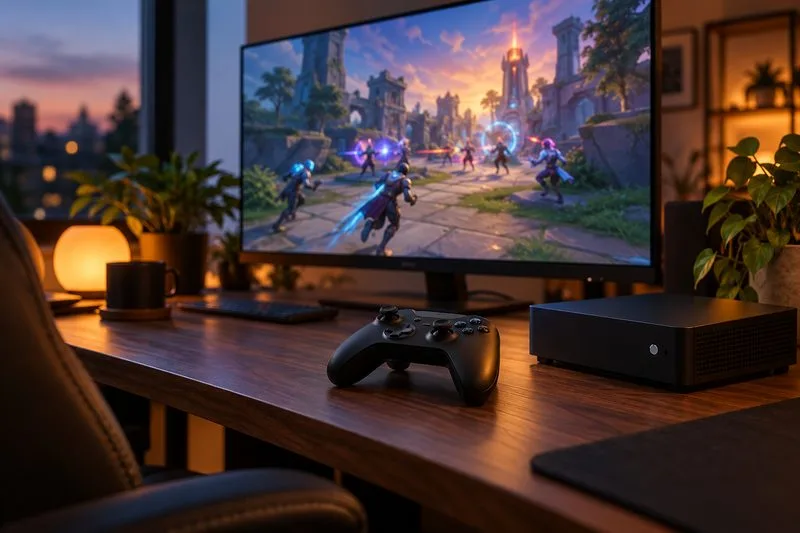
A console multiplayer setup: paid online games on Xbox consoles generally need a plan with online console multiplayer.
When do you need an Xbox subscription for online multiplayer?
If you play a game you bought on Xbox One or Xbox Series X|S and want to use its online multiplayer mode, you’ll usually need an active Game Pass plan that includes online console multiplayer. Microsoft’s current comparison page lists this benefit with Essential, Premium, and Ultimate. The PC-only Game Pass plan does not unlock online multiplayer on an Xbox console.
This subscription is separate from the game itself and your internet service. You still need to own or access the game, have a working internet connection, and meet any game-specific requirements such as a publisher account. An Xbox membership also cannot restore access to a game’s online servers if its publisher has shut them down.
For most players who only want console multiplayer, Essential is the lowest-priced eligible tier in the U.S. store. Premium and Ultimate also include online console multiplayer, but their larger libraries and other benefits are optional if all you need is access to online play.
When can you play online without paying for Game Pass?
Free-to-play console games: Xbox says multiplayer access for free-to-play games is open to every Xbox player. You do not need Essential, Premium, or Ultimate just to play those games online.
Windows PC multiplayer: Xbox Support says Windows 10 and 11 PC players do not need an Xbox Game Pass or other Xbox subscription for online multiplayer. You still need internet access, and a particular game may require its own account or purchase.
Party chat and Looking for Group: Xbox lists party chat and Looking for Group among the network features available without an Xbox subscription.
Offline or local play: Single-player and same-room multiplayer generally do not require a console online-multiplayer subscription. A game may still need an internet connection for updates, account checks, or other services.
That means the old rule of thumb—“every online Xbox game needs a monthly fee”—is wrong. Check whether the game is free-to-play and whether you are playing on console or PC before subscribing.
Platform matters: Xbox console multiplayer and Windows PC multiplayer have different subscription rules.
Xbox Game Pass prices for online console play
Prices below are a snapshot of the U.S. Xbox Store checked October 16, 2026. Xbox prices, offers, taxes, plan names, and availability vary by country and can change. Use the Microsoft Store tied to your account region to confirm the amount before subscribing.
Plan
U.S. monthly price shown
Includes online console multiplayer?
Best fit
Game Pass Essential
$9.99/month
Yes
Lowest-cost option if you mainly want console multiplayer; also includes a 50+ game library.
Game Pass Premium
$14.99/month
Yes
For players who want a larger game catalog and additional benefits.
Game Pass Ultimate
$22.99/month
Yes
For players who want the broadest bundle of console, PC, and cloud features.
For online access alone, paying for a higher tier does not unlock a different class of multiplayer: all three console tiers shown include it. The current U.S. Essential listing is $9.99 for one month and says the subscription renews automatically unless canceled. The old article’s $59.99 annual price and “save 17%” claim are not confirmed by that current monthly listing, so do not rely on them as a current offer.
Choose the right option in three checks
Check your device. On Xbox One or Series X|S, continue to the next check. On Windows PC, Xbox says an Xbox subscription is not required for online multiplayer.
Check the game’s pricing category. If it is free-to-play, Xbox multiplayer access is available without a paid Game Pass plan. If it is a paid game with online console multiplayer, expect to need an eligible plan.
Pick a tier only for the features you’ll use. Essential covers the online console multiplayer requirement at the lowest U.S. monthly price currently shown. Move up to Premium or Ultimate only if their extra games or services are worth the added cost to you.
Free-to-play multiplayer on Xbox is available without a paid Game Pass subscription.
Common Xbox Live subscription questions
Is Xbox Live Gold still required?
Xbox Live Gold is not the current subscription name. Look for a Game Pass tier that includes online console multiplayer; in the U.S. plan lineup checked for this article, Essential, Premium, and Ultimate include it.
Can I play Fortnite or another free-to-play game online without a subscription?
Yes, free-to-play multiplayer games on Xbox do not require a paid Xbox subscription for online access. Individual games may still require their own publisher account, age settings, or internet connection.
Do I need Xbox Live or Game Pass to play online on PC?
No Xbox subscription is required for online multiplayer on Windows 10 or 11, according to Xbox Support. The game itself may have separate access or account requirements.
Does Game Pass renew automatically?
Xbox subscriptions renew on the billing schedule selected unless you cancel. Check the renewal date and turn off recurring billing from your Microsoft account before the next billing date if you do not want another charge. Promotional pricing may be limited to eligible accounts or regions.