Home
» 🎮 Esports
»
Why Is the Xbox PC App So Slow in 2026? 10 Fixes for Laggy Loads and Downloads
Why Is the Xbox PC App So Slow in 2026? 10 Fixes for Laggy Loads and Downloads
Why Is the Xbox PC App So Slow in 2026? 10 Fixes for Laggy Loads and Downloads
If the Xbox PC app is slow, first identify what is dragging: opening the app or loading your library, downloading a game, installing files, or running a game after launch. Those symptoms point to different causes. Check Xbox service status first, then work through the updates, connection, storage, and app-repair steps below. There is no single setting that guarantees faster downloads, and an app repair will not fix low frame rates inside a game.
This guide focuses on the Xbox app for Windows 11. Menu labels can vary slightly across Windows builds. The interface images illustrate the relevant screens; they do not show live service status or measured performance.
What feels slow?
Likely area to check first
The app opens slowly or the library hangs
Xbox service status, app updates, Gaming Services, or app data
Pages load, but a game download crawls
Xbox status, network conditions, background downloads, or the install drive
Downloads finish but installation stalls
Gaming Services, free disk space, and drive activity
The app works, but a game has low FPS
Game-specific graphics settings, drivers, or PC performance; that is a separate issue
Why the Xbox PC app can feel slow
A delay can come from an Xbox service incident, a temporary problem in the app or Microsoft Store, a weak or busy internet connection, Windows downloads competing for bandwidth, or a drive that is nearly full or struggling to write game files. If only the Xbox app is affected, check its service and app components before changing router or graphics settings. If several apps and websites are slow, start with the PC’s connection instead.
10 fixes for a slow Xbox PC app
1. Check Xbox service status before changing settings
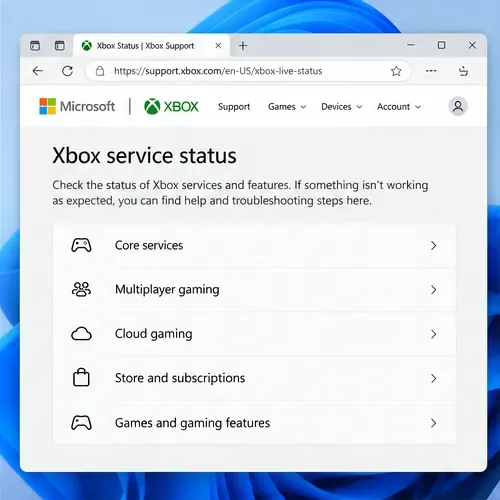
Open the official Xbox status page and look for a notice affecting sign-in, multiplayer, cloud gaming, or store services. If the affected service is having trouble, wait and retry later. Reinstalling the app or changing Windows settings will not correct a service-side outage. If the status page looks normal, continue with local checks.
Use the Xbox service status page to rule out a service-side issue before changing Windows settings.
2. Update the Xbox app and Windows
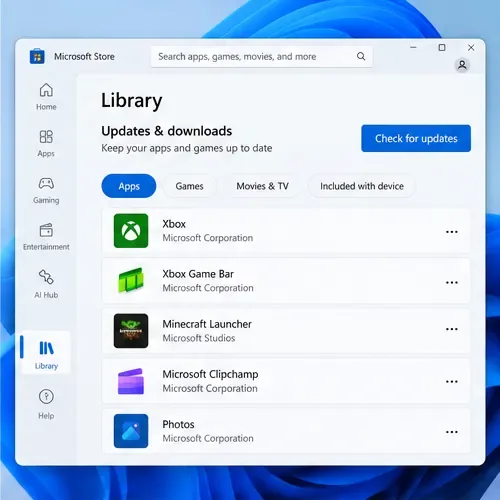
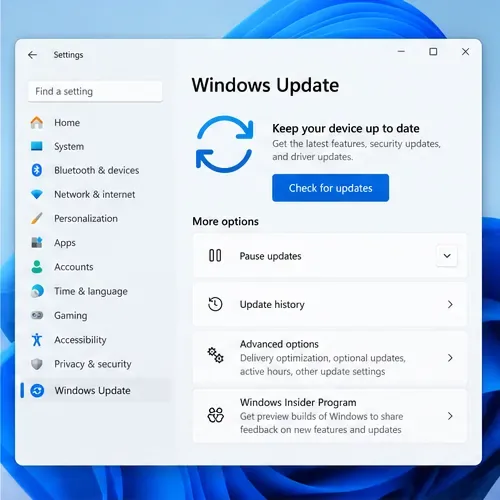
In Microsoft Store, open Library and select Check for updates. Install an Xbox app update if one is offered. Then open Settings > Windows Update, check for available updates, and restart if Windows asks. Updating the app and updating Windows are separate checks. Microsoft’s instructions are available for Microsoft Store app updates and Windows Update.
In Microsoft Store, open Library and check for updates to refresh the Xbox app.Windows Update is separate from the Microsoft Store app update; check both.
3. Close and reopen the app, then restart the PC
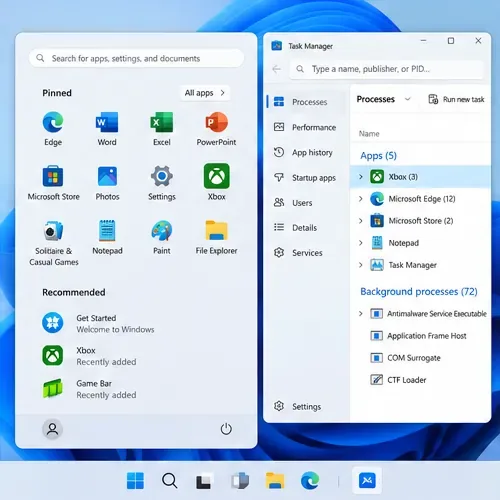
If menus stop responding, exit the Xbox app. If it will not close normally, press Ctrl+Shift+Esc, select the Xbox app in Task Manager, and choose End task for that app only. Open it again from Start. If it is still stuck, restart Windows once to clear a temporary process or pending update. Avoid ending unrelated Windows or Gaming Services processes at random.
If the Xbox app is frozen, close only the Xbox app from Task Manager, then reopen it.
4. Test the connection that the PC is actually using
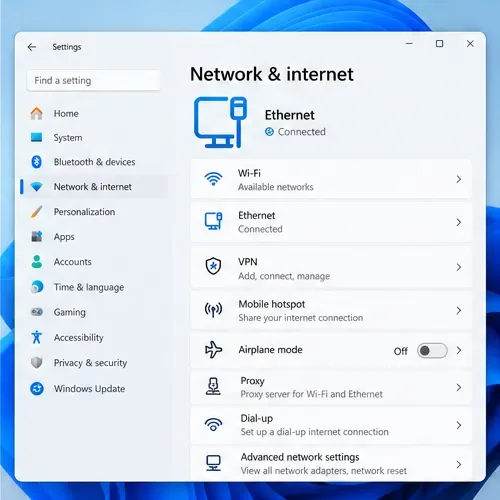
Try Ethernet if it is available, or move closer to the Wi-Fi access point and pause streams, cloud backups, and other large downloads on the network. Compare another download on the same PC: if everything is slow, troubleshoot the home connection or contact the internet provider; if only Xbox downloads are affected, continue below. A speed-test result is not a promise of an identical Xbox download rate, because routing, service load, and installation work can differ.
A wired connection or stronger Wi-Fi signal can help isolate network-related download delays.
5. Check background downloads and Delivery Optimization
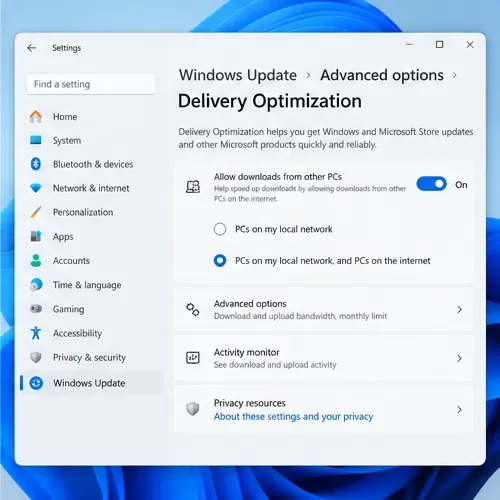
Look for Windows Update, Microsoft Store, or other game downloads already using the connection. In Windows 11, open Settings > Windows Update > Advanced options > Delivery Optimization and review Activity monitor and any configured limits. Delivery Optimization is used for Windows updates, Store apps, and other Microsoft content. Its bandwidth limits apply to automatic updates; Microsoft says they do not apply to a download you start manually in Windows Update or Microsoft Store. So do not expect changing those limits to accelerate a manually started Xbox install. See Microsoft’s Delivery Optimization guide.
Delivery Optimization settings are under Windows Update, where you can review download activity.
6. Check free space and activity on the game’s install drive
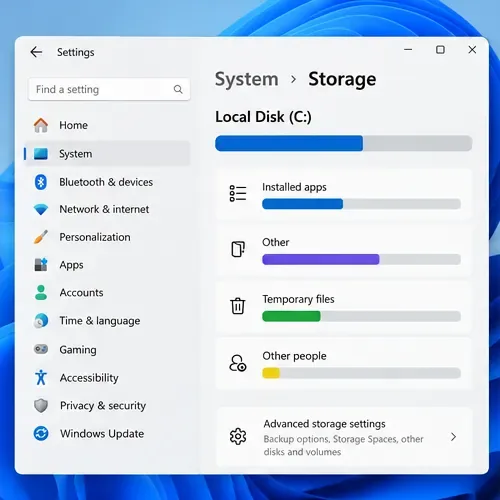
Open Settings > System > Storage and check the drive where Xbox installs games. Free space matters for downloading and unpacking large files. If the app pauses while disk activity is high, storage may be the bottleneck rather than the internet. An older hard drive can take longer to write or unpack game data than an SSD, but switching drives is not a guaranteed percentage speed boost. If you change the install location, use an available drive supported by the Xbox app and keep enough room for the game and its updates. Microsoft explains Windows drive and storage options in its Storage settings guide.
Check the drive used for games and make room if it is nearly full.
7. Run the Xbox Gaming Services Repair Tool
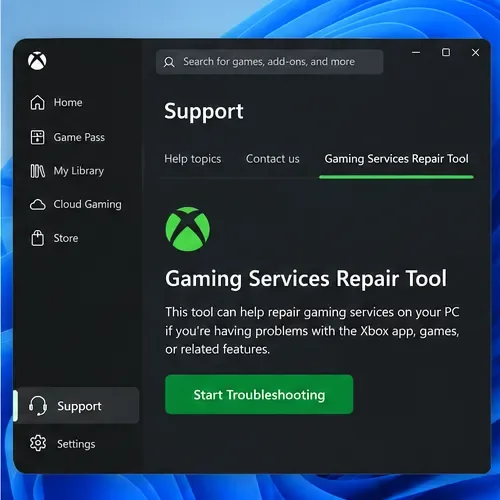
For a game that will not install, update, or launch—or an Xbox app problem involving Gaming Services—open the Xbox app, select your profile picture, go to Support, open Gaming Services Repair Tool, and choose Start Troubleshooting. Follow its prompts and restart if requested. This is Xbox’s supported repair path for Gaming Services problems; it is safer than running an unverified PowerShell command. Read the current Gaming Services Repair Tool instructions.
The Xbox app includes a Gaming Services Repair Tool for supported install and launch problems.
8. Repair the Xbox app in Windows Settings
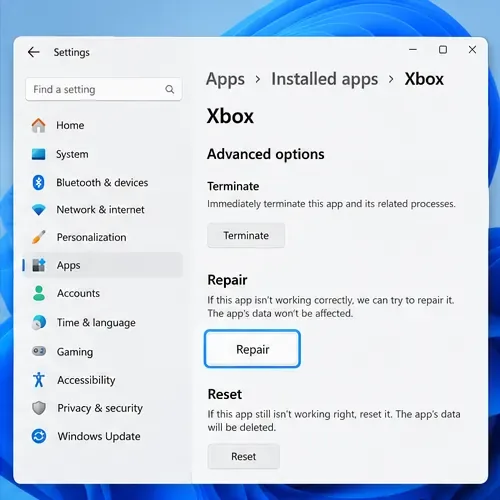
Open Settings > Apps > Installed apps, find Xbox, select the three-dot menu, and open Advanced options. Choose Repair first. This attempts to fix the app without using the stronger reset action. If Repair does not help, use Reset only after reading the Windows prompt: resetting deletes the app’s local data and may require signing in again. The option is not available for every app or Windows build. Microsoft documents the steps in Repair apps and programs in Windows.
Try Repair first; Reset is a stronger option that removes the app’s local data.
9. Clear the Microsoft Store cache if Store features are also stuck
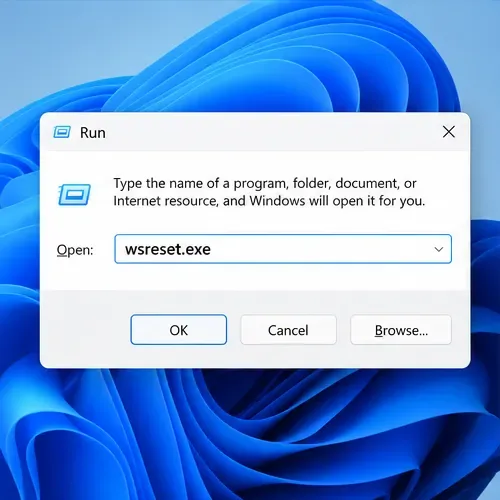
This step is most useful when Microsoft Store will not open or Xbox downloads and updates stall alongside other Store apps. Press Windows key+R, enter wsreset.exe, and press Enter. A blank Command Prompt window may appear; Microsoft says it closes after about ten seconds and then opens Microsoft Store. This clears the Store cache; it is not a reason to delete random folders from %appdata%. See Microsoft’s Microsoft Store troubleshooting steps.
Run wsreset.exe when Microsoft Store itself is failing to open, update, or install apps.
10. Reinstall the Xbox app as a last resort
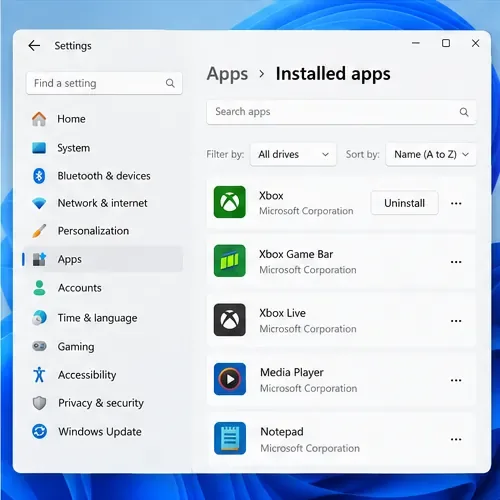
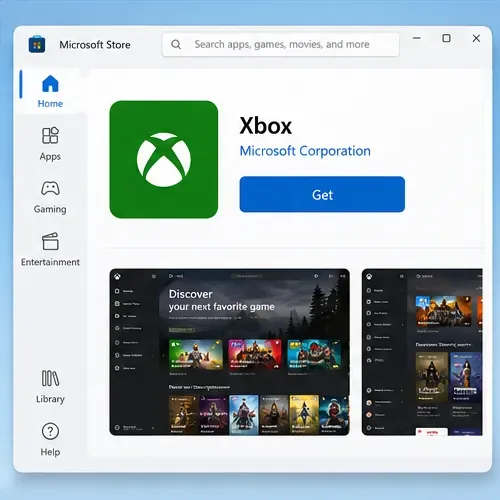
If the Xbox app is still slow after the targeted checks, uninstall the Xbox app from Settings > Apps > Installed apps, restart Windows, and install it again from Microsoft Store. Before uninstalling, note the drive where your games are installed. Do not manually delete game folders or protected WindowsApps folders. After reinstalling, sign in and let the app rebuild its library. Microsoft lists reinstalling Store apps through Library in its Microsoft Store troubleshooting guide. If the same problem returns, keep the exact error code and contact Xbox Support.
Uninstall only the Xbox app as a last resort, and note where your games are installed.Reinstall the Xbox app from its Microsoft Store listing after removing the app.
When these fixes do not help
Record whether the issue affects the app’s menus, all downloads, one game, or the final installation stage. Note the Windows version, Xbox app version, any error code, and whether Microsoft Store downloads are also slow. That information helps distinguish an Xbox service issue from a Windows, network, or drive problem. For a specific install or launch failure, start with Xbox’s slow game and app download troubleshooting and the Microsoft Store app troubleshooter.