Home
» 🎮 Esports
»
Where to Find Xbox Game Captures and Screenshots: The Complete Guide
Where to Find Xbox Game Captures and Screenshots: The Complete Guide
Where to Find Xbox Game Captures and Screenshots
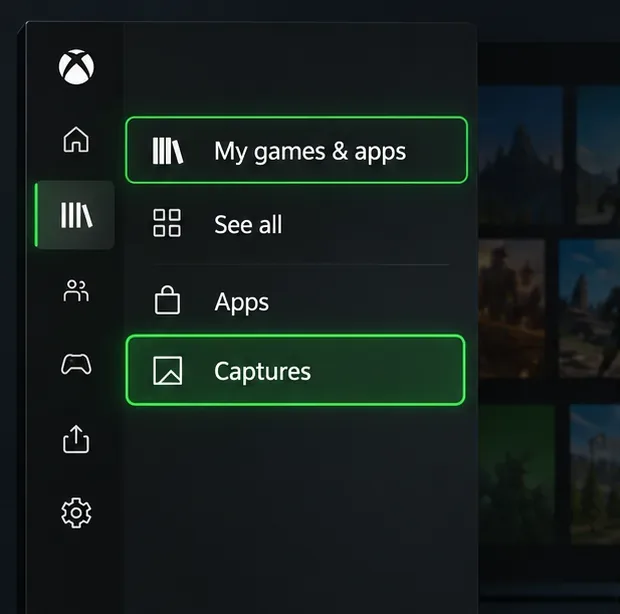
To find Xbox game captures and screenshots on an Xbox Series X|S or Xbox One, press the Xbox button and open My games & apps > See all > Apps > Captures. To view console captures away from your Xbox, use the Xbox mobile app or back them up to OneDrive. If you recorded gameplay on a Windows PC with Xbox Game Bar, look in Videos\Captures on that PC.
These are separate places: the console Captures app, Xbox Network uploads, OneDrive backups, and Windows Game Bar recordings. Knowing which one you used is the quickest way to find the right file.
On Xbox, follow the menu route to the Captures app.
Find clips and screenshots on your Xbox console
Press the Xbox button on your controller to open the guide.
Select My games & apps, then See all.
Open the Apps section and choose Captures.
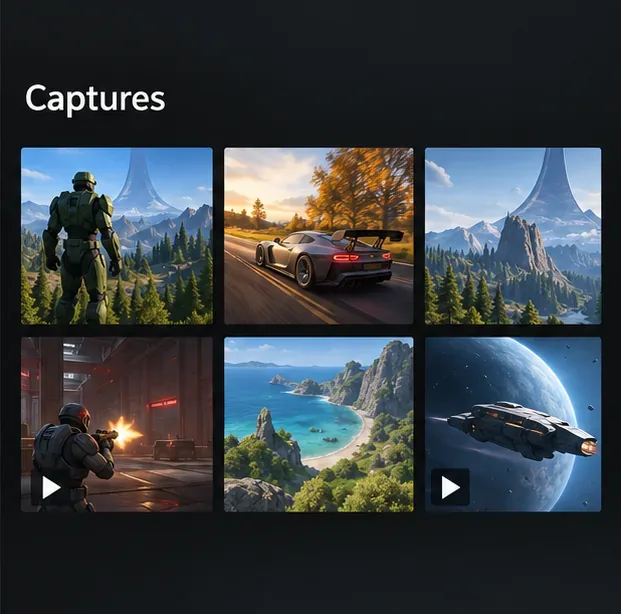
Browse the library and select a screenshot or video clip to view, manage, or back it up.
The Captures app is the main on-console place to manage recordings made on Xbox. Menu labels can shift slightly with software updates, but the route above is the one Xbox documents for opening the app. If you are looking for a clip on the console where it was recorded, start here rather than searching a Windows folder.
The console Captures library brings screenshots and clips together.
Know the difference between console, Xbox Network, and OneDrive captures
A capture may be available locally on the console, uploaded to the Xbox Network for sharing, or copied to OneDrive or an external drive for safekeeping. The Xbox Network is not a permanent archive: Xbox says captures uploaded there may be deleted after 90 days. Back up anything you want to keep by using the Captures app’s backup flow. Xbox supports OneDrive and external storage as backup destinations; see Xbox’s current guide to backing up game captures.
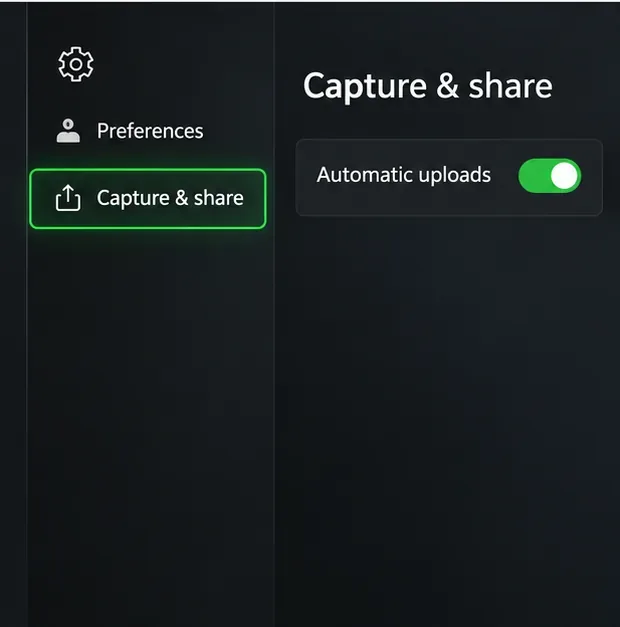
For future captures, open Settings > Preferences > Capture & share and review the automatic-upload options. Enable OneDrive uploads if you want eligible new captures copied to your cloud storage. The exact labels and available options can vary with console software and capture settings, so confirm the destination shown on your Xbox.
Review automatic-upload options under Capture & share.
Back up existing captures before they disappear
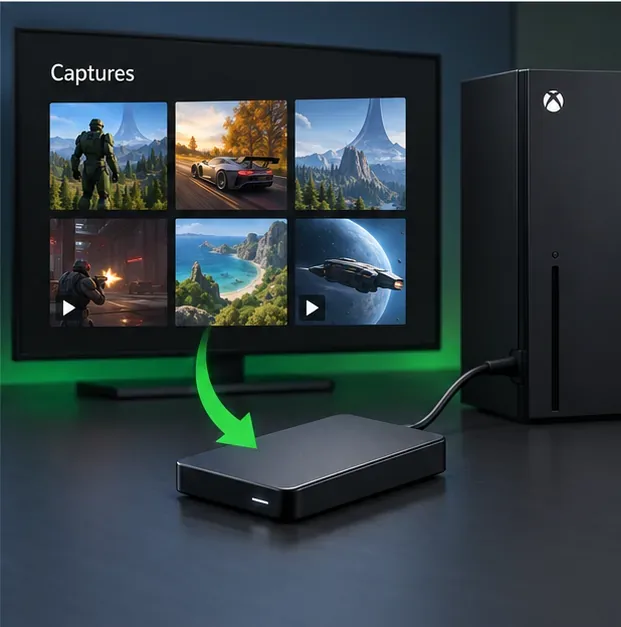
On the console, launch the Captures app and follow its backup prompts to move or upload captures to OneDrive or a compatible external storage device. This is useful for an existing library; turning on automatic uploads is mainly for future captures. After the backup completes, verify that the files appear in the destination before deleting any copy from the console.
Xbox’s retention notice applies to captures stored on the Xbox Network. A copy that has finished uploading to OneDrive is not removed by that 90-day Xbox Network policy, though it still uses your OneDrive storage and remains subject to your account and storage limits. For more detail on the policy and backup flow, see Xbox Wire’s announcement about capture backups.
The Captures app can back up media to external storage.
View Xbox captures on your phone
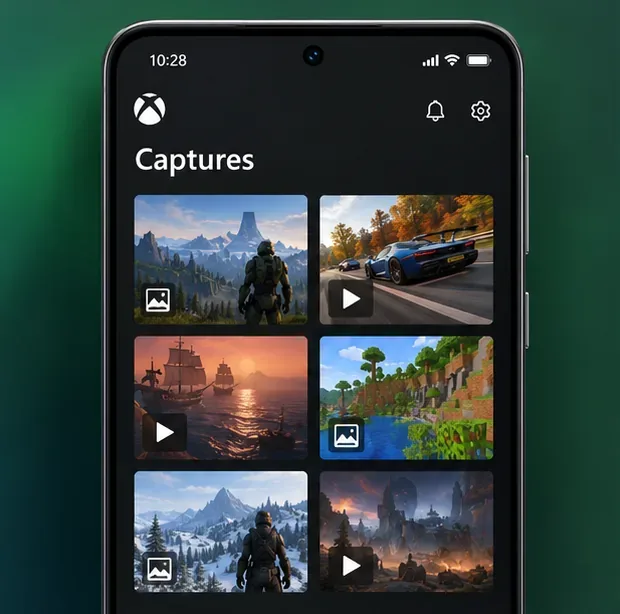
The Xbox mobile app is the simplest way to see and share console screenshots and clips when you are away from the console. Install the official app on iOS or Android, sign in with the Microsoft account linked to your Xbox, and open your capture library. Choose a capture to view or share it through Xbox chat, the activity feed, or a supported social app. The available sharing destinations can change, and the Xbox app listing describes the current sharing features at Xbox’s mobile app page.
If a new clip is missing, first check that the console finished uploading it and that the phone app is signed into the same account. A console capture that was never uploaded will not appear in a cloud-based mobile library. You can still open the Captures app on the console and use its backup or sharing controls.
The Xbox mobile app provides a place to view and share console captures.
Find backed-up Xbox captures in OneDrive
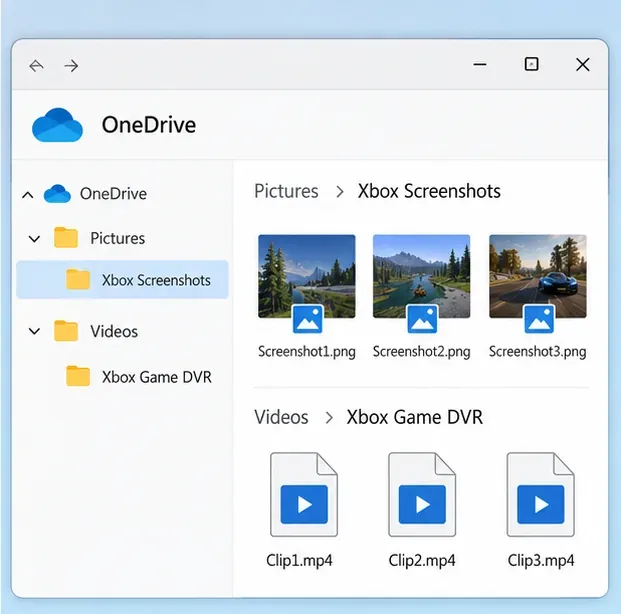
Sign in to OneDrive with the Microsoft account used for the backup. Xbox capture files are organized into two folders:
Pictures > Xbox Screenshots for screenshots.
Videos > Xbox Game DVR for video clips.
Open the matching folder to preview, download, or organize the files on a computer or phone. If the folders look empty, check the account, allow time for the upload to finish, and confirm on the console that OneDrive was selected as the backup destination. OneDrive is different from the Xbox Network: a clip visible in one place is not necessarily backed up in the other.
OneDrive stores screenshots and clips in separate Xbox folders.
Find recordings made on a Windows PC
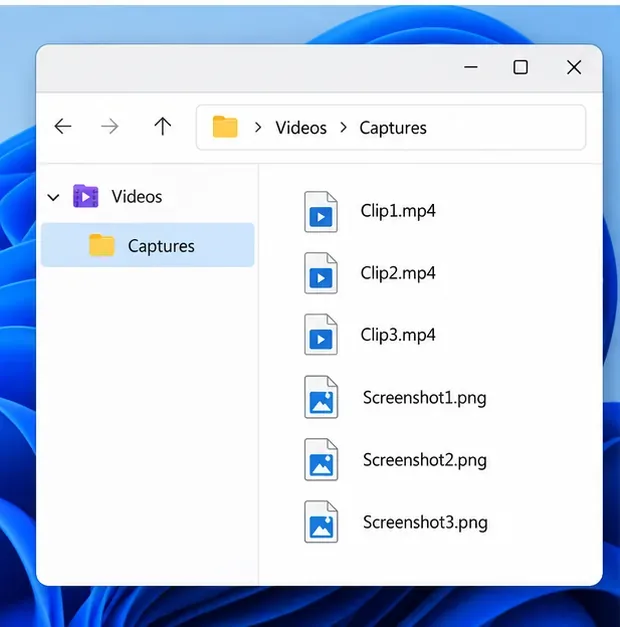
If you captured gameplay directly on Windows with Xbox Game Bar, the files are saved locally in the PC’s Videos\Captures folder by default. Game Bar recordings are MP4 files, while screenshots are PNG files. This folder is for Windows recordings; it is not the same as the console’s Captures app or the Xbox Network.
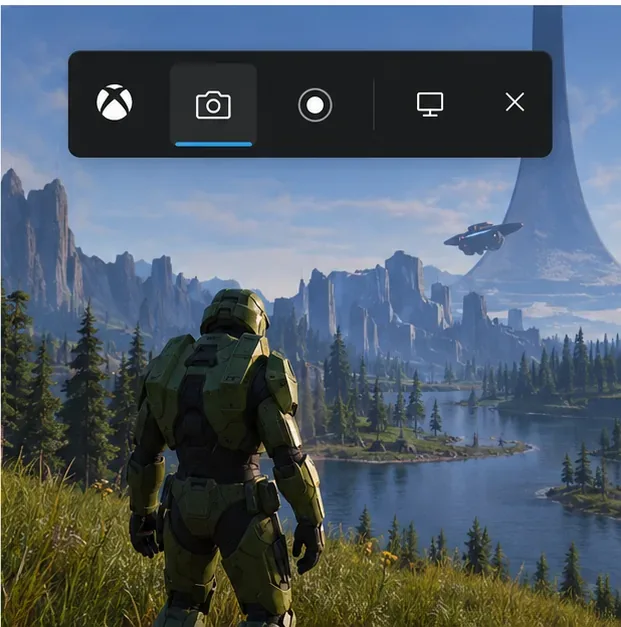
Open File Explorer, select Videos, then Captures. You can also open Game Bar with Windows key + G. Microsoft documents Windows key + Alt + R to start or stop recording and Windows key + Alt + Print Screen to capture a screenshot. See Microsoft’s Xbox Game Bar recording instructions.
Windows Game Bar files are stored locally in Videos > Captures.Windows key + Alt + Print Screen takes a screenshot; Windows key + Alt + R starts or stops a recording.
Quick fixes when a capture is missing
Check the source: Was the clip made on an Xbox console or recorded on a Windows PC? Console captures and Game Bar files have different locations.
Confirm the account: The Xbox mobile app and OneDrive must be signed in to the Microsoft account that owns the capture or received the backup.
Check upload status: A clip may still be uploading, or automatic uploads may be turned off. Open the console Captures app and confirm the backup destination.
Look in the right OneDrive folder: Screenshots are under Pictures > Xbox Screenshots; videos are under Videos > Xbox Game DVR.
Check the age of an online capture: Xbox Network uploads may be deleted after 90 days. Search OneDrive or an external backup for an older copy.
Do not delete the console copy until you have opened the backup and confirmed that the file plays or displays correctly.
Frequently asked questions
Where are Xbox screenshots saved on OneDrive?
Xbox screenshots backed up to OneDrive are in Pictures > Xbox Screenshots. Video captures are in Videos > Xbox Game DVR.
Can I find an Xbox console clip in Windows Videos > Captures?
That Windows folder is the default local location for Xbox Game Bar recordings made on the PC. A clip recorded on an Xbox console is found in the console Captures app, the Xbox mobile app when available online, or the OneDrive folder after you back it up.
Will a OneDrive backup be deleted after 90 days?
The 90-day notice concerns captures stored on the Xbox Network. Xbox says OneDrive backups are not deleted under that Xbox Network retention policy. Keep an eye on your OneDrive space and verify the backup completed.