Home
» 🎮 Esports
»
Best Pro Controllers for Competitive PlayStation Gaming: PS5 Picks Compared
Best Pro Controllers for Competitive PlayStation Gaming: PS5 Picks Compared
Best Pro Controllers for Competitive PlayStation Gaming: PS5 Picks Compared
Best overall: Sony DualSense Edge, because it combines customizable controls with the PS5’s supported haptics and adaptive triggers. For more programmable inputs, choose SCUF Omega; for a modular setup that can switch between standard controls and a six-button fight pad, consider Victrix Pro BFG Reloaded. These are the pro controllers for competitive PlayStation gaming to compare by the features that affect your own grip and game.
This is a specification-based buying guide, not a measured latency ranking or hands-on test. Controller shape, thumbstick feel, and button placement are personal, so use the feature comparisons below to narrow the shortlist before buying. Prices and availability vary by country, model, and finish; check the manufacturer’s store for local terms.
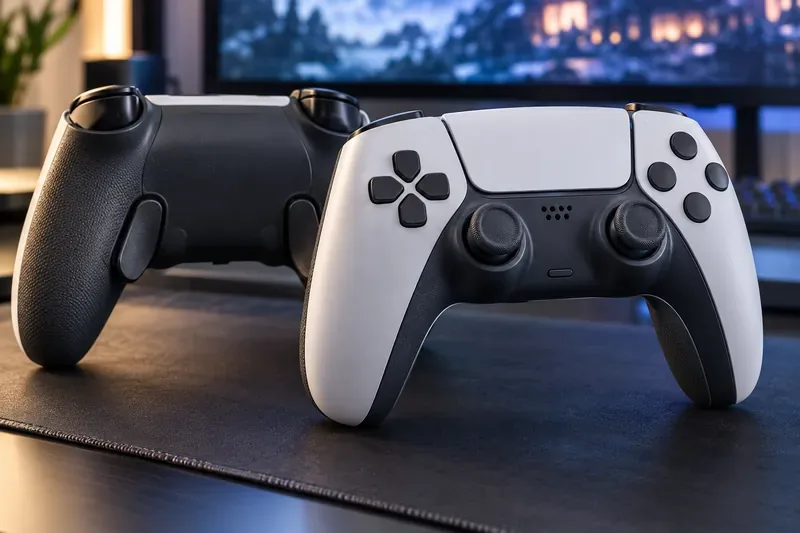
Rear buttons can move a few commands under your fingers while the familiar face-button layout stays in place.
What matters in a PS5 pro controller?
A premium controller is useful when its controls solve a specific problem. Back paddles or extra rear buttons let you jump, crouch, or reload without lifting your right thumb from the aiming stick. Shorter trigger travel can make firing feel quicker in a shooter, while full analog travel remains useful for gradual throttle or braking in a racing game. A different D-pad or a fight-pad module may matter more than paddles in a fighter.
Button mapping: Check how many rear or auxiliary inputs the controller offers, and whether they can be remapped on the PS5 or only in a phone/PC app.
Trigger behavior: Trigger stops and instant-trigger modes favor fast presses; full travel is better when a game reads gradual input.
Stick adjustment: Adjustable sensitivity and dead zones help you tune the feel. Replaceable or magnetic-sensor sticks can be useful for maintenance, but no technology should be treated as a guarantee against every stick problem.
PS5 features: If a game’s haptic feedback or adaptive triggers are important to you, confirm that the controller keeps those features. Premium third-party models can prioritize lighter weight and competitive inputs instead.
Rules and comfort: Confirm console compatibility and tournament rules, and consider grip shape, stick layout, wired options, and how the controller feels after a long session.
Top pro controllers for competitive PlayStation gaming
1. Sony DualSense Edge — best all-around PS5 upgrade
The DualSense Edge is the easiest recommendation for players who want more control without giving up the familiar DualSense experience. It has two mappable back buttons, adjustable trigger lengths, changeable stick caps, sensitivity and dead-zone settings, and quick-swap profiles. Its stick modules are replaceable, which offers a repair option if a module stops working. The Edge also retains DualSense haptic feedback and adaptive triggers in supported games.
Choose it for a flexible main controller across shooters, sports games, and single-player titles. Its trade-off is the limited number of rear buttons compared with some rivals, and the replaceable stick modules are a separate accessory. It is a strong fit for players who value native PS5 features as much as competitive customization.
2. SCUF Omega — best for extra remappable inputs
SCUF’s current PS5 flagship is the SCUF Omega, which has replaced the Reflex lineup. It offers four rear paddles, two side-action buttons, and five G-Keys, for 11 additional customizable inputs. SCUF lists TMR thumbsticks, Omron mechanical switches on key controls, adjustable instant triggers, and in-app customization. Its high input count suits players who want several commands available without moving their thumbs from the sticks.
The Omega removes vibration modules and does not provide DualSense haptics or adaptive triggers, a deliberate trade-off for a lighter competitive setup. SCUF’s comparison guide specifies that its 1,000 Hz polling option is for PC; do not treat that figure as a PS5 polling-rate claim. Pick Omega for extensive remapping and a performance-focused feel, not for immersive feedback.
3. Victrix Pro BFG Reloaded — best modular controller for fighters
The Victrix Pro BFG Reloaded is the most adaptable layout in this group. Its modules can be rearranged, and the package includes a six-button Fightpad with Kailh microswitches, along with alternate D-pads, gates, and thumbsticks. It has four mappable rear buttons and five-stop Hall-effect clutch triggers. That combination makes it especially appealing if you play both fighting games and shooters and want to change the controller’s physical layout between them.
Its flexibility is also its main compromise: swapping modules takes more effort than selecting a saved profile, and the many options can be unnecessary if you prefer one familiar layout. The PlayStation model is listed for PS5, PS4, and PC; confirm that you are buying the PlayStation version rather than a differently licensed platform version.
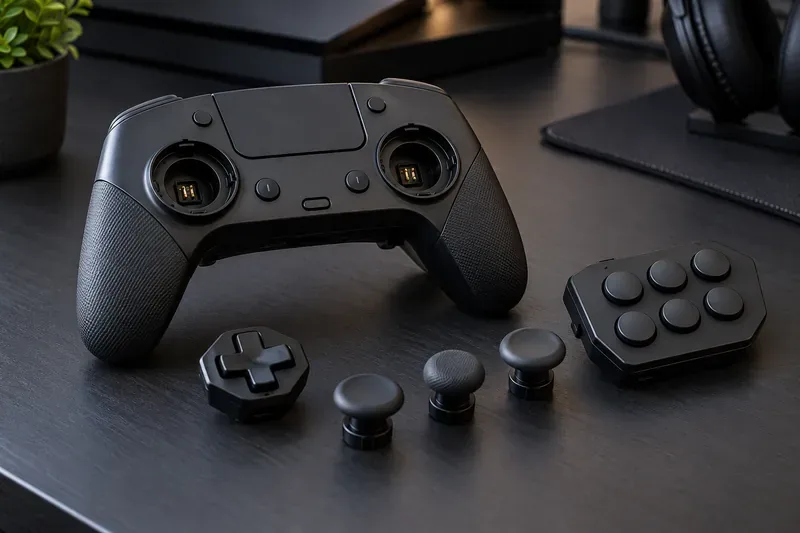
Modular parts can make one controller easier to configure for different genres, especially games that benefit from a dedicated fight pad.
4. Razer Wolverine V2 Pro — best for clicky buttons and six extra controls
The officially licensed Razer Wolverine V2 Pro pairs a 2.4 GHz USB-A wireless connection with six remappable extra buttons: four additional triggers and two bumpers. Razer’s Mecha-Tactile action buttons are designed for a shorter, more tactile press, and the Razer Controller app supports remapping and sensitivity adjustments. It is worth comparing if you like a crisp button feel and want more extra controls than the Edge provides.
Before buying, check the controller’s shape and stick arrangement against your hand preference; its layout differs from the symmetric-stick DualSense design. The extra controls are most useful when their positions feel natural to you, so avoid choosing it solely by the button count.
5. Nacon Revolution 5 Pro — best for magnetic sticks and an asymmetric layout
The Nacon Revolution 5 Pro uses magnetic Hall-effect sensors in its sticks and triggers, includes four rear shortcut buttons, and supports saved profiles, adjustable weights, and trigger blockers. It is a sensible option for players who prefer an asymmetric stick layout or want magnetic-sensor sticks and triggers in one controller.
There is an important PS5 trade-off: Nacon says the controller’s vibration motors work with PC and PS4 games, but not dedicated PS5 games, and its FAQ says it has no haptic feedback. If feedback matters to you, the DualSense Edge is the safer pick. Nacon lists battery life as more than 10 hours, depending on settings.
Quick comparison
Controller
Standout controls
Best fit
Key trade-off
DualSense Edge
Two mappable back buttons, adjustable triggers, profiles, replaceable stick modules
All-around PS5 play and DualSense features
Fewer rear controls than rivals; stick modules sold separately
SCUF Omega
Four paddles, two side buttons, five G-Keys, TMR sticks
Players seeking extensive remapping
No vibration, haptics, or adaptive triggers
Victrix Pro BFG Reloaded
Modular layout, four rear buttons, six-button fight pad
Fighting games and multi-genre setups
Changing layouts takes more effort
Razer Wolverine V2 Pro
Six remappable buttons, tactile action buttons, 2.4 GHz wireless
Players who prefer clicky controls and extra inputs
Different grip and stick layout from DualSense
Nacon Revolution 5 Pro
Hall-effect sticks and triggers, four rear shortcuts, adjustable weights
Asymmetric-stick preference and magnetic sensing
No vibration or haptics in PS5 games
Which controller should you choose by game?
FPS games: Prioritize rear controls for jump, crouch, and reload, plus a trigger setting that suits your weapon use. SCUF Omega, Razer Wolverine V2 Pro, and DualSense Edge are the clearest starting points.
Fighting games: Compare D-pad feel and button spacing before counting paddles. Victrix stands out because its Fightpad module adds a six-button front layout.
Racing games: Keep analog trigger travel available for throttle and braking. A hair-trigger setup that feels fast in a shooter can make gradual acceleration harder.
Mixed genres: DualSense Edge profiles make it simple to switch saved settings; Victrix is more useful if you want to change the physical arrangement too.
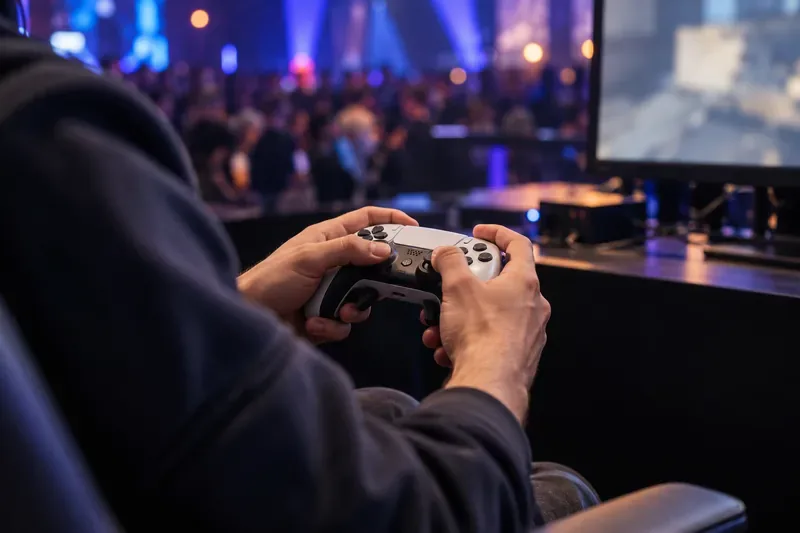
At an event, use a familiar setup and check the organizer’s controller and connection rules before match day.
Set up a tournament controller without overcomplicating it
Map only the actions that benefit from moving off the face buttons. Start with one or two rear controls, then add more after the layout feels automatic.
Keep each remap simple and consistent. Avoid macros or rapid-fire functions unless the specific event rules explicitly permit them.
Adjust stick sensitivity and dead zones gradually. Change one setting at a time and keep a note of your baseline so you can revert a change that makes your aim less predictable.
Use a trigger stop only in games where short travel helps. Keep full analog movement for racing and any title where controlled trigger range matters.
Save a known-good profile and test the controller on the console and game you will use. If an event requires a wired connection or restricts custom equipment, follow its written rules.
PlayStation’s tournament instructions tell players to review the rules shown during registration. Those rules can vary by event, so confirm controller, connectivity, and input restrictions with the organizer rather than assuming every pro controller is allowed. See PlayStation’s tournament guidance.
Final recommendation
Pick the DualSense Edge if you want the most balanced PS5 upgrade and want to retain supported DualSense features. Choose the SCUF Omega for a large set of remappable inputs, the Victrix Pro BFG Reloaded for modular layouts and fighting games, the Razer Wolverine V2 Pro for six extra controls and tactile buttons, or the Nacon Revolution 5 Pro if its magnetic sticks and asymmetric shape suit you. The best PS5 pro controller is the one whose controls feel reliable in your hands and whose rules and features match the games you actually play.
Manufacturer specifications and product names checked October 16, 2026. See the linked official product pages for current regional availability, compatible platform versions, warranty terms, and firmware information.