Home
» 🎮 Esports
»
Ultimate Guide: Best Fortnite Keybinds for Small Hands
Ultimate Guide: Best Fortnite Keybinds for Small Hands
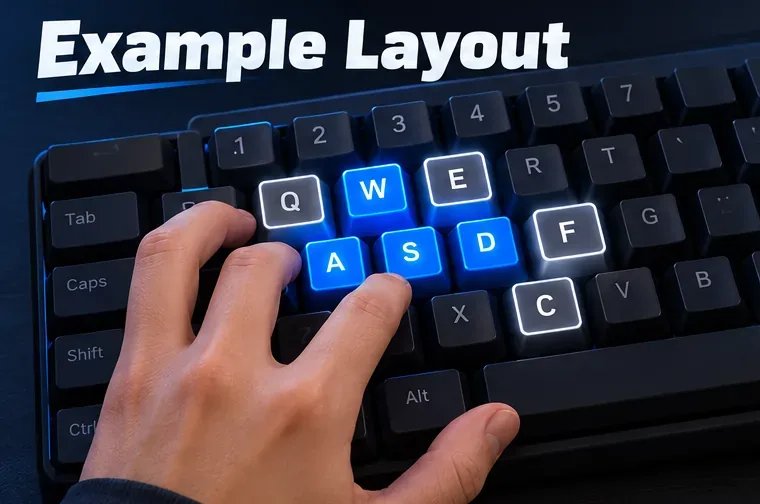
Best Fortnite keybinds for small hands keep frequent actions within comfortable reach while leaving your movement fingers on WASD. A practical starting layout is WASD for movement, nearby keys such as Q, E, and F for actions, and up to two mouse side buttons for build pieces if your thumb reaches them without strain. There is no single “pro” layout that fits every hand; treat the setup below as a template and change only the binds that feel awkward.
A compact Fortnite keybind layout to start with
Keep your palm near its normal position and test whether you can press each bind without stretching or lifting your whole hand. This example is designed to reduce unnecessary reach, not to promise faster edits or wins.
Action
Starting bind
Small-hand adjustment
Move
W, A, S, D
Keep these as your movement anchor.
Jump
Spacebar
Use your thumb if that feels natural; keep it if already comfortable.
Sprint
Left Shift
Try Caps Lock or another nearby free key if Shift makes your pinky stretch.
Crouch / slide
C or Left Ctrl
Choose the one you can reach while keeping your hand relaxed.
Wall
Mouse Button 4
If your mouse has no side buttons, use a nearby free key such as C.
Floor
Q
Close to WASD and easy to test without leaving movement.
Ramp / stairs
Mouse Button 5
Use a nearby free key such as E if the mouse button feels awkward.
Roof / cone
E
Swap with another nearby free key if E conflicts with a bind you rely on.
Edit
F
Try E or another reachable free key if F feels like a stretch.
Interact / use
Keep your current bind, or choose G
Keep it distinct from sprint, edit, and build actions; test pickups and doors.
Reload and weapon slots
Keep your current binds at first
Change only slots that are genuinely hard to reach.
Illustrative example: keep movement on WASD and choose secondary actions from nearby keys.
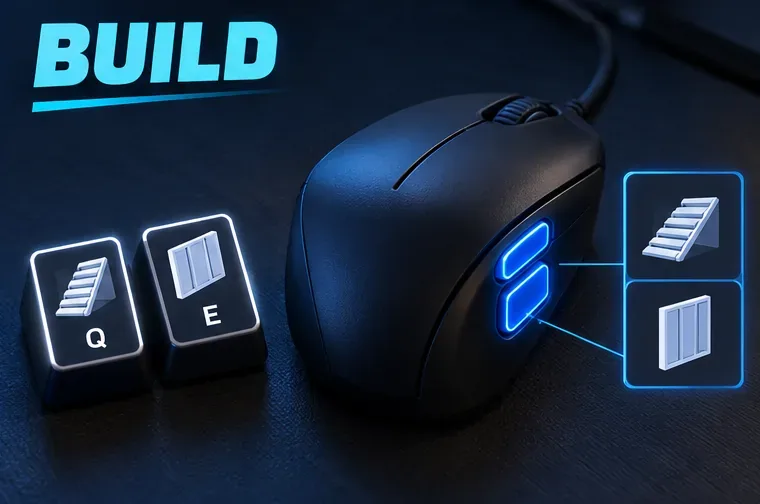
This layout uses two mouse side buttons for Wall and Ramp, while Q and E handle the other build pieces. If either mouse button is missing or uncomfortable, move that action to an unused nearby key and recheck the whole layout for conflicts. Do not bind two essential actions to the same key just to copy a diagram. The best Fortnite keybinds for small hands are the ones you can press cleanly while moving.
Why these Fortnite binds can feel more manageable
Small hands do not need a special “pro” configuration; they benefit from a layout that respects each player's comfortable reach. WASD stays fixed, while high-frequency actions move to nearby keys or mouse buttons that do not require a large hand shift. Putting one or two build actions on the mouse can help some players keep their left hand on movement, but a thumb button is not automatically easier for everyone.
A compact keyboard can reduce the distance to far keys, but keyboard size alone does not determine comfort. Key spacing, mouse shape, finger length, and your natural hand position all matter. Avoid forcing a claw grip or extending your pinky because a setup is popular online.
Illustrative example: mouse side buttons can take one or two build actions, with Q and E as nearby alternatives.
Set up and test your keybinds in four steps
Open the correct controls page. In Fortnite, open the menu, choose the gear icon, then select the keyboard-and-mouse tab shown with an arrow-keys icon. Epic notes that available settings depend on the game mode selected in the lobby, so choose the mode you intend to play before changing binds. See Epic’s instructions for changing Fortnite controls.
Assign the movement and build anchors. Keep WASD, then set Jump, Sprint, and Crouch. Add build-piece binds one at a time. Check that each key or mouse button has one clear job in the actions you use; keep Reload and Interact separate from critical build or edit inputs.
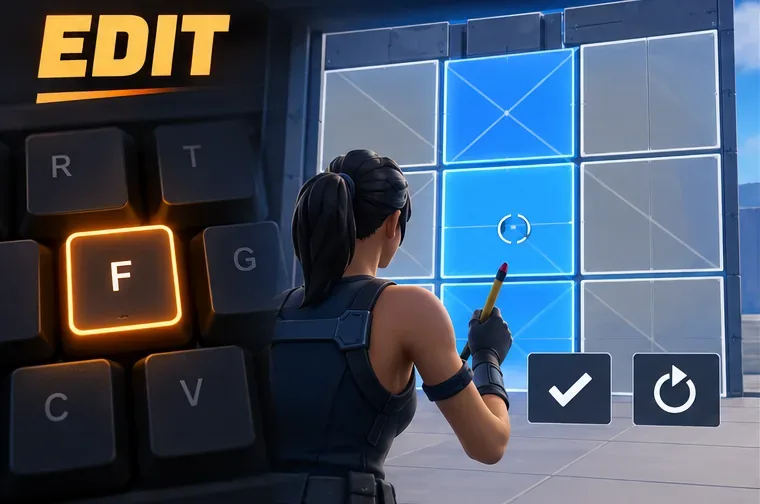
Choose an edit key you can hit without shifting your hand. F is a common nearby option, but comfort matters more than convention. Keep any confirm or reset actions on reachable, distinct inputs, and check that a reset bind does not interfere with Reload or another action.
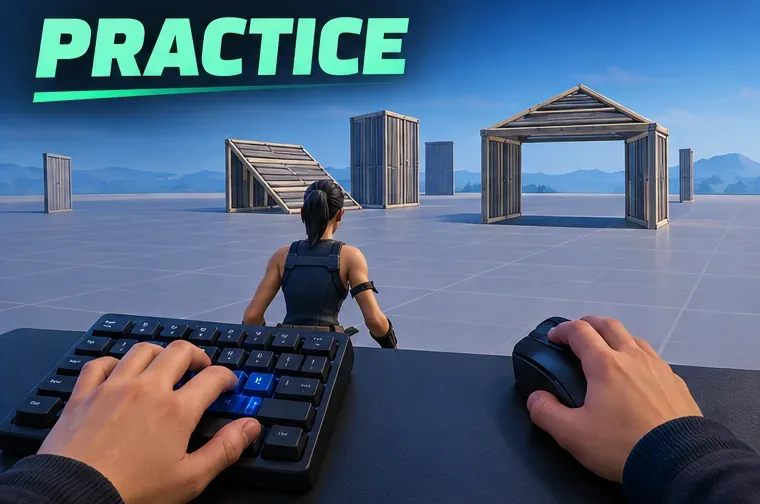
Run a short practice loop before using the layout in a match. In a private Creative practice area, walk, sprint, jump, place each build piece, edit, reset, reload, and pick up an item. Repeat the sequence while moving. If you miss one action, change that bind and test again before adjusting anything else.
Illustrative edit example: pick a nearby edit key and verify the confirm and reset inputs separately.
Check whether the setup actually fits your hand
Your left hand can return to WASD without searching for the keys.
You can press your build and edit binds without lifting or twisting your hand.
Mouse side buttons are reachable with a relaxed thumb; if not, move those actions back to the keyboard.
You can still interact, reload, and switch weapons without accidental overlaps.
No key causes pain, tingling, or repeated strain. Stop and reposition rather than forcing a bind.
Do not change every control at once. Play a few practice rounds with the same layout, note the one input that causes the most misses, and adjust only that input. Mouse sensitivity is a separate preference from keybinds, so there is no small-hand DPI number that should be copied as a rule.
Illustrative practice scene: test the full movement, build, edit, and interact sequence before entering a match.
Common keybind mistakes to avoid
Copying a pro’s full setup. A player’s keyboard, mouse, reach, and habits may differ from yours, and a settings list cannot prove that it suits small hands.
Putting every build action on the mouse. Start with one or two side buttons only if they feel controlled; too many thumb actions can create a different kind of strain.
Rebinding several actions together. You will not know which change helped or caused a conflict.
Skipping the final checks. Epic has a support note about keybindings resetting after updates. If an action stops working, revisit the Keyboard Controls page and check the affected binds manually. See Epic’s keybinding-reset guidance.
The goal is a comfortable, repeatable setup: movement remains familiar, high-use actions stay within easy reach, and every important bind works under practice conditions. Use this Fortnite keyboard-and-mouse layout as a starting point, then keep the keys that feel natural and replace the ones that do not.