Home
» 🎮 Esports
»
Minecraft Error 666 Creepypasta: The Legend and the Facts
Minecraft Error 666 Creepypasta: The Legend and the Facts
Minecraft Error 666 Creepypasta: The Legend and the Facts
The Minecraft Error 666 creepypasta is an internet horror legend, not a confirmed vanilla Minecraft error. The familiar story adds a cursed seed, a red error screen, a hostile figure, or a supposedly corrupted world—but those details belong to fan fiction, and I found no official Minecraft documentation confirming them as real game behavior. Entering a seed or coordinates associated with 666 is not evidence of a hidden error. If Minecraft actually crashes, treat it as a technical issue and protect the world before troubleshooting.
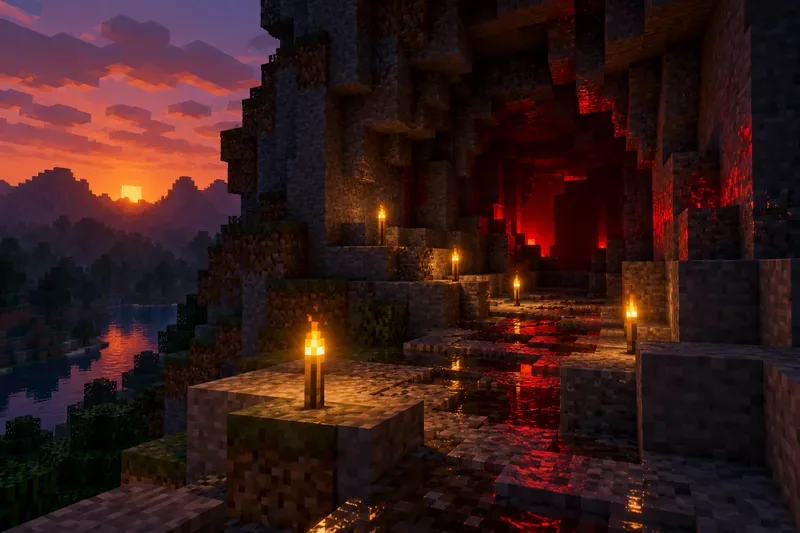
A fictional block-world night scene evokes the mood of Minecraft horror stories; it is not a screenshot from the game.
What happens in the Minecraft Error 666 creepypasta?
There is no single authoritative version of the Minecraft 666 error. Different fan-written stories attach the number to different scares. Common motifs include creating a world with seed 666, seeing coordinates such as X: 666, Y: 66, Z: 666, getting a fake error message, or spotting an entity in the distance. Other retellings add red static, distorted sounds, altered player skins, or a world that appears to return after deletion.
Those details are story devices, not a consistent set of reproducible symptoms. The versions disagree about what triggers the event and what the entity looks like. That variation is a clue that “Error 666” describes a family of Minecraft creepypasta stories rather than one documented bug report.
This imagined cave represents a recurring horror-story setting, not an in-game event or verified seed.
Where did the legend start?
A reliable, traceable origin for the Minecraft-specific “666 error” story is difficult to establish. Online retellings use similar ingredients but do not point consistently to one original author or dated post. Claims that a particular deleted 2012 video launched the legend, that it received millions of views, or that Mojang concealed a real error should be treated as unverified unless an archived original upload or contemporaneous record can be checked.
The number 666 already carries a familiar horror association, while Minecraft’s open-ended worlds make it easy to imagine a strange sighting becoming a story. A dark cave, a coincidental terrain shape, a modded mob, or a normal crash can all be retold as evidence of a curse. That explains why the premise feels recognizable; it does not establish that the event happened.
Is Minecraft Error 666 real?
Official Minecraft Help pages cover genuine crashes and error-code troubleshooting, including guidance for Bedrock Edition. In the official material reviewed for this article, I found no confirmation of a built-in “Error 666” that summons an entity, changes a skin, damages a device, or follows a player between saves. That is a statement about what could be verified in the documentation—not proof that no fan has ever seen a crash or made a horror video.
Story claim
What can be verified
Seed 666 summons a monster
No official source reviewed documents this behavior. A seed number alone is not evidence of a hidden error.
Coordinates 666, 66, 666 activate a curse
This is a recurring story detail, not a confirmed vanilla trigger.
A red screen or “Error 666” message proves the legend
Record the exact screen and game version. A mod, add-on, resource pack, server, or ordinary crash may affect what appears.
The world returns after deletion or bricks a device
No reliable evidence reviewed supports these supernatural claims. Investigate actual data or device problems through official support.
What to do if Minecraft really crashes
A real freeze, crash, or error message deserves ordinary troubleshooting. The steps below help separate a game problem from a fictional Minecraft horror legend:
Save a copy of the world first. Minecraft Help advises backing up worlds before changing settings or troubleshooting. Use the official Java Edition world-backup instructions or the backup guidance for your platform.
Capture the exact details. Note Java or Bedrock Edition, the version, device or operating system, the wording of the error, and what happened immediately before the crash. A screenshot or log is more useful than the number 666 on its own.
Check whether custom content is involved. If you use mods, add-ons, resource packs, or a server, test a copy of the world without the suspected custom content. Do not experiment on your only save.
The screen is conceptual art, while the backup drive illustrates a practical precaution before troubleshooting a real save.
Why this Minecraft horror legend still works
The 666 Creepypasta Minecraft Error turns a familiar creative sandbox into an uncertain place. Players already expect worlds to generate differently, and a single-player session can feel quiet and isolated. Add a dramatic error message or a figure in the fog, and an ordinary visual glitch becomes a memorable story worth sharing.
That is the useful distinction: the legend can be fun as fiction, a challenge map, or a carefully labeled horror video. It should not be presented as an official Minecraft error or as proof of a Mojang cover-up. If you try a fan-made map or mod, use a separate test world and check the download source. The fictional story is not evidence that your world or device has been cursed.
Quick answers
Is Minecraft seed 666 cursed?
No official documentation reviewed identifies seed 666 as cursed or as a trigger for a supernatural event. The seed is part of the story’s folklore.
Can the Error 666 story damage my device?
The creepypasta itself is a story. A real download can still affect a computer or save, so use trusted sources, keep backups, and avoid running unknown executable files that promise to “fix” a curse.