Supercharge Your PlayStation Network Speed: Fix PS5 and PS4 Lag
To improve PlayStation Network speed and reduce lag, start by checking for a PSN or game-server outage, then test the console connection and stabilize the link between your PS5 or PS4 and router. A wired LAN connection is the most useful first change; better Wi-Fi placement and fewer competing downloads can also help. No setting can guarantee lag-free play, because ping and packet loss can depend on the game server, your ISP’s route, and congestion outside your home.
It also helps to identify the symptom. Slow downloads point to available bandwidth or download-server conditions. Delayed actions, rubber-banding, or voice-chat dropouts point more often to latency, jitter, packet loss, or a server problem. Trouble joining a party or lobby can involve NAT or filtering. A higher Mbps result alone does not prove that gameplay will feel more responsive.
1. Check PSN and game-server status first
If several online games stop working at once, check the official PlayStation Network status page. If only one game is affected, check that game publisher’s official service-status page too. When a service is down, changing your router or DNS will not repair the server; wait for service to return and test again.

2. Record a baseline on your PS5 or PS4
Run the built-in connection test before making changes. On PS5, go to Settings > Network > Connection Status > Test Internet Connection. On PS4, go to Settings > Network > Test Internet Connection. Note whether the console connects to the internet and PSN, the reported download and upload estimates, and the NAT type. Sony’s setup steps are in its PS5 and PS4 internet-connection guide.
Run the test when the problem is happening and again after each change. The console’s result is a useful snapshot, not a guarantee of in-game ping or a universal pass mark. Compare like with like: same console, similar time of day, and the same game or server region when the game lets you choose one. A laptop speed test on the same network can help identify a broad ISP slowdown, but it measures a different route from the game server.
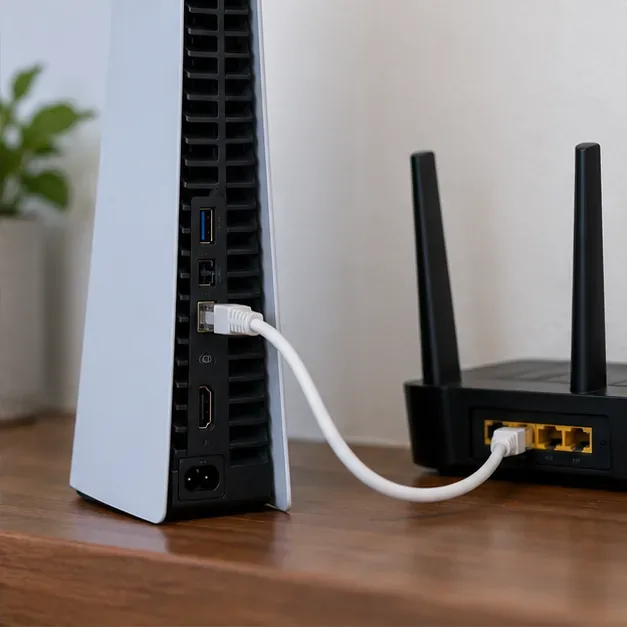
3. Connect the console to the router with Ethernet
For the clearest test, connect the PS5 or PS4 directly to a LAN port on your router with an Ethernet cable. On PS5, open Settings > Network > Settings > Set Up Internet Connection, then choose Set Up Wired LAN > Connect. On PS4, choose Settings > Network > Set Up Internet Connection > Use a LAN Cable > Easy.
Use a sound cable that reaches without a tight bend; a current Cat5e or Cat6 cable is more than adequate for a typical home connection. Ethernet does not shorten the distance to a game server, but it removes the Wi-Fi link as a source of local radio interference and signal variation. If the game becomes steadier on a cable, focus on improving your wireless setup rather than buying a faster internet plan.

4. If you use Wi-Fi, improve signal quality
Move the router into an open, elevated position and reduce walls, cabinets, and large metal objects between it and the console. Keep it away from enclosed media cabinets and other sources of interference. If your router offers separate 2.4 GHz and 5 GHz networks and your console supports both, try 5 GHz when the console is nearby; 2.4 GHz may reach farther through walls, so compare performance in your room rather than assuming one band always wins.
On PS5, use Settings > Network > Settings > Set Up Internet Connection to choose a saved wireless network. On PS4, choose Settings > Network > Set Up Internet Connection > Use Wi-Fi. The available options depend on your console model and router. Don’t force a crowded Wi-Fi channel based on a generic online recommendation; let the router manage channel selection unless its manufacturer’s guidance tells you otherwise.

5. Reduce competition on your home network
During a lag check, pause large game downloads, cloud backups, and high-resolution streams on other devices. Uploads can matter too: a phone backing up video or a computer sending large files may make a busy connection feel unresponsive. Retest after pausing one activity at a time so you can see whether household traffic is the cause.
If the router has a Quality of Service (QoS) feature, you can try prioritizing the console during busy periods. Router menus and behavior vary, so follow the manufacturer’s instructions and compare the result. QoS can help manage contention on some networks; it cannot add bandwidth to an overloaded internet plan or fix a distant game server.
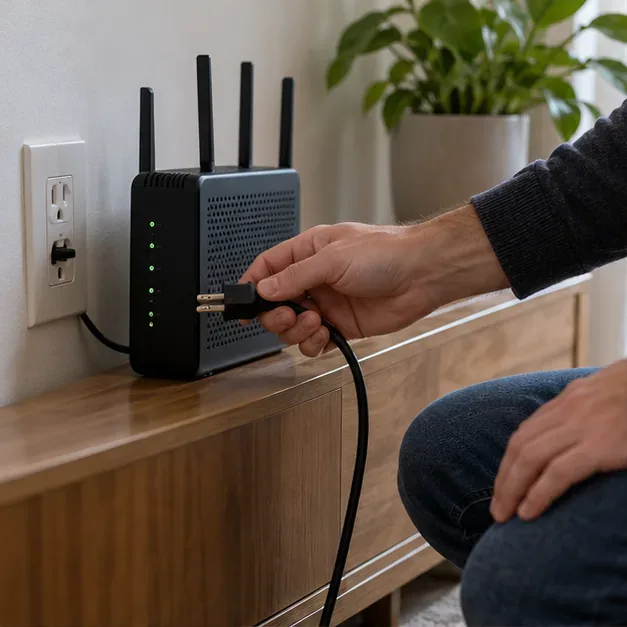
6. Restart equipment and install router updates
When the connection is unstable, first check PSN status. Then restart the console and power-cycle the modem and router: turn them off, wait at least five minutes, and turn them back on. Wait for the internet connection to return before running the console test again. PlayStation’s connection troubleshooting also recommends a wired test when possible and checking that router firmware is current.
Use the router maker’s official instructions to install firmware updates. Don’t interrupt an update or reset the router to factory settings unless you know how to restore your ISP and Wi-Fi configuration. If other devices also lose connection or the router’s status lights show a line problem, contact your internet provider.

7. Treat DNS and advanced router settings as optional tests
Changing DNS is not a reliable way to lower in-game ping. DNS translates service names into network addresses, so a different resolver may help with a DNS error or slow initial lookup, but it usually does not change the route used by an active game session. If you want to test it, Cloudflare lists 1.1.1.1 and 1.0.0.1 as its public DNS addresses in its official resolver documentation. Record your original setting and switch back to automatic DNS if the issue remains or gets worse.
On PS5, select the connection under Settings > Network > Settings > Set Up Internet Connection, open Advanced Settings, and change DNS only if needed. On PS4, choose Set Up Internet Connection > Use Wi-Fi or Use a LAN Cable, then Custom and enter DNS manually. Leave MTU and proxy settings at their defaults unless your ISP or network administrator gives you a specific value. Avoid disabling IPv6 as a general speed tweak; PS5 supports IPv6 but requires IPv4 to be available too, rather than an IPv6-only network.

8. Check NAT and ask the ISP about persistent problems
NAT type is about how the console connects through the router, not how fast your internet plan is. If matchmaking, party chat, or joining friends fails while browsing and downloads work, check the NAT result and look for multiple routers between the console and the internet. A restrictive NAT or carrier-grade NAT may require help from the ISP; ask before changing firewall rules.
Port forwarding is a last-resort compatibility step, not a general PSN speed boost. For particular PS5 connection errors, Sony lists TCP ports 80, 443, 3478, 3479, and 3480, plus UDP ports 3478, 3479, and 49152–65535, and advises getting help with router configuration if needed. Check the relevant PlayStation error-code guidance before making changes. Don’t place the console in a router’s DMZ or open unrelated ports just to chase a lower ping.
If lag continues on Ethernet after a restart, compare another device’s connection and contact your ISP with the times, console test results, and whether the issue affects every game. If only one title is affected, contact that game’s support or wait for its server issue to clear.

Quick checklist for steadier PSN play
- Check PlayStation Network and game-server status.
- Run and record the PS5 or PS4 connection test before changing settings.
- Try Ethernet; if that is not practical, improve router placement and compare Wi-Fi bands supported by your devices.
- Pause heavy downloads and uploads, then test again.
- Update router firmware and restart equipment using the maker’s instructions.
- Use DNS, QoS, and port changes only as targeted tests, and undo changes that do not help.
The best PSN speed fix is the one that addresses the actual failure point. Stabilize the home connection first, keep a before-and-after record, and bring persistent wired connection problems to your ISP or the affected game’s support team.









