Home
» 🎮 Esports
»
PS5 Pro vs. PS5 Standard: Price, Specs, and Which One to Buy
PS5 Pro vs. PS5 Standard: Price, Specs, and Which One to Buy
PS5 Pro vs. PS5 Standard: Price, Specs, and Which One to Buy
The PS5 Pro is the stronger choice for players with a 4K display who want higher visual settings and smoother performance in games built or patched for it. The PS5 Standard remains the better value for most budgets, and it still supports 4K output and high-refresh gameplay in compatible titles. Pro is not a promise of double the frame rate or native 4K in every game: the gains depend on each game’s update and graphics mode.
One recent change matters to this comparison: Sony announced Quick Spectral Super Resolution (QSSR), an AI upscaling option for standard PS5 games, on October 1, 2026. PS5 Pro still has the higher-end PSSR technology, but AI upscaling is no longer a Pro-only talking point.
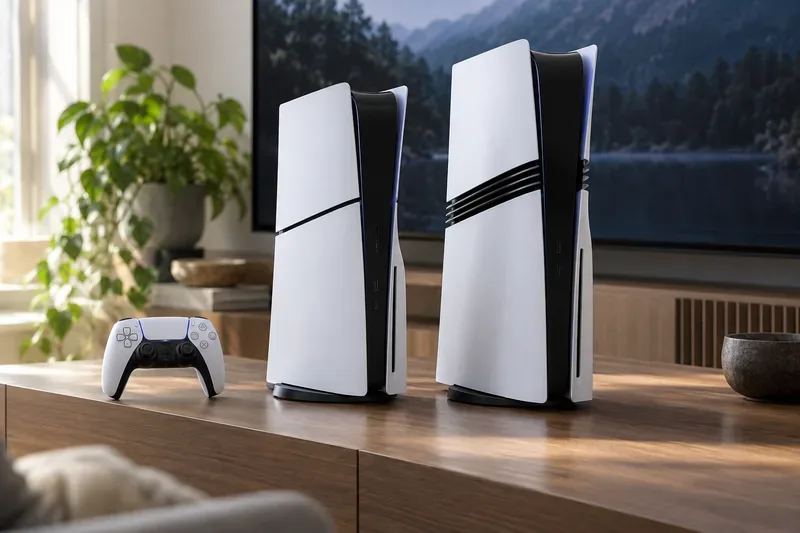
The two consoles share the PS5 family look, while the Pro’s extra side detailing distinguishes the higher-performance model.
Quick verdict: which PS5 should you buy?
Choose PS5 Pro if you own a 4K TV, play several PS5 Pro-enhanced games, and care about sharper image reconstruction, more demanding ray tracing, or balancing image quality with a higher frame rate.
Choose PS5 Standard if price matters most, you mainly play on a 1080p or 1440p screen, or you want an included disc drive without paying extra for an add-on.
Keep your current PS5 if it already runs the games you play well. Consider an upgrade only after checking whether your favorite titles have a Pro patch and whether you can see the difference on your screen.
Both consoles play PS5 games and use the same DualSense controller features. Pro-specific visual options are added by game developers and can vary from one title to another. Sony also notes that a small number of PS4 games are not compatible with PS5 Pro, so check the official compatibility list if your library includes older titles.
PS5 Pro vs. PS5 Standard price comparison
There is no single worldwide price, and today’s retailer prices can differ from the original recommended retail prices. The figures below are Sony’s launch MSRPs for the slim PS5 model introduced in 2023 and PS5 Pro announced in 2024—not a live quote for October 2026. Sony’s standard PS5 announcement and PS5 Pro announcement list these market-specific prices:
Console at launch
United States
Europe
United Kingdom
Japan
PS5 Pro (digital; disc drive sold separately)
$699.99
€799.99
£699.99
¥119,980
Standard PS5 with disc drive
$499.99
€549.99
£479.99
¥66,980
Standard PS5 Digital Edition
$449.99
€449.99
£389.99
¥59,980
At those launch prices, the Pro cost $200 more than the disc-equipped standard PS5 in the U.S., and $250 more than the digital standard edition. The gap is larger in some other markets. Check the PlayStation store or an authorized seller in your country for today’s price, local taxes, bundles, and discounts before deciding.
The Pro is sold without a built-in disc drive. Sony sells a compatible attachable disc drive separately for games and 4K Blu-ray movies; pairing it with a PS5 console requires an internet connection during setup. If you own physical games, include the drive in your total budget. The standard slim line is available with either a built-in drive or as a digital edition that can also take the add-on drive.
PS5 Pro owners who want to use disc games need to budget for the separately sold disc drive.
PS5 Pro specs vs. PS5 Standard specs
Feature
PS5 Pro
Current standard PS5 Slim
Built-in storage
2TB SSD
1TB SSD
GPU and memory
67% more GPU compute units and 28% faster memory than the standard PS5, according to Sony
Baseline PS5 hardware
Rendering claim
Up to 45% faster rendering, depending on the game and its implementation
Reference performance for the PS5 game modes
Ray tracing
Upgraded ray tracing; Sony says ray speeds can be double, and sometimes triple, in supported use cases
Ray tracing supported in selected games
AI upscaling
PlayStation Spectral Super Resolution (PSSR), with an upgraded version rolling out in 2026
Quick Spectral Super Resolution (QSSR) available in supported games, beginning with select 2026 updates
Disc drive
Not included; compatible drive sold separately
Choose the disc model or Digital Edition
High-refresh output
Up to 120 fps with compatible games and display
Up to 120 fps with compatible games and a 120Hz display
Sony’s PS5 Pro product page lists the 2TB SSD and up-to-120-fps 4K output, while its current standard PS5 listing shows 1TB storage. The compute-unit, memory, rendering, and ray-tracing comparisons above come from Sony’s Pro announcement. “Up to” is a ceiling, not a frame-rate guarantee; game patches, graphics settings, and the display all affect what you see.
What the performance upgrade looks like in games
PS5 Pro adds graphics headroom rather than replacing the basic PS5 experience. In a game with a PS5 Pro Enhanced update, a developer may use that headroom for higher-resolution output, more detailed effects, better ray tracing, a steadier frame rate, or a combination. The choice is title-specific. A game can still have a 30-fps quality mode and a faster performance mode, and Pro does not automatically turn every title into native 4K at 60 fps.
Upscaling has also changed. Sony says the upgraded PSSR version for PS5 Pro began rolling out in 2026. On October 1, 2026, Sony announced QSSR for standard PS5, with Marvel’s Wolverine and Ghost of Yōtei among the first supported titles. Sony describes QSSR as a faster, lighter tier for standard PS5 and says PSSR remains its higher-end option on Pro. The practical difference will depend on which games adopt each feature.
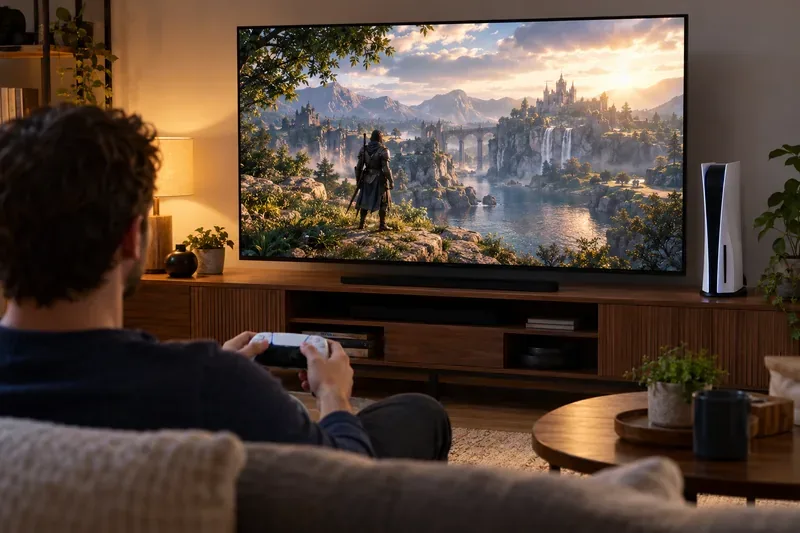
A 4K television provides more room to notice image-quality improvements, but each game must support the relevant Pro features.
How to decide for your gaming setup
Buy the Pro for visual upgrades you will actually use
The PS5 Pro price is easier to justify if your display is 4K, you play visually demanding single-player games, and the games you care about have Pro updates. Before buying, look up a few games you play often in Sony’s Pro-enhanced list or the publisher’s update notes. A feature that exists only in games you do not play adds little practical value.
Buy the standard PS5 for the best entry price
The standard model still supports 4K output, ray tracing in supported games, and high-refresh modes when a game and compatible TV or monitor offer them. It also gives disc collectors the simplest setup with its disc-drive version. If you use a 1080p display or mostly play games that are not Pro-enhanced, the standard PS5 is usually the more sensible use of your budget.
Count storage and disc costs before comparing deals
The Pro’s 2TB internal SSD gives you more room for installed games than the current slim PS5’s 1TB, although some storage is reserved for system software on both consoles. If you frequently reinstall large games, that extra capacity is convenient. But if you rely on discs, compare the total cost of the Pro plus its separate drive with a standard PS5 disc model. Discounts can change the math, so compare the full setup rather than the console-only sticker price.
Bottom line
For the PS5 Pro vs. PS5 Standard decision, choose Pro for higher visual headroom, 2TB storage, and supported PSSR enhancements on a strong 4K setup. Choose the standard PS5 for a lower entry cost, an included disc drive option, and the same core PS5 game platform. If you are upgrading an existing console, check game-by-game support and current local pricing first; the Pro is a targeted graphics upgrade, not a requirement for playing the PS5 library.