Home
» 🎮 Esports
»
Minecraft Resource Pack Not Working? Fix Pack and Function Errors in 2026
Minecraft Resource Pack Not Working? Fix Pack and Function Errors in 2026
Minecraft Resource Pack Not Working? Fix Pack and Function Errors in 2026
If your Minecraft resource pack is not working, first check that it matches your edition, is installed at the correct folder level, and is enabled with the right priority. A “function failed” or “unknown function” message points to a different issue: command functions are stored in a Java datapack or a Bedrock behavior pack, not in a resource pack. The checks below separate the two so you can fix the right files without reinstalling Minecraft.
Quick diagnosis: what is failing?
What you see
Most likely place to check
The pack is missing from the menu
Edition, archive root, Java pack.mcmeta, or Bedrock manifest.json
The pack is listed, but textures or sounds stay vanilla
Activation, file path/name, or pack priority
A command reports an unknown or missing function
Datapack or behavior-pack activation, namespace, path, and version
The pack works in a test world but not on a server
Server settings, forced-pack policy, or the server’s downloadable pack
Fix a Minecraft resource pack that will not load
Confirm Java or Bedrock and the game version. Java and Bedrock packs use different layouts. Java packs use pack.mcmeta and an assets folder. Bedrock packs use a manifest.json file and a different folder structure. Do not rename a pack from one edition and expect it to work in the other. In the Launcher, check which Java installation you launched and compare it with the pack creator’s supported versions.
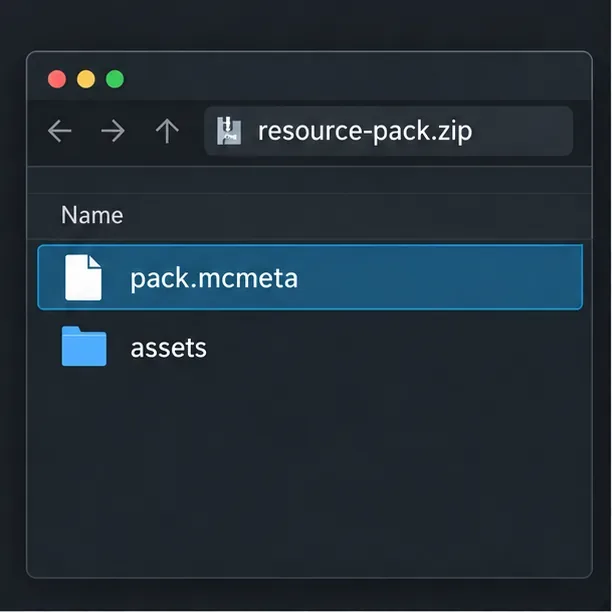
Check the archive’s top level. Open the ZIP without extracting it and look at the first screen. For Java, pack.mcmeta and assets should be right there; if you first see another folder, the pack may be nested one level too deep. On Windows, enable file-name extensions so you can spot accidental names such as pack.mcmeta.txt. For Bedrock, confirm that manifest.json is at the root of the pack, not buried inside a second folder. Keep a copy of the original download before changing its contents.
For a Java Edition resource pack, pack.mcmeta and assets should be visible at the archive root.
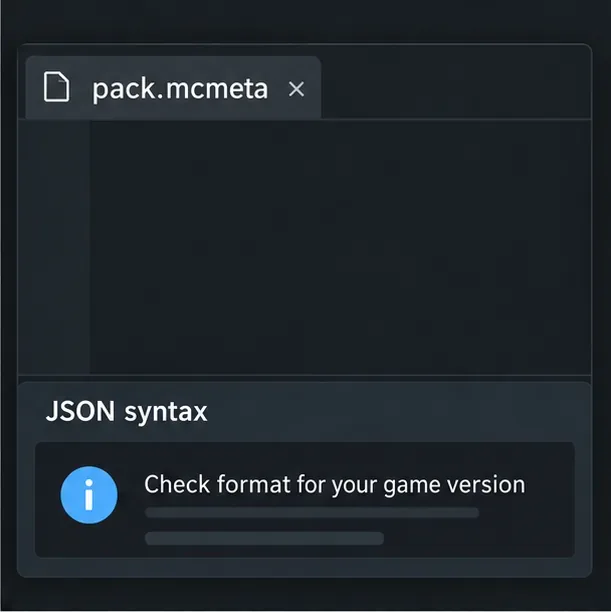
Validate metadata and the actual file paths. Open Java’s pack.mcmeta in a text editor and check that the JSON braces and quotation marks pair correctly. JSON does not allow comments or trailing commas. A file can be valid JSON and still use fields that are wrong for the game version. Mojang’s Java Edition 26.3 notes list resource pack version 97.1; that number is a compatibility identifier, not a universal value to paste into every pack. Mojang has also revised the pack.mcmeta rules across releases, so follow the notes for your exact version rather than copying an old pack_format snippet. Check that each asset’s folder and filename match the expected path and capitalization.
Valid JSON is only the first check; the metadata fields must also match the exact Java release.
For Bedrock, validate manifest.json separately. Its header and module entries need valid, distinct UUIDs and the right module type. Microsoft’s Bedrock manifest reference documents the required fields.
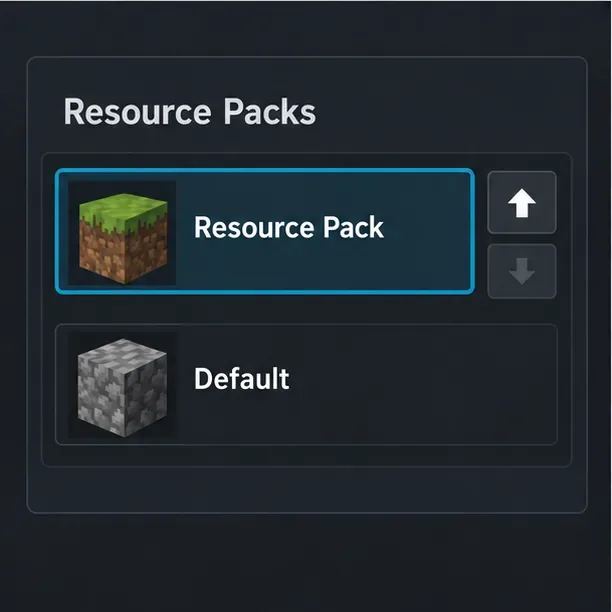
Activate the pack and check priority. In Java, open Options → Resource Packs, move the pack into the active list, and place it above packs that change the same files. In Bedrock, edit the world, open its Resource Packs settings, and activate the pack there; move it above competing packs if the interface allows. Then reload the world. On Java, F3+T reloads client resources, which is useful after editing files. If you are joining a server, ask whether its pack is required or replaces your local selection.
If a second pack replaces the same texture, the higher-priority pack can hide the change you expect to see.
When Minecraft says a function failed
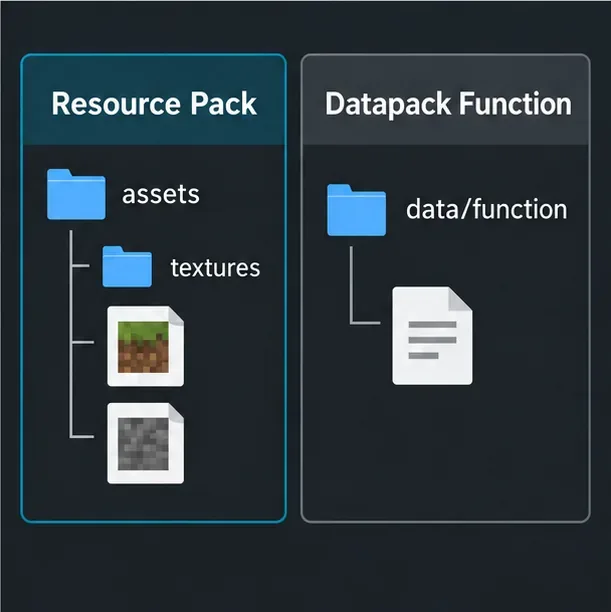
A resource pack changes client assets such as textures, models, sounds, and interface images. It does not hold gameplay command functions. A combined download may include more than one pack, but the function files still belong to the gameplay pack. Keep the two error paths separate: a missing texture calls for checking resource assets; an unknown /function calls for checking a datapack or behavior pack.
Java Edition functions belong to a datapack, while a resource pack supplies client-side assets.
Java Edition: check the datapack
Open the world’s Data Packs settings and make sure the datapack is enabled. In current Java folder layouts, function files use data/<namespace>/function/; older game versions may use a different layout, so follow that version’s pack format.
Run /reload, then check enabled packs with /datapack list enabled. Try the namespaced function ID from the pack’s instructions, such as /function example:setup. The namespace and file path must match.
If the command reports an unknown function, verify the datapack is installed in that world and supports the version you launched. If the command is denied instead, check whether commands are allowed in the world or ask the server operator about your permissions.
Bedrock Edition: check the behavior pack
Bedrock .mcfunction files belong in a behavior pack’s functions folder. Activate the behavior pack under the world’s Behavior Packs settings; activating its resource pack alone will not load command functions. Confirm that the manifest identifies a behavior-pack module and that dependencies point to the intended pack. If an add-on is causing crashes or other world problems, back up the world, then disable add-ons one at a time to identify the conflict.
Use logs and a clean test to isolate the cause
On Java, open the game directory from the Launcher and inspect logs/latest.log. Search for the pack name, pack.mcmeta, a missing asset name, or the function ID. Focus on the first specific parse or missing-file error; later warnings may be consequences. Test the pack in a new, temporary vanilla world. If it works there, recheck the original world’s enabled packs and priorities. If it only fails in a modded profile, test a separate vanilla installation before changing mods or shaders.
On Bedrock, test the pack in a new world before editing the original save. Microsoft’s resource-pack tutorial recommends checking the manifest, JSON structure, texture paths, and pack stacking. The official Bedrock add-on troubleshooting guide also recommends testing a new world when diagnosing add-on issues.
Before you reinstall anything
Keep your world backed up before disabling behavior packs or add-ons.
Re-download a broken archive from its original creator and avoid mixing Java and Bedrock files.
Do not allocate more RAM as a first fix for missing textures; check structure, activation, version, and priority first.
The fastest route is to identify whether the symptom is visual or command-related. Fix the resource pack’s edition, root files, metadata, activation, or priority for texture and sound problems. Fix the datapack or behavior pack when a function is missing. That distinction usually narrows a Minecraft resource pack not working report to the files that actually control it.