Home
» 🎮 Esports
»
Minecraft PE Resource Pack Crashes Fixed: 8 Bedrock Mobile Fixes
Minecraft PE Resource Pack Crashes Fixed: 8 Bedrock Mobile Fixes
Minecraft PE Resource Pack Crashes: 8 Fixes for Bedrock Mobile
If a resource pack makes Minecraft PE crash, start by protecting the affected world, then test with optional packs disabled. On mobile, “PE” is still a common search term; these steps apply to the current Bedrock Edition experience on phones and tablets. A crash after enabling a pack usually points to an add-on conflict, an incomplete pack, or a compatibility issue. There is no single universal “Error Pack Resource PE Minecraft” code, so use the symptom and the steps below to narrow it down.
Minecraft’s current support guidance recommends restarting and updating the game, disabling add-ons one at a time, reordering packs that overlap, and testing a pack in a new world. The steps below follow that order while reducing the risk to an existing save.
What causes Minecraft PE resource pack crashes?
A resource pack can change textures, sounds, and other game assets. A behavior pack can change gameplay rules or entities. Some Bedrock add-ons include both, so a problem described as a Minecraft Bedrock resource pack crash may involve the matching behavior pack too. Two packs that change the same asset can compete, and a damaged or outdated download may fail even when used alone. Minecraft’s Add-On overview explains the distinction between resource and behavior packs.
What you see
What to check first
The game crashes while opening one world
That world’s active resource and behavior packs; test a copy with optional packs disabled.
Textures disappear, look wrong, or remain unchanged
A missing or damaged pack file, or another active pack with higher priority.
Frame drops begin after a pack is enabled
Disable optional add-ons and check game and device updates before changing more settings.
A downloaded pack will not appear or activate
Confirm the download finished and use the creator’s current import instructions.
Only a Realm world has the problem
Ask the Realm owner to check its active packs; the owner controls pack changes.
If the exact named error is Rabbit, Minecraft’s official error guide identifies it as a resource-pack issue and recommends disabling add-ons to troubleshoot. A symptom without that code should not be labeled Rabbit. See the official Bedrock named error-code guide.
Fix Minecraft PE resource pack crashes in 8 steps
Menu wording can vary slightly by platform and game version. Work on a copy when possible, especially if the world uses a Marketplace template or an add-on that adds blocks or mobs.
Back up the world before changing packs
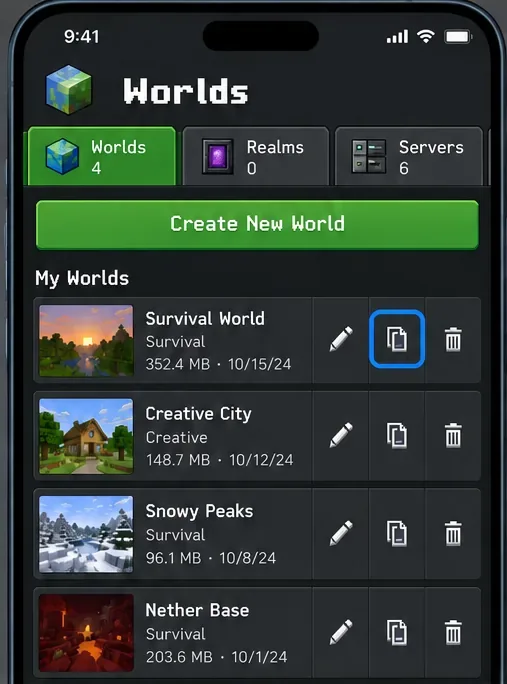
Use the in-game copy option if it is available on your device, or follow the official backup steps for Android or iPhone and iPad. Confirm you can see the separate copy before testing. Minecraft specifically recommends a backup before disabling add-ons. Avoid experimenting on the only copy of a world you care about.
The Worlds list copy control can create a separate working copy when it is available on your platform.
Restart Minecraft and install the latest stable update
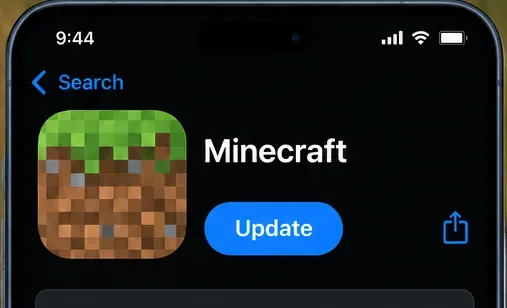
Close Minecraft completely, reopen it, and let any pending pack download or update finish. If the crash continues, check for the latest official game update in your platform’s store or launcher. On Android and iOS, Minecraft normally updates automatically; the official mobile update guide explains how to check manually. For graphics or performance symptoms, update the device operating system too, as Minecraft’s Bedrock graphics troubleshooting guide advises.
Check the official Minecraft store listing for an update; the screen and wording differ between Android and iOS.
Disable optional packs on the affected world, one at a time
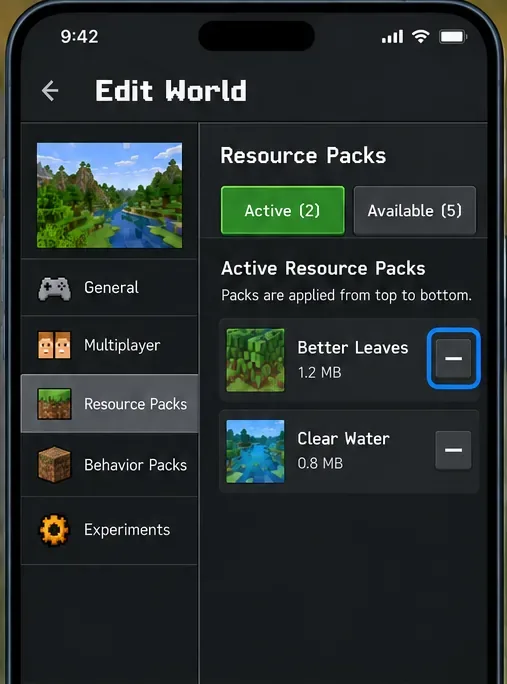
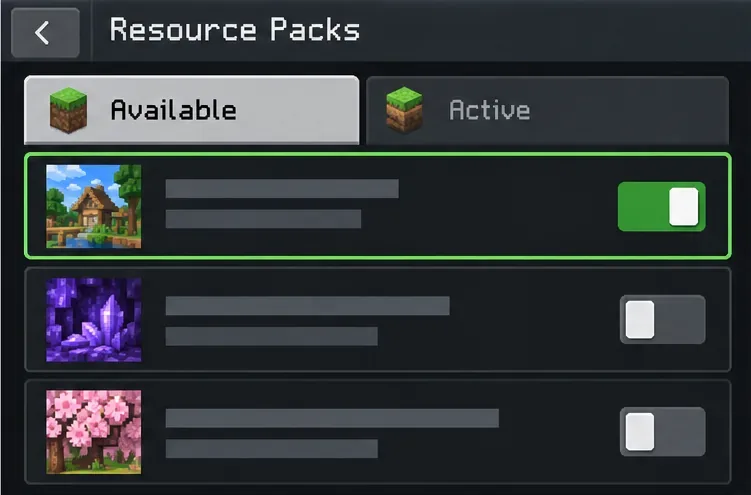
In Minecraft, select Play, choose the pencil icon beside the copied world, open Resource Packs or Behavior Packs, and review the Active tab. Select one optional pack and choose Remove, then try opening the copy. Repeat with the next pack only if needed. This is the official single-player troubleshooting path. A Marketplace map may require its included resource pack; leave required content enabled and remove optional add-ons first. On a Realm, only its owner can deactivate packs.
Disabling a pack does not uninstall it from the device. However, the official support article warns that disabling an add-on with behavior content can remove its mobs and replace its blocks with default blocks. That is why the backup step matters. Follow Minecraft’s disable add-ons instructions.
Remove one optional pack from the Active list, then test before changing another.
Test the suspected pack in a new world
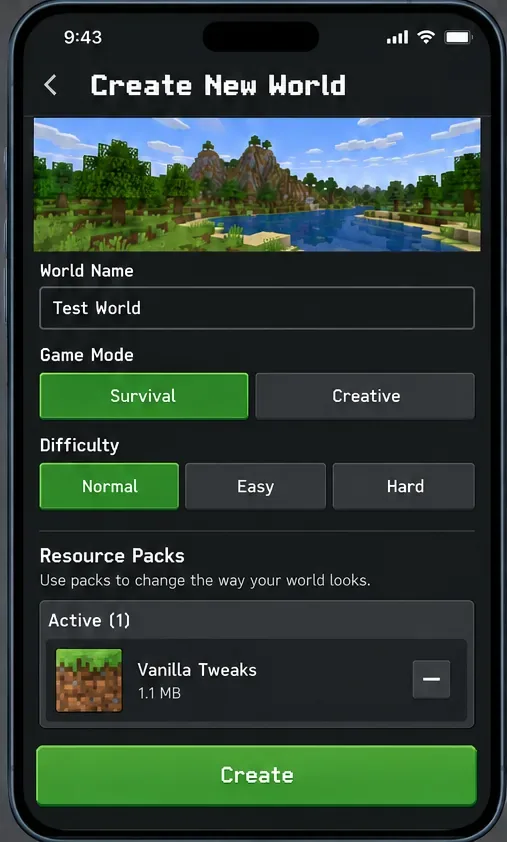
Create a disposable world and enable only the suspected resource pack. Do not add the rest of your usual packs yet. If the clean test world loads, the pack may be conflicting with something in the original world’s pack stack. If the new world also crashes, the pack may be damaged or incompatible, or the game or device may be involved. This comparison narrows the cause; it does not prove which file is at fault. Minecraft’s official troubleshooting article also recommends testing an add-on in a new world.
A disposable world with a single pack enabled helps separate pack issues from world-specific conflicts.
Re-enable packs one at a time
If the test works, return to the copied world and turn optional packs back on individually. Load the world after each change. When the crash or visual problem returns, the last pack added—or its interaction with another pack—is the best lead. Keep the test set small: Minecraft’s Add-On guidance recommends playing with a maximum of three add-ons at once because additional add-ons can reduce performance or cause other issues. This is a recommendation, not a guaranteed technical limit.
Enable one pack, test the world, and repeat so the conflicting combination is easier to identify.
Reorder packs that change the same asset
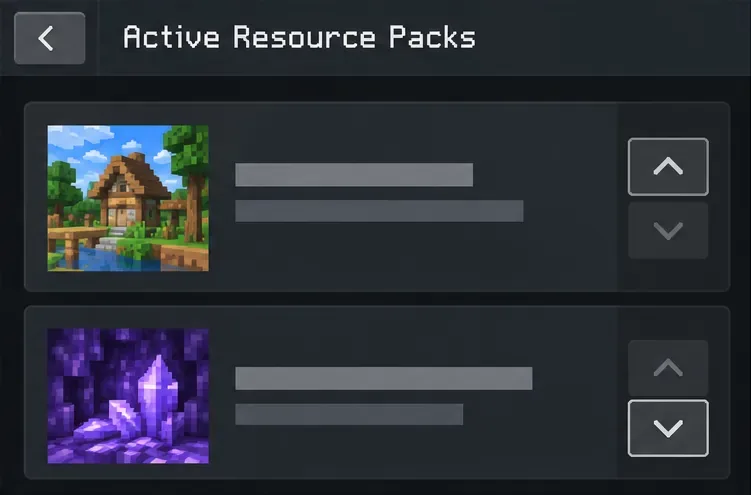
If two packs both change a block, item, sound, or other asset, their order can affect what Minecraft applies. Minecraft’s troubleshooting guidance says the highest-ranked pack takes precedence for overlapping assets. Move the pack you want prioritized above the conflicting pack using the reorder controls shown in the world’s active-pack list. If changing the order makes the problem worse, restore the earlier order and test each pack separately.
For overlapping assets, the higher-ranked resource pack takes precedence.
Redownload a missing or corrupted pack
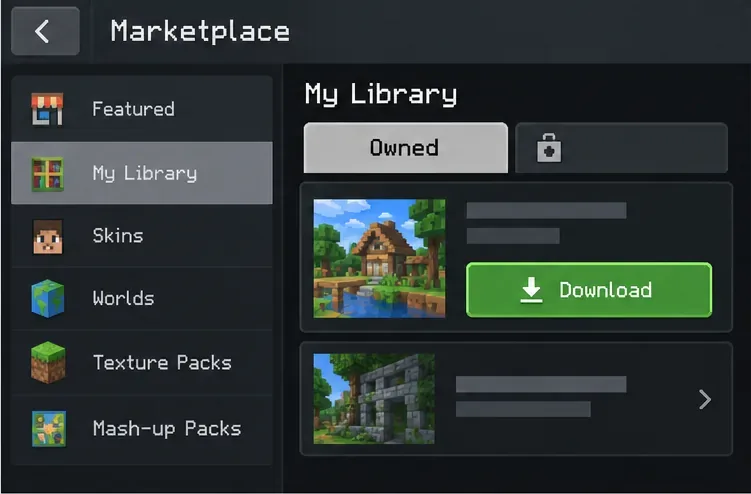
For Marketplace content, open My Library, select the item, and download it again if that option is available. Minecraft’s Marketplace content guide explains where owned items appear. For a community pack, return to the original creator’s page and check for a current Bedrock release and its own import instructions. If the creator provides an .mcpack file, use the supported open/import flow for your device; avoid assuming that an Android folder path also works on iOS. Do not delete Minecraft’s app data or world folders as a first fix.
Marketplace purchases can be downloaded again from My Library.
Check pack compatibility and get help with persistent crashes
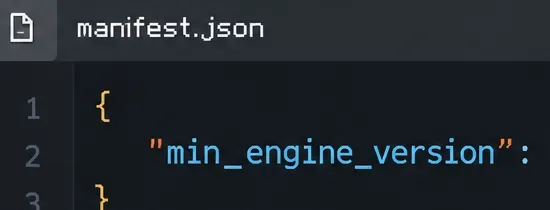
Read the pack creator’s compatibility notes. If you can inspect a custom pack, its manifest.json contains a min_engine_version field; Microsoft’s manifest reference defines this as the minimum game version the pack was written for. Do not edit the manifest just to bypass a version mismatch; the pack may rely on features your game does not support. For a Realm-only issue, ask the owner to test or update the Realm’s pack. If one pack still crashes a clean test world after a restart and update, contact Minecraft Support and include your device, operating-system version, Bedrock version, pack name and source, exact error text, and whether the pack fails alone.
Check the creator-provided value for min_engine_version; the field’s required game version depends on the pack.
What the test result tells you
One pack crashes even by itself: check that creator’s compatibility notes and obtain a fresh copy from the original source.
Each pack works alone, but the set crashes: add packs back one by one and check for overlapping assets or a behavior-pack conflict.
The new test world works, but the old one does not: the original world may rely on a template or pack combination; keep its backup and avoid removing required content.
Only a Realm is affected: have the Realm owner inspect the active packs and test a safe copy or backup.
For general mobile performance trouble that remains after add-ons are disabled, use Minecraft’s official Bedrock graphics troubleshooting steps. That is more useful than applying a universal cache-size rule: Android and iOS manage app storage differently, and a fixed “clear 500 MB” instruction is not a reliable resource-pack repair.
FAQ
Does disabling a resource pack delete it?
No. Minecraft says disabled add-ons remain in storage and on the account. If the pack bundle also includes behavior content, disabling it can still change the world, so keep a backup.
Can I use several resource packs together?
Yes, but overlapping packs may override the same asset, and Minecraft recommends a maximum of three add-ons at a time to reduce performance or compatibility problems.
Is Minecraft PE the same troubleshooting target as Bedrock on mobile?
This guide uses “Minecraft PE” because it remains a familiar search phrase, but the steps target resource packs in Minecraft Bedrock Edition on mobile. Java Edition mod folders and Java-only fixes do not apply to the mobile Bedrock app.
Start with a backup, isolate one pack, and add the others back gradually. That gives you a repeatable way to find the source of a Minecraft PE resource pack crash without relying on outdated file paths, blanket cache-clearing advice, or unverified “one-click” fixes.