Home
» 🎮 Esports
»
League of Legends Replay Not Working? Fix Replay Downloads and Playback
League of Legends Replay Not Working? Fix Replay Downloads and Playback
League of Legends Replay Not Working? Fix Replay Download and Playback Issues
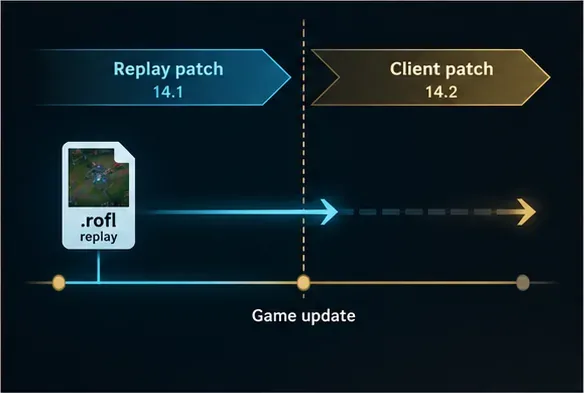
If a League of Legends replay is not working, first check whether the match is still eligible: Riot says replays expire when the game updates to a new patch, and the client shows only your 20 most recent games. For an eligible match, download the replay from the End of Game screen or Match History, then launch it with the client’s Watch Replay button. A replay file is a .rofl match recording, not a standalone video.
The steps below separate an expired replay from a download, client, or playback problem. Try them in order; skip to the section that matches what you see.
The interface images below are simplified illustrations. Button placement and settings can vary by client release and operating system.
Why a League replay may not download or play
The replay expired: Riot’s replay window lasts for one patch cycle. When you install a new patch, older replays may stop working.
The match is no longer listed: the client makes only the last 20 games available in Match History.
The download did not finish: a connection interruption, client session issue, or blocked network request may prevent the file from downloading.
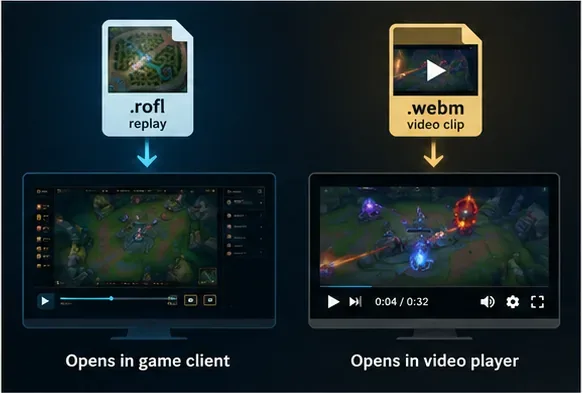
The file opens in the wrong app:.rofl files need the League client; recorded Highlights use the separate .webm video format.
Riot’s Replays FAQ documents where to download replays, how long they last, and how they differ from Highlights.
10 fixes for League of Legends replay problems
1. Check the patch window and Match History limit
Open Match History and find the match. If it was played before the latest patch, the replay may have expired; reinstalling the client or clearing files will not make an expired replay playable again. If the match is older than your 20 most recent games, it may no longer be available in your client. Riot says you can also download ranked replays from the Match History tab on a friend’s profile, when that match is listed there.
A replay is tied to its patch cycle; an update can make an older replay unavailable.
2. Download it from the End of Game screen or Match History
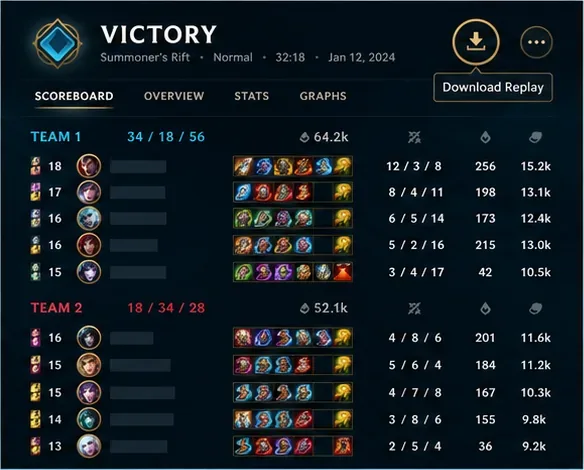
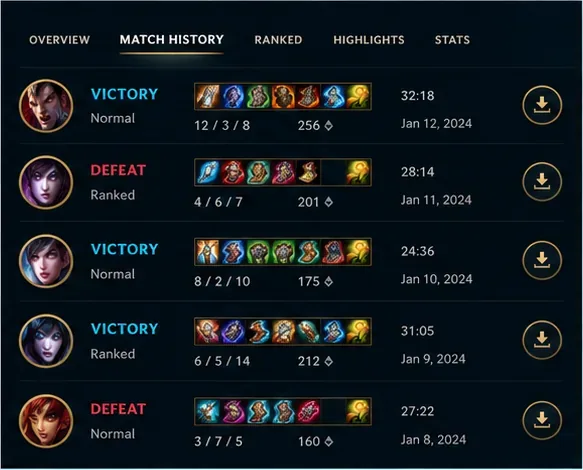
After a match, use the download control near the upper-right of the End of Game screen, next to Advanced Details. You can also open Match History and select the download control for that match. Leave the League client open while the download runs. Avoid relying on a guessed folder path before checking the client’s current replay save location.
Riot’s FAQ points to the download control on the End of Game screen.Match History is the other in-client place to request a replay download.
3. Wait for the Watch Replay control, then launch from the client
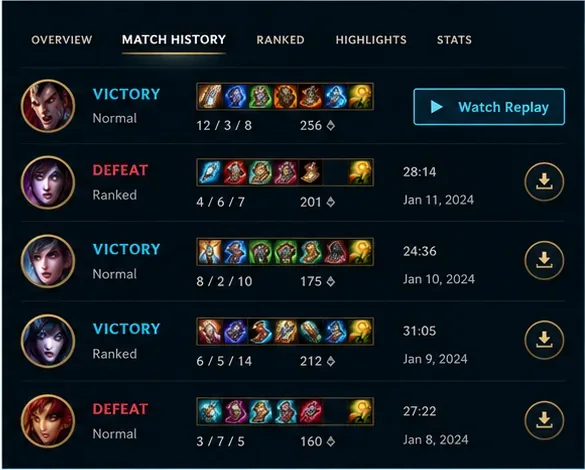
Once the download finishes, the match control should change to Watch Replay. Click it from Match History to launch the recording. If the download icon remains, the file may not have completed; restart the client and check the match again before retrying. Launching from the client also avoids confusing a replay file with a normal video.
The client changes the download control to Watch Replay when the replay is ready.
4. Confirm you have a .rofl replay, not a .webm Highlight
A downloaded replay has the .rofl extension and is played through League of Legends. Riot’s built-in Highlight recorder creates .webm video clips, which can be opened in a compatible video player. If your goal is to share a short clip, watch the replay and record a Highlight; downloading the replay alone does not create an MP4 or WebM video.
A .rofl match replay and a .webm Highlight are different file types with different playback paths.
5. Fully restart Riot Client and let updates finish
Close League and Riot Client, including any Riot Client window left in the notification area, then reopen the client and sign in. If an update is pending, let it complete before trying the replay. A fresh client session can clear a stuck download state; it cannot extend the replay’s patch window. Riot’s support guidance also recommends running the Riot Client as administrator when Windows blocks an action or file.
A full client restart can clear a temporary session issue before another download attempt.
6. Check the replay save location and available storage
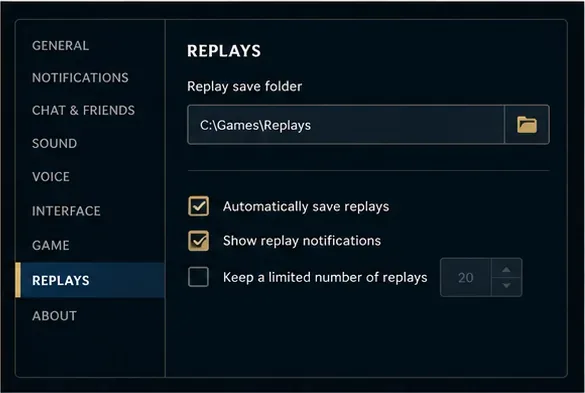
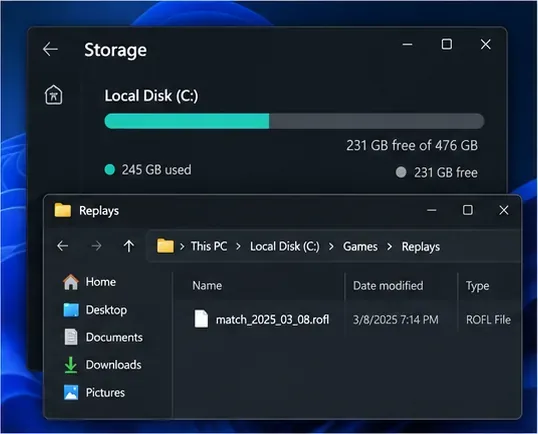
Open client settings and look under Replays to see or change the replay save location; Riot confirms that this location is configurable. Make sure the selected drive has free space and that your Windows account can write to the folder. If you changed the location, check the new folder rather than assuming the replay is still under Documents. Do not delete a replay folder while troubleshooting if you want to keep files already saved there.
Use the client’s Replays settings to confirm the current save folder; the path shown here is only an example.Check free space and inspect the configured folder for the downloaded .rofl file.
7. Rule out a connection or VPN issue
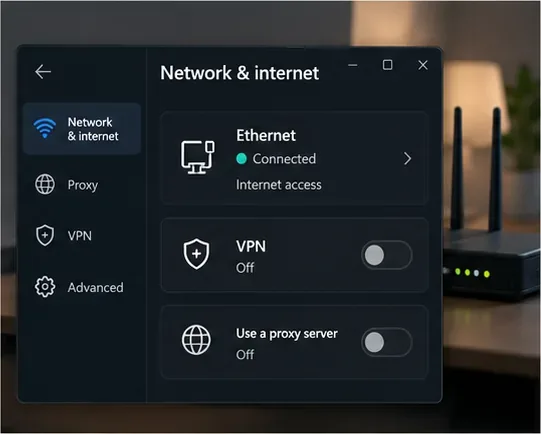
If the download stalls or times out, retry on a stable connection. Riot’s PC connection guide recommends testing with Ethernet when possible, restarting the modem and router, pausing other heavy network activity, and turning off VPNs or proxies during troubleshooting. Check Riot Service Status for an incident before changing your computer’s network settings. If the issue appears specific to the Riot client’s connection, use Riot’s DNS guidance; changing DNS is an advanced step, so record your existing settings first.
A wired connection with VPN and proxy disabled helps isolate a stalled replay download.
8. Review firewall access and Windows permissions
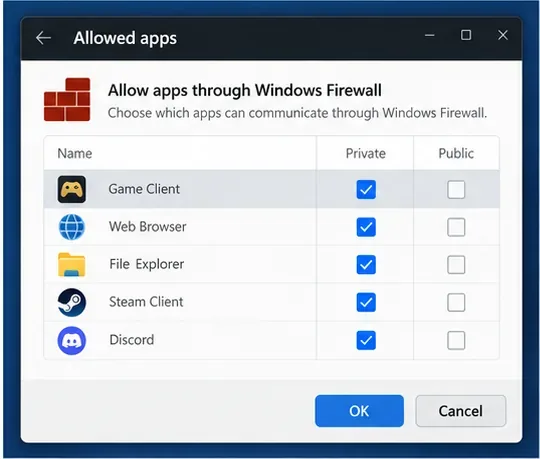
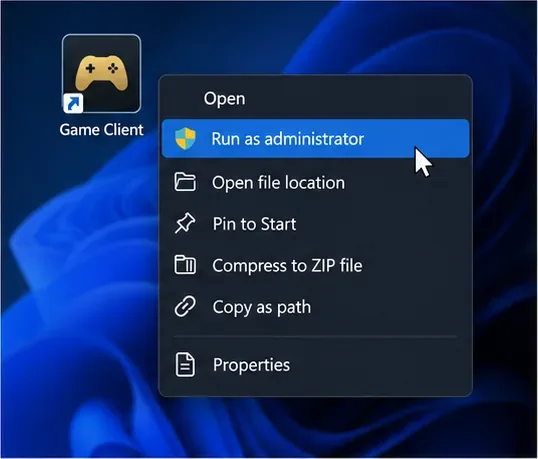
Do not leave your firewall or antivirus disabled. Instead, check whether your firewall has blocked Riot Client or League of Legends and add the appropriate Riot applications to its allowed-app list. Riot’s firewall troubleshooting guide lists client executables and cautions that steps depend on the product. If Windows reports a permissions problem, close League and launch the Riot Client with administrator rights; Riot advises against running only the game executable as administrator without the client in its permissions guidance.
Allow the Riot client through the firewall when it has been blocked; do not turn protection off permanently.Riot’s connection guidance recommends elevating the Riot Client if Windows is blocking an action.
9. Use Riot Repair Tool to repatch or reinstall when the client is damaged
If the client still cannot complete the download, use Riot’s current Riot Repair Tool (RRT) from the official support page. Riot’s troubleshooting guide says RRT can repatch or reinstall League automatically. Follow the tool’s current prompts; do not download repair utilities from third-party sites. On Windows, Riot’s RRT instructions say to run the tool as administrator.
10. Preserve saved replays, then reinstall or contact Riot Support
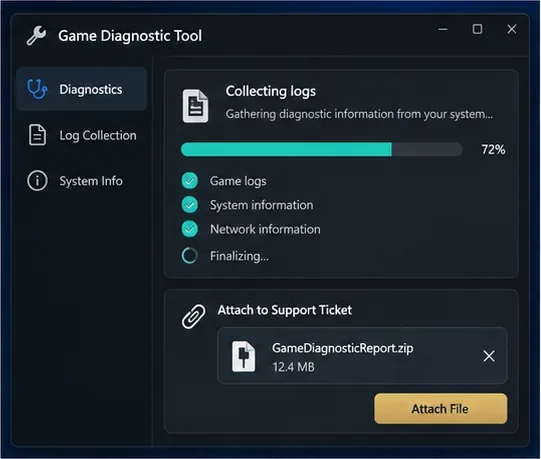
Before a clean reinstall, copy any replay files you want to keep. Riot notes that the League of Legends folder in Documents contains replays and can be copied before cleanup. Reinstall only if the client or game installation remains damaged after the smaller checks. If the problem continues, use RRT to create a log archive and attach it to a support ticket with the match date, your region, the error message, and whether the failure happens during download or playback. Never send your account password.
Riot Repair Tool can collect logs that you can attach when asking Riot Support for help.
Riot’s current Riot Repair Tool guide explains how to collect and attach the ZIP archive. Its reinstall guide also advises copying replay files before deleting the League of Legends folder.
Quick diagnosis
What you see
Likely explanation
First action
Match missing from Match History
Outside the latest 20 games, or no longer available
Check the patch date and Match History limit
Download icon never changes
Download did not finish or the client session stalled
Restart the client, then retry on a stable connection
Replay downloads but will not launch
Expired patch replay or wrong launch method
Use Watch Replay in the client and confirm the patch window
File opens as an unknown type
A .rofl replay is being treated like a video
Open it from League; use a video player for .webm Highlights
The quickest useful check is the patch date: if the replay expired when League updated, no cache cleanup, DNS change, or reinstall can bring that match back. For a current replay, use Match History, wait for Watch Replay, and then work through connection, permissions, and repair steps only if needed.