Home
» 🎮 Esports
»
How to Check Your Total Time Played in League of Legends (and What the Numbers Really Mean)
How to Check Your Total Time Played in League of Legends (and What the Numbers Really Mean)
Want to know whether you have spent 200 hours or 2,000 hours playing League of Legends? There is an important distinction between your total lifetime playtime and the time represented by matches you can still retrieve. As of October 8, 2026, Riot Games does not document a universal in-client counter that reliably reports every hour played since account creation. You can, however, check the duration of available matches, add those durations together, or use an independent statistics service for an estimate.
Can you see your exact total hours in the League client?
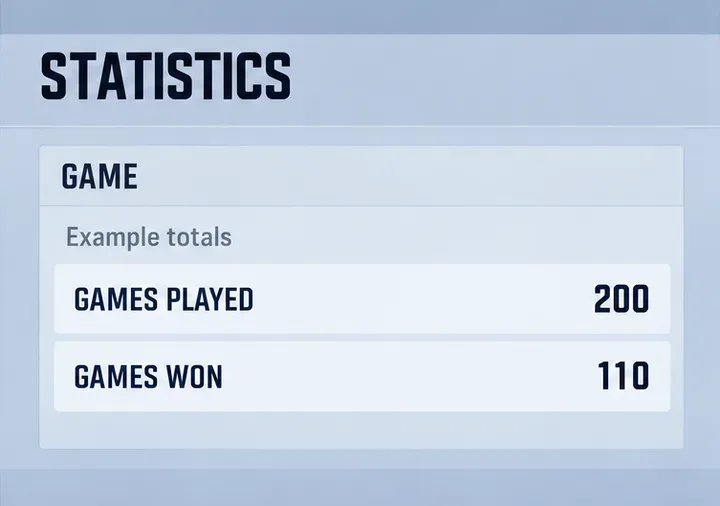
Do not assume that your profile level, ranked record, or a seasonal statistics screen is an all-time hours-played display. These indicators describe different things. Account level reflects progression, while a win count covers only the particular queue or time range being shown. Neither directly records every minute spent in League.
The safest first check is to sign into the League client, open your profile, and find its match history or other currently available match records. Look for the game duration displayed with each match. Client navigation can change with updates, so treat older tutorials showing a permanent “total time played” tile cautiously. If you cannot locate one, that is not evidence that your account data has been deleted.
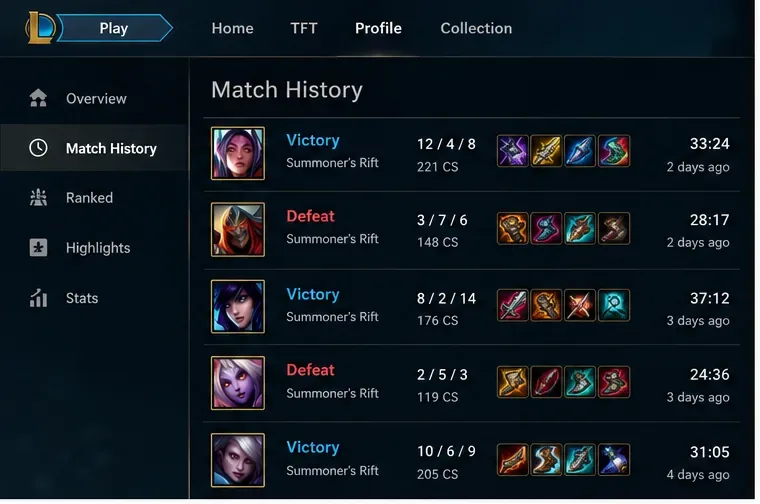
An example match-history layout: durations such as 33:24 and 28:17 can be recorded individually, but they are not a lifetime total.
Method 1: Calculate time from your available match history
Check the account and game mode first
Start with the correct Riot account and League region. If you have played on multiple Riot accounts, no single account lookup should be assumed to include all of them. Decide whether your number should include only Summoner’s Rift or also ARAM and rotating modes. Teamfight Tactics is a separate game experience, so document explicitly whether you plan to include it.
Record the duration of each available game
Open the League client and sign into your account.
Navigate to your profile and match-history area, if available in your current client.
Open each accessible game record and note its match duration. If a detailed record is no longer accessible in the client, do not invent that duration.
Continue through the available entries and record the date, queue, and duration in a spreadsheet or notes app.
Add all recorded durations and divide the total minutes by 60 to convert the result into hours.
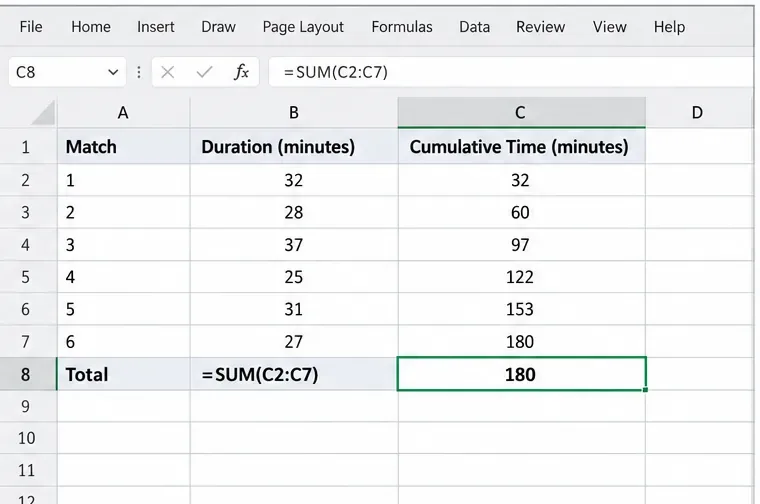
For example, six matches lasting 32, 28, 37, 25, 31, and 27 minutes sum to 180 minutes, or three hours of gameplay. These numbers are illustrative, not measurements from a particular account. When durations are shown as minutes and seconds, convert each to seconds before adding them if you need a more precise total.
A sample spreadsheet adds six match durations to 180 minutes, equivalent to three hours of recorded gameplay.
What the result does and does not measure
Your sum measures the matches in the records you included. It does not automatically cover older matches that are unavailable, time in queue, champion select, client navigation, remakes without accessible records, or time away from the computer with the client open. Those differences matter when interpreting a number as “hours played.”
If you want a defensible statement, label the result “recorded in-match time for these matches” and specify the date range. If records are missing, call it a partial total or lower bound rather than a lifetime figure.
Method 2: Check an external match-statistics service
Some community services may aggregate League match results or display a time-spent estimate. Such figures depend on the service’s accessible match history, chosen game modes, region handling, update frequency, and calculation rules. An appealing all-time number is not necessarily a complete historical record.
Use a reputable statistics service that clearly identifies its data sources and limitations.
Enter the correct Riot ID, including its tag when required, and select the appropriate region or routing options.
Look for a playtime, match-count, or game-duration metric, and read the time window and queue filters beside it.
Compare a few recent games with your in-client history. If games or lengths do not match, do not treat the displayed total as authoritative.
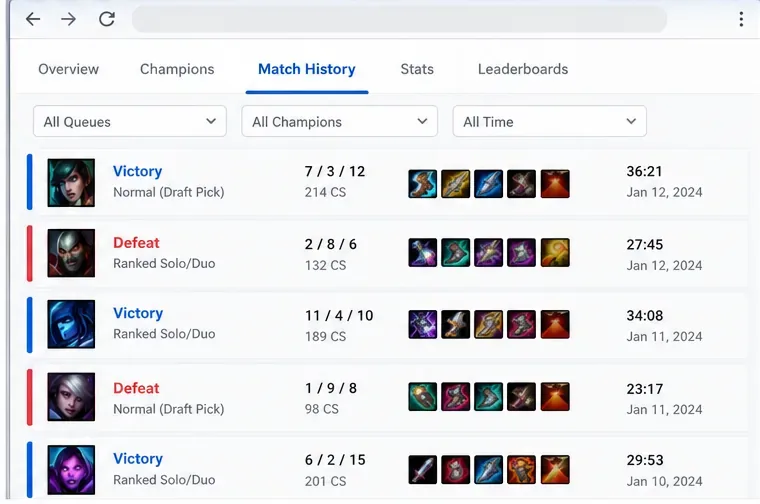
A sample statistics view illustrates why the queue and time filters must be checked before trusting any playtime estimate.
Riot’s official Developer Portal describes access to match history and statistics through its APIs (application programming interfaces). That supports the basic possibility of retrieving match records, but it does not prove that any particular third-party website has every match from a player’s entire account history. Some tools may also count only selected queues or recently retrievable matches.
Method 3: Request your Riot account data
If you prefer an official account-information route, Riot allows verified account owners to request personal data. The process is useful for learning what the company makes available, but it should not be mistaken for an official promise to provide a complete lifetime playtime report.
When the download becomes available, review its contents for any relevant data, while recognizing that the published League data list does not explicitly promise a lifetime hours-played total.
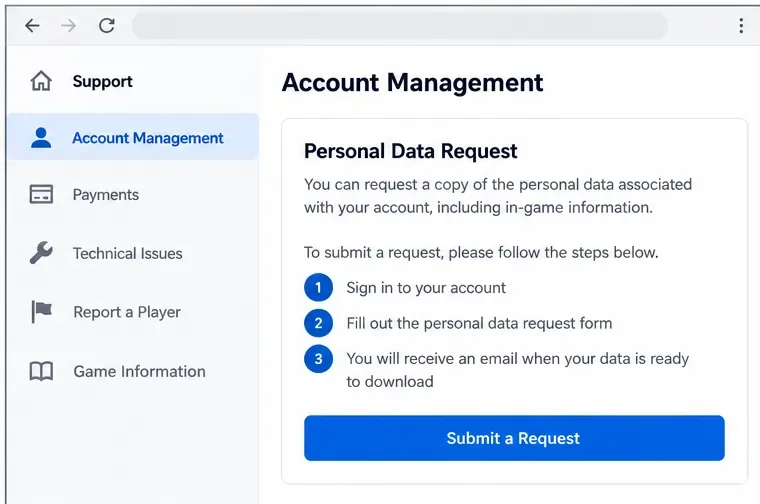
A conceptual support-request layout highlights the account-data route; Riot’s published instructions, not this example screen, control the actual submission steps.
Riot’s account-data documentation describes account information, League reports and chat records, and store and monetary transactions. The support article says a request takes 30 days to process, and its resulting ZIP download link expires after 30 days. Verify the current wording and availability in your region before submitting. Never give your password or verification code to a third-party site claiming it can unlock your exact lifetime total.
Common myths about League of Legends playtime
“There is a hidden command that shows all my hours.”
There is no verified official client command in the cited Riot documentation that returns lifetime hours for every account. Console commands, unofficial scripts, and archived guides may depend on old clients or undocumented behavior. Prefer visible match records or an officially documented process over running commands supplied by strangers.
“Match count multiplied by 30 minutes gives my exact total.”
This is only a rough approximation. Match lengths vary with mode, surrender timing, and game conditions. For example, 400 matches multiplied by an assumed 30 minutes gives 200 hours, but a 25-minute average gives about 167 hours while a 35-minute average gives about 233 hours. If durations are available, sum them directly. If they are not, disclose the average-duration assumption alongside your estimate.
“An account created many years ago must have its entire history accessible.”
Age alone does not prove historical coverage. Data access may vary across API retention and availability, regions, accounts, and legacy migrations. Riot’s Southeast Asia migration guide explicitly noted that historical match history and career statistics were not among the preserved data during the Garena-to-Riot transition. Players with affected histories should therefore be especially wary of purported lifetime totals.
“The Windows application runtime is my in-match playtime.”
System activity tracking, when configured, may measure application use rather than completed matches. Riot Client uptime can include patches, menus, queueing, or an idle window, and may differ from gameplay duration. Use operating-system usage records only if your goal is time spent with the application open; label that metric separately.
Which method should you use?
Goal
Best starting point
Main limitation
Time spent in recent matches
Client match history and manual sum
Limited to available records
Quick estimate across many matches
Independent statistics service
Coverage and methodology vary
Official account-information inquiry
Riot personal-data request
No published guarantee of lifetime playtime
Time with the program open
Operating-system usage tracking, if available
Includes non-gameplay activity
How to double-check the number you get
Before sharing a total, note the account and region, start and end dates, included queues, whether the figure came from game durations or an assumption, and any gaps in coverage. Check several recent games against another record source, then redo the arithmetic. If a third-party total is unexpectedly high or low, examine its filters and dataset before concluding something happened to your account.
Bottom line: You can measure time in accessible League of Legends matches and sometimes get a broader estimate, but an exact all-time hours-played number is not established by the official Riot documentation checked on October 8, 2026. Be precise about what you counted. A transparent partial total is more useful than an unsupported lifetime figure.