Home
» 🎮 Esports
»
Best FOV Slider Setting for Killer Perspective in Dead by Daylight
Best FOV Slider Setting for Killer Perspective in Dead by Daylight
Best starting setting: 103° if you want the widest available first-person view as Killer. It exposes more of the scene near the edges and may feel more comfortable if a narrow view makes turns or chases feel cramped. Keep the default 87° if that view feels clearer to you, or try an in-between value if the maximum makes the image feel too stretched. The right setting depends on comfort and what you can track reliably; BHVR does not promise that a wider FOV improves win rate or chase results.
Illustrative hypothetical scenario: Imagine Jordan, a player who uses a first-person Killer, feels uncomfortable sweeping the camera around a loop and sometimes loses sight of a Survivor near the edge of the screen. This is an example to explain the choice, not a real player report or a test result. Jordan could start by moving the Killer FOV from 87° toward 103°, then judge whether the extra peripheral view helps without making targets harder to follow.
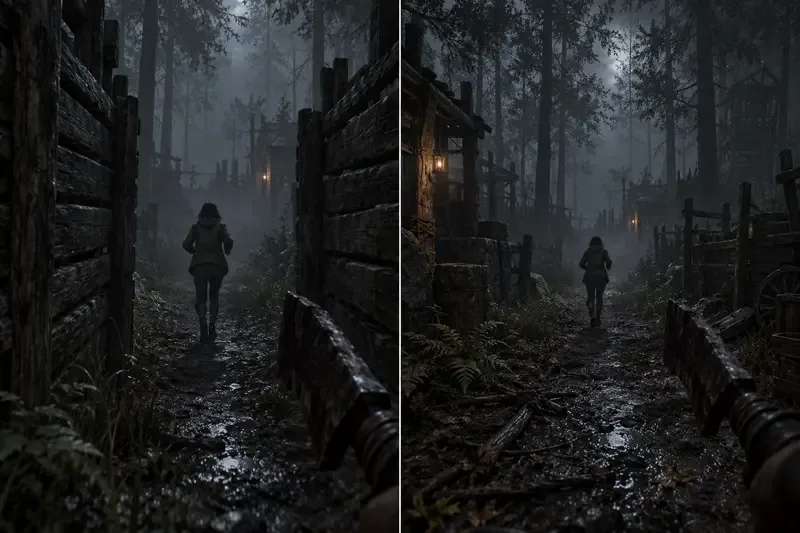
An illustrative comparison shows the same path framed narrowly on the left and with more edge detail on the right; it does not depict Dead by Daylight’s actual slider or exact FOV values.
What does the Killer FOV slider change?
FOV means field of view: how much of the environment the first-person camera includes horizontally. Behaviour Interactive introduced a Killer FOV slider with update 7.5.0. In its January 2024 developer update, BHVR described the range as 87 degrees, the then-current default, through 103 degrees, the prior maximum available with Shadowborn. The setting was presented as an option for comfort and accessibility, including reducing motion-sickness concerns. BHVR’s newer 10.2.0 Mid-Chapter notes, reviewed for this article on October 8, 2026, do not announce a change to that slider.
The setting applies to first-person Killer views, not Survivor perspective. The Good Guy is an exception among Killers because the character uses a different camera perspective. If you are playing The Good Guy or playing Survivor, do not expect this slider to change that camera view.
FOV changes framing; it does not change the map, your movement speed, attack range, or a Survivor’s actual location. A wider view can show more of the scene at the edges, while objects may look smaller within the expanded frame. That trade-off can matter in a chase: more peripheral context is useful only if the target remains easy for you to read.
Why start at 103 degrees?
For a player who wants more room in the camera view, the maximum is a straightforward starting point because it gives the broadest view the slider allows. In Jordan’s hypothetical case, the extra edge visibility could make it easier to keep nearby scenery and a moving Survivor in the same view while turning around a loop. Whether Jordan actually finds that more comfortable is personal; the scenario does not establish a guaranteed result.
Try 103° first if:
A narrow first-person view feels constricting or contributes to discomfort.
You want more of the scene visible while turning or scanning around nearby structures.
You are willing to adapt to objects appearing smaller within the wider frame.
The default 87° may be the better fit if you already track targets comfortably, prefer the familiar framing, or find a wider image visually distracting. Choosing the maximum is not mandatory, and matching another player’s setting is not a useful test of your own comfort.
How should Jordan compare settings?
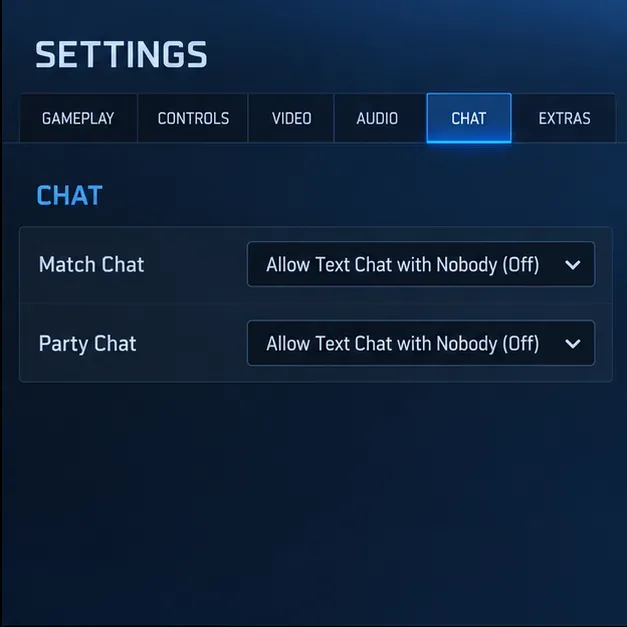
Jordan should change only the FOV slider, then spend time in a low-pressure setting or a few ordinary matches before deciding. The point is to compare comfort and visibility under similar conditions, not to claim a controlled performance test. If the settings menu in the current build places the option differently than older instructions suggest, use the in-game Settings tabs and check the current patch notes. BHVR first documented access through the Beta tab when the feature launched; later settings-menu updates reorganized options into tabs, so older menu directions may not match every platform or build.
Note the current value. Jordan records or remembers the existing setting so it is easy to restore.
Move to 103°. This gives the widest available view and makes the comparison simple.
Check a familiar view. Look around a loop, doorway, or nearby obstacle and notice whether more of the edges are visible and whether the Survivor remains easy to track.
Adjust downward only if needed. If 103° feels too stretched or makes target reading uncomfortable, lower the slider a little and compare again. Use a middle value as a personal compromise, not as an official recommended number.
Keep the choice consistent. Avoid changing FOV every match. A stable view gives you time to get used to the framing and assess comfort.
When should you stay below the maximum?
A higher FOV can change how large objects appear on screen and how much detail is concentrated near the center. If Jordan notices that the wider framing makes it harder to judge distance or stay focused on a moving Survivor, stepping down is reasonable. The purpose of the setting is not to make every target easier; it trades a broader view for a different visual scale.
Monitor size, viewing distance, resolution, and personal sensitivity to motion can all affect how the same slider value feels. Those are practical considerations rather than separate game settings that guarantee a specific result. If camera movement causes persistent discomfort, do not force yourself to use 103° just because it is the maximum; choose the value that feels tolerable and consider taking a break if symptoms continue.
Does a wider FOV give Killers a competitive advantage?
BHVR introduced the slider as a first-person camera and accessibility option, with the top end matching the former Shadowborn maximum. That history explains why players may associate a wider view with better awareness. It does not establish that 103° will improve every chase or raise a player’s results. A wider frame may help one player notice more at the edges, while another may find the smaller-looking scene less comfortable to read.
For Jordan, the useful question is therefore not “Which setting do expert players use?” but “At which value can I turn comfortably and keep the target readable?” If the answer is 103°, use it. If 87° or an intermediate value feels better, keep that instead. The slider does not replace map knowledge, camera control, or learning a Killer’s power.
Quick recommendation
Start at 103° for the widest available Killer FOV and a broader view around the screen edges.
Keep 87° if you prefer the default framing or track targets more comfortably there.
Try a middle value if maximum FOV feels visually stretched but the default feels too narrow.
Remember the limits: it affects first-person Killer camera framing, not Survivor view or game mechanics; The Good Guy is an exception.
In the hypothetical example, Jordan would begin at 103°, compare how the familiar loop looks, and move down only if the wider view feels harder to read. That is a practical starting method, not evidence of a real test. For most players seeking more peripheral visibility, 103° is the best first value to try; comfort and clear tracking should decide whether to keep it.