Home
» 🎮 Esports
»
PlayStation Hardware Evolution: From PS1 to PS5 Pro
PlayStation Hardware Evolution: From PS1 to PS5 Pro
PlayStation Hardware Evolution: From PS1 to PS5 Pro
The PlayStation hardware evolution is a shift from CD-based 3D graphics to fast solid-state storage, real-time ray tracing, and AI-assisted image reconstruction. The PS1 and PS2 made 3D games and optical media mainstream; PS3 brought Blu-ray and high-definition output; PS4 standardized an x86-based platform with shared memory; PS5 made fast loading and new controller feedback central to the experience. PS5 Pro is the current generation’s enhanced model, improving graphics performance in supported games rather than starting a new console generation.
Here is how the hardware changed, what each jump made possible, and which headline specifications are useful to compare. The figures below identify launch-era configurations where capacities varied by later model.
At a glance: six PlayStation generations
System
First launch
Core hardware snapshot
Storage and signature shift
PlayStation (PS1)
1994
32-bit RISC CPU at about 33.9 MHz; 2 MB main RAM
CD-ROM; accessible 3D graphics and CD audio
PlayStation 2
2000
Emotion Engine at 294.9 MHz; 32 MB main RAM and 4 MB graphics memory
DVD-ROM; DVD playback and PS1 game compatibility
PlayStation 3
2006
3.2 GHz Cell processor; 256 MB XDR main memory plus 256 MB GDDR3 video memory
Blu-ray and an internal hard drive; HD games and a broader network platform
500 GB hard drive in the launch model; sharing, streaming, and PS VR support
PlayStation 5
2020
Eight-core Zen 2 CPU; up to 10.3 TFLOPS graphics; 16 GB GDDR6
Custom 825 GB SSD in the launch model; fast I/O, ray tracing, and DualSense feedback
PlayStation 5 Pro
2024
Enhanced PS5 graphics hardware; 2 TB SSD
PSSR upscaling and advanced ray tracing in compatible games
PlayStation generations launched in different regions at different times. The year in this table is the first launch year, not a claim that every market received the system on the same date.
PS1: CD-ROM turned 3D into the main event
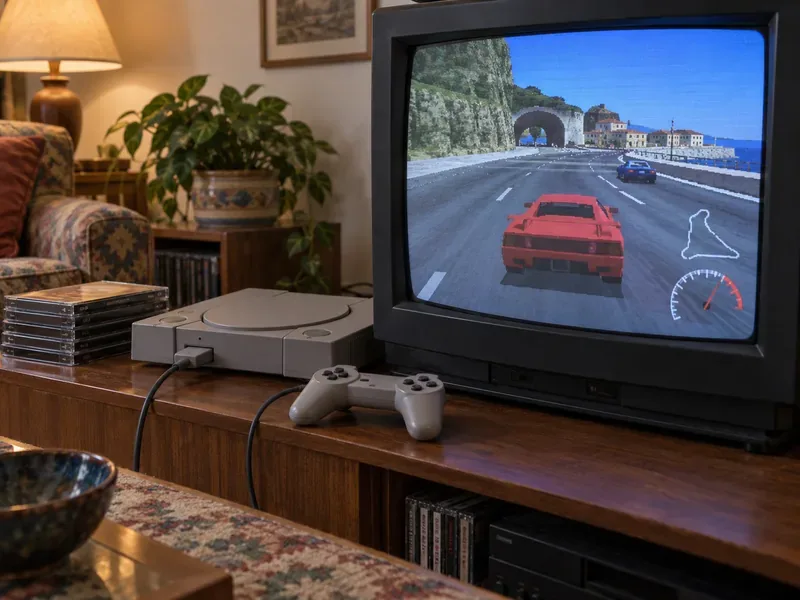
A CRT displays a flat-shaded 3D racing scene beside a compact CD console and wired controller.
The original PlayStation launched in Japan in 1994 before reaching North America and Europe in 1995. Its 32-bit processor and dedicated graphics hardware were designed around real-time 3D, while CD-ROM gave developers much more room for music, voice, and full-motion video than cartridges typically offered. Sony’s own history describes the console as a 3D and CD-based milestone; the key shift was not simply more pixels, but a move toward worlds built from textured polygons.
The PS1’s 2 MB of main RAM and 1 MB of video memory look tiny beside later systems, but hardware limits shaped its visual style. Developers used fixed camera angles, pre-rendered backgrounds, low-polygon models, and carefully staged scenes to create memorable atmosphere. Its controller design also evolved: the DualShock introduced analog sticks and vibration in 1997. The result was a platform that made 3D play feel natural and gave developers a new mainstream audience.
PS2: DVD, backward compatibility, and a bigger world
The PlayStation 2 arrived in 2000 with the Emotion Engine CPU and Graphics Synthesizer. Its 32 MB of main memory and 4 MB of graphics memory supported more detailed environments and animation than the previous generation, while DVD-ROM expanded game storage. DVD movie playback also made the console useful between gaming sessions, helping it become a living-room entertainment device as well as a game system.
Backward compatibility with most original PlayStation software made the transition easier for players with existing libraries. Sony said in 2005 that more than 14,000 PlayStation and PS2 titles were playable across the platform at that time. Hardware revisions and regional software differences matter, so compatibility claims should be checked against the specific model and title. SIE’s current sales page records more than 160 million PS2 systems shipped worldwide as of March 31, 2012, the highest total in its PlayStation hardware table.
PS3: Blu-ray brought HD games into the living room
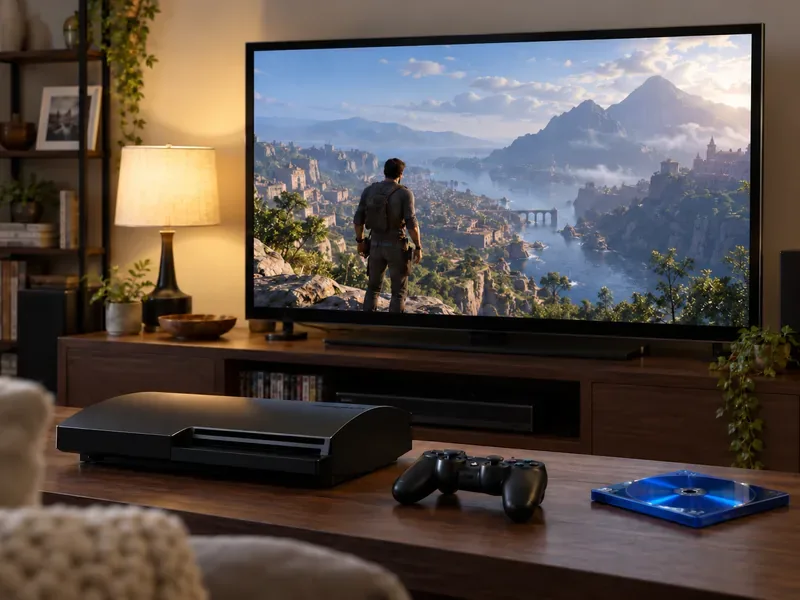
A black optical-disc console, controller, blue disc, and widescreen display evoke the HD era.
With the PS3 in 2006, Sony moved to the Cell processor, NVIDIA RSX graphics, Blu-ray discs, and an internal hard drive. Blu-ray’s capacity supported larger HD games and high-definition video, while the hard drive made downloads, patches, saved content, and media features part of the console’s everyday role. The memory layout was split: 256 MB of XDR main memory and 256 MB of GDDR3 video memory.
That specialized architecture gave developers powerful tools but required a different approach from the systems that followed. PS3 also expanded PlayStation Network into a central place for digital downloads, online features, and social activity. Backward compatibility with PS2 games depended on the PS3 model: some early configurations supported it, but later models generally did not. Sony’s Sony’s PS3 hardware announcement documents the original architecture and Blu-ray direction.
PS4: a familiar PC-style architecture and connected play
The PS4 launched in 2013 with an eight-core AMD Jaguar CPU, a Radeon-based GPU rated at 1.84 TFLOPS, and 8 GB of GDDR5 memory. Moving to an x86-64 architecture and a unified memory pool made the development environment more familiar to many studios. Its launch model used a 500 GB hard drive; later PS4 versions and upgrades changed available storage.
The generation made sharing gameplay clips and streaming more visible through the controller’s SHARE button and system features. It also supported PlayStation VR, giving the same base console a path into virtual reality. These advances were about how people played and connected as much as about rendering resolution. Sony’s launch-era hardware figures are listed in its Sony’s PS4 specifications announcement.
PS5: the SSD changed what games could stream and load
The PS5 kept the eight-core direction but moved to a custom AMD Zen 2 CPU, a custom RDNA 2-based GPU, and 16 GB of GDDR6 memory. Its launch model paired those components with a custom 825 GB SSD and a dedicated I/O design. The important difference is that the SSD was built into the platform’s data pipeline, allowing games to move assets quickly and reducing the need to design around long storage waits. Newer PS5 models have different capacities, so 825 GB describes the original launch configuration.
Ray tracing added another graphics tool for supported games, while the DualSense controller introduced adaptive triggers and more detailed haptic feedback. The console can support high frame rates and 4K output, but a game’s actual resolution and frame rate depend on its software, mode, and display. Read the official PlayStation’s PS5 technical specifications for the baseline CPU, GPU, memory, and storage details.
PS5 Pro: a mid-generation graphics upgrade
A modern console setup illustrates the shift toward detailed lighting, reflections, and high-resolution displays.
Released in 2024, PS5 Pro keeps the PS5 game generation and targets higher visual performance in titles built or updated to use it. Sony says the Pro GPU has 67% more compute units than the standard PS5 and memory bandwidth that is 28% faster; it also advertises up to 45% faster rendering. Those are manufacturer comparisons, not a promise that every game will run 45% faster. Actual results vary by title and graphics mode.
The main additions are a stronger GPU, advanced ray tracing, and PlayStation Spectral Super Resolution (PSSR), Sony’s machine-learning-based upscaling technology. In supported games, PSSR can reconstruct a sharper image from a lower internal rendering resolution, helping developers balance image quality and performance. Sony describes compatible games as capable of combining ray tracing, AI-enhanced 4K output, and higher frame rates, but those modes are game-specific.
PS5 Pro includes a 2 TB SSD and works with the PS5 game library. It is an upgrade option, not a new generation, and the disc drive is sold separately for the disc-free configuration. Check the SIE’s PS5 Pro announcement and the current PlayStation’s PS5 Pro product page for the official feature description and compatible-game details.
What the numbers do—and do not—tell you
Specifications make a useful snapshot, but a single number cannot rank every PlayStation generation. TFLOPS measure a narrow kind of floating-point throughput; they do not account for architecture, memory behavior, storage, software tools, or how a game uses the hardware. Early “polygons per second” figures also used different assumptions and are not directly comparable with modern GPU metrics.
A more useful comparison follows the bottleneck each generation addressed: PS1 expanded 3D and CD storage; PS2 increased scale and added DVD; PS3 shifted to HD and Blu-ray; PS4 unified memory and modernized development; PS5 made storage speed part of game design; and PS5 Pro gives developers more graphics headroom plus a reconstruction tool. That is the clearest way to understand the PlayStation evolution from PS1 to PS5 Pro.
PlayStation sales milestones
Sony’s current hardware table reports sell-in figures—units shipped into the retail channel—not the same measure as consumer sell-through. The latest figures displayed when checked on October 16, 2026 are summarized below; each system’s date is shown to avoid presenting unlike reporting periods as if they were simultaneous.
System
Reported cumulative hardware shipments
Reporting date
PlayStation
More than 102.4 million
March 31, 2012
PlayStation 2
More than 160 million
March 31, 2012
PlayStation 3
More than 87.4 million
March 31, 2017
PlayStation 4
More than 117 million
June 30, 2022
PlayStation 5 family
More than 95 million
June 30, 2026
These totals come from SIE’s official hardware sales table. They measure hardware shipments; software libraries, regional availability, price, and revisions also shaped each generation’s reach.
Common questions
Is PS5 Pro a new PlayStation generation?
No. PS5 Pro is a more capable version of the PS5 platform. It runs PS5 games, while Pro-specific visual and performance options are available only in compatible or enhanced titles. The game’s own settings determine which benefits appear.
Can you compare PS1 and PS5 by polygon or TFLOPS counts?
Not in a meaningful one-to-one way. The hardware and measurement methods changed too much. Compare the systems by the experiences they enabled—3D, larger optical media, HD output, fast asset streaming, or improved reconstruction and ray tracing—instead of treating one headline metric as a universal score.
From the PS1’s CD-based 3D breakthrough to PS5 Pro’s PSSR and ray-tracing features, each step reflects a different constraint the hardware could overcome. The biggest change is not just image sharpness: PlayStation systems have steadily expanded what developers can build, how quickly games respond, and how players experience them.