Home
» 🎮 Esports
»
Fix 65543 GLFW Minecraft Error: What It Means and How to Fix It
Fix 65543 GLFW Minecraft Error: What It Means and How to Fix It
If Minecraft Java Edition stops during startup with GLFW error 65543, the number points to an unavailable graphics context or OpenGL version. The most useful clues are the words after the number: that platform-specific suffix tells you whether to focus on the graphics driver, GPU selection, or the graphics stack. Update the correct graphics driver first, then test a clean, unmodded installation. There is no verified Minecraft error component called “Sequential.”
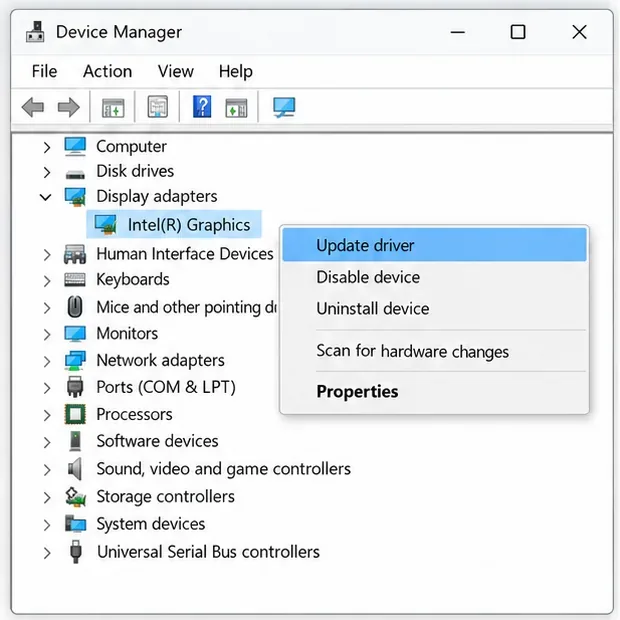
Use Device Manager to identify the adapter and begin a driver check. The available driver may still come from your PC maker.
What does GLFW error 65543 mean?
In GLFW’s official error list, decimal code 65543 is hexadecimal 0x00010007, named GLFW_VERSION_UNAVAILABLE. GLFW defines it as a request for an OpenGL or OpenGL ES version that is not available on the machine. The code alone does not identify the exact cause; the full message after the colon and your operating system matter. See the GLFW error-code reference.
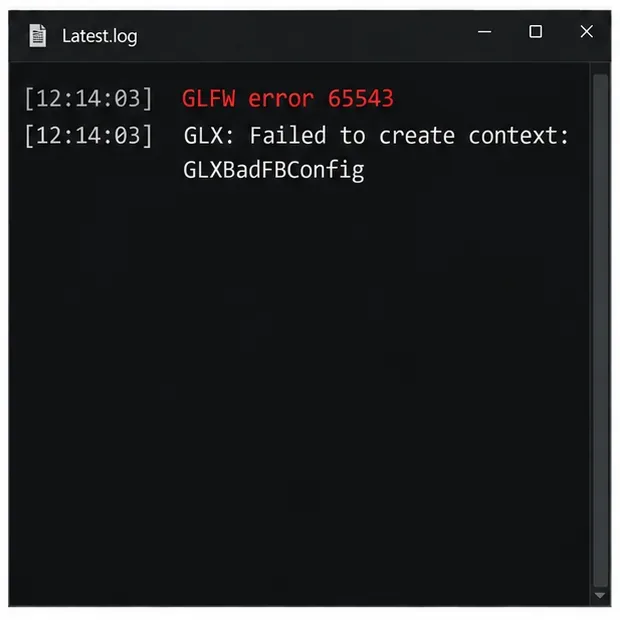
For example, a Linux log might include GLX: Failed to create context: GLXBadFBConfig. A Windows log can show a WGL-related message instead. Treat “Sequential Struggles” as wording in the old headline, not as an official GLFW backend or a Minecraft setting. This guide is mainly for Minecraft Java Edition, which uses GLFW for desktop graphics; Bedrock Edition follows different troubleshooting paths.
Fix the 65543 GLFW Minecraft error step by step
Make one change at a time and launch the same game profile after each change. If you recently installed a graphics or Windows update, restart the computer before moving on.
1. Capture the complete error message
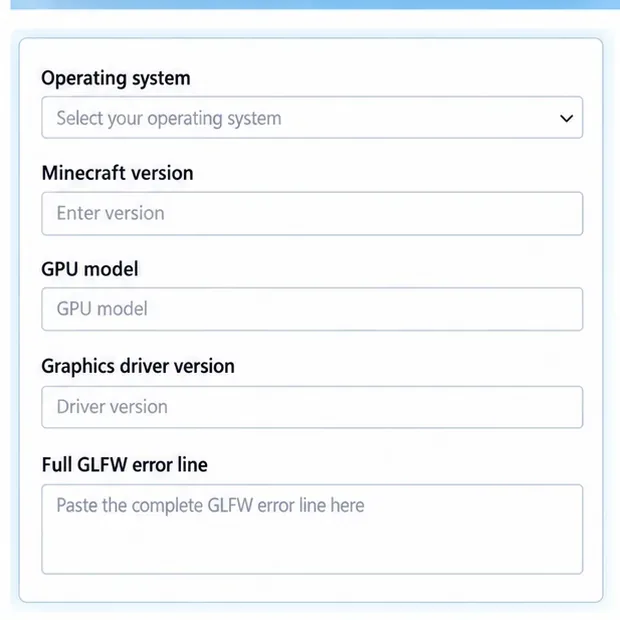
Write down the full text after 65543, including terms such as WGL, GLX, or GLXBadFBConfig. Note your operating system, Minecraft version, launcher, graphics-card model, and whether you use mods or shaders. This prevents a generic driver tip from obscuring a version or compatibility problem.
2. Update the graphics driver from a trusted source
On Windows, open Device Manager, expand Display adapters, and identify every listed GPU. For a laptop, check the laptop maker’s support page first because it may provide a driver customized for that model. For a desktop, use the support or driver page from Intel, NVIDIA, or AMD. Intel users can use the Intel Driver & Support Assistant; Intel advises laptop owners to check the computer manufacturer’s recommended driver when a customized package is detected.
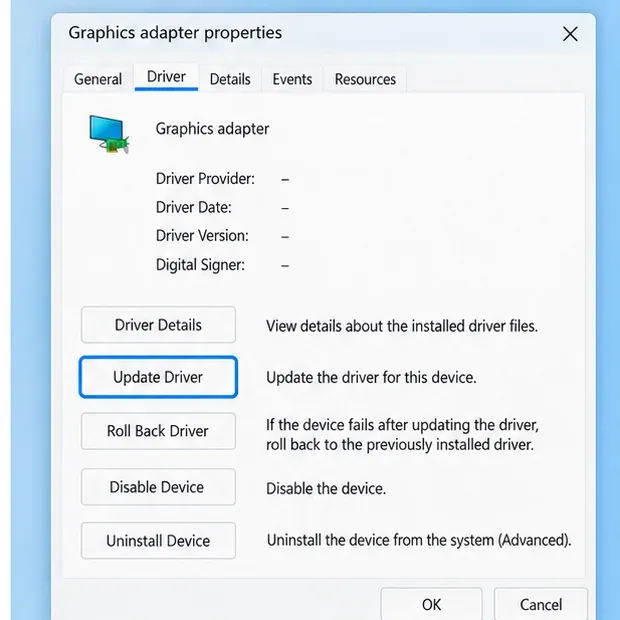
Record the installed driver details first. Windows labels and available controls can vary by device.
Windows’ automatic search can be a useful first check, but it may not find the newest vendor package. Install only a driver for the exact graphics model and operating system, restart, and try Minecraft again. Avoid third-party “driver updater” utilities. Mojang’s OpenGL troubleshooting guidance for Java Edition on Windows also points players toward graphics-driver compatibility.
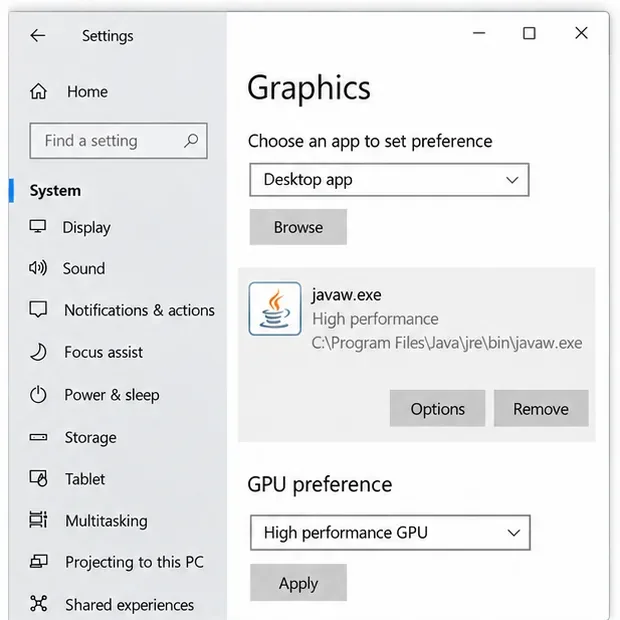
This shows the kind of GPU preference to check on a hybrid-graphics laptop; the runtime path differs by installation.
3. Make sure Java Edition uses the intended GPU
If your PC has both integrated and discrete graphics, the launcher and the Java process may be treated as separate apps. In Windows 11, open Settings → System → Display → Graphics. Add or select the Java runtime used by the affected installation, commonly named javaw.exe, choose Options, select High performance if that GPU is available, and save. The exact runtime path varies by launcher and profile; do not copy a path from another PC. Microsoft documents the per-app graphics preference in its Windows graphics settings guidance.
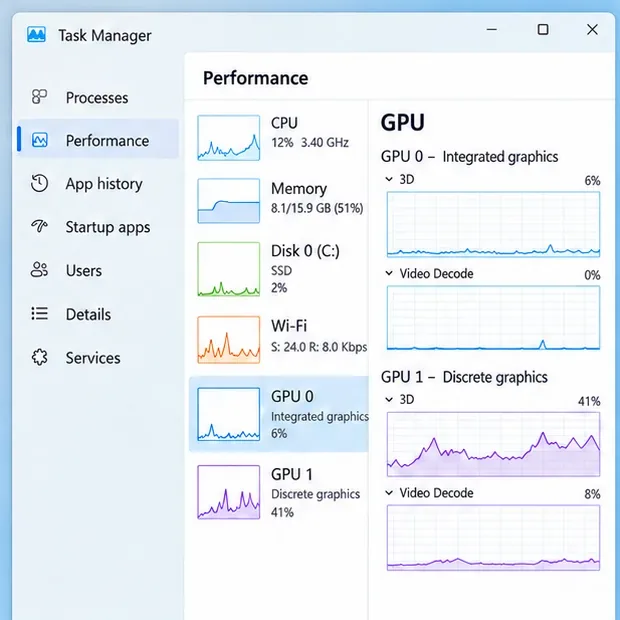
If your PC has more than one GPU, note which adapters Windows can see before changing the Java runtime preference.
Close and reopen the launcher after changing the preference. If the full error still says the requested OpenGL version is unavailable, a different GPU choice cannot add a graphics feature the hardware or driver does not support.
4. Test a clean, unmodded game profile
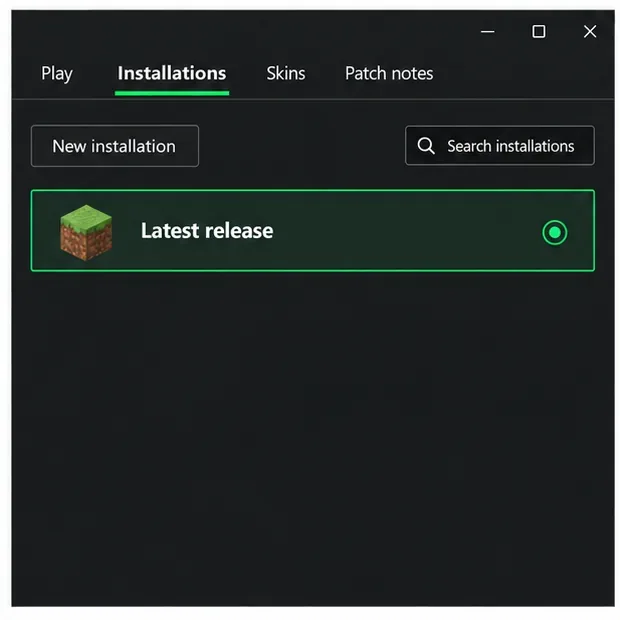
In the official launcher, open Installations and create a temporary installation using the current stable release. Leave JVM arguments at their defaults and launch without Forge, Fabric, OptiFine, shaders, or a custom client. If the clean profile opens, add your mods or graphics tools back in small groups and update the relevant loader and add-ons for that Minecraft version. If it fails with the same message, the graphics stack or hardware compatibility remains the stronger lead.
Do not delete the entire .minecraft folder to perform this test. That folder can contain worlds, screenshots, resource packs, and settings. A clean profile is a safer diagnostic. Mojang’s support page explains how to create a new Minecraft Java installation.
A clean, unmodded profile helps determine whether a loader, shader, or custom launch option is involved.
5. Check platform and version compatibility
On Linux, match the suffix: GLX points to the display and graphics stack, so confirm that the intended GPU driver and OpenGL libraries are installed and active for your distribution. Package names and hybrid-GPU switching commands vary, so use your distribution’s and GPU vendor’s instructions rather than copying a one-size-fits-all command. On macOS, check that the Mac and the selected Minecraft version meet the game’s current requirements.
Do not try random JVM flags, replace GLFW libraries, or set an OpenGL version override as a general fix. Such changes cannot make unsupported hardware provide a missing OpenGL version and can hide the information needed to diagnose the issue. Review Mojang’s current Minecraft Java Edition system requirements for your target version.
Find the useful lines in latest.log
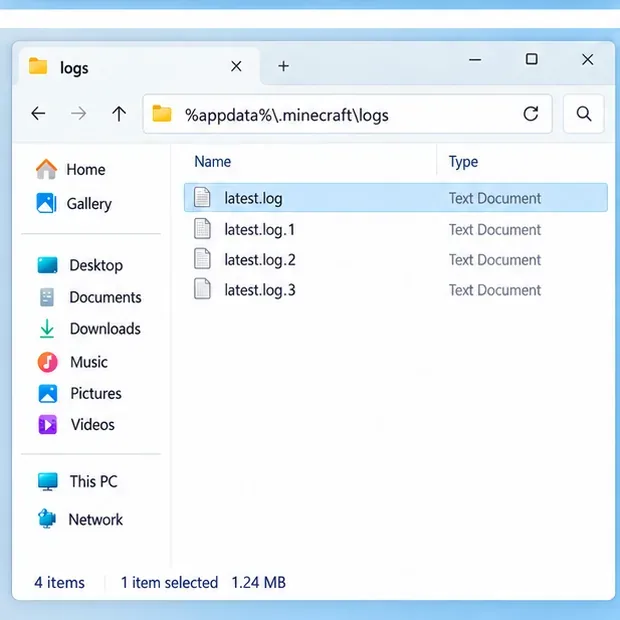
When Minecraft fails before a world opens, the launcher’s log is often more useful than a crash report. On a standard Windows installation, open %appdata%\.minecraft\logs\latest.log. Other launchers may keep a separate logs folder for each instance. Search for 65543, then copy the complete error line and a few lines immediately before it. Do not share account tokens or other private information from a log.
On a standard Windows setup, open %appdata%\\.minecraft\\logs. Custom launchers may store logs inside each instance.This is one Linux GLX example. Your platform-specific text after the error number may be different.
If the log says GLXBadFBConfig, investigate the Linux graphics driver and requested context. If it names WGL on Windows, update or roll back the graphics driver only when the issue began after a driver change, then retest. If the message is different, use that wording when contacting Minecraft support or the launcher maintainer.
If you ask for support, include the full message and these system details rather than only the number 65543.
Quick diagnosis
What you see
First check
Works in a clean profile, fails with mods or shaders
Update or isolate the loader, shader, or mod that changes rendering.
GLX or WGL context-creation message
Check the active GPU, graphics driver, and full platform-specific suffix.
Same error across clean profiles and launchers
Compare the GPU’s supported OpenGL version with the game’s requirements.
Started immediately after a driver update
Check the PC maker or GPU vendor for a corrected package; consider a supported rollback if the previous driver worked.
Why reinstalling Java or increasing RAM usually misses this error
GLFW 65543 concerns graphics-context creation. Allocating more memory does not change the OpenGL version exposed by the graphics driver, and Minecraft’s bundled Java normally does not need a separate reinstall to fix a GPU capability mismatch. Start with the full log, driver, selected GPU, and clean-profile test instead. If none changes the error, report the full suffix, Minecraft version, operating system, GPU model, driver version, launcher, and steps already tried.