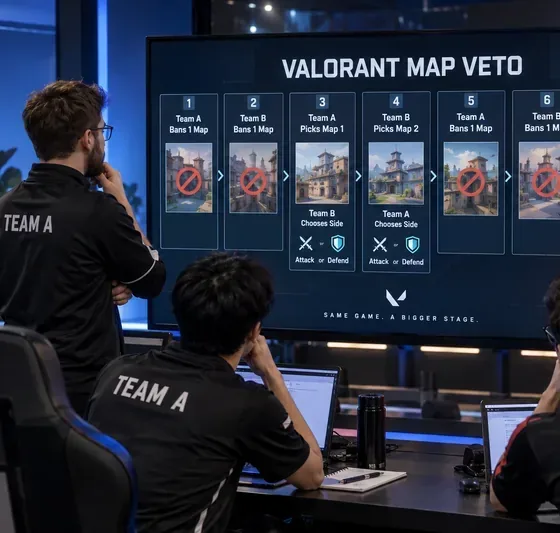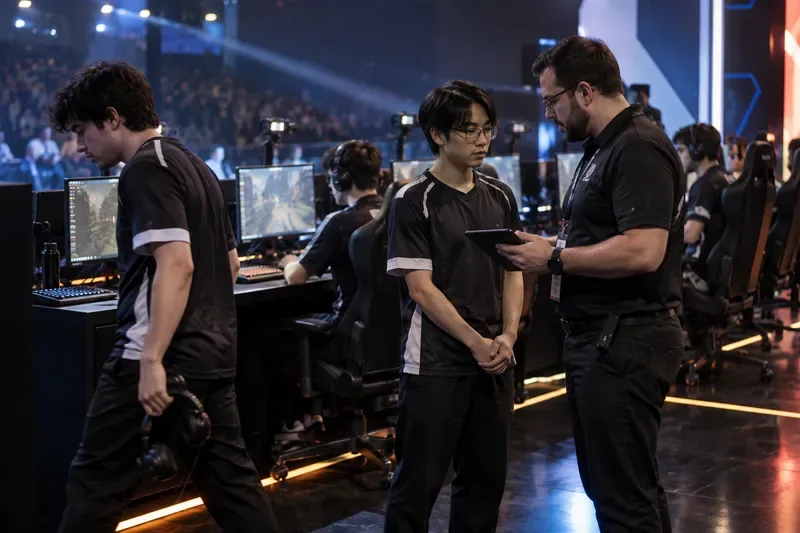
A team reviews a possible lineup change at an esports event. Whether a substitute may enter an official match depends on the tournament rulebook, roster status, timing, and administrator approval.
Roster lock does not always mean “no substitutions”
An esports roster lock is a deadline after which a team can no longer freely change the players registered for a competition. That sounds absolute, but it is not the same thing as saying that every lineup must remain unchanged for every map, or that an emergency replacement can never be approved.
The practical question is usually two questions: Is the replacement player eligible to be used? and At what point in the match may the team use that player? Different tournament organizers answer those questions differently.
As of September 30, 2026, official rules from major circuits show both models. The 2026 VALORANT Champions Tour rules allow substitutions from a team’s Active Roster under specified match procedures, while BLAST Premier’s 2026 Counter-Strike rules provide a separate post-lock emergency-substitution process that requires organizer approval. See Riot’s 2026 VCT Official Competition Ruleset and the BLAST Premier Handbook 2026.
Useful action: Before assuming a locked roster cannot change, find the event’s current rulebook and locate both the roster-lock section and the match-substitution section.
Myth 1: A roster lock freezes the five players who must play every map
Verified: A roster lock usually freezes the list of eligible participants, not necessarily one permanent starting five. For example, BLAST Premier’s February 2026 handbook states that a submitted roster may include five starting players, up to two substitutes, and a coach who may also serve as an extra substitute if required. It also says that, subject to its rules, only eligible participants on the submitted roster at the roster-lock deadline may participate unless an exception applies.
That means a team can be “locked” while still having more than five people who are eligible to appear. The starting lineup and the registered roster are not always identical concepts.
In VCT, Riot’s 2026 competition rules likewise distinguish the team’s Active Roster from the players currently starting a map. In best-of-three or best-of-five matches, a team may replace current starters with substitutes from its Active Roster between maps if it follows the required notification and approval process.
Useful action: When reading a lineup announcement, check whether the replacement is already listed as an active or submitted substitute. A registered substitute is generally a different case from a brand-new player added after the deadline.
Myth 2: “Emergency substitute” always means a player can be added immediately
Verified: Emergency replacement rules can require formal approval and supporting evidence. BLAST’s 2026 handbook says that a team seeking to change its submitted roster after the roster-lock date must file an Emergency Substitution Request explaining the basis, reasoning, and rationale for the change, together with supporting evidence that BLAST may require. BLAST then decides whether to allow or reject the request.
The same handbook states that its starting assumption, when considering an emergency change to the starting roster, is that the replacement should be the coach already listed on the submitted roster. It also requires at least three “Core Players” in the relevant lineup unless special dispensation is granted in rare circumstances.
Context-dependent: The exact evidence needed is not universal. Illness, injury, travel disruption, visa problems, safeguarding concerns, or other circumstances may be treated differently by different organizers. Even when a reason sounds serious, the event administrator may still need documentation and may still reject the proposed player.
Useful action: Do not treat a social-media statement such as “Player X is unavailable” as proof that Player Y is eligible. Look for an official roster ruling, event announcement, or rulebook provision that explains the approval path.
Myth 3: If a player becomes unavailable during a match, anyone can step in
Verified: Mid-match and between-map substitutions can be much narrower than pre-event emergency replacements.
Under Riot’s 2026 VCT rules, in a multi-map match a team may substitute between maps using a player from its Active Roster. The team must inform the opponent and receive referee approval no later than two minutes after the previous map ends. If a player disconnects during a map and cannot return within the allocated pause time, the rules also permit replacement by a substitute from the Active Roster. The resulting lineup must remain eligible, and the substitute must complete setup within seven minutes after the substitution decision.
Riot also has a separate Player Emergency Pause procedure. The 2026 rules provide for a maximum of one emergency pause per map and an aggregate total of 10 minutes across the match, unless officials allow more. If the emergency-pause time is exceeded, the affected player becomes ineligible to continue for the rest of the match and must be substituted. If the team cannot field five players, the match is forfeited unless a League Official makes a different determination under the rules.
Useful action: For an in-progress series, check the rulebook’s “between maps,” “pause,” and “substitution” clauses rather than only the roster-lock clause.
Myth 4: A medical issue automatically qualifies as an emergency
Verified: Some rulebooks explicitly give officials discretion to decide whether a medical situation justifies special treatment. Riot’s VCT rules state that a minor illness, injury, or disability is not by itself an acceptable reason for a Player Emergency Pause. Officials may use a pause to evaluate whether a player is ready, willing, and able to continue.
Context-dependent: This does not mean medical problems are ignored. It means the tournament, not the team alone, decides how the rule applies during competition. A significant health issue may lead to a pause, substitution, or other ruling, but the exact process depends on the event rules and the officials’ assessment.
Useful action: If you are following a live match, wait for the tournament’s official ruling before concluding that a player “had to” be substituted or that the team was entitled to use a specific replacement.
Myth 5: An approved emergency substitute is automatically eligible in every other event
Verified: Eligibility is event-specific. Organizers can impose requirements related to roster registration, player contracts, regional representation, competitive integrity, anti-cheat status, conflicts of interest, or core-player continuity.
BLAST’s 2026 rules, for example, tie participation to the submitted roster and core-player requirements. Riot’s VCT rules require any substitution to leave the team with an eligible roster. An approval in one circuit does not create a general right to play in another tournament.
Useful action: Treat every event as a separate eligibility check. Verify the player against the current tournament’s roster list and rules, not against a prior event where the same player was allowed to stand in.
Registered substitute vs. emergency replacement
| Question | Registered substitute | Emergency replacement after lock |
|---|
| Already on the official roster? | Usually yes. | Not necessarily. |
| Needs special post-lock approval? | Often no, but match procedures still apply. | Usually yes when the rulebook permits such exceptions. |
| Can enter mid-series? | Depends on the match-substitution rules. | Depends on both approval and match-substitution rules. |
| Can replace any player for any reason? | Not always; timing and eligibility restrictions may apply. | No. The organizer may require a qualifying emergency and supporting evidence. |
| May the team ignore core-player or regional rules? | No. | Only if the organizer has an explicit power to grant an exception and actually does so. |
What remains unknown until you read the event-specific rules
No single esports-wide rule defines a universal emergency substitute. Even within one game, a publisher may issue global rules plus regional or event-specific rules. Riot’s competitive-operations library makes this explicit by publishing global VCT rules alongside event-specific documents. The current library can be checked at Riot Games Competitive Operations.
Until the event rules are checked, you generally cannot know with confidence:
- whether the substitute must already be registered;
- whether a coach can become a player;
- what qualifies as an emergency;
- what documentation is required;
- whether a substitution is allowed during a map, only between maps, or only between matches;
- whether a minimum number of core players must remain;
- whether a replacement affects seeding, penalties, or future roster rights; or
- whether the organizer has discretionary power to grant an exception.
Useful action: If the public rulebook does not answer one of these questions, label it as unknown rather than filling the gap with precedent from another tournament.
A quick way to verify whether an emergency substitute can play
For a specific official match, use this order:
- Identify the exact competition and rulebook version. Rules can change between seasons and even between stages.
- Check the roster lock. Confirm when the deadline occurred and who was registered at that time.
- Check the replacement player’s status. Determine whether the player is an active substitute, coach, affiliate player, or entirely new addition.
- Read the emergency-exception clause. Look for required reasons, evidence, approval, and any core-roster restrictions.
- Read the match-substitution clause. A player may be eligible for the event but still be unable to enter at the requested moment.
- Look for an official ruling. If administrators have issued a written decision, that controls the specific case.
The central lesson is simple: a roster lock limits freedom to change a team, but it does not by itself answer who can play in an emergency. The answer comes from the interaction of roster eligibility, exception procedures, match-timing rules, and tournament-official approval.