Home
» 🎮 Esports
»
CS2 MR12 Overtime: How Many Rounds Do You Need to Win?
CS2 MR12 Overtime: How Many Rounds Do You Need to Win?
Short answer: In the common MR3 overtime format used by competitive CS2 services and tournaments, teams play up to six overtime rounds, three on each side. A team must win four rounds in that overtime set to take the map. If the set ends 3–3, the score is tied again and another six-round set begins. After a 12–12 regulation tie, the first overtime winner therefore usually finishes at 16 rounds or more, but the match has no fixed round cap when tied overtime sets keep repeating.
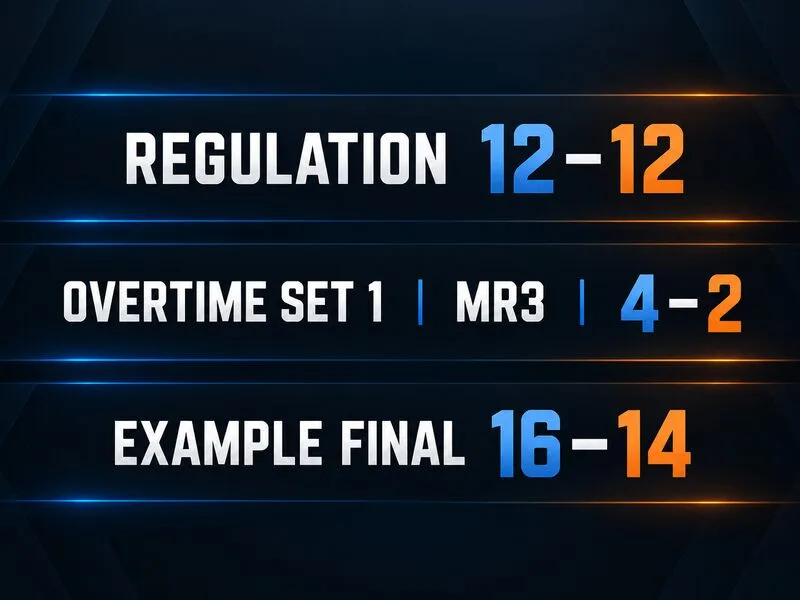
A simplified score example shows 12–12 after regulation, a 4–2 first overtime set, and a 16–14 final; this is a reference graphic, not an in-game screenshot.
Quick reference: the usual MR3 overtime format
Question
Answer in a standard MR3 setup
When does overtime start?
When regulation ends tied, usually 12–12 in MR12, if the match settings enable overtime.
How long is one overtime set?
Up to six rounds: three rounds on each side.
How many rounds must a team win?
Four rounds in that overtime set.
What if the set is 3–3?
The map remains tied; play another overtime set.
Is there a maximum total number of rounds?
Not in an unlimited repeat format. Each tied set adds up to six rounds.
What MR12 means before overtime
MR12 means “maximum 12 rounds per half” in regulation. Each side plays one 12-round half, so a regulation map can last no more than 24 rounds. In a decisive regulation result, the first team to 13 rounds wins the map. If both teams have 12 when the final regulation round ends, the map is tied and overtime may follow.
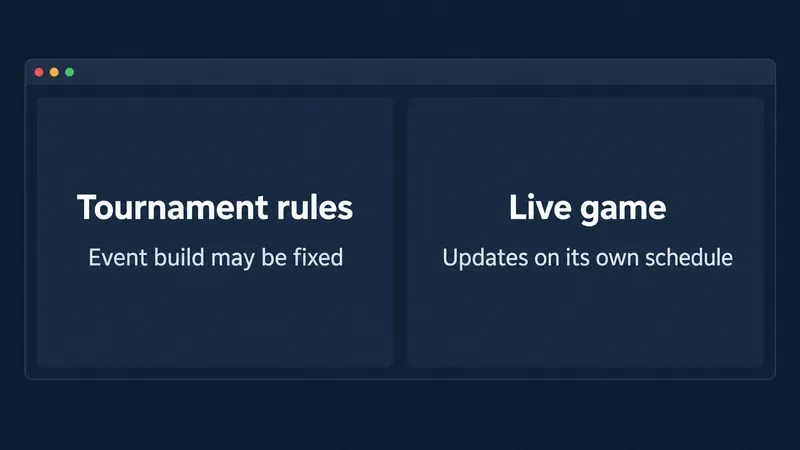
“May” matters. A match must have overtime enabled. Valve’s Counter-Strike 2 announcement described the move to a 24-round regulation match with a six-round overtime in case of a tie. Tournament organizers, third-party services, and community server operators publish or configure the settings for their own matches. A 12–12 scoreboard alone does not tell you every overtime detail.
How one MR3 overtime set works
MR3 means teams play three rounds on one side, switch sides, then play three more. The six-round set is a small contest inside the tied map, not a new map and not a reset of the score. Regulation rounds stay on the scoreboard while the overtime rounds are added.
In the common competitive configuration, the first team to win four rounds in the set wins the map. The fourth overtime win is enough because the opponent can no longer catch up within that six-round set. The map can finish before round six if a team gets its fourth win early.
4–0: the map can end after four overtime rounds. From 12–12, the final score is 16–12.
4–1: the map ends when the fourth round is won. From 12–12, the score is 16–13.
4–2: the winner has taken four of the six rounds. From 12–12, the score is 16–14.
3–3: neither team has four wins, so the map remains tied at 15–15 and another overtime set begins.
The exact round in which a team secures its fourth win depends on the sequence of results, but the decision rule is the same: four wins in one overtime set decide it. The teams change sides after three rounds, even if one team has built a lead before the switch.
What happens after a 3–3 overtime tie?
A 3–3 split does not produce a winner and does not send the teams back to regulation. The score carries forward. A second six-round overtime set starts with teams on opposite sides from the start of the previous set, and they switch sides again after three rounds.
For example, if regulation ends 12–12 and the first overtime is split 3–3, the overall score becomes 15–15. If one team then wins four rounds in the next overtime set while the other wins two, the map ends 19–17. If the second set is also split 3–3, the score becomes 18–18 and the process repeats.
This is why “first to 16 wins” is a useful shortcut only for describing some first-overtime scorelines. The reliable rule is four rounds in a single six-round overtime set. A team can win 16–12, 16–13, 16–14, or, after additional tied sets, with a much higher score.
Does every CS2 match use the same overtime settings?
No. MR12 describes regulation length; it does not, by itself, specify the overtime format, starting money, timeouts, or whether a tied match must continue. Check the competition or server rules when the exact result matters.
For a current tournament example, the February 2026 BLAST Premier Handbook lists six maximum overtime rounds and $12,500 starting money. FACEIT’s CS2 game-settings guide describes its default competitive setting as six overtime rounds, with four wins needed and another overtime if the teams split 3–3; its stated default overtime starting money is $10,000. Those money figures differ, while the six-round/four-win structure is similar.
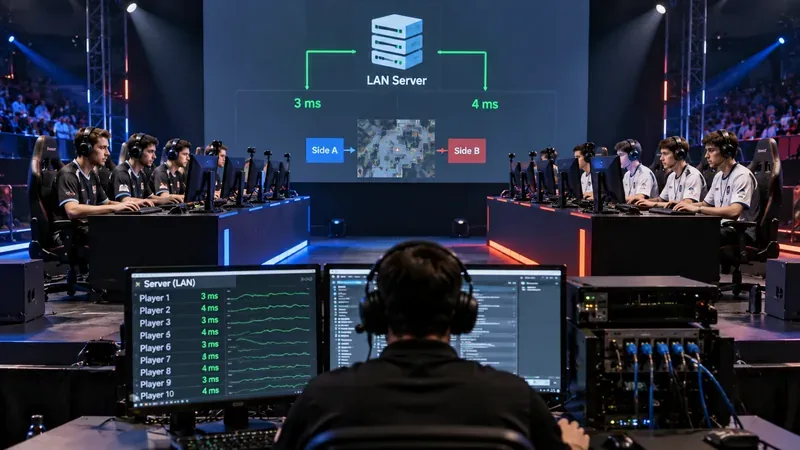
Matchmaking modes, third-party ladders, LAN tournaments, and private servers may not all use identical settings. If you are watching a broadcast, check the event’s current rulebook. If you are playing on a hosted server, check its listed rules or ask an administrator. Do not assume a setting from one platform applies to another.
Common points of confusion
“MR3 means three rounds total.”
In the common overtime label, MR3 refers to three rounds per side. A complete overtime set can have six rounds because teams switch sides after the first three.
“The team that reaches 16 first always wins.”
For the first overtime after 12–12, four wins produce at least 16 rounds and normally decide the map. But the underlying criterion is four wins in that overtime set. After tied sets, the overall map score can pass 16 before the eventual winner is determined.
“A 3–3 overtime is a draw.”
In the repeat-until-decided format, 3–3 only ties that overtime set. A tied map may be possible under other rules or a configured round limit, so confirm the mode’s policy before treating the result as final.
“MR12 alone guarantees overtime.”
MR12 explains the regulation round structure. Whether 12–12 leads to overtime, a draw, or another procedure depends on the match settings. Valve’s format announcement and a tournament’s actual current rulebook answer different parts of the question: one describes the game format, while the organizer specifies how its competition is run.
Before you queue or watch: a short checklist
Confirm the match is MR12 and note the regulation score at the end of round 24.
Check that overtime is enabled for this mode or event.
Look for “MR3,” “six overtime rounds,” or “four rounds to win.”
Expect a side switch after three overtime rounds.
If the set is 3–3, expect another set unless the rulebook states a different limit or tie procedure.
Check starting money separately; it can vary even when the round format is the same.
Sources and scope
Rules checked September 30, 2026. Valve’s Counter-Strike 2 MR12 announcement describes 24 regulation rounds and six overtime rounds in a tie. The current 2026 BLAST Premier Handbook and FACEIT support page provide examples of tournament and service overtime settings. This article explains the common MR3 format; the active match’s official rules and server configuration control when they differ.