Home
» 🎮 Esports
»
Can You Downgrade PS Plus After Upgrading? How to Switch Tiers
Can You Downgrade PS Plus After Upgrading? How to Switch Tiers
Can You Downgrade PS Plus After Upgrading? How to Switch Tiers
Yes, you can downgrade PS Plus after upgrading. Sony lets you switch to a lower membership plan from your account settings, but the change is scheduled for your next payment date. Your current tier's benefits remain available until then. When the lower plan takes effect, benefits exclusive to the higher tier end, and the lower plan becomes the one that renews.
A downgrade is different from canceling auto-renewal: it keeps your membership active at a lower tier. The exact plan names, benefits, payment options, and timing can vary by country and account. Check the effective date and local price shown before confirming.
What a PS Plus downgrade changes
A request to downgrade PS Plus does not usually switch your benefits immediately or refund the unused portion of the current tier. Sony's change-plan instructions say the lower level starts on the next payment date. Its plan FAQ also describes the change taking effect at the end of an existing prepaid or stacked subscription period. If you have prepaid time, use the date displayed in Account Management as the source of truth.
Until that date, keep using the benefits attached to your current plan. At the effective date, PlayStation removes access to benefits that are not part of the new tier. Review Sony's official instructions for changing a PS Plus plan if your account shows a different label or payment date.
Downgrading versus canceling PS Plus
Action
What happens
Best when you want to
Downgrade
Your existing tier stays active until the scheduled change. The lower tier then renews at the payment frequency you selected.
Keep PlayStation Plus, but pay for fewer benefits.
Cancel subscription
Auto-renewal is turned off. Your current benefits continue through the paid period; after the subscription ends, PS Plus benefits stop.
Stop the membership from renewing at all.
If you want to keep online multiplayer and other lower-tier benefits, choose Change Plan, not Cancel Subscription. Sony explains the separate cancellation process and what happens to membership benefits on its PlayStation Plus cancellation page.
What you keep and lose when you move to a lower tier
PlayStation Plus has Essential and Extra, plus an upper tier called Premium or Deluxe in some regions. Benefits and availability differ by market; check the plan comparison for the country linked to your PlayStation account. This table summarizes the usual trade-off without listing prices that may be wrong for your region.
New tier
Benefits generally included
What you may lose from a higher tier
Essential
Monthly games, online multiplayer for supported paid games, cloud storage, and member discounts.
Extra's Game Catalog, plus upper-tier Classics Catalog, game trials, and cloud streaming where offered.
Extra
Essential benefits plus the Game Catalog.
Upper-tier benefits such as the Classics Catalog, game trials, and cloud streaming where offered.
Premium or Deluxe
Extra benefits plus additional classics and trials; streaming features depend on the market.
This is the highest tier in the local lineup, so a downgrade means giving up one or more of these extras.
Games you bought from PlayStation Store remain purchases. A Game Catalog or Classics Catalog title is different: downloading it does not make it yours to keep. You need an active plan that includes the title, and the game must still be available in the catalog. Monthly games you redeemed remain playable while your PS Plus membership is active, even if you move to Essential; if the membership itself expires, subscription games become unavailable until you rejoin.
For current plan names and benefit details, use Sony's PlayStation Plus plan comparison. Catalogs and included titles can change over time.
How to downgrade PS Plus on PS5, PS4, or the web
The documented plan-change route is available through Account Management in a browser or through console settings. Sign in to the account that owns the membership. Before you start, note the next payment date so you can confirm when the lower tier will begin.
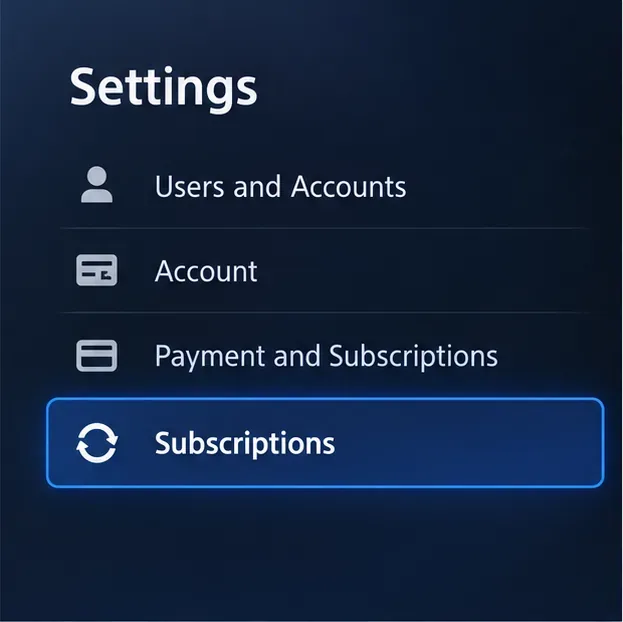
Open your subscription settings. On PS5, go to Settings > Users and Accounts > Account > Payment and Subscriptions > Subscriptions. On PS4, go to Settings > Account Management > Account Information > PlayStation Subscriptions. In a browser, sign in to Account Management and select Subscription from the menu.
A schematic view of the PS5 settings path; the exact screen styling can vary by system version.
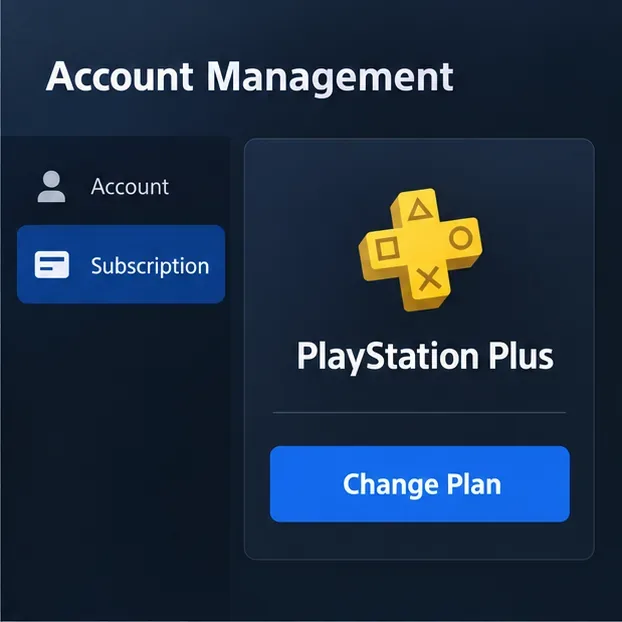
Select your PlayStation Plus membership. Choose Change Plan. If you do not see the option, make sure you are signed in to the account that pays for PS Plus and try the browser route.
The account page leads to the plan-change controls for the active membership.
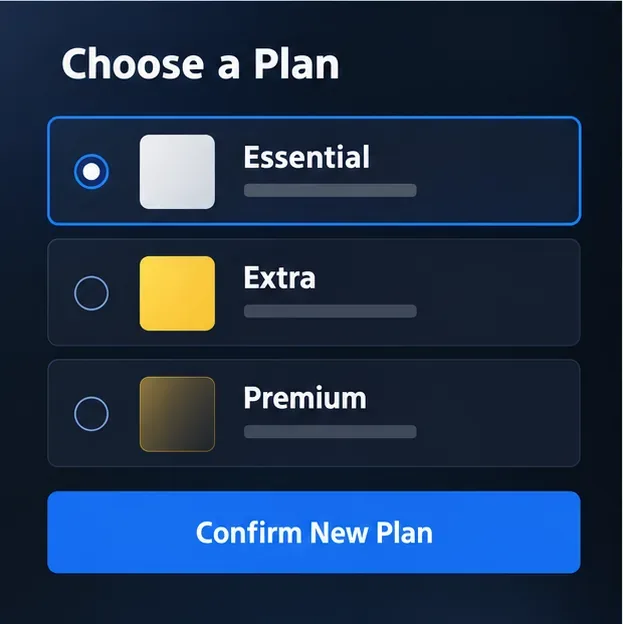
Choose the lower tier and payment frequency. Select the plan you want, such as Extra to Essential or Premium/Deluxe to Extra or Essential. Review the summary, local price, and effective date before you continue.
Choose the tier you want for the next subscription period; plan names vary by region.
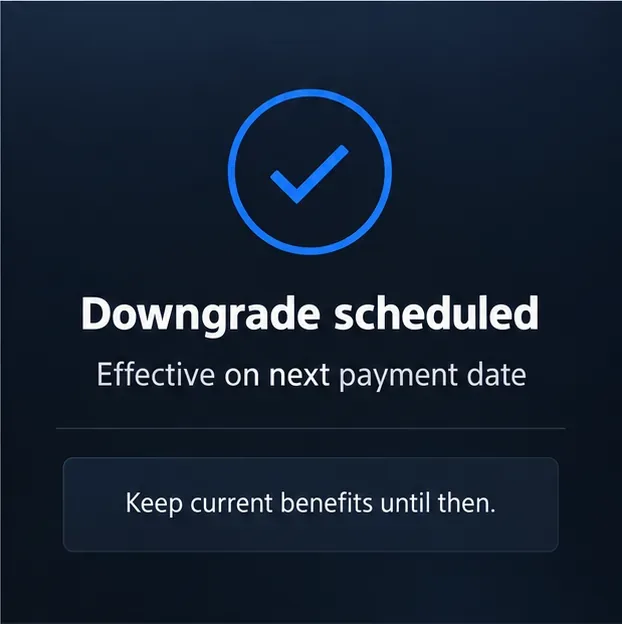
Confirm the scheduled change. Complete the on-screen confirmation, then revisit Subscriptions to check that the lower plan and effective date are shown. Keep the confirmation for your records. Your higher-tier benefits should remain active until the date displayed.
The lower tier is scheduled for the next payment date, while current benefits continue until then.
If you are using a phone, the PlayStation App can show a subscription's payment date and supports cancellation in its subscription-management area. Sony's plan-change instructions list a browser, PS5, and PS4 route; if the app does not show Change Plan, open Account Management in your mobile browser instead.
Common PS Plus downgrade questions
Can I downgrade in the middle of a paid year?
You can request the change before the current period ends, but the lower tier does not normally start mid-period. It is scheduled for the next payment date or, where prepaid time is stacked, the end of that prepaid period. Check the date in your account before confirming.
Will I lose access to my Game Catalog downloads right away?
No. The higher plan stays active until the downgrade takes effect. After that, catalog access depends on the plan you selected: games included with Extra remain available on Extra, while games that require a higher tier become locked. A download is not a permanent purchase.
Does downgrading remove games I bought or delete my account?
No. Changing the subscription tier does not cancel your PlayStation account or remove titles you purchased. It changes access to subscription-only benefits. If you cancel the entire membership instead, online storage and other PS Plus benefits end after the paid period.
Can I upgrade again later?
You can change plans again through subscription settings. Sony says an upgrade can involve a prorated charge for the time remaining until the next payment date. Review the amount and terms displayed for your account before accepting an upgrade.
Before you confirm
Verify the account that owns the subscription.
Check the next payment date and any prepaid time.
Confirm that the selected tier still includes the benefits you use.
Download or purchase any title you want to keep permanently; catalog downloads are not ownership.
Choose Change Plan for a lower tier, or Cancel Subscription only if you want renewal to stop.
In short: you can downgrade PS Plus after upgrading. Schedule the lower tier in account settings, confirm the effective date, and expect your current higher-tier access to continue until that date. The plan and price shown in your local PlayStation account are the final reference.