Home
» 🎮 Esports
»
12 Minecraft Error Codes: What They Mean and How to Fix Them
12 Minecraft Error Codes: What They Mean and How to Fix Them
12 Minecraft Error Codes: What They Mean and How to Fix Them
If Minecraft closes with an exit code or stops at a cryptic error message, start with the exact text in the launcher or server log. The fixes below cover 12 common Minecraft error codes and crash messages, including Exit Code 1, OutOfMemoryError, port conflicts, shader problems, and damaged saves.
One important distinction: Minecraft does not publish one universal list of these 12 items. Some are operating-system exit statuses, some are Java exceptions, and others are descriptive messages. A code points toward a layer of the problem; it rarely identifies the cause on its own. Java Edition and Bedrock Edition also use different troubleshooting paths.
Quick reference: 12 common Minecraft errors
Error or message
What it tells you
First check
Exit Code 0
The process reports a normal exit
Check whether the game actually crashed
Exit Code 1
Generic launch or runtime failure
Read the crash report and latest log
Exit Code -1
Generic abnormal exit shown by some launchers
Find the first exception in the log
Exit Code 143
Often a Linux or container SIGTERM status
Review host and shutdown logs
Exit Code -1073740791
Windows fail-fast status, not a diagnosis
Check crash details and recent changes
OutOfMemoryError
The JVM could not satisfy a memory allocation
Read the full message and memory settings
Failed to Bind to Port
A server cannot claim its configured port
Check for a second server process
Connection Lost: Internal Exception
A connection failed; the detail after it matters
Compare versions and inspect server logs
Shader Compilation Error
A shader or rendering component failed
Launch once with shaders disabled
Mod Loading Error
A mod, dependency, loader, or version may not match
Check the exact Minecraft and loader versions
Java Runtime Error
The selected Java runtime or launch arguments failed
Read the full JVM message and profile settings
World Corruption
A world save may be damaged or incompatible
Copy the save before attempting recovery
Before you change anything
Protect your worlds. Make a copy or use Minecraft's backup option before changing memory settings, mods, or installations.
Record the setup. Note Java or Bedrock, game version, launcher, operating system, and whether the issue happens in vanilla or a modded profile.
Read the evidence. Look for the newest log and crash report, then focus on the first meaningful exception rather than the final line that says the process exited. Fabric's crash-report guide explains where reports live and which sections contain the stack trace and system details.
Change one thing at a time. A fresh Java installation with the same Minecraft version can help separate a broken profile from a wider system issue; Minecraft Support recommends this for launcher crashes.
1. Exit Code 0: Usually a normal exit
Exit Code 0 means the process reported success. It is not, by itself, proof that Minecraft crashed. If the launcher still shows a failure, note whether you deliberately quit, whether the game window closed during startup, and whether the launcher failed afterward. Keep the logs and compare their timestamps before changing files; clearing the logs removes useful evidence.
Illustrative game scene; it is not an actual Minecraft error screen.
2. Exit Code 1: A generic Java launch failure
Minecraft Exit Code 1 does not identify one specific bug. The useful clue is usually in the crash report or latest.log: an incompatible mod, invalid JVM argument, runtime problem, or graphics failure can all end with code 1. First try a new, unmodded installation using the same game version. If that opens, return to the old profile and re-enable its mods or custom settings in small groups. See Minecraft Support's new-installation troubleshooting steps.
A visual metaphor for a generic crash status, not a screenshot of Exit Code 1.
3. Exit Code -1: An incomplete clue
Exit Code -1 is not a universal Minecraft diagnosis, and it does not automatically mean low memory or antivirus interference. A launcher or modpack tool may report a generic failure while the useful exception appears earlier in its log. Check what changed just before the problem started—such as a mod, shader, loader, or game update—then test a clean profile. Avoid disabling security software as a first-line fix.
The interface is illustrative; the exit code alone does not identify the failed component.
4. Exit Code 143: Check who stopped the server
On a Linux host, Bash represents termination by signal number N as 128 + N; 143 therefore commonly corresponds to signal 15, SIGTERM. That means the process was asked to stop, but the number does not tell you whether a person, hosting panel, service manager, or container platform sent the request. Review the server panel's event and shutdown logs. If you run a home server, confirm no scheduled restart or duplicate service is stopping it. The Bash exit-status reference documents the convention.
Check the host's event log to find what requested the shutdown.
5. Exit Code -1073740791: A Windows fail-fast status
This negative decimal status corresponds to Windows exception code 0xC0000409, which Microsoft documents as a fail-fast exception. It does not prove that the graphics driver is at fault. Check the crash details and Windows reliability or event records, then remove recent mods, overlays, or shader changes if the timing points to them. If the crash report also shows a graphics issue, follow Minecraft's video and graphics troubleshooting guidance and install drivers from the device or GPU maker. Microsoft's description of 0xC0000409 explains why the status alone is not a root-cause label.
The rendering glitch is illustrative and does not identify a GPU driver as the cause.
6. OutOfMemoryError: Diagnose before adding RAM
A Java OutOfMemoryError means the JVM could not satisfy a memory allocation, but it does not always mean the computer simply needs more RAM. Read the detail after the error—for example, heap exhaustion and native-memory exhaustion point to different limits. In Java Edition, review the launcher's JVM memory arguments and compare them with the computer's total memory and the modpack's requirements. Mojang's current memory-allocation guide gives version-aware advice, including a lower allocation for systems with 4 GB of RAM or less. Do not paste -Xmx4G into every profile: -Xmx sets the Java heap ceiling, not a guaranteed performance boost, and the system needs memory for the operating system and graphics too.
The meter is conceptual, not a measurement of Minecraft or a computer's memory.
7. Failed to Bind to Port: Find the existing listener
This message usually means a server cannot claim the configured network port, often because another server process is already using it. Stop only the duplicate process you own, then retry. If you administer the server and need a different port, update the server's port setting and make sure clients and any required router rule use the same value. Minecraft's Java server guide lists 25565 as the default; port forwarding is only relevant when people outside your local network need to reach a self-hosted server. Do not open extra ports or publish a home IP just to clear a local bind error. See the official Java server setup guide.
A duplicate server process can occupy the port another instance needs.
8. Connection Lost: Internal Exception: Use the full message
Internal Exception is a wrapper, not one specific network fault. The exception after the colon, your client log, and the server log are the next clues. Confirm both players use the same edition and a compatible game version; then check whether the server or Realm is available and restart the game and network equipment if the issue is intermittent. Avoid changing DNS or turning off the firewall without evidence. For Bedrock players, named messages such as Creeper have their own documented sign-in and connection guidance; check Minecraft's network troubleshooting page and Creeper error help.
The broken connection line represents a multiplayer interruption, not a specific network error.
9. Shader Compilation Error: Test without the shader pack
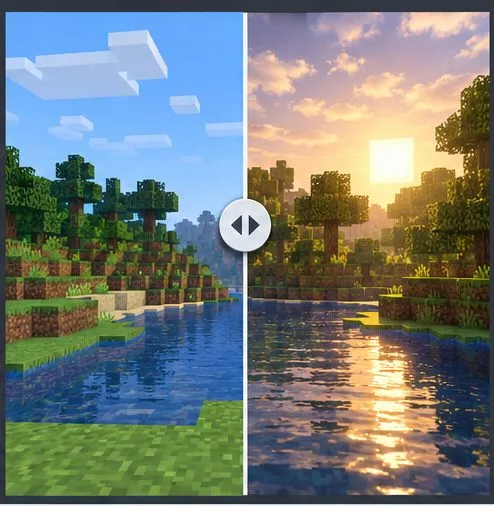
A shader can fail because its pack, rendering mod, Minecraft version, or graphics hardware combination is unsupported. Disable the shader for that specific profile and launch the unmodified game. If it works, check the shader pack's supported versions and the matching Iris or OptiFine release before restoring it. Move one shader pack out of the instance's shader folder rather than deleting the folder. If the vanilla game also has rendering problems, investigate drivers and the graphics issue separately. The Iris project describes its shader support and compatibility limits.
The comparison illustrates a shader effect; compatibility depends on the pack, renderer, and hardware.
10. Mod Loading Error: Match the game, loader, and mods
Mods are commonly tied to a Minecraft version and a loader such as Fabric or Forge. A mod for the wrong edition, game version, loader, or required API may prevent startup. Read the loader's error list for a missing dependency or incompatible version, then remove the most recently added mod and test again. Add mods back one at a time, keeping a separate profile and a world backup. Fabric's installation guide stresses checking the Minecraft version, loader, and edition for each mod; its crash-report guide explains why the first mod named in a trace may not be the only one involved.
The mismatched tiles represent loader or version incompatibility between mods.
11. Java Runtime Error: Check the selected executable and arguments
“Java Runtime Error” covers several different messages. Could not create the Java Virtual Machine can point to invalid or excessive launch arguments; an unsupported class-version message suggests the selected Java runtime does not meet that software's requirement. Read the full text, then check the Java executable and JVM arguments in the affected installation profile. If you use the official launcher, restore its default runtime selection before installing a separate Java build. For a third-party launcher or a standalone server, match Java to the exact Minecraft version and follow that launcher or server's requirements. Minecraft's Java Edition requirements page and Oracle's Java command reference can help interpret runtime settings.
The scene represents runtime selection; it is not the current Minecraft Launcher interface.
12. World Corruption: Recover from a copy
A world that fails to load is a save-recovery problem, not an exit code. Close the game and make a separate copy of the affected world before trying anything else. For Java single-player, Minecraft provides a Make Backup option on the world's Edit screen. Bedrock file locations and backup tools vary by platform, so use the instructions for that device; the official Bedrock world restore guide covers manual backups and links to Realm recovery. Restore to a separate copy when possible. Do not assume Java's saves folder applies to Bedrock, and do not run an unknown repair tool on your only save.
Make a separate copy before attempting to restore a damaged world.
When the error still won't clear
Keep a small troubleshooting record: the full error text, edition, game and loader versions, what changed recently, and the newest log or crash report. Test one clean profile before reinstalling anything. If you share a log with a server owner or mod developer, remove account tokens, private server addresses, and other personal information first. Avoid deleting the whole .minecraft directory unless you have verified backups; Minecraft Support recommends backing up worlds before uninstalling and says deleted files may not be recoverable. Review its uninstall guidance before removing game files.
Frequently asked questions
Is Exit Code 0 a Minecraft crash?
Not by itself. It generally means the process exited successfully. If Minecraft disappeared unexpectedly, use the launcher and log timestamps to find what happened immediately before it closed.
Does Exit Code 1 tell me what to fix?
No. It is a broad failure status. The first exception in the crash report or log is usually more useful than the number.
Are Java Edition and Bedrock error codes interchangeable?
No. Java Edition launch statuses such as Exit Code 1 and JVM exceptions are different from Bedrock's named error codes. Use the troubleshooting article that matches your edition and platform.