How to Fix PUBG Stuck on “Initializing” on Steam

Fix PUBG stuck on Initializing on Steam with a focused checklist for PC service notices, launch options, game files, downloads, and connection issues.
If you cannot log in to League of Legends, start with the penalty notice in the client. It should state the reason for the action. Check whether you have a chat or queue restriction, a temporary account suspension, a permanent ban, or a security lock. Those actions have different effects—and different next steps. If you believe the penalty was issued in error, Riot’s official route is a Player Support ticket; an appeal can request a review, but it does not guarantee that the penalty will be removed.
Players often use “ban” to describe any block. Riot distinguishes account suspensions from restrictions that still let you sign in. A chat restriction limits in-game chat; AFK and queue-dodging penalties can delay or block access to particular queues. Temporary suspensions prevent you from logging into League for a set period. A permanent suspension prevents future access unless Riot reverses it after a review. A login or account-security problem can also look like a ban, so read the exact message before troubleshooting.
| Possible cause | What Riot’s guidance says | What to check |
|---|---|---|
| Harassment, hate speech, or disruptive chat | Chat restrictions are common for less severe behavior. Excessive or extreme behavior can lead to a temporary or permanent suspension, sometimes without earlier penalties. | Open the penalty notification and review any chat log or match details shown. |
| Griefing or intentional feeding | Deliberately ruining a match, giving up, or feeding can be reportable. Poor play while still trying to win, unusual champion picks, and off-meta builds are not the same thing. | Focus on the specific match and conduct named in the notice, not on whether teammates played worse. |
| Scripts, bots, or other unauthorized tools | Riot prohibits unauthorized third-party programs that cheat, automate play, or interfere with game integrity. Some third-party apps are permitted; the key issue is whether the app violates Riot policy or gives an unfair advantage. | Consider any overlays, macros, automation, skin tools, or software that interacted with the game. Don’t try to hide or bypass a detection. |
| Boosting, account sharing, trading, or rank manipulation | Having another person play ranked on your account, selling or buying an account, win-trading, or deliberately manipulating rank can trigger penalties. Riot holds the account owner responsible for account activity. | Check who had access to the account and whether anyone else played ranked on it. |
| AFK, leaving, or queue dodging | These usually lead to queue delays, queue lockouts, or ranked-point penalties—not automatically a permanent account ban. Repeated leaving can bring harsher penalties. | Look for a queue or game-mode restriction rather than assuming the account itself is permanently banned. |
| Security or payment dispute | Riot may temporarily restrict an account after suspicious access, suspected selling, an unauthorized charge, or a chargeback. | Use account recovery for suspected compromise; contact Player Support about a billing-related suspension. |
Reports by themselves do not establish that you broke a rule. Riot says its disciplinary system evaluates the match data and chat log as well as report history. At the same time, a severe incident can result in a serious penalty on a first offense. “My teammate started it” or “I was only reported once” is not a reliable appeal argument: explain the event Riot identified and why you believe the decision is wrong.
The original article treated smurfing, VPN use, hardware checks, and every third-party app as automatic ban triggers. That is too broad. Riot’s published guidance specifically names conduct such as account sharing, boosting, rank manipulation, win-trading, and unauthorized software. Use the reason in your notice rather than guessing from a login location or an alternate account.
Use these four steps to make a focused appeal or recover an account that may have been compromised.
Sign in through the official League client if you can. Record the exact penalty type, duration, stated reason, and any match date or chat excerpt. A queue delay, chat restriction, temporary suspension, and permanent ban are not interchangeable. If you only see a login error or an account-security alert, use Riot’s Account Support page to check recovery options.
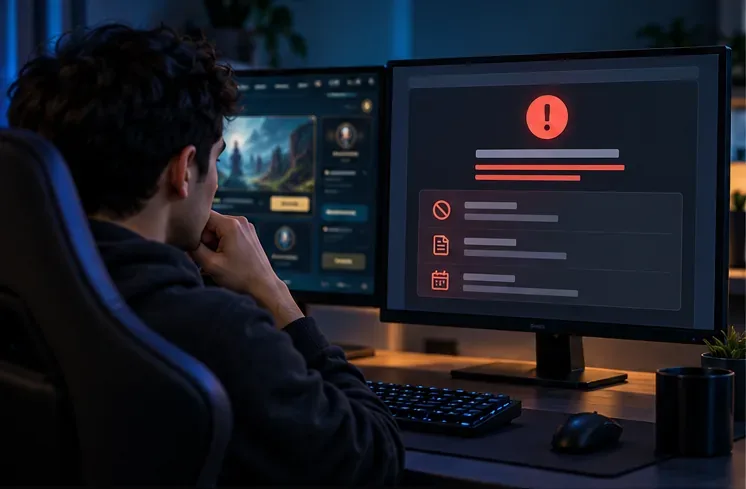
If you did not play the cited match, see an unfamiliar login, or think someone changed your account, treat it as a possible compromise. Use Riot’s Account Recovery Tool, change your Riot and email passwords, enable multi-factor authentication, and scan your computer with trusted security software. Riot says it can only assist the original account owner. Never send anyone your password or authentication codes; Player Support will not need them.
Open Riot’s ticket form and choose “Discuss a Personal Suspension, Ban, or Restriction” as the request type. Include the Riot ID and region for the affected account, the penalty type, and the approximate date of the incident. If the issue is account security or billing, say so clearly so Support can route the request appropriately.
State what you are asking Riot to review, describe the facts briefly, and point to any evidence that helps explain the case. For a compromise, list unfamiliar access or changes and the steps you have taken to secure the account. For a gameplay penalty, address the specific match or chat excerpt in the notice. If you did violate a rule, be honest about what happened and explain what you will change; excuses, threats, or blaming other players won’t help Support assess the account. Keep the ticket number and reply in the same conversation if Support asks for more information.
Riot says correctly assigned penalties are generally not lifted or adjusted. If a temporary suspension is valid, wait for the listed end time; filing a ticket does not automatically remove it. If Support confirms that a permanent ban is valid, the account will remain inaccessible. Riot’s account-support guidance says permanently banned accounts cannot be recovered. An appeal is most useful when you can point to a concrete mistake, account compromise, or relevant information that the penalty notice does not reflect.
If the notice mentions a hardware ID ban or VAN 152, that is different from a normal account-only suspension. Riot says reinstalling the game does not remove a hardware ban, and trying other accounts on the affected device can cause further penalties. Use the official HWID ban guidance and ask Support for a review instead of attempting to bypass it.
The fastest path to understanding a League of Legends account ban is the notice Riot provides. The safest route to challenge it is a clear, honest ticket through official Player Support. Ignore “unban” services, free RP offers, and anyone asking for your password: those offers can put the account at greater risk.
Fix PUBG stuck on Initializing on Steam with a focused checklist for PC service notices, launch options, game files, downloads, and connection issues.
Fix Brawl Stars stuck at 92% loading with an ordered checklist for service notices, network tests, safe updates, Android cache, and account-safe reinstalling.
Best Dead by Daylight visual filter settings start with a small Gamma lift, neutral color and contrast, and a quick check for dark corners, fog, and bright lights.
Find the Steam and EA app fields for Apex Legends launch options, use EA’s documented FPS command, and see why +exec autoexec.cfg remains unverified.
Reduce input lag on a Nintendo Switch dock for Smash Ultimate with TV Game Mode, a direct HDMI test, controller checks, and online-latency troubleshooting.
Find the best EA SPORTS FC audio settings for a clearer referee whistle: tune Stadium Ambience and Commentary, then troubleshoot output or timing issues.
Compare the best Attack Move Click keybinds in League of Legends—A, Shift + right-click, mouse side buttons, and left-click—with setup and kiting tips.
Find the best tablet aspect ratio setup for Clash Royale, compare Android display-fit choices, and check iPad full-screen framing without cropping the arena.
Fix Warzone Dev Error 6068 on startup with safe PC checks for updates, overlays, graphics drivers, game-file repair, and clean boot troubleshooting.
Check your Overwatch 2 overall match win rate with Career Stats, matching game totals, and the right filters—without mistaking hero percentages for match results.