Home
» 🎮 Esports
»
🚀 Vanguard Vanquished: Fix the League of Legends Vanguard Initializing Error
🚀 Vanguard Vanquished: Fix the League of Legends Vanguard Initializing Error
How to Fix the League of Legends Vanguard Initializing Error
If League of Legends gets stuck on “Initializing Vanguard” or closes with a Vanguard startup message, begin with a full PC restart. This is the League of Legends Vanguard initializing error this guide addresses. If the message includes a VAN error code, look up that exact code first: Riot assigns different causes and fixes to different VAN errors. For VAN 57, Riot says Vanguard is not running or could not start correctly; the recommended sequence is to check the vgc service, restart, reinstall Vanguard, and then test for software conflicts.
This walkthrough covers Windows PCs. It follows Riot’s current support guidance and moves from quick, reversible checks to reinstalling the game or contacting Player Support. The interface images are illustrations; Windows menus can look slightly different on your PC.
Identify the Vanguard error before changing settings
What you see
What to do next
“Initializing Vanguard” with no code
Restart Windows, then check the vgc startup setting below.
VAN 57
Follow the startup and reinstall steps in order; Riot identifies this code with Vanguard not running or failing to start.
Do not treat every VAN message as the same problem. A code such as VAN 9002 or a VAN: RESTRICTION message can point to a specific Windows security requirement, so use its matching Riot instructions instead of changing BIOS or security settings at random.
Step 1: Restart Windows and relaunch Riot Client
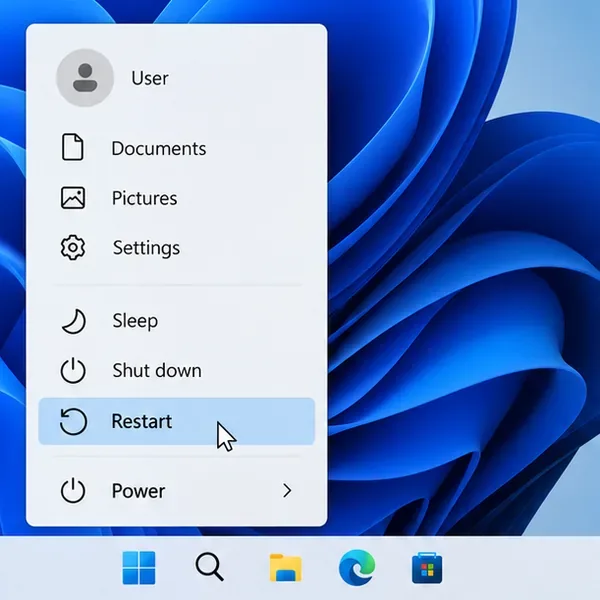
Close League of Legends and the Riot Client, then choose Start > Power > Restart. After Windows starts again, open the Riot Client and launch League. Vanguard is an on-boot component, so a fresh restart can clear a temporary initialization failure. If the same message returns, move to the service check rather than repeatedly reopening the game.
Choose Restart from the Windows power menu to give Vanguard a fresh startup.
Step 2: Check that the vgc service can start
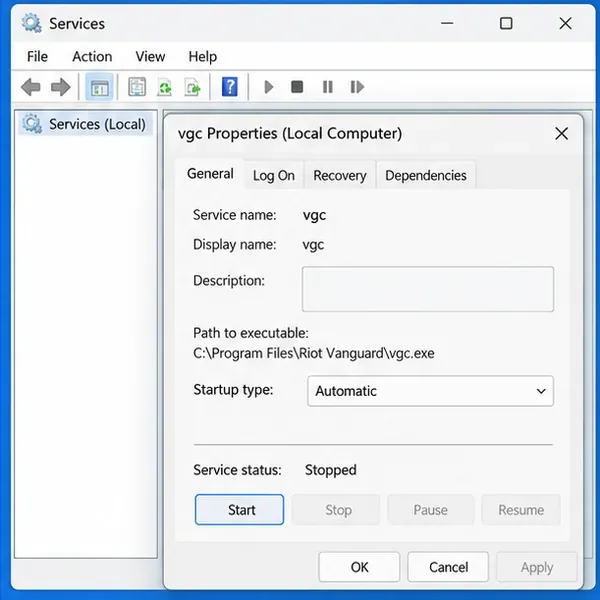
If you have not enabled Riot’s optional Vanguard Pre-Check, Riot says the vgc service should start automatically with Windows. To verify it:
Press Windows + R, enter services.msc, and press Enter.
Find vgc in the Services list and double-click it.
Set Startup type to Automatic.
If Service status is Stopped, select Start, then select Apply and OK.
Restart the PC and test League again.
If Vanguard Pre-Check is enabled, it is designed to start Vanguard on demand when you launch a Riot game, so the normal automatic-start setting may not apply. Do not change the service to Automatic just to override Pre-Check. See Riot’s vgc Automatic startup instructions for the distinction.
In Services, check vgc’s startup type and start it only if its status is Stopped.
Step 3: Reinstall Riot Vanguard
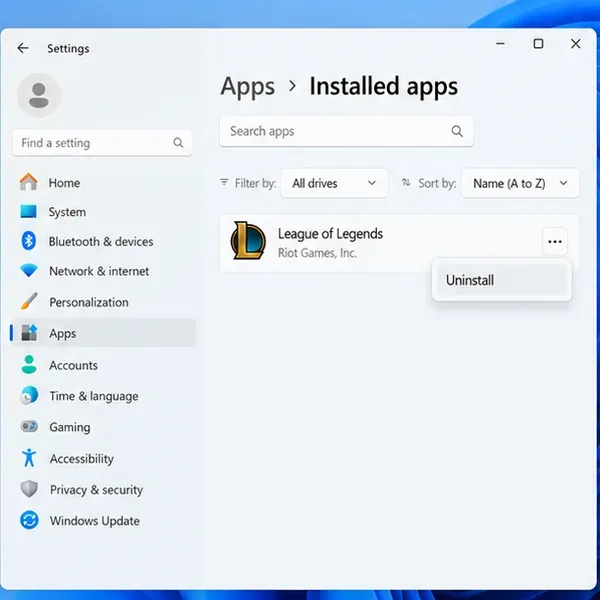
A damaged or incomplete Vanguard installation can keep the League client from finishing startup. Close all Riot games and the Riot Client, then remove Vanguard through Windows:
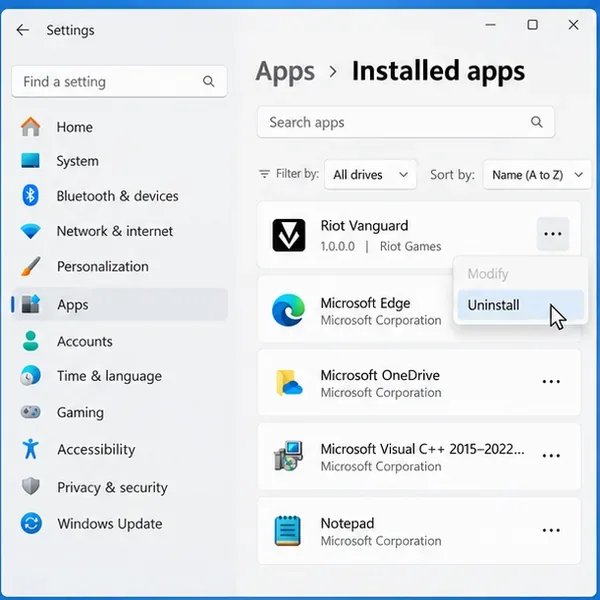
Open Settings > Apps > Installed apps.
Find Riot Vanguard, open its menu, and select Uninstall.
Restart the computer when the uninstall finishes.
Then open the Riot Client and start League of Legends. Riot says launching a Vanguard-dependent game reinstalls Vanguard automatically after it has been removed; see Riot’s Vanguard uninstall and reinstall guide for the full process. Restart again if the client asks you to. If you also play VALORANT, remember that it also requires Vanguard; you will need Vanguard installed before launching either game.
Remove Riot Vanguard from Installed apps, then restart before launching League again.After the restart, launch Riot Client so it can install Vanguard again when needed.
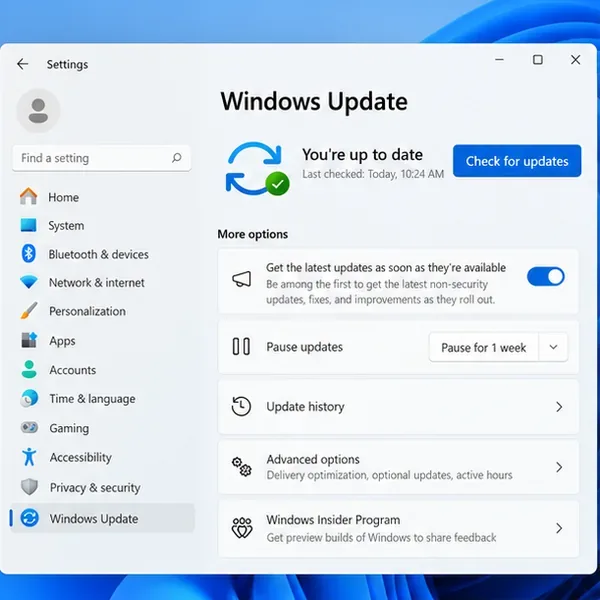
Step 4: Install pending Windows updates
Riot’s Vanguard FAQ recommends completing required Windows updates when startup troubleshooting has not resolved the issue. Open Settings > Windows Update, check for updates, install available updates, and restart if Windows requests it. Test League once after the update. Keep this step focused: updating a graphics driver is not the first-line fix for a Vanguard service that will not start, so do that only if Riot’s specific error guidance or another graphics issue points to it.
Use Windows Update to check for pending system updates, then restart if prompted.
Step 5: Test for a background app conflict with a clean boot
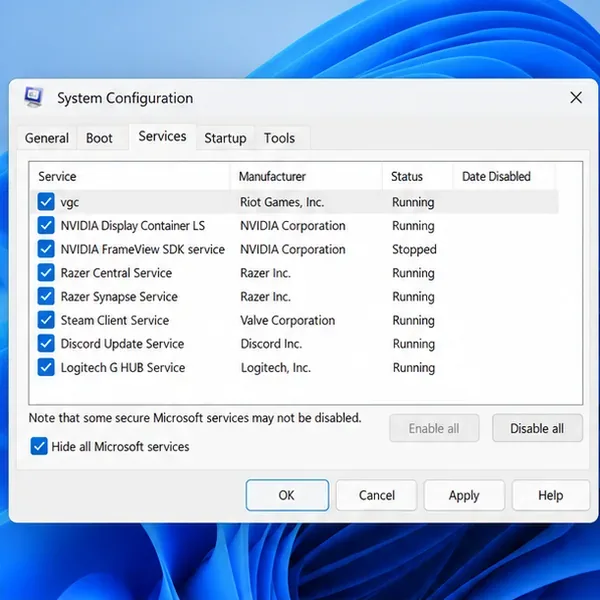
If Vanguard still fails to initialize, a background program or service may be interfering. Riot’s clean-boot procedure keeps Microsoft services hidden and specifically re-enables vgc:
Press Windows + R, enter msconfig, and press Enter.
Open the Services tab and check Hide all Microsoft services.
Select Disable all, then find vgc and check it again.
Select Apply, then OK, and restart Windows.
Try League. If it launches, a non-Microsoft service is a likely conflict; restore your usual startup settings and re-enable items in small groups to identify it.
Do not disable Microsoft services. If a non-Microsoft antivirus remains active or the error changes, follow Riot’s detailed clean-boot instructions and the support page for the exact error you see.
For a clean boot, hide Microsoft services and make sure vgc remains enabled.
Step 6: Reinstall League of Legends as a last resort
If restarting, repairing Vanguard, updating Windows, and testing a clean boot do not help, reinstall League through Windows Settings > Apps > Installed apps. Close Riot Client first. Download the installer from Riot’s official site and reinstall the game. Riot’s game uninstall and reinstall guide also describes removing client cache folders; use those extra cleanup steps only if a standard reinstall fails and follow the current instructions carefully. Before deleting the League of Legends folder in Documents, copy any replays you want to keep, because that folder can contain replay files.
Reinstalling the game is a larger step and may take time to download. Avoid deleting Riot folders by hand or running registry cleaners as a first response to a Vanguard initialization error.
Use the Windows app list for a last-resort League reinstall; back up replays before deeper cleanup.
Step 7: Send Riot the right logs if the error remains
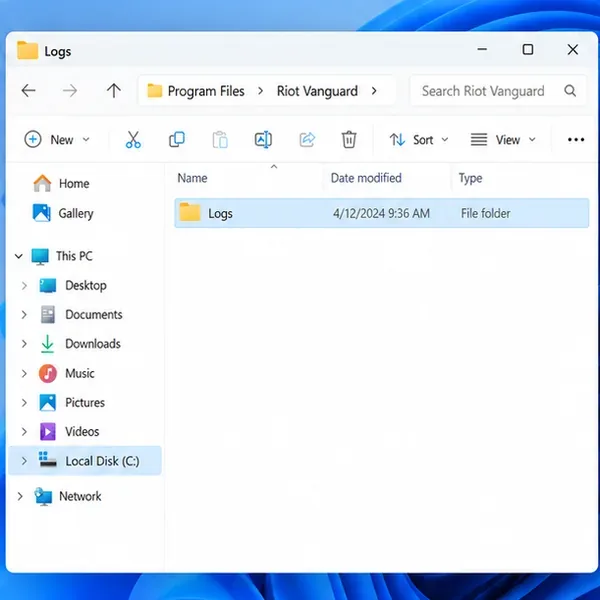
If the same error returns after these steps, stop making broad security or BIOS changes and open a Player Support ticket. Include the exact VAN code or message, when it appears, your Windows version, and which steps you already tried. Riot’s Windows log guide explains how to collect Vanguard logs: open C:\Program Files\Riot Vanguard, copy the Logs folder to your desktop, compress the copy into a ZIP, and attach it to the ticket. The Riot Repair Tool can also gather diagnostic files.
Use Riot’s Player Support request form. Logs can contain system details, so send them through Riot’s support channel rather than posting them publicly.
Copy the Logs folder from the Riot Vanguard directory, then compress the copy for a support ticket.
Changes to avoid
Do not end Vanguard processes as a routine fix; League requires Vanguard to remain active while the client is open and during gameplay.
Do not disable Secure Boot or change TPM settings unless the exact VAN message and Riot’s matching instructions call for a specific action. Some Vanguard security features require these settings.
Do not delete Vanguard services with Command Prompt unless the normal uninstall fails and Riot’s manual-uninstall guide directs you through it.
Do not assume antivirus, graphics drivers, VPNs, or multiple GPUs are the cause without a matching error or a clean-boot result.
For the most accurate fix, match your message to Riot’s current VAN error list. For VAN 57 specifically, Riot’s VAN 57 troubleshooting steps cover startup, reinstall, clean boot, and game reinstallation.