Home
» 🎮 Esports
»
🚀 GTA Online Rockstar Games Launcher Failed to Initialize: How to Fix It
🚀 GTA Online Rockstar Games Launcher Failed to Initialize: How to Fix It
GTA Online Rockstar Games Launcher Failed to Initialize: How to Fix It
If GTA V stops with the Rockstar Games Launcher Failed to Initialize message, start by checking Rockstar’s service status and reinstalling the current Launcher from Rockstar’s official download page. Rockstar’s support article for this exact PC error points players to install the Launcher and sign in with the Rockstar Games account that owns the game. The steps below move from quick checks to a clean reinstall, while keeping your GTA V game files out of the launcher cleanup.
Quick route: Check service availability, restart the stuck Launcher, install the current official Launcher, and then verify GTA V files through the store that installed the game if the Launcher opens but the game still will not start. Save the clean reinstall for the end.
First, identify where the launch fails
The exact wording matters. If the Launcher never opens or reports an incomplete installation, prioritize the Launcher steps below. If the Launcher opens but cannot sign in, shows an offline or authentication message, or fails after you press Play, check the service and network steps. If you can open the Launcher but GTA V crashes afterward, verify the game files through your store.
What you see
Best next step
Launcher will not open or says it failed to initialize
Restart the process, then install the current Rockstar Games Launcher
Launcher opens but cannot sign in or fetches an error
Check Rockstar service status and network connectivity
Launcher opens, but GTA V fails after pressing Play
Verify game files in Rockstar Games Launcher, Steam, or Epic Games Launcher
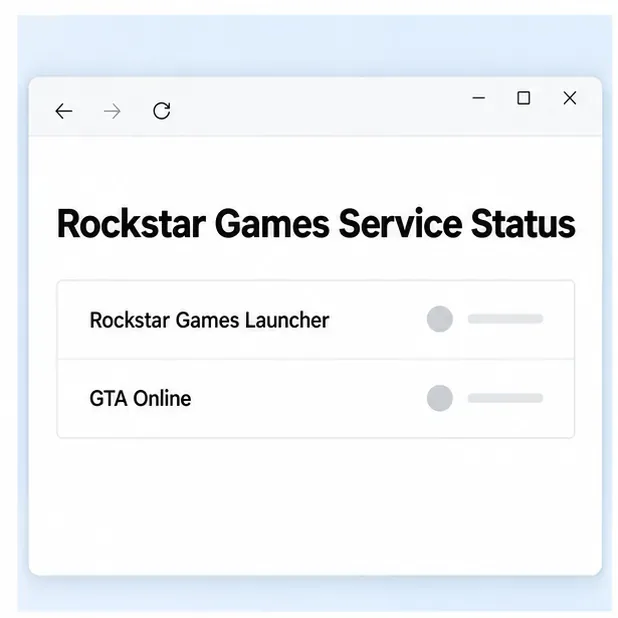
Before changing Windows settings, open the Rockstar Games Service Status page. Check both the Rockstar Games Launcher and GTA Online entries. If Rockstar reports an outage or maintenance, wait and try again after service returns; reinstalling files on your PC will not repair a server-side interruption. If the services are available, continue with the local checks.
Illustration: check Rockstar’s live service status before changing local files; the image does not show current service conditions.
2. Close a stuck Launcher process and restart Windows
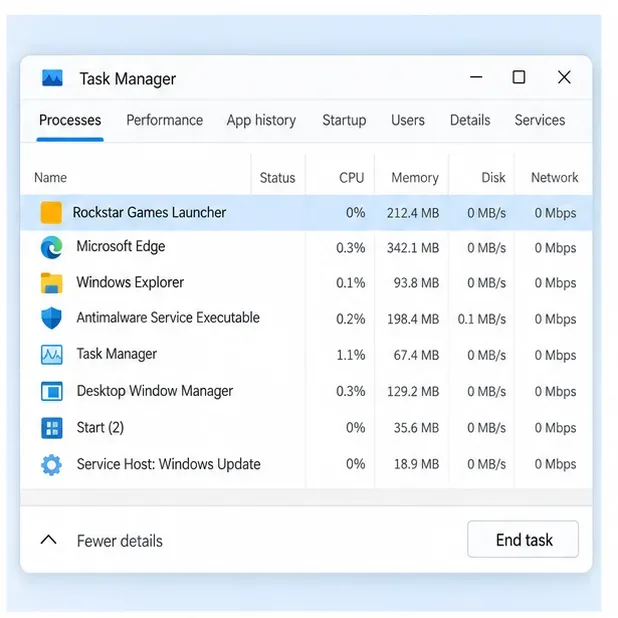
A launcher window can close while a background process remains open. Close GTA V and the Launcher, press Ctrl + Shift + Esc to open Task Manager, and select Rockstar Games Launcher under Processes. Choose End task, then reopen the Launcher from the Start menu. If GTA V is still listed after you closed it, end that game process too. Do not end unrelated Windows processes.
If the Launcher still fails to initialize, restart the PC once and try again. This clears a hung updater or installer session without deleting game files.
Illustration: close a stuck Rockstar Games Launcher process, then reopen the launcher.
3. Install the current Rockstar Games Launcher
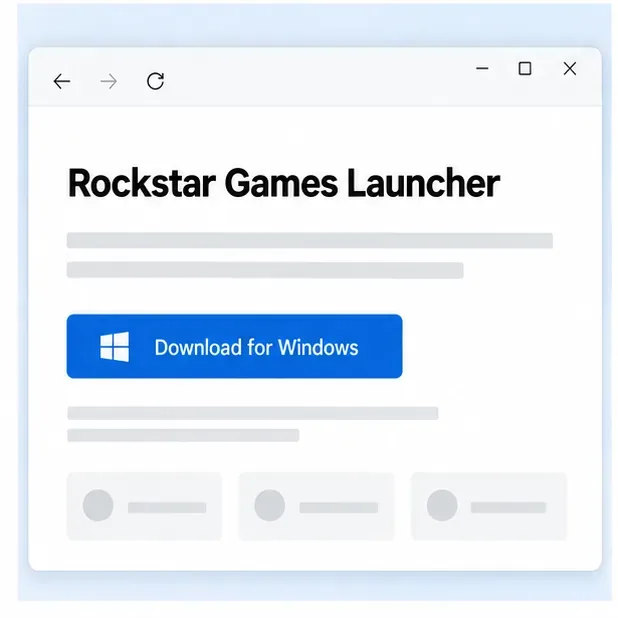
Rockstar’s support guidance for the exact “failed to initialize” message is to download and install the Launcher, then sign in with the correct Rockstar Games account. Get the installer from the official Rockstar Games Launcher page. Close GTA V and any open Rockstar windows, run the downloaded installer, and let it complete before launching the game again.
Sign in to the account that owns your copy of GTA V. If the game asks for an activation code even though you already own it, confirm that you are using the correct account and check the purchase platform before entering anything. Rockstar notes that activation codes are one-time use and permanently attach to the account signed in during redemption; do not repeatedly enter a used code.
Illustration: get the installer from Rockstar’s official Launcher page.
4. Verify files in Rockstar Games Launcher
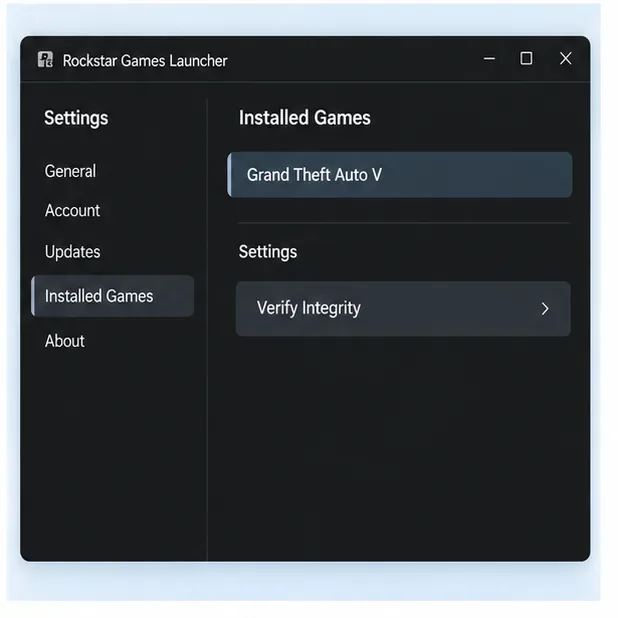
Use this step if the Launcher now opens but GTA V still fails during handoff or startup. In Rockstar Games Launcher, sign in, open Settings, choose Grand Theft Auto V under My installed games, and select Verify Integrity. Let the scan finish before pressing Play. Rockstar says file verification can repair problems caused by damaged or missing game files and ensure supporting files are current.
Illustration: the Rockstar Games Launcher game settings include the documented Verify Integrity action.
5. If you own GTA V on Steam, verify the Steam installation
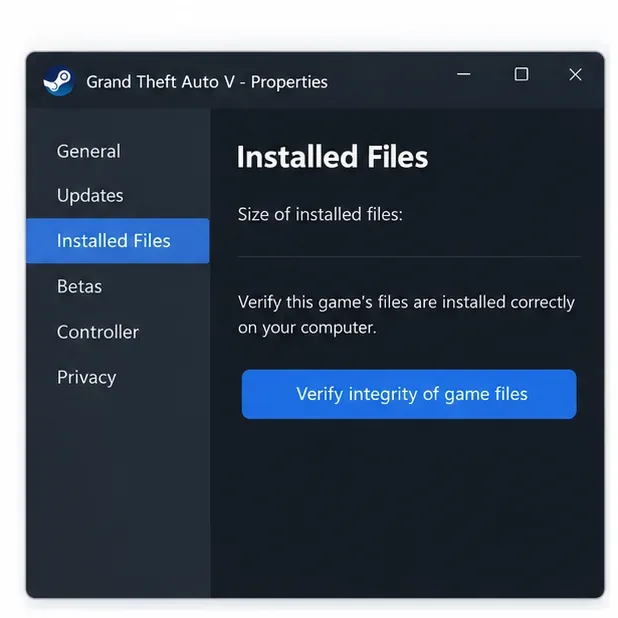
Steam’s file check is useful when GTA V launches through Steam and the Rockstar Launcher opens, but the game fails afterward. In Steam, open Library, right-click Grand Theft Auto V, choose Properties, then Installed Files, and select Verify integrity of game files. Wait for Steam to finish. This checks the Steam installation; it does not replace the Rockstar Launcher reinstall step when the Launcher itself cannot initialize.
Illustration: use Steam’s Installed Files tab to verify the local GTA V installation.
6. If you own GTA V on Epic Games, verify through Epic
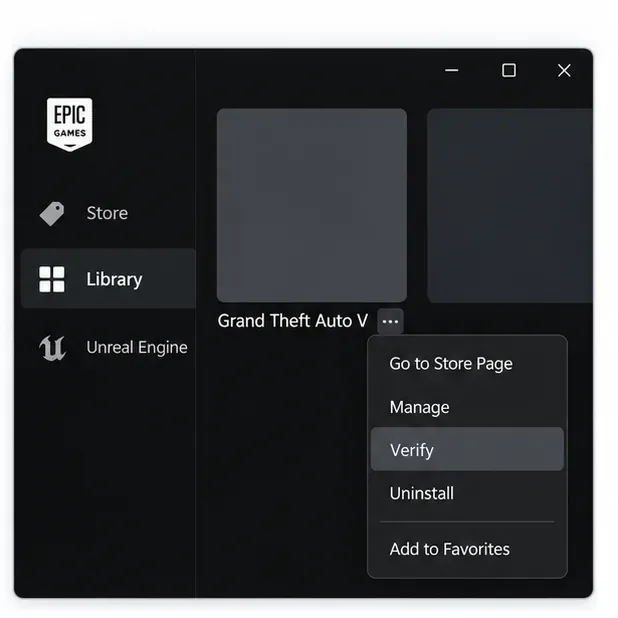
For an Epic Games Store copy, open Epic Games Launcher and find GTA V in your Library. Select the three-dot menu on the game row, choose Manage, then select Verify. Let validation complete. Epic notes that some games requiring another launcher must be updated or verified in their native launcher instead; if Epic does not offer the verification action for your installation, use the Rockstar Launcher method when it is available.
Illustration: open the game’s menu in Epic Games Library, then choose Manage and Verify.
7. Use network repairs only when the error points to authentication or connectivity
If the Launcher opens but cannot sign in, fetches an essential asset unsuccessfully, or reports a connection error, confirm your internet connection and recheck Rockstar’s service status. Rockstar’s connection guide recommends testing a wired connection if Wi-Fi is unreliable. If you use a VPN or proxy, disconnect it temporarily for one test; Rockstar identifies VPN or proxy connectivity as a possible cause of related Launcher connection errors.
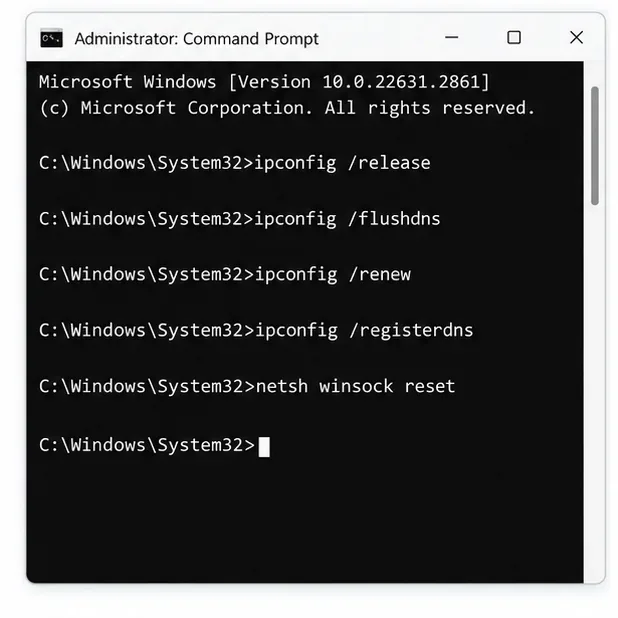
For a related Rockstar authentication error such as Code 3000.108, Rockstar lists the following Windows network reset commands. Run Command Prompt as administrator, enter the lines one at a time in order, then restart the PC:
These commands target Windows networking. They are not the first fix for a Launcher installation error with no connection symptoms. Rockstar’s connection troubleshooting page also lists network ports and DNS options for advanced cases; change router or firewall settings only when you understand the network you are managing.
Illustration: Rockstar documents these commands for related network and authentication errors; use them only when the symptoms point to connectivity.
8. Clean-reinstall Rockstar Games Launcher as a last resort
If a fresh installer and the relevant checks do not resolve the GTA Online launcher error, follow Rockstar’s clean-install instructions carefully:
Close all Rockstar Games titles.
Open the Launcher installation folder. The default is C:\Program Files\Rockstar Games\Launcher.
Run uninstall.exe and uninstall Rockstar Games Launcher. If prompted about game data, leave Uninstall the game data unchecked.
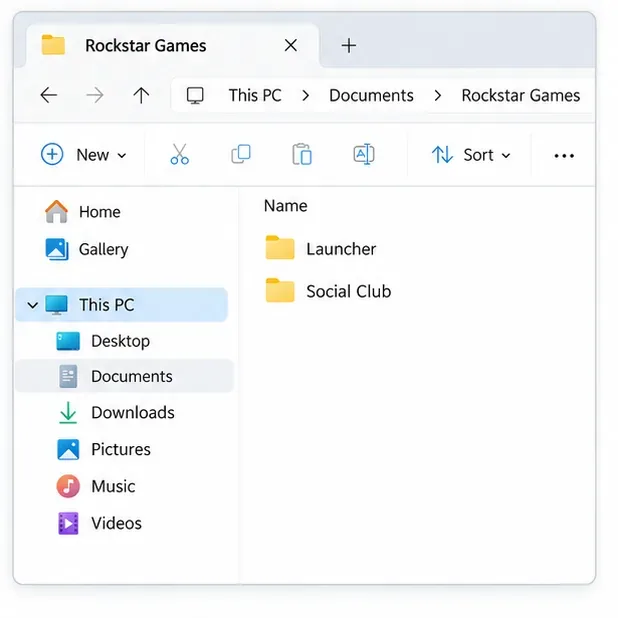
After uninstalling, remove only the remaining Launcher and Social Club folders Rockstar lists, if they exist: %USERPROFILE%\Documents\Rockstar Games\Social Club, %USERPROFILE%\Documents\Rockstar Games\Launcher, C:\Program Files\Rockstar Games\Launcher, C:\Program Files\Rockstar Games\Social Club, and C:\Program Files (x86)\Rockstar Games\Social Club.
Restart Windows, download the Launcher again from Rockstar’s official page, install it, and sign in.
Do not delete other Rockstar folders or your Grand Theft Auto V installation directory. Rockstar warns that removing unlisted files can cause game data loss.
Illustration: these are two folder names from Rockstar’s clean-reinstall list; follow the full instructions and leave game data intact.
If the error is still there
Record the exact wording or error code, your Windows version, and whether your copy is from Rockstar, Steam, or Epic. Rockstar’s PC troubleshooting article also points players to Documents\Rockstar Games\GTAV\launcher.log for diagnostic details when available. Send those details to Rockstar Support rather than deleting additional folders or reinstalling all of GTA V as a first response.