Home
» 🎮 Esports
»
Ultimate Checklist: What to Check When Buying an Xbox Series X From a Third-Party Seller
Ultimate Checklist: What to Check When Buying an Xbox Series X From a Third-Party Seller
What to Check When Buying an Xbox Series X From a Third-Party Seller
Before you pay, verify the exact Xbox Series X model, inspect the console and accessories, test the functions you will rely on, and confirm the seller’s return and payment terms. A few minutes with the system can reveal a mislabeled model, a damaged port, controller drift, a faulty disc drive, or an Xbox network restriction.
This Xbox Series X buying checklist is for used, open-box, and refurbished consoles sold through marketplaces or directly by an individual. It avoids fixed price estimates because prices, editions, and warranty terms vary by market and change over time.
1. Confirm the exact model, storage, and disc drive
Start with the listing, the console label, and the system information screen. Xbox Series X editions are not all identical: Microsoft currently lists a 1TB Carbon Black model with a UHD Blu-ray drive, a 1TB Digital Edition without an optical drive, and a 2TB Galaxy Black Special Edition with a drive. Names and availability can vary by market and edition, so match the model number and features against Microsoft’s current Xbox Series X specifications.
What the listing says
What to confirm
Disc model
There is a physical disc slot and the seller allows a disc test.
Digital Edition
The listing clearly says there is no optical drive; do not pay extra for disc playback.
Storage capacity or special edition
The exact edition and capacity match the console label and the listing.
Do not rely on the seller’s custom console name alone; it can be changed in settings. If the title, photos, model label, and system information disagree, pause the purchase until the seller explains the discrepancy. Microsoft’s product page notes that 4K and up to 120 FPS depend on supported content and display, so those figures are not a guarantee that every game will run at those settings.
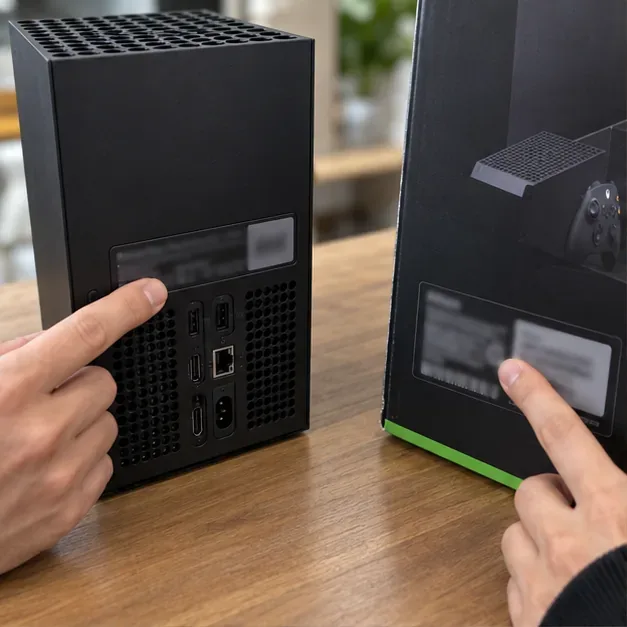
Compare the console and packaging labels; a matching serial number supports consistency but does not, by itself, prove authenticity or ownership.
2. Review the seller and the listing before arranging a meetup
Look at the seller’s recent activity, completed sales, feedback details, and how long the account has existed. A new account is not automatic proof of fraud, and a high rating is not a guarantee. Read the actual comments and check whether the seller answers reasonable questions clearly.
Ask for current photos of the actual console, its ports, the controller, and any damage—not only manufacturer or stock photos.
Ask what is included, whether the console has been repaired, and whether any faults or account/network messages have appeared.
Get the model, condition, included accessories, price, shipping or pickup terms, and return window in writing on the marketplace.
Compare current local listings or completed sales for the same edition and condition. Factor in a missing controller, cable, or box rather than comparing unlike bundles.
Walk away from pressure to pay a deposit immediately, unexplained “too good to be true” pricing, inconsistent answers, or a request to move the conversation and payment off a marketplace. If you are buying through a platform, read its current buyer-protection rules before checkout. For example, eBay’s Money Back Guarantee has eligibility requirements and exclusions; it applies to qualifying transactions completed through eBay checkout, not every informal deal arranged with an eBay seller.
3. Inspect the case, vents, and ports
In person, check the console in good light. Look for cracks, deep dents, liquid residue, missing feet, loose panels, or signs that the case has been forced open. Surface scuffs can be cosmetic; bent or loose connectors and evidence of liquid damage are more serious.
Check that the ventilation openings are not packed with dust or obstructed. Do not open the console or remove seals as part of a routine inspection.
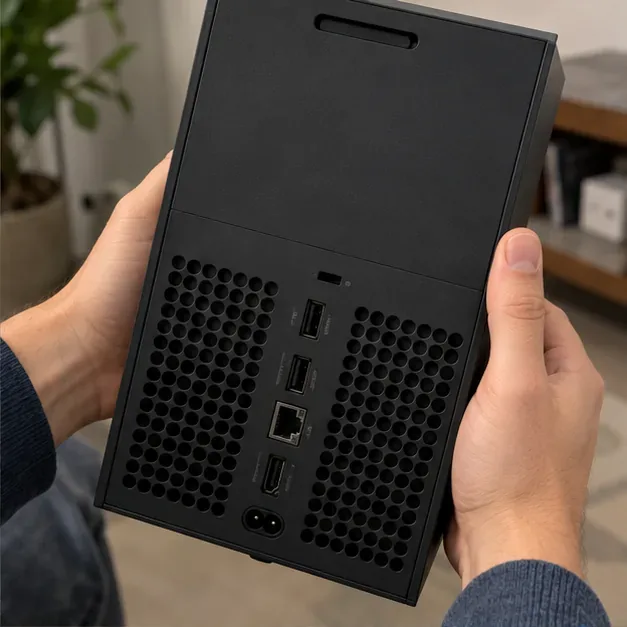
Inspect the HDMI, USB, Ethernet, and power connections for bent parts, looseness, or damage. If the seller agrees, connect a cable to the ports you expect to use.
Check that the console sits steadily and that the fan area is unobstructed. Ordinary warmth during operation is not by itself proof of a defect.
Ask about any repair history and request documentation if the console was serviced.
Heavy grime, a strong burnt smell, a visibly damaged HDMI port, or a seller who will not let you inspect the item are reasons to decline or request a professional evaluation before buying.
Inspect the rear connectors and ventilation openings for physical damage, obstruction, or looseness.
4. Confirm the included accessories
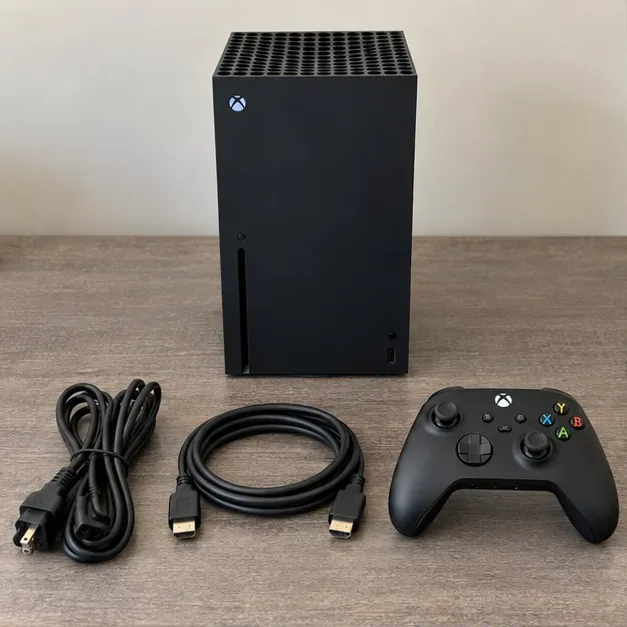
Compare the bundle with the listing and the official package contents for the exact region or edition. Microsoft’s Series X unboxing guide lists the console, wireless controller, two AA batteries, Ultra High Speed HDMI cable, power cord, and quick-start materials. Bundles and regional packaging can differ, so use the seller’s written list as the purchase agreement.
Do not assume a USB cable, extra controller, headset, expansion card, or game is included. Ask whether the HDMI and power cables are the originals or compatible replacements, and whether any advertised digital games are actually transferable. Games tied to the seller’s Microsoft account should not be treated as part of the console’s resale value.
Missing accessories are not automatically a deal-breaker, but price their replacement before agreeing. An original box can help with transport; it is not proof that the console inside is the one originally sold with it.
Lay out the bundle and check each item against the seller’s written description and the official package list.
5. Power on the console and check the picture and sound
Ask to see the console start and reach its dashboard without repeated errors, unexpected shutdowns, or a stuck setup screen. Connect it to a display with a known-working HDMI cable. Check for a stable picture and sound, then open a game or app if the seller permits it. There is no need to demand a particular boot time or run an unofficial benchmark; look for practical faults such as flickering, signal dropouts, artifacts, or crashes.
Confirm the display is connected to the console’s HDMI output, not an input port. If the seller can demonstrate resolution settings, remember that 4K, HDR, and high frame rates depend on the TV, cable, game, and settings. Do not treat one short demo as proof that every feature works in every title.
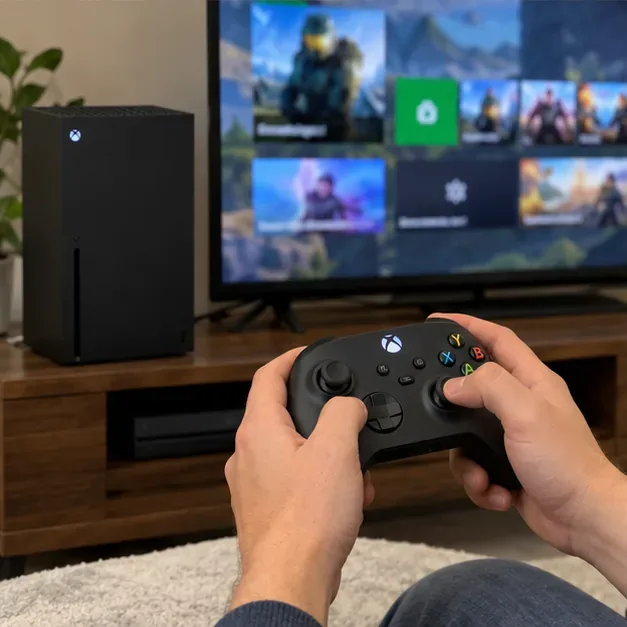
Use a known-working display and cable to check for a stable video and audio signal during a short demo.
6. Test the controller and basic connectivity
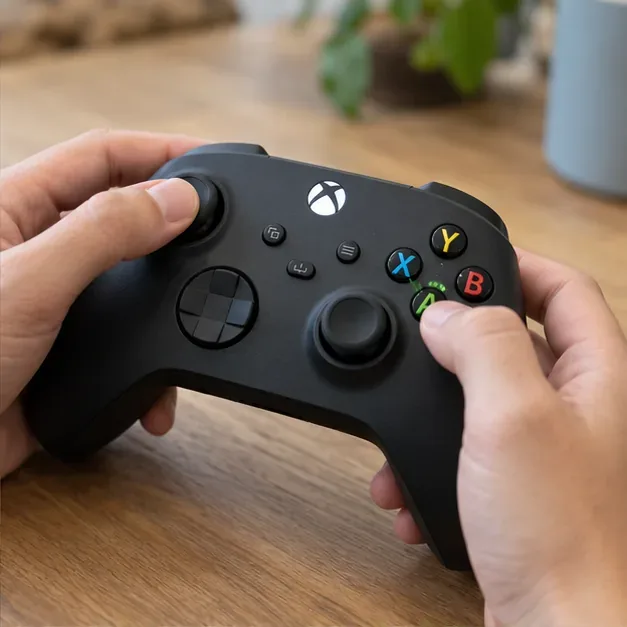
Pair the included controller and try both thumbsticks, the directional pad, face buttons, bumpers, and triggers in a game menu or other responsive screen. Move each stick through its range and let it return to center; watch for unwanted movement or a button that fails to register. Check the battery contacts for corrosion and make sure the controller stays connected during the demo.
Test each stick and button directly; cosmetic condition alone will not reveal drift or an unresponsive control.
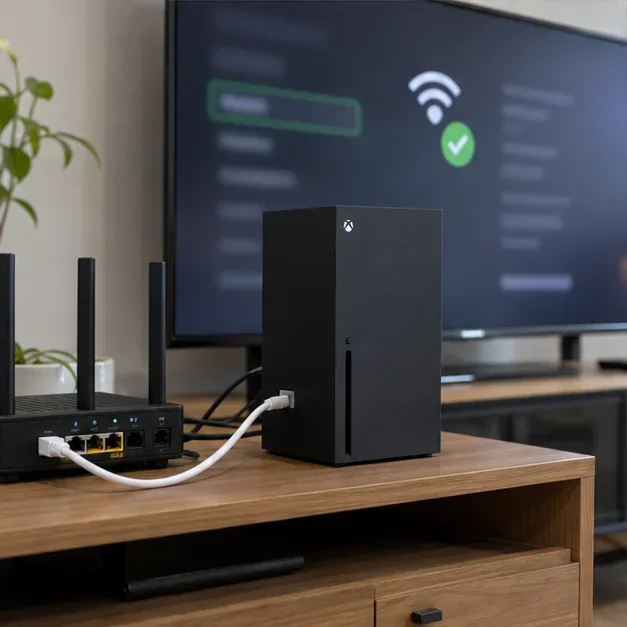
If possible, ask the seller to run the console’s network test over Wi-Fi or Ethernet. Confirm it can connect and reach Xbox services without an enforcement or device-ban message. Xbox says a device ban can block a console from accessing the Xbox network. A successful test is useful, but it cannot guarantee that a network or account issue will never arise later.
A basic network check can reveal an existing connection problem; the pictured screen is illustrative, so use the console’s own settings during inspection.
7. Test the disc drive when the model has one
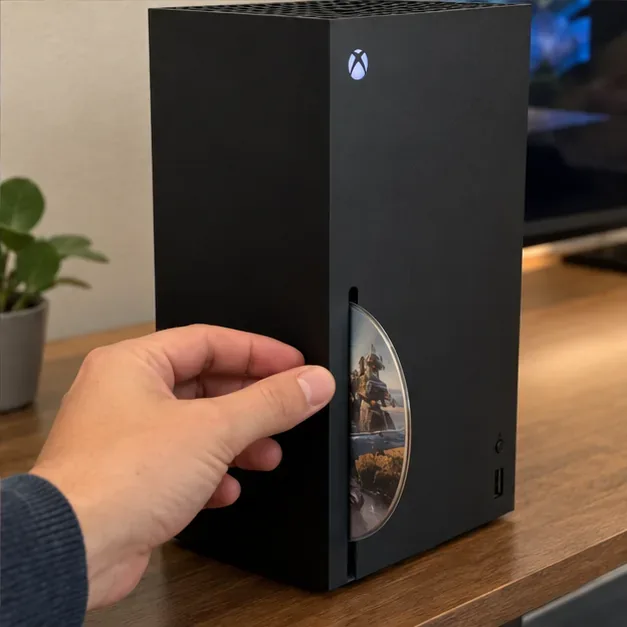
For a disc-equipped Series X, ask permission to insert a disc the seller owns or one you bring. The console should accept it without scraping or repeated clicking, recognize it, and begin reading or installing it. Eject the disc normally and check that it comes out cleanly. Do not force a disc into the slot.
A digital Series X has no optical drive, so a missing slot is expected on that edition. If the seller advertises a disc model but the drive will not read a known-good disc, treat that as a fault and either decline the deal or agree on a price only after accounting for repair risk. A game disc is not necessarily included with the purchase.
Test the optical drive only on an edition that includes one, using a disc with the seller’s permission.
8. Match the serial number, check coverage, and protect the transaction
Compare the console’s serial number on its label with the number shown in the console information screen. Xbox Support explains where to find console information in Settings. A mismatch is a strong reason to stop and ask for an explanation. A matching number is only a consistency check: serial numbers can be copied, and it does not certify the item’s history.
Use Microsoft’s official Xbox registration and warranty page to check the device’s coverage and service options when possible. Do not assume every used console has a transferable one-year warranty. Coverage depends on the device record, purchase details, region, and applicable terms; ask for the original receipt, with personal information redacted, and confirm the actual coverage rather than relying on a seller’s estimate.
Before handover, have the seller remove their account and factory-reset the console. The official reset instructions describe the console reset path. Do not ask for the seller’s password or leave your own Microsoft credentials on a device that has not been reset. If the seller cannot reset it, make the reset and clean setup a condition of the sale.
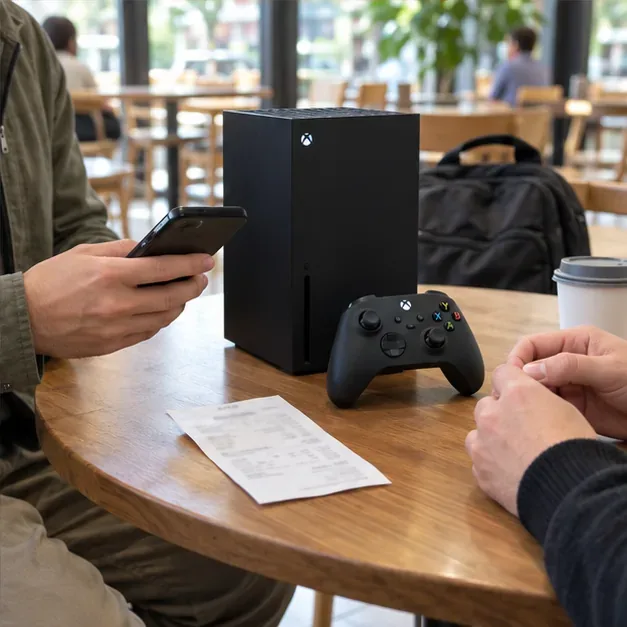
For a shipped purchase, pay through the marketplace’s checkout, keep the order and tracking records, and follow that platform’s dispute process. eBay’s Money Back Guarantee policy explains that coverage depends on eligibility and transaction rules. For a local exchange, meet in a public, well-lit place where you can safely inspect and power on the console; get a dated receipt or written confirmation of the model, condition, included items, and amount paid. Avoid gift cards, wire transfers, cryptocurrency, or other payment routes that leave you without a clear dispute process.
Keep the agreed model, condition, bundle, and amount in a written record when completing a local sale.
Quick checklist before you pay
Exact Series X model, storage, and disc-drive status match the listing.
Seller answers questions and provides current photos; terms are recorded on the platform.
Case, vents, HDMI, USB, Ethernet, and power connections show no obvious damage.
Included controller and cables match the written bundle; controller inputs respond.
Console starts, produces stable picture and sound, and can complete a basic network check.
Disc drive reads and ejects a disc if the edition includes one.
Serial information is consistent; Microsoft coverage and any receipt are checked without assuming warranty transfer.
Seller removes their account, resets the console, and payment stays within an agreed protected process.
If a seller refuses a reasonable inspection, the serial details conflict, the console displays a device-ban message, or payment terms suddenly change, leave the deal. A slightly lower price rarely makes an untestable or unprotected purchase worth the risk.