Home
» 🎮 Esports
»
Summon Your Ride Fast: How to Call Your Personal Vehicle in GTA Online
Summon Your Ride Fast: How to Call Your Personal Vehicle in GTA Online
Summon Your Ride Fast: How to Call Your Personal Vehicle in GTA Online
Quick answer: To call your active personal vehicle in GTA Online, open the Player Interaction Menu, choose Vehicles, then select Request Personal Vehicle. To pick a particular car from one of your garages, call the Mechanic on your in-game phone and choose the garage, floor, and vehicle. Both options work only where the game allows vehicle delivery, and the car appears at a nearby valid point rather than literally wherever you stand.
That is the practical answer to how to call your personal vehicle anywhere in GTA Online: use the fast menu for the active car, or the Mechanic when you need to select another stored vehicle. The steps below cover the default controls, delivery limits, cooldown, and what to do if your car is missing.
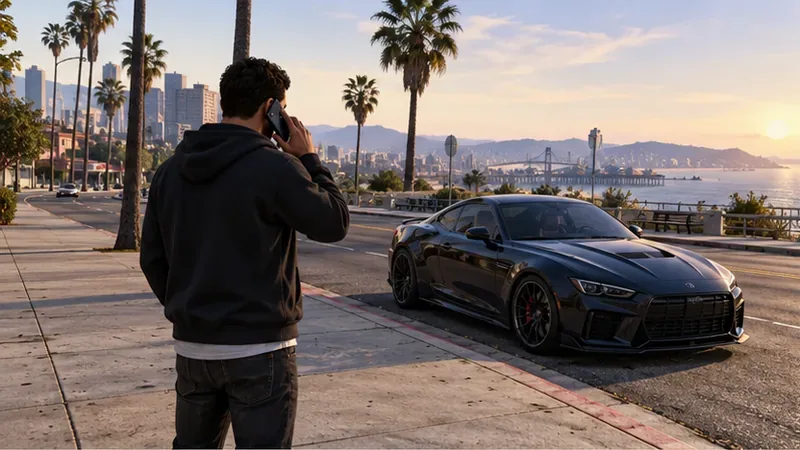
The Interaction Menu can request your active personal vehicle; the game chooses a nearby delivery point.
Fastest method: request your active personal vehicle
Use this option when the personal vehicle you want is already the active one. Rockstar describes the Interaction Menu as a way to request an active personal vehicle without calling the Mechanic.
Open the Player Interaction Menu. The default controls are M on PC, hold the touchpad on PS4 or PS5, or hold the View button on Xbox One or Xbox Series X|S. If you changed your bindings, use your current menu control.
Choose Vehicles, then Request Personal Vehicle.
Check the map and nearby streets for the vehicle marker, then go to the car.
This is the quickest way to call a personal vehicle in GTA Online when you do not need to switch to a different stored car. It does not let you browse every garage and choose a new model. If the wrong vehicle is active, use the Mechanic below. The game may place a delivered car at a nearby valid road or access point, so “anywhere” does not mean inside a building, in the middle of a mission interior, or at your exact feet.
Choose a specific car with the Mechanic
The Mechanic is the better option when you want a specific car or motorcycle stored in a garage. Rockstar’s current vehicle-recovery instructions say to use this service in Freemode:
Open your in-game phone and go to Contacts.
Call Mechanic.
Select the mansion or garage that holds the vehicle. For a garage, choose the floor if prompted.
Select the car or motorcycle you want delivered.
Look for its marker on the map and meet it at the nearby delivery point.
A delivered vehicle appears near your character at a valid point; the exact location can vary.
Rockstar lists a two-minute cooldown between Mechanic vehicle requests. Plan your next selection around that timer. The Mechanic also has a recurring service fee: Rockstar Support says the fee is GTA$50 per in-game day. If the Mechanic does not answer or says he is occupied, make sure your character has at least GTA$50 available and wait until the next in-game day for the fee to process.
For a recent garage layout, choosing the right garage and floor matters. On PS5, Xbox Series X|S, and PC Enhanced, Rockstar also documents a Manage Vehicles menu for checking and organizing vehicles across garages while in Freemode. This feature is not listed for every platform version, so use the Mechanic’s garage list if the menu is unavailable.
Know which delivery service you need
Not every owned vehicle uses the personal-car delivery flow. Pegasus vehicles—including certain aircraft, boats, and specialty vehicles—are requested by calling Pegasus from your phone. Rockstar says these are picked up at a marked Pegasus location; they are not delivered beside you like a standard garage car. Service vehicles such as the Terrorbyte or Mobile Operations Center have their own Interaction Menu options under Services.
So, if the vehicle is a regular car or motorcycle stored in a garage, use the Interaction Menu or Mechanic. If it is a Pegasus vehicle, follow the pickup marker. Switching to CEO, VIP, or MC menus does not replace the Mechanic’s garage list for selecting any personal car.
If your vehicle is missing, destroyed, or impounded
Check the garage and floor where the car was stored before treating it as lost.
Not sure which garage has it? Call the Mechanic and check the garage or mansion lists. On supported versions, use Interaction Menu > Manage Vehicles > Vehicle Organization to inspect garage contents.
Destroyed and insured? Call Mors Mutual Insurance from your phone and claim the vehicle. Rockstar notes that a claimed car is collected from a Mors Mutual depot, so follow the map marker.
At the police impound lot? Travel to the marked lot and pay GTA$250 to release it, or steal it back (which triggers a two-star wanted level). If you are a CEO, your Assistant can recover it for GTA$1,000 and deliver it to your location.
Mechanic unavailable? Check for the GTA$50 in-game daily service fee, and remember the two-minute interval between Mechanic requests.
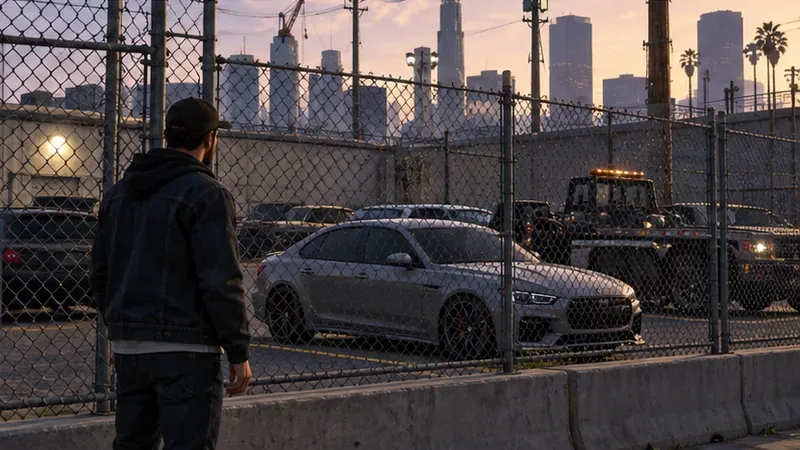
An impounded vehicle has a separate recovery route from a normal Mechanic delivery.
Quick checks before you request a car
Make sure you are in Freemode for a Mechanic delivery; some jobs and interiors restrict vehicle requests.
Use the active-vehicle request for the car already selected, or call the Mechanic to choose a different garage vehicle.
After requesting, check the map instead of expecting the car to appear directly beside you.
If a request fails, check whether the vehicle was destroyed, impounded, stored in another garage, or is a Pegasus/service vehicle with a different delivery method.