Home
» 🎮 Esports
»
Quick Fix: How to Fix the League of Legends “Unable to Connect to Authentication Service” Error
Quick Fix: How to Fix the League of Legends “Unable to Connect to Authentication Service” Error
Quick Fix: How to Fix the League of Legends “Unable to Connect to Authentication Service” Error
If the League of Legends “Unable to Connect to Authentication Service” error blocks your login, start by checking Riot’s live service status and confirming that the client is set to your account’s region. If Riot reports no incident, work through the checks below in order: fully close the client, test your network without a VPN or proxy, sync your computer’s clock, flush DNS, review firewall permissions, and run Riot Client’s repair if you can reach Settings. Retry the login after each change so you know what helped.
This message does not identify one definite cause, and no local fix can resolve a Riot-side outage. The steps below focus on common login and connection causes documented by Riot. Windows menu paths are labeled; Mac players should use the macOS directions in Riot’s linked support pages where a step is platform-specific.
Why this League of Legends login error can appear
The client may be unable to complete account authentication because of a service incident, a mismatched region, a network route or DNS problem, a firewall rule, an incorrect system clock that disrupts certificate checks, or damaged client files. Riot’s Login Issues guide also separates connection problems from username or password errors. If the client specifically says your credentials are wrong, use the account-recovery option linked from Riot’s guide instead of changing network settings.
How to fix “Unable to Connect to Authentication Service”
1. Check Riot service status and your account region
Open Riot Games Service Status, select League of Legends, and check the region where your account normally plays. If Riot lists a login or service incident for that region, wait for Riot’s update before reinstalling or changing your PC. The client’s selected region must match the region associated with your account; Riot notes that an account can be active in only one region at a time.
This is an illustrative region control, not a live account setting or status report. Check Riot’s live status page for current service information.
2. Fully exit Riot Client, then restart the client and network gear
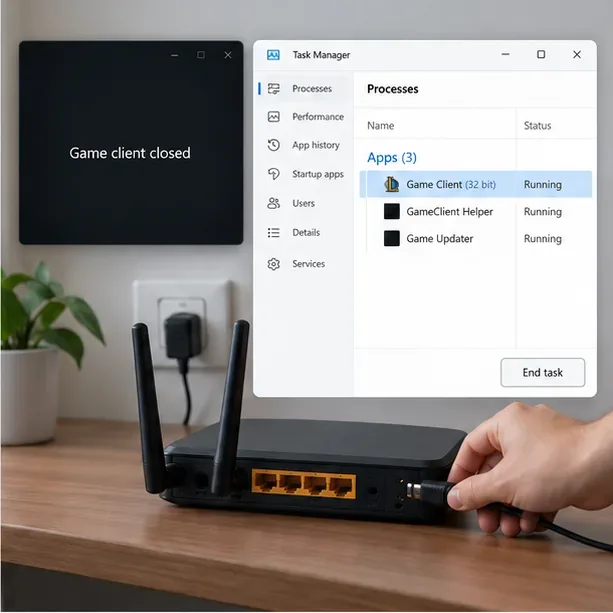
Use the Riot Client’s tray icon to choose Exit, wait a few seconds, and open it again. If the window is frozen or remains in the background, press Ctrl + Shift + Esc to open Task Manager and end only Riot or League processes that are still running. Do not end Windows system processes. If the client still cannot connect, restart your computer. You can also restart your router or modem using its normal power procedure; wait until the internet connection is back before testing the login again.
Close Riot and League processes only, then restart the router if needed. Task Manager labels and router controls vary by device.
3. Test the connection without a VPN or proxy
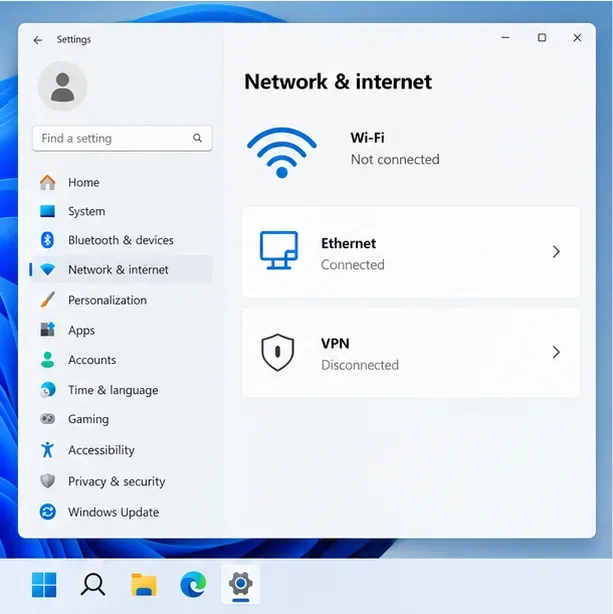
Riot recommends avoiding VPN and proxy connections for League because they can introduce connection problems. Disconnect a VPN or proxy temporarily, then try again. If possible, connect the PC to the router with Ethernet to remove Wi-Fi interference from the test. Pause large downloads or streams while troubleshooting. If you have access to another trusted network, such as a phone hotspot, one login attempt there can help distinguish a home-network or ISP issue from a PC issue. Riot advises using a VPN for routing tests only when its technical specialists specifically request it.
For a clean connection test, use Ethernet when available and disconnect a VPN or proxy.
4. Sync your computer’s date, time, and time zone
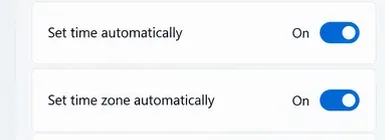
An incorrect system clock can cause certificate checks to fail during login. On Windows, open Settings > Time & language > Date & time, turn on Set time automatically, confirm the time zone is correct, and select Sync now if it appears. Restart Riot Client and retry. On a Mac, follow the clock steps in Riot’s Login Issues guide; the exact menu labels can differ by macOS version.
Turn on automatic time and time zone, then use Sync now if it appears in your Windows version.
5. Flush DNS before changing DNS servers
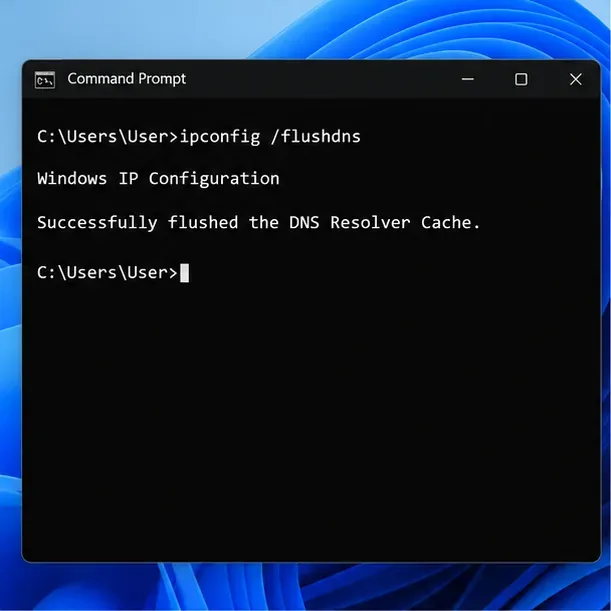
On Windows, search for Command Prompt, choose Run as administrator, enter the command below, and press Enter:
ipconfig /flushdns
When Windows confirms the DNS resolver cache was flushed, close the window, reopen Riot Client, and test. If the error continues and your network does not use custom DNS settings, Riot’s DNS configuration guide explains how to try a public DNS resolver and flush the cache. Save your existing settings first so you can restore them if internet access changes. On managed work or school networks, ask the network administrator before changing DNS.
Run this command in an elevated Windows Command Prompt, then test the Riot Client again.
6. Check firewall permissions without leaving protection disabled
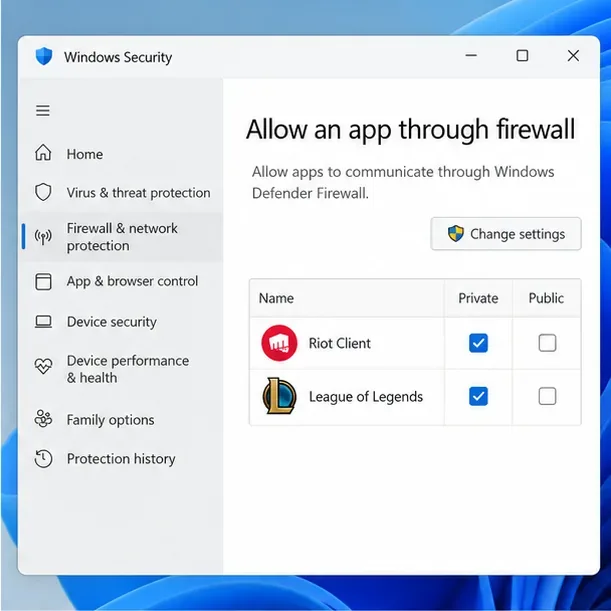
A firewall can block the Riot Client from reaching its services. In Windows, search for Allow an app through Windows Firewall and check that Riot Client and League of Legends are allowed on the network profile you use. Riot’s firewall guide lists the application files, including RiotClientServices.exe, LeagueClient.exe, LeagueClientUx.exe, LeagueClientUxRenderer.exe, and Game\League of Legends.exe. Install folders can differ from the default C:\Riot Games path, so use the files in your actual Riot installation. Keep your firewall enabled; do not leave an antivirus or firewall turned off as a permanent fix.
The mockup shows the kind of allow-list to review. Match the entries to Riot’s current file list and your installed paths.
7. Run Riot Client’s built-in repair if Settings opens
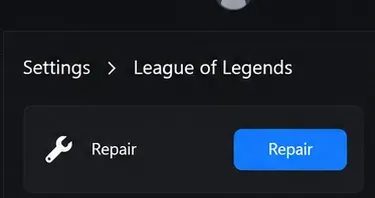
If you can open Riot Client Settings, select your game and choose Repair, then follow the prompts. Riot says its full repair can address missing or corrupted game files. The documented path is Profile icon > Settings > League of Legends > Repair. If the authentication error prevents you from reaching Settings, do not keep repeating the same login attempt; move to the log and support step.
Use the Repair control in Riot Client Settings if you can reach it; this illustration does not show a completed repair.
8. Send Riot Support a diagnostic log if it still fails
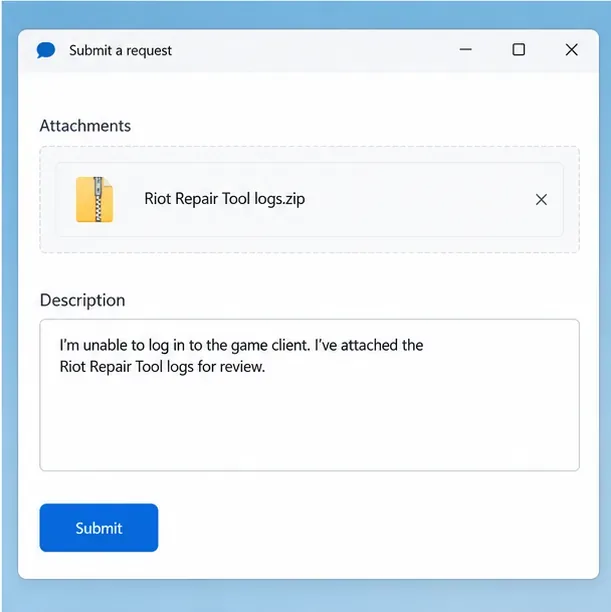
Riot’s current Riot Repair Tool (RRT) guide—the tool formerly called Hextech Repair Tool—explains how to collect logs on Windows or Mac. On Windows, run the downloaded RRT as administrator, choose League of Legends, and let it create the log archive. Submit a ticket through Riot Support and attach the archive. Include the exact error text, your region, when the issue began, and which steps or networks you tested. Never include your password.
Attach the ZIP archive produced by RRT and describe the authentication error and troubleshooting already completed.
If Riot’s status page is clear and the error survives these checks, the log archive gives Player Support useful diagnostic information without relying on guessed fixes or unsupported success-rate claims.