Home
» 🎮 Esports
»
Best Alternative Devices for PlayStation Remote Play: Phones, Tablets & Handheld PCs
Best Alternative Devices for PlayStation Remote Play: Phones, Tablets & Handheld PCs
The best alternative devices for PlayStation Remote Play depend on where you want to play: a phone with a controller grip is the easiest portable setup, a tablet gives you a larger screen, a Windows handheld works like a compact PC, and supported Android TV devices bring your console to another room. A Steam Deck can also stream PS5 and PS4 games, but it needs a community client rather than Sony’s official app.
Every option streams from a PS5 or PS4 connected to the internet; the handheld, phone, or tablet does not run the console game itself. That means your network and controller support matter more than a screen’s advertised refresh rate. Here is how the main choices compare, including what is official and where extra setup is involved.
How to choose a PlayStation Remote Play alternative
Start with the device you already own. Sony’s free PS Remote Play app supports compatible iPhone and iPad devices, Android phones and tablets, Windows PCs, Macs, and selected Android TV or Google TV devices. You need a PS5 or PS4, the same PlayStation account on the console and client, a compatible game, and an internet connection. Sony lists 5 Mbps upload and download as a minimum and recommends 15 Mbps for a better experience. Those figures are connection requirements, not a promise of a particular response time.
Also check how you will control games. On a phone or tablet, you can use on-screen controls, pair a supported PlayStation controller, or attach a mobile controller grip. On PC and Mac, Sony’s setup instructions call for a supported PlayStation controller connected by USB. Some controller features, including haptics and adaptive triggers, vary by device and operating system.
Best alternative devices for PlayStation Remote Play
1. Smartphone with a telescopic controller
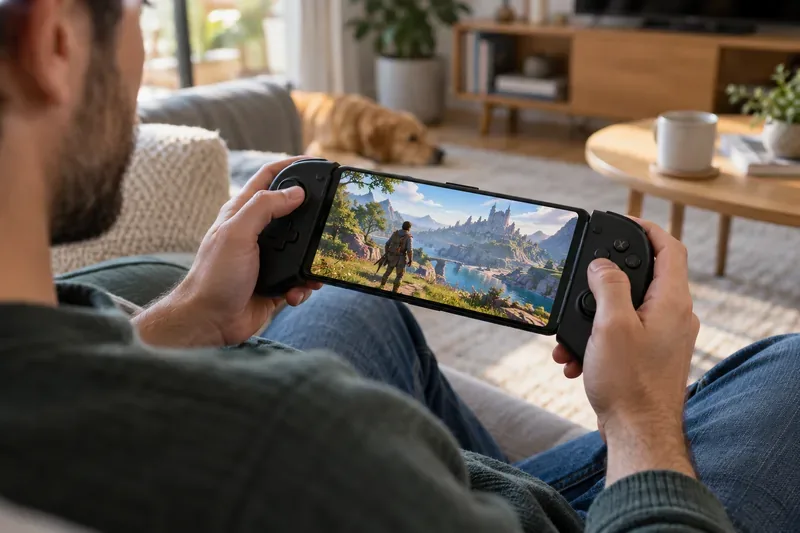
This is the most compact option and often the best value if you already own a compatible phone. Install the official PS Remote Play app, then use touch controls, pair a DualSense or DUALSHOCK 4 where supported, or connect a phone-sized controller such as a Backbone One or Razer Kishi model that fits your device. The controller grip is an accessory; your phone runs the app and displays the stream.
A phone and a telescopic controller turn a compatible mobile device into a compact Remote Play setup.
Before buying a grip, check the exact connector, phone dimensions, case clearance, and whether the controller model works with your phone’s operating system. Sony lists Backbone One PlayStation Edition compatibility for supported iPhone models on iOS 15 or later and Android phones on Android 10 or later. A standard controller is more flexible if you also want to play on a tablet or PC.
2. iPad or Android tablet with a PlayStation controller
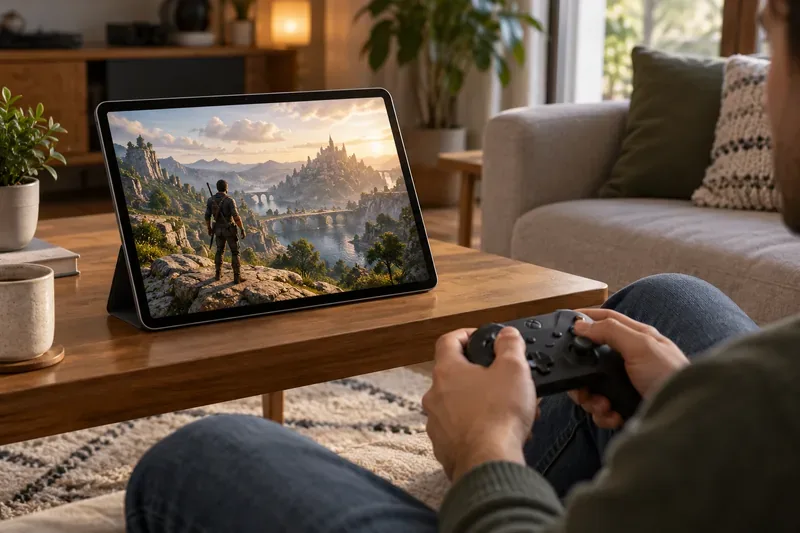
A tablet makes game text and menus easier to see than a phone, while remaining lighter and simpler to carry than a laptop. Stand it on a desk, lap tray, or tablet stand and pair a compatible controller. Sony’s compatibility page lists DualSense support on iPhone and iPad running iOS 14.5 or later, and on Android phones and tablets running Android 12 or later; support can still vary by device.
A tablet on a stand gives Remote Play a larger viewing area while a separate controller handles gameplay.
This setup is especially practical at home when someone else is using the TV. Its trade-off is simple: you carry a separate controller, and the tablet-and-controller combination takes more space than a phone grip. Use a stand and keep the controller charged for longer sessions.
3. Windows laptop or Mac
If you want an officially supported client and already have a computer, install Sony’s PS Remote Play app on Windows or macOS. A laptop offers a larger screen and is easy to connect to a wired network; a desktop is a good choice for playing in a fixed room. Sony’s PC and Mac instructions support DualSense, DualSense Edge, and DUALSHOCK 4 controllers over USB, and let you adjust video settings such as resolution and frame rate in the app.
This is a dependable pick for players who value a familiar setup over handheld portability. The computer is only the streaming client, so it does not need to match the PS5’s gaming performance. Confirm that the operating system meets Sony’s current requirements and that the controller works with your exact computer before relying on a wireless pairing.
4. Windows handheld PCs such as ROG Ally or Legion Go
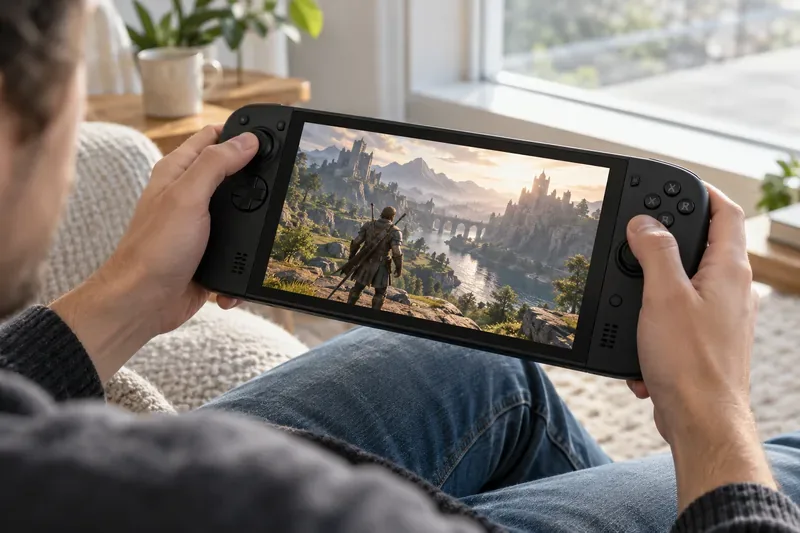
A Windows gaming handheld combines a built-in screen and controls with access to the Windows version of the Remote Play app. Models such as the ROG Ally and Lenovo Legion Go are examples of this category, but their screens and refresh rates do not determine the stream’s quality. Sony documents its app for Windows PCs and lists PlayStation controllers connected by USB. It does not promise that every handheld’s built-in controls will work automatically with the official app.
A Windows handheld can serve as a portable PC client, but check controller compatibility before you choose one for Remote Play.
If you already own one, test the official app and controls before buying anything else. You may need a separate DualSense controller or additional configuration for the handheld’s built-in buttons. This route suits players who also use the device for PC games; it is usually excessive if you only want to stream PlayStation games.
5. Steam Deck or another Linux handheld
The Steam Deck is a capable handheld with integrated controls, but it runs SteamOS rather than Windows and does not have Sony’s official PS Remote Play app. A popular route is Chiaki-ng, an open-source community client for PS4 and PS5 Remote Play. Its maintainers describe it as an independent project and state that Sony does not endorse or certify it.
Choose this option if you already own a Steam Deck and are comfortable following community setup instructions. Account registration, client updates, and console firmware changes can affect setup, so the experience may require troubleshooting. If you want Sony’s supported app and a straightforward first connection, choose a phone, tablet, Windows PC, or Mac instead.
6. Supported Android TV or Google TV devices
For a living-room or second-room setup, Sony supports PS Remote Play on Android TV devices running Android TV OS 12 or later, including certain Chromecast with Google TV devices. Pair a DualSense or DUALSHOCK 4 controller and use the TV as the display. This is useful when the main television is occupied, though it is not a portable alternative.
Check the exact TV or streaming device and app-store availability before planning around it: “Android TV” on the box alone does not guarantee support. Sony also notes that some DualSense features, such as haptics and adaptive triggers, are not supported in Remote Play on Android TV.
Quick comparison
Setup
Remote Play route
Best for
Trade-off
Phone plus controller grip
Official mobile app
Lightweight portable play
Small screen; check phone and controller fit
Tablet plus DualSense or DUALSHOCK 4
Official mobile app
Larger screen at home or while traveling
Separate controller and stand add bulk
Windows laptop or Mac
Official desktop app
Supported setup using a computer you own
Less convenient to carry; controller setup matters
Windows handheld PC
Official Windows app, with controller caveats
One device for PC games and streaming
Built-in controls may need configuration
Steam Deck
Chiaki-ng community client
Owners comfortable with extra setup
Not a Sony-supported client
Android TV or Google TV
Official app on supported devices
Playing in another room
Limited portability and some controller features
How to get a smoother Remote Play session
Enable Remote Play on the console. On PS5, open Settings > System > Remote Play and turn on Enable Remote Play. If you want to connect while the console is in Rest Mode, enable the network connection and remote start options in the power-saving settings.
Sign in with the same PlayStation account. Install the official app on the client device, sign in, and connect while you are near the console once before relying on access from another network.
Improve the network path. If possible, connect the console to the router by Ethernet and use strong Wi-Fi on the client device. Test on your home network first. Mobile data can work, but it consumes data and depends on your carrier and coverage.
Adjust the app to the connection. Reduce the app’s video resolution or frame-rate setting if the image stutters. A 120 Hz screen or a 4K display does not by itself make a Remote Play session stream at 120 frames per second or 4K; the app, console, and connection all matter.
Check controller support before purchase. PlayStation controller features and device compatibility differ by operating system. Confirm that the app recognizes the buttons you need, especially on PC handhelds and Android TV.
Which PlayStation Remote Play alternative should you pick?
For most people, the best first choice is a compatible phone or tablet they already own, paired with a controller that fits how they play. Choose a Windows PC or Mac for Sony’s official desktop app, a Windows handheld if you also want PC gaming, or Android TV if you want to play in a second room. Pick Steam Deck when you value its handheld controls and are willing to maintain an unofficial client. The best alternative is the one that fits your current hardware, supports your controller, and has a stable connection to your console.