Home
» 🎮 Esports
»
Minecraft Error Codes: Common Crash Meanings and Fixes
Minecraft Error Codes: Common Crash Meanings and Fixes
Minecraft Error Codes: Common Crash Meanings and Fixes
Minecraft error codes do not all have a one-to-one official diagnosis. In Java Edition, an exit code often says only that the game process stopped; the useful clue is usually in the crash report or log. Bedrock Edition also uses named errors such as Drowned, Bat, and Kelp, for which Minecraft publishes specific troubleshooting guidance. Start by identifying your edition and the exact message, then use the matching fix below.
This catalog covers frequent Java crash messages and documented Bedrock named errors. It is not a promise that every number produced by every operating system, launcher, mod loader, console, or server host has a Minecraft-specific meaning. The interface images are explanatory schematics; menu layouts vary by platform and launcher.
Common Minecraft Java error codes and messages
Use this table as a triage guide, not as a substitute for the report. The exit value alone rarely identifies the mod, driver, or file that failed.
Code or message
What it reliably tells you
Best next check
Exit Code 0
The process reported a normal exit. It is not usually a crash code.
If the launcher still says the game crashed, inspect the log just before shutdown and confirm which process produced the value.
Exit Code 1
A generic nonzero Java process exit; the number does not name the cause.
Read the latest log or crash report for the first relevant exception, a “Caused by” line, or a mod/loader incompatibility.
Exit Code -1
A generic failure value that may be supplied by a launcher, mod loader, or process.
Use the surrounding error text and report. Do not treat -1 as a diagnosis by itself.
-805306369
No universal Minecraft diagnosis can be safely inferred from this number alone.
Only investigate memory first if the log actually shows an OutOfMemoryError or Java heap message; otherwise follow the exception in the report.
-1073740791 / 0xC0000409
A Windows status value for STATUS_STACK_BUFFER_OVERRUN; it is not a Minecraft-specific “graphics driver” label.
Check the crash details and Windows application logs. Test without mods or shaders; investigate graphics software only if the report points there.
Exit Code 143
In a Bash/Linux process context, 143 can represent 128 + signal 15 (SIGTERM). This is relevant to managed servers or containers, not a universal client error.
Check the host, container, panel, or service logs for who sent a termination signal and why.
Could not find or load main class
The Java runtime could not locate the class named by its launch configuration.
Undo custom launch arguments or runtime paths and test a fresh launcher installation for the same game version.
OpenGL error / “Pixel format not accelerated”
Graphics initialization or the supported graphics path failed; the exact remedy depends on the message and hardware.
Update graphics software from the device or GPU maker, disable shaders, and test the current game version without visual mods.
Microsoft defines 0xC0000409 as a Windows status code, but that definition does not identify which Minecraft component triggered it. Likewise, a memory-related exit number is not proof of an out-of-memory crash. Read the report before changing settings.
Read the Java crash report before changing settings
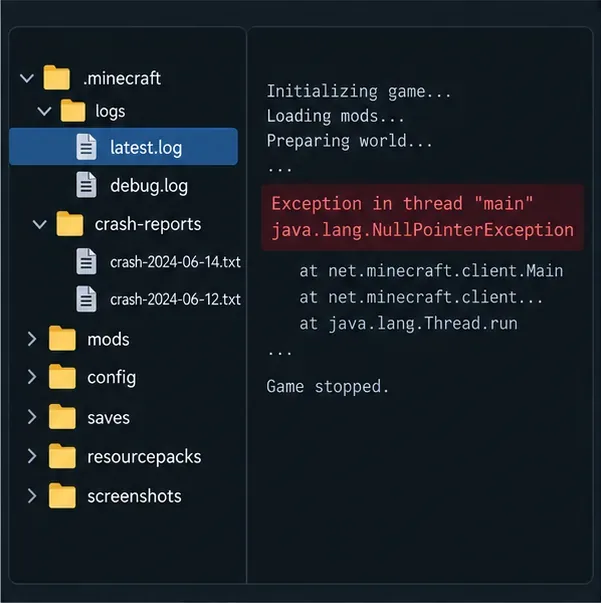
In the Minecraft Launcher, open the game directory configured for the affected Java installation. Check logs/latest.log and, if one was created, the newest file in crash-reports. Modded installations may keep their own separate game directory, so do not assume the default .minecraft folder is the right one. The Fabric log guide also explains where the official launcher's log and crash-report files are stored.
Example only: the selected game folder, filenames, dates, and exception will differ on your installation.
Search the report for the first meaningful exception and nearby “Caused by” lines. If the crash report names a mod, loader, resource pack, or mixin, verify that it supports the exact Minecraft version and loader you launched. If no crash report exists, latest.log may still show the last successful operation and the first failure. Never post a full log publicly without checking for private file paths, server addresses, or account-related data.
A four-step Minecraft crash troubleshooting workflow
Record the exact error. Note Java or Bedrock, your platform, what you were doing, and whether the crash happens at launch, while loading a world, or when joining a server. Copy the complete message instead of searching only a number.
Check the right evidence. For Java, inspect latest.log and the newest crash report in that installation’s game directory. For Bedrock, note the named error and the screen where it appears; use the official general Bedrock error-code troubleshooting page.
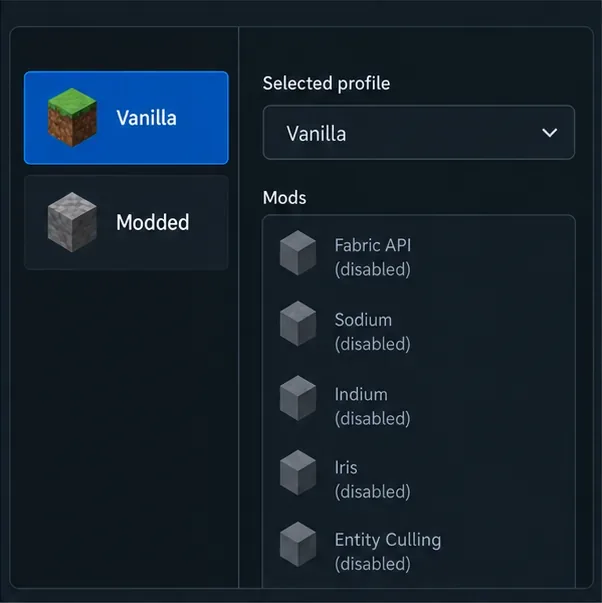
Isolate add-ons safely. Back up important worlds first. For Java, make a clean vanilla installation for the same game version, with no mods or shaders. If it works, re-enable compatible mods in small groups until the conflict returns. Minecraft Support recommends creating a new Java installation to test launcher crashes. For Bedrock, temporarily disable add-ons only after backing up the affected world.
Apply a fix that matches the evidence. Change memory only when logs indicate a heap problem; address drivers only when the message or report points to graphics; and treat Bedrock sign-in, storage, and connection errors as separate problems. Retest after one change so you know what helped.
A clean-profile comparison is a diagnostic idea, not a screenshot of a specific launcher. Back up worlds before changing mod or add-on setups.
Fix common Java crash causes without guessing
When the log shows an out-of-memory error
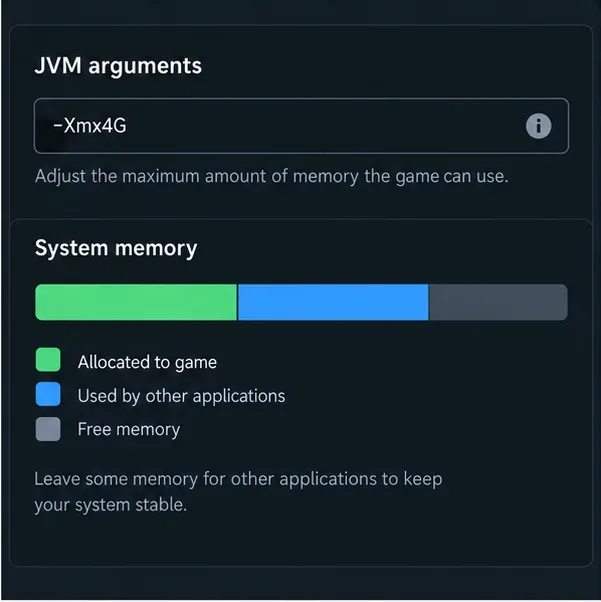
Look for explicit text such as OutOfMemoryError or a Java heap-space message. Only then consider changing the maximum heap value in the installation’s JVM arguments. The Minecraft Launcher exposes these arguments in the installation settings, and Minecraft’s memory-allocation guidance explains why the allocation should fit both the game’s needs and the RAM available on the computer. Do not copy a random -Xmx8G command: allocating too much can leave too little memory for the operating system and other apps. Change one value, save, and test.
The displayed -Xmx4G is an illustration, not a recommended setting for every computer or Minecraft version.
When the log points to graphics or OpenGL
Install graphics updates from the computer manufacturer or the GPU manufacturer, then test without shaders and visual mods. On laptops, check that the game is using the intended graphics adapter. Minecraft’s Java graphics troubleshooting guidance notes that outdated software or drivers can cause performance and graphics errors. A generic exit code alone is not enough to conclude that the graphics driver is at fault.
When Java cannot find its main class
Remove custom JVM arguments or a manually selected Java path if you recently changed them. Then use the launcher to create a separate clean installation of the same game version and test it without mods. If that profile starts, the original installation’s configuration or modded setup is a more likely place to investigate than the world save itself. See Minecraft Support’s launcher-crash steps.
Bedrock Edition named error codes
Bedrock’s named errors are not the same system as Java exit codes. Minecraft Support’s official named-error catalog gives the current meaning and directs players to the relevant fix. These commonly reported examples point to different areas:
Reconnect, check that the host is available, and use the general Bedrock error guide if it continues.
Kelp
Connection timed out.
Check whether the server or hosting player is online, then check your network and version match.
Chest
The device does not have enough storage space to play.
Free storage on the device before reinstalling or resetting game data.
Creeper
A network issue prevented Minecraft from connecting to the world.
Confirm the host is online and the game versions match; check multiplayer permissions and service status.
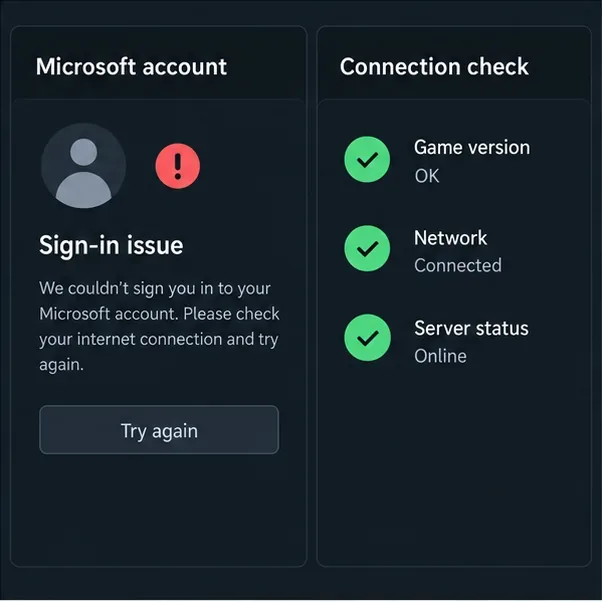
Illustrative checklist only, not a live sign-in screen or real server-status report. Exact Bedrock menus vary by device.
For multiplayer, make sure the host is online, all players are on compatible game versions, and the account and world allow multiplayer. Console players may also need the platform’s online multiplayer subscription. Minecraft’s official unable-to-join guide covers version, account-permission, host, and network checks. Avoid permanently disabling your firewall or opening ports as a first step; follow the platform or server host’s current instructions only when the evidence points to a network configuration issue.
What not to assume from a Minecraft error code
Do not treat every exit code as a Minecraft-defined code. Some values come from Java, Windows, Linux, a launcher, or a hosting panel.
Do not increase RAM automatically. Check for an actual memory error first and leave memory for the rest of the system.
Do not reinstall before backing up worlds. Preserve saves and test a separate clean installation where possible.
Do not use an old fix just because it appears in a forum post. Options such as changing legacy video toggles may not exist in current versions.
The fastest route through Minecraft error codes is to identify the edition, capture the full message, and follow the log or official named-error guidance. If a Java crash still cannot be traced, keep the crash report, game version, loader, and mod list together; that evidence is far more useful than the exit number alone.