Home
» 🎮 Esports
»
🔥 Free Fire Clash Squad Season End Date 2026: What’s Confirmed & What’s Next
🔥 Free Fire Clash Squad Season End Date 2026: What’s Confirmed & What’s Next
Free Fire Clash Squad Season End Date 2026: What Garena Has Confirmed
Looking for the Free Fire Clash Squad season end date in 2026? Garena’s public notes confirm that the latest Clash Squad Ranked season began on October 1, 2026, but the official OB55 announcement does not publish its end date or cutoff time. The previously stated date of October 15 at 10:00 a.m. UTC is not supported by that announcement. For the exact deadline on your account, use the season countdown shown in the current game client.
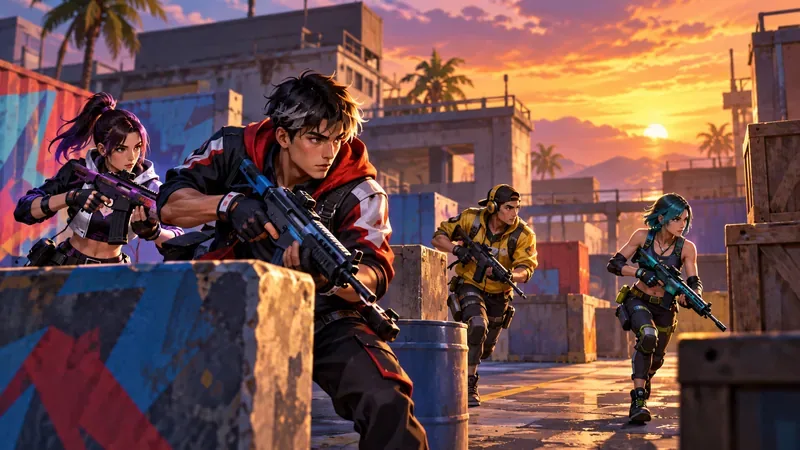
A squad advances through an arena in an editorial illustration, not a live Free Fire screenshot.
Free Fire Clash Squad season schedule: confirmed dates
Garena’s OB55 patch notes, published on September 10, 2026, say that the next Clash Squad season and its weapon changes arrive on October 1. The notes also list October 1, 2026, as the patch release date. They do not give a season number, end date, end hour, or UTC offset for the ranked cycle.
Schedule item
What Garena confirms
What remains unconfirmed
OB55 notes
Published September 10, 2026
—
Next Clash Squad season
Starts October 1, 2026
Exact end date and time
Current status checked
October 16, 2026: the October 1 cycle has begun
How long it runs on each regional server
This distinction matters because a patch date is not a season end date. The older article’s Season 52 table, October 15 deadline, named rewards, and claim that Garena confirmed a 10:00 a.m. UTC cutoff are not corroborated by the official patch notes. Treat those details as unverified unless they appear in your own client or a newer announcement from Garena.
There is also a separate competitive calendar. Garena’s 2026 esports roadmap discusses a standalone Clash Squad tournament. That tournament schedule is different from the in-game Clash Squad Ranked season; tournament dates cannot be used to infer when ranked points reset.
How to check your exact Clash Squad season end date
When a public post does not give a cutoff, the season information attached to your account is the practical source to check. Menu names can vary by client version or server, so look for the current season or rank panel rather than relying on a fixed screenshot from another region.
Update Free Fire through the official app store and sign in to the account and server where you play ranked.
Open Clash Squad, choose its ranked queue, and look for the season, rank, or rewards panel.
Read the displayed end date or countdown. If it gives only a countdown, record the date and time you checked it and recheck near the deadline.
Use a timezone only if the client labels one. If it says “local time” without naming a location, do not convert it as though it were UTC; check the game again or consult a region-specific Garena notice.
Use the season details in your own game client for the account-specific countdown.
A countdown can be more useful than a copied date because it reflects the server and client you are actually using. If the game displays a date but no timezone, preserve the label exactly when sharing it. Do not turn an unlabeled time into “UTC” or another region’s local time.
What happens when a Clash Squad Ranked season ends?
Season turnover can affect ranked progress and season rewards, but the public OB55 notes do not specify the rank reset formula, exact reward distribution, or a universal transition hour for this cycle. Check the in-game season and rewards panels for the rules shown to your account. Claim any reward the client marks as available before the countdown expires, and do not assume a particular tier will carry over unchanged.
Claims such as “Heroic stays Heroic,” “top 1% rewards arrive instantly,” or “inactive players lose rank” need a current official rule behind them. The old article presented those statements as guarantees without showing one. For a reliable deadline, prioritize the in-client season timer and Garena’s latest official posts over leaked calendars, fan graphics, or copied countdowns.
What is next for Clash Squad after the October update?
The confirmed changes are already tied to the October 1 season launch. Garena’s OB55 notes list four weapons for Clash Squad: M7, Skorp, RPK, and Hawk. The published CS Cash prices are 1,600, 1,500, 1,500, and 1,700 respectively. The update also adds Flame and Sonar Grenades and changes how Smoke Grenades work in the mode.
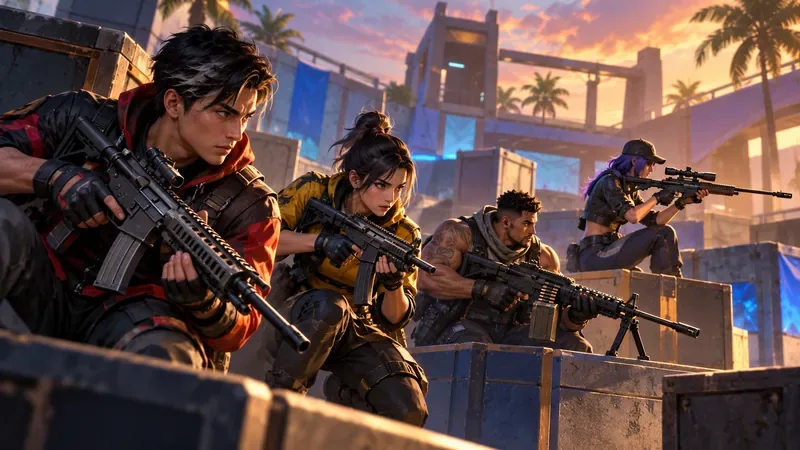
An editorial scene representing weapon variety; it does not depict exact OB55 weapon models or gameplay footage.
These are the changes players can verify in Garena’s notes. The announcement does not confirm a new map, drone strikes, an “OP40” buff, or a specific crossover bundle for the next ranked season. Avoid planning around those rumors until Garena publishes them. The patch notes also describe Clash Squad adjustments to character balance and the Tactical Market, so review the official list before choosing a loadout.
What to do before your season timer runs out
Check the in-game deadline first. Do not use October 15, 2026, at 10:00 a.m. UTC as a confirmed end time.
Set a reminder from the countdown you see. Leave room for updates, maintenance, or connection problems instead of playing until the final minute.
Review the displayed season rewards. Finish eligible objectives and claim available items while the game still offers them.
Adjust to the current OB55 changes. Test unfamiliar weapons and grenades in a lower-pressure mode before relying on them in ranked matches.
Check Garena’s official news again near the cutoff. A newer server-specific notice may clarify the reset date or time.
FAQ
Is October 15, 2026, at 10:00 a.m. UTC the official end time?
That exact cutoff is not stated in Garena’s public OB55 notes. Those notes say the next Clash Squad season starts October 1, 2026, and do not publish its ending time.
Does the October 1 date mean the season ends on October 15?
No. October 1 is the confirmed start date in the patch notes. It does not establish a 14-day season or any other end date. Check the ranked season panel in your game client for the current countdown.
Is the Clash Squad esports tournament the same as ranked season?
No. Garena’s esports roadmap covers a competitive tournament, while the in-game ranked season controls player rank progression. Follow the correct schedule for the activity you mean.