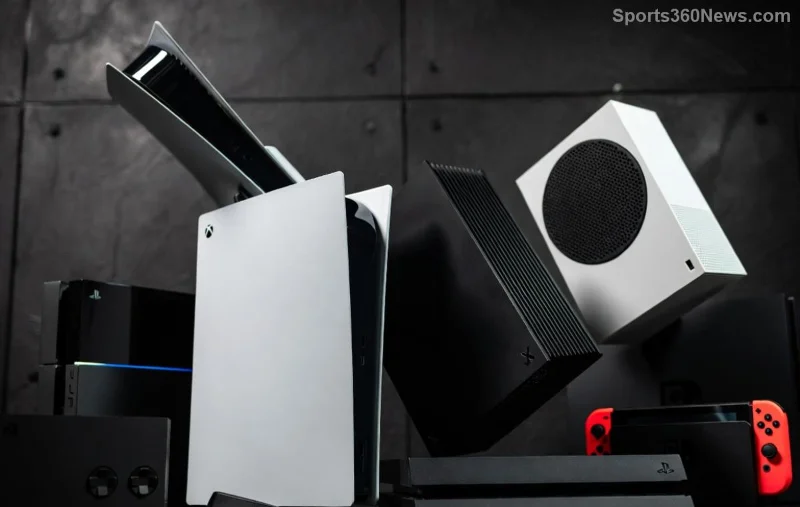
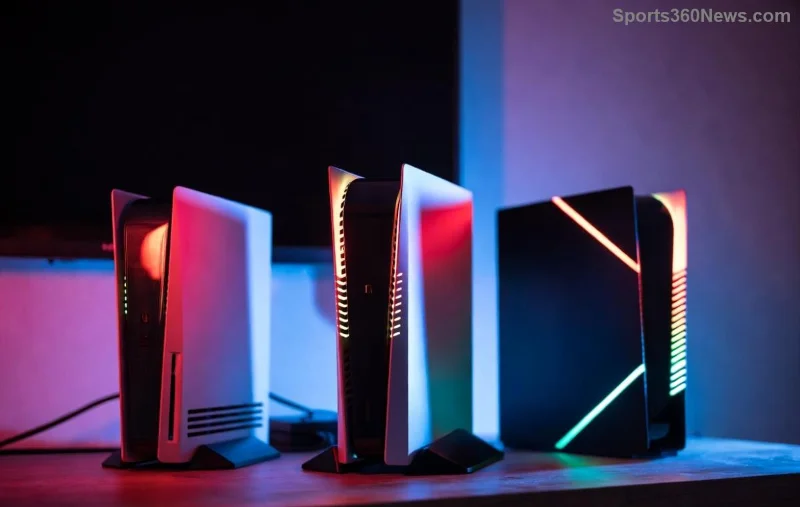
Ever stared at a stack of Xbox consoles and wondered, "How to spot the difference between Xbox One and Series models?" You're not alone, gamer! Whether upgrading your setup or snagging a deal, knowing Xbox One vs Xbox Series differences is your superpower. This guide cuts through the confusion with laser-focused tips, visual cues, and pro comparisons. Stick around—you'll be spotting fakes from flagships in seconds. 🚀

🔍 1. Design and Size: The First Visual Giveaway
Spotting Xbox One from Xbox Series starts with a glance. Xbox One models scream "last-gen vibes" with bulkier builds and older aesthetics.
- Original Xbox One: Massive, curved white/black body—like a mini fridge. Measures about 13.1 x 10.8 x 3.1 inches.
- Xbox One S: Slimmer white redesign, horizontal-friendly. Around 11.6 x 9.1 x 2.5 inches. Supports 4K media but not gaming.
- Xbox One X: Chunky black cube (11.8 x 9.5 x 5.8 inches). Premium feel, but still boxy.
Flip to Xbox Series X|S: Sleek, modern towers built for next-gen airflow.
- Xbox Series X: Tall black monolith (11.9 x 5.9 x 11.9 inches). Robotic, vent-heavy design for silent cooling. Disc drive on front.
- Xbox Series S: Compact white box (10.8 x 6.5 x 2.6 inches). Digital-only, budget beast.
Pro Tip: Check the power button glow—Xbox One pulses blue/white; Series X|S sticks to a steady white halo. No guesswork needed! Ready for performance punch? Keep reading. 💥
📊 2. Specs Showdown: A Quick Comparison Table
Numbers don't lie. Here's a Xbox One vs Xbox Series table highlighting core diffs. Use this to decode any model at a glance:
| Feature |
Xbox One (Original/S) |
Xbox One X |
Xbox Series S |
Xbox Series X |
| TFLOPS (GPU Power) |
1.31 / 1.4 |
6 |
4 |
12 |
| RAM |
8GB DDR3 |
12GB GDDR5 |
10GB GDDR6 |
16GB GDDR6 |
| Storage (Base) |
500GB/1TB HDD |
1TB HDD |
512GB NVMe SSD |
1TB NVMe SSD |
| Max Resolution/Refresh |
1080p/60fps |
4K/60fps |
1440p/120fps |
4K/120fps |
| Disc Drive |
✅ Blu-ray |
✅ UHD Blu-ray |
❌ Digital-only |
✅ UHD Blu-ray |
| Quick Resume |
❌ Limited |
❌ Limited |
✅ Up to 5 games |
✅ Up to 5 games |
Why does this matter? Xbox Series X crushes 4K ray-tracing at silky frames, while Xbox One caps at basics. Gamers upgrading report 2x faster load times—game-changer! 🎯
🔌 3. Ports and Controller: Hands-On Hints
Plug in and play detective:
- Ports: Xbox One sticks to HDMI 2.0b, four USB 3.0 (no C). Xbox Series upgrades to HDMI 2.1 for 120Hz glory, USB-C front-facing, and Ethernet boost.
- Controller: Xbox One's lacks a Share button (top-center). Series controllers have it—perfect for clips. Textured triggers and Dynamic Latency Input make aiming buttery. Hybrid D-pad on Series S/X feels premium.
- Ventilation: Series models have massive top intake; One relies on sides.
![Close-up of Xbox Series controller and ports vs Xbox One]()
Grab a controller—feel the evolution. It's not just tech; it's comfort for marathon sessions. Wondering about backwards compatibility? Next up! 😎
⚡ 4. Performance and Features: Power Under the Hood
Beyond looks, how to spot the difference between Xbox One and Series models shines in action:
- SSD Speed: Series NVMe SSDs load worlds in seconds vs One's sluggish HDD.
- Ray Tracing & FPS Boost: Exclusive to Series—realistic lights, 60-120fps on old games.
- Game Pass Magic: Series optimizes thousands of titles; One lags behind.
- Audio: Dolby Vision/Atmos native on Series for immersive soundscapes.
Real-world? Forza Horizon 5 hits 4K/60 on Series X, stutters on One X. Your wallet (and eyes) will thank the upgrade path.
![Xbox Series X gameplay performance vs Xbox One side-by-side]()
🛒 5. Buying Smart: Avoid Mix-Ups and Score Deals
At stores or online:
- ✅ Verify model number (e.g., 1697 for Series X).
- ❌ Skip "Xbox One X" labeled as Series—common scam.
- Quick Test: Boot up—Series dashboard has Velocity Architecture icons, snappier UI.
For sources, check official specs at Xbox.com Compare. Gamers, which model are you eyeing? Drop thoughts below!
Final Boss: Why Spot These Differences Now?
Mastering Xbox One vs Xbox Series isn't trivia—it's your edge for future-proof gaming. From spotting that sleek Series tower to unleashing 120fps fury, you're set. Upgrading? Series X for power, S for value. Game on, legends! 👊
Stay locked for more console deep-dives and upgrade guides.