Hey, fellow gamers! 👋 If you're juggling consoles and hunting for the smartest way to dive into online multiplayer without breaking the bank, you're in the right place. Today, we're breaking down a head-to-head comparing Xbox Live costs (now powered by Xbox Game Pass Core) against PlayStation Plus and Nintendo Switch Online. We'll spotlight the latest pricing, perks, and value to help you pick the winner for your gaming setup. Let's level up your wallet wisdom! ⭐
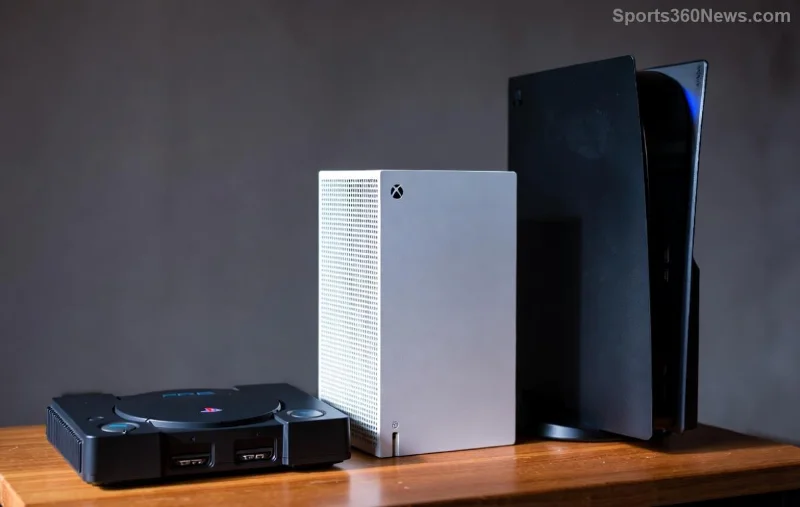
Understanding the Basics: What Do These Subscriptions Offer?
Before we crunch the numbers, a quick rundown:
- 1️⃣ Xbox Game Pass Core (formerly Xbox Live Gold): Essential for Xbox online play, plus a catalog of 25+ games and EA Play access.
- 2️⃣ PlayStation Plus: Three tiers (Essential, Extra, Premium) unlocking multiplayer, monthly free games, and cloud streaming.
- 3️⃣ Nintendo Switch Online: Affordable online play, classic games library, and optional Expansion Pack for N64/Master System titles.
Each service powers your multiplayer sessions, but their costs and extras vary wildly. Ready for the showdown? Let's compare!
Price Breakdown: Monthly, Quarterly, and Annual Costs at a Glance
Nothing beats a clear comparison table for Xbox Live costs to PlayStation Plus and Switch Online. Here's the latest pricing (sourced from official sites):
| Subscription Tier | Monthly | 3-Month | Annual |
|---|---|---|---|
| Xbox Game Pass Core | $9.99 | N/A | $59.99 |
| PS Plus Essential | $9.99 | $24.99 | $79.99 |
| PS Plus Extra | $14.99 | $39.99 | $134.99 |
| PS Plus Premium | $17.99 | $49.99 | $159.99 |
| NSO Basic | $3.99 | $7.99 | $19.99 |
| NSO + Expansion Pack | $49.99/year only | N/A | $49.99 |
Pro tip: Annual plans save big—Xbox Game Pass Core drops to ~$5/mo, while Nintendo Switch Online basic is a steal at ~$1.67/mo! Xbox | PS Plus | NSO

Winner by Budget: Who's Cheapest for Pure Online Play? 💰
If multiplayer is your jam, Nintendo Switch Online crushes it with rock-bottom prices. For $19.99/year, you get online access across Mario Kart, Smash Bros., and more—perfect for casual Switch fans. 😎
Xbox Game Pass Core matches PS Plus Essential monthly but shines annually, bundling 25+ rotating games (think Halo Infinite multiplayer forever). PS Plus? Essential is competitive, but higher tiers balloon costs for game catalogs that rotate monthly.
"Switch Online is the budget king for families—multiple profiles for pennies!" – Gamer consensus
Beyond Costs: Perks That Make Your Money Go Further 🎮
Price is king, but value seals the deal. Here's what elevates each:
- Xbox Game Pass Core: Quick Resume, cloud saves, and EA Play (FIFA, Battlefield). Ideal for cross-play warriors. 👍
- PlayStation Plus Extra/Premium: 400+ PS4/PS5 games, Ubisoft+ classics, 4K streaming. Premium's trial feature? Game-changer for demos!
- Nintendo Switch Online + Expansion: NES/SNES/Game Boy library + N64/Genesis. Voice chat via app is quirky but free online shines.
Family plans? Xbox and PS offer discounts (up to 40% off for extras), while NSO shines for multi-user households at $34.99/year for 8 accounts. 🏆

Real Gamer Scenarios: Which Fits Your Playstyle?
- Budget Multiplayer Only: NSO Basic – Unbeatable value! 🚀
- Game Library + Online: PS Plus Extra or Xbox Game Pass Core – Hundreds of titles await.
- Retro + Modern Mix: NSO Expansion Pack – Nostalgia on a dime.
- Ultimate All-in-One: PS Plus Premium for streaming and trials.
Stack 'em up: Xbox edges for PC/Xbox synergy, PS for exclusives, Switch for portability. Mix and match if you're multi-platform!
Final Verdict: The Best Subscription for Savvy Gamers
In this epic comparing Xbox Live costs to PlayStation Plus and Switch Online, Nintendo Switch Online takes the crown for sheer affordability, but Xbox Game Pass Core offers unbeatable annual value with extras. PS Plus tiers cater to deep divers willing to invest.
Whichever you choose, you're gaming smarter. What's your pick? Drop a comment below and share your wins! 👇 Pro gamers, subscribe annually and hunt deals—your future self (and wallet) will thank you. 🎉
Stay tuned for updates on bundles and trials—gaming subs evolve fast!









