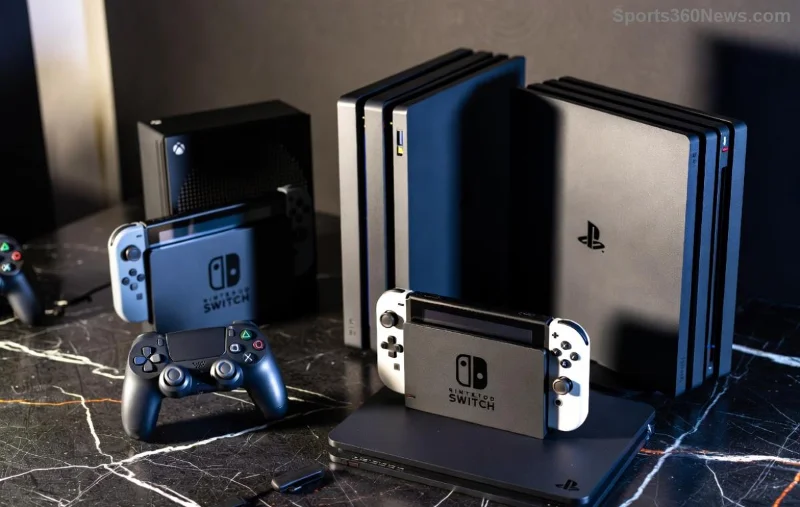
Imagine firing up Xbox Cloud Gaming on your phone during a commute, diving into epic battles without a console in sight. That's the magic Xbox delivers, keeping it at the forefront as a true cloud gaming powerhouse. Whether you're a hardcore gamer or casual player, Xbox's blend of accessibility, power, and value hooks you instantly. Let's break down why it's dominating the scene and why you'll want to jump in right now. 👆
🌟 Unmatched Game Library via Xbox Game Pass Ultimate
The heart of Xbox's strength lies in its massive, ever-growing library powered by Xbox Game Pass Ultimate. Stream hundreds of high-quality titles—including day-one releases from Xbox first-party studios like Bethesda, Activision Blizzard, and more—without downloads or storage worries.
From blockbusters like Starfield expansions to indies and multiplayer hits, cloud gaming on Xbox gives instant access. No waiting for patches or installs; just pure playtime. This integration sets it apart, turning your subscription into a golden ticket for endless adventures.
Recent expansions have added even more cross-play support, ensuring your progress syncs across sessions. Game on, anywhere! 🚀
Seamless Multi-Device Support: Play Everywhere
Xbox shines by supporting a vast ecosystem. Stream on PCs, Xbox consoles, Android/iOS devices, Samsung TVs, Amazon Fire TV, and even browsers via Xbox.com/cloud.
This flexibility means no gear upgrades needed. Grab your controller (or use touch/keyboard), and you're in. Low-end phones handle 1080p/60fps streams effortlessly, thanks to Microsoft Azure's global data centers minimizing lag.
| Device |
Xbox Cloud Gaming Support |
Key Benefit |
| Smartphones/Tablets |
Full native app |
Touch controls + Bluetooth controllers |
| PCs/Browsers |
Edge/Chrome streaming |
No downloads required |
| Smart TVs |
Samsung, Fire TV integration |
Big-screen immersion |
| Xbox Consoles |
Hybrid local/cloud |
Quick resume across modes |
Competitors can't match this breadth. Xbox's ecosystem keeps you locked in, effortlessly switching devices mid-game. 😎
Superior Performance: Low Latency and High Fidelity
Powered by Azure's cutting-edge servers, Xbox Cloud Gaming delivers buttery-smooth experiences. Expect 1080p at 60fps standard, with adaptive bitrate tech handling spotty connections like a pro.
Latest optimizations push towards 4K trials in select regions, with haptic feedback via Xbox controllers enhancing immersion. Input lag? Near-zero in optimized setups, rivaling local play.
![High-performance Xbox Cloud Gaming stream on TV with controller]()
Global server expansions ensure ping under 50ms for most users. Whether battling in Call of Duty or exploring open worlds, it feels native. Xbox's tech edge cements its cloud gaming powerhouse status. ⭐
Affordable Pricing That Packs a Punch
For around $20/month (via Xbox Game Pass Ultimate), you get cloud streaming, full Game Pass catalog, EA Play, and online multiplayer. No hidden fees, no console buy-in.
- ✅ Day-one AAA releases
- ✅ 100+ cloud-enabled games
- ✅ Family sharing options
- ✅ Cancel anytime
Compared to buying games outright or rivals' pay-per-title models, it's a steal. Xbox maximizes value, fueling loyalty among game thumbs everywhere. 💰
Innovations Keeping Xbox Ahead in Cloud Gaming
Microsoft's vision propels Xbox forward. AI-driven upscaling, broader controller support (including PS5 DualSense vibes), and deeper integrations with Windows keep it evolving.
Partnerships with carriers for unlimited data streaming remove barriers. Future teases include VR/AR cloud experiments, promising next-level immersion.
![Future Xbox Cloud Gaming innovations with multi-device setup]()
While others falter, Xbox iterates relentlessly. Check Microsoft's cloud page for the freshest betas. The momentum? Unstoppable. 🔥
Why Xbox Will Keep Dominating Your Cloud Gaming World
Xbox isn't just surviving in cloud gaming—it's thriving as the powerhouse. Epic library, device freedom, top-tier performance, unbeatable value, and bold innovations make it essential for modern gamers.
Ready to level up? Grab Game Pass Ultimate, stream your first title, and feel the power. Your next gaming obsession awaits—no limits, all Xbox. What's your go-to cloud game? Drop it below and join the revolution! 🎮✨