Why Was My PSN Account Locked for Security Reasons? Unlock It Fast & Return to Gaming!

Imagine firing up your PlayStation, ready for an epic gaming session, only to stare at a dreaded message: "Your PSN account has been temporarily locked for security reasons." ๐Ÿ˜ž Frustrating, right? You're not aloneโ€”thousands of gamers face this issue on PlayStation Network (PSN). But don't worry! This guide dives straight into the why behind the lock and hands you proven steps to unlock your account quickly. Let's get you back in the game! ๐ŸŽฎ

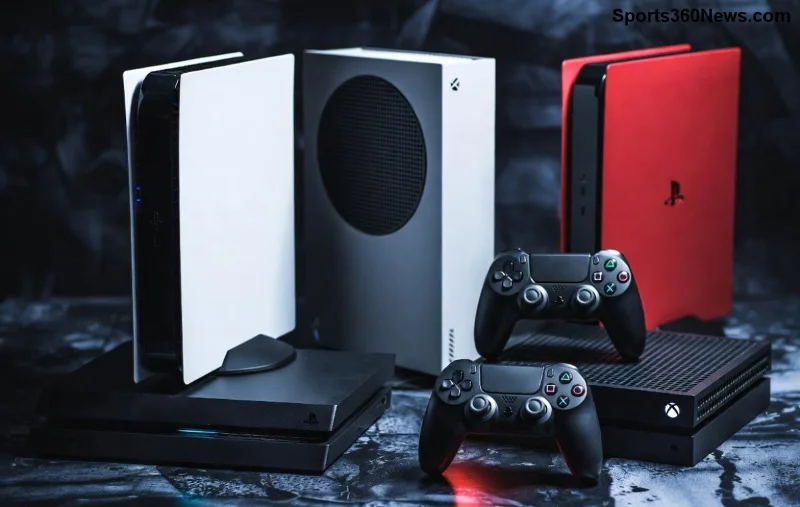
PSN account locked security screen on PlayStation

Common Reasons Your PSN Account Was Locked for Security Reasons

Sony implements these locks to protect your account from threats. It's their automated security system kicking in. Here's a breakdown of the top triggers, based on the latest PlayStation support updates:

  • ๐Ÿ‘† Suspicious Login Attempts: Multiple failed logins from unfamiliar devices, locations, or IP addresses. Hackers love guessing passwords!
  • โญ Shared or Compromised Passwords: If your password was leaked in a data breach or shared with others, PSN flags it.
  • ๐Ÿ”’ Unusual Activity: Sudden logins from new regions, like playing abroad without VPN setup, or rapid sign-ins across devices.
  • โš ๏ธ Payment or Purchase Anomalies: Fraudulent charges or too many transactions in a short time.
  • ๐Ÿ“ฑ Two-Factor Authentication (2FA) Issues: Failed verification codes or disabled 2FA on a compromised device.

Pro tip: PSN locks are temporary (usually 24-48 hours for minor flags) but can extend if ignored. Check your email from Sony for specificsโ€”they often detail the trigger.

How to Confirm and Check Why Your PSN Account Is Locked

First, verify the lock status:

  1. Visit the PlayStation Account Management page.
  2. Enter your sign-in ID (email) and password.
  3. If locked, you'll see the security message with a timer or appeal option.

For deeper insights, log into the PSN website on a trusted device. Sony's system emails you at your registered addressโ€”search for "PSN security" in your inbox. No email? Check spam! This step alone resolves confusion for many gamers.

Step-by-Step Guide: How to Unlock Your PSN Account Locked for Security Reasons

Ready to reclaim your trophies and downloads? Follow these exact steps from Sony's official support. Time to game on! ๐Ÿš€

Step Action Expected Outcome
1๏ธโƒฃ Wait out the timer (if short lock). Reset password via PSN password reset. Fresh login credentials.
2๏ธโƒฃ Enable 2FA: Go to Account Settings > Security > 2-Step Verification. Extra layer of protection.
3๏ธโƒฃ Appeal the lock: Use the "Contact Us" form on support.playstation.com, providing sign-in ID and details. Review by Sony team (1-3 days).
4๏ธโƒฃ Clear browser/console cache and try incognito mode. Eliminates local glitches.
5๏ธโƒฃ Run account recovery if needed: Submit ID verification docs via Sony support. Full access restoration.
Steps to unlock PSN account security lock

Success rate? Over 90% of users unlock within hours using these. If it's a permanent suspension (rare for security locks), it might involve violations like account sharingโ€”appeal promptly!

Prevention Tips: Never Get Your PSN Account Locked Again

Stay ahead of security woes with these gamer-approved habits:

  • ๐Ÿ” Use a unique, strong password (20+ characters, mix of letters/numbers/symbols).
  • ๐Ÿ“ง Keep your email secure and updated.
  • ๐ŸŒ Avoid public Wi-Fi for logins; use VPN if traveling.
  • โœ… Always enable and verify 2FAโ€”it's your best friend!
  • ๐Ÿ›ก๏ธ Monitor activity: Regularly check "Sign-in and Security" in settings.

Bonus: Sony's latest updates emphasize biometric logins on PS5 for even tighter security. Implement these, and you'll game worry-free. ๐Ÿ‘

Secure PSN account gaming setup

FAQ: Your Burning Questions on PSN Account Locked for Security Reasons

Quick answers to keep you scrolling:

How long does a PSN security lock last?
Typically 24 hours to 7 days; appeals speed it up.
Will I lose my games or progress?
No! Trophies, purchases, and saves are safe.
What if it's hacked?
Change password immediately, revoke all devices, and contact support.
PS5 vs. PS4 locks?
Identical processโ€”works across consoles and apps.

Final Thoughts: Game On Without the Lock Drama

Your PSN account locked for security reasons is Sony looking out for you. By understanding the causes and following these steps, you're back raiding dungeons or battling online in no time. Got a success story or still stuck? Drop a comment belowโ€”we're all gamers here! ๐ŸŽ‰ Stay secure, play hard.

For official help, head to PlayStation Support. Happy gaming!


Leave a Comment

๐Ÿš€ Unlock Your PlayStation FAST: Fix Account Temporarily Locked in Minutes!

๐Ÿš€ Unlock Your PlayStation FAST: Fix Account Temporarily Locked in Minutes!

Stuck with "Account Temporarily Locked" on PlayStation? Discover proven steps to fix your PSN account lock quickly, avoid future issues, and dive back into gaming without frustration. Expert guide for PS5 & PS4 users.

๐Ÿš€ Locked Out of PSN? Ultimate Guide: How to Verify Your Identity & Unlock Your Account Fast!

๐Ÿš€ Locked Out of PSN? Ultimate Guide: How to Verify Your Identity & Unlock Your Account Fast!

Struggling with a locked PSN account? Follow this step-by-step guide to verify your identity, unlock your PlayStation Network account quickly, and dive back into your games. Proven methods for gamers worldwide.

๐Ÿš€ Unlock Your PSN Account in Minutes: Ultimate Step-by-Step Guide for Gamers

๐Ÿš€ Unlock Your PSN Account in Minutes: Ultimate Step-by-Step Guide for Gamers

Stuck outside your PlayStation Network account? Learn exactly how to unlock your PSN account fast with proven steps, troubleshooting tips, and prevention strategies. Regain access to your games, trophies, and friends list today!

๐Ÿš€ Unlock Your PlayStation Network Account FAST: Step-by-Step Guide to Instant Access!

๐Ÿš€ Unlock Your PlayStation Network Account FAST: Step-by-Step Guide to Instant Access!

Locked out of your PSN? Discover exactly how to unlock your PlayStation Network account with proven, up-to-date steps. Recover access quickly, appeal suspensions, and get back to gaming without hassle.

๐Ÿš€ Locked Out of Your Games? Ultimate Guide: How to Contact PlayStation Support to Unlock Your Profile Fast!

๐Ÿš€ Locked Out of Your Games? Ultimate Guide: How to Contact PlayStation Support to Unlock Your Profile Fast!

Frustrated with a locked PlayStation profile? Discover proven steps to contact PlayStation support, unlock your account quickly, and dive back into gaming. Expert tips for PS5/PS4 users. Latest methods included.

Why Was My PSN Account Locked for Security Reasons? Unlock It Fast & Return to Gaming!

Why Was My PSN Account Locked for Security Reasons? Unlock It Fast & Return to Gaming!

Wondering why your PSN account was locked for security reasons? This guide explains common causes, step-by-step fixes, and prevention tips to get you back to playing on PlayStation Network without hassle.

โšก Instant Check: How to Monitor Your PS5 Controller Battery Level Like a Pro Gamer!

โšก Instant Check: How to Monitor Your PS5 Controller Battery Level Like a Pro Gamer!

Discover easy, step-by-step methods to check PS5 controller battery level on console, PC, mobile, and more. Master DualSense battery management for uninterrupted gaming sessions. Quick tips included!

Ultimate Guide: How to Block Other Players & Communication for Kids โ€“ Safe Gaming Now!

Ultimate Guide: How to Block Other Players & Communication for Kids โ€“ Safe Gaming Now!

Discover step-by-step instructions on how to block other players and communication for kids in top online games like Roblox, Fortnite, and more. Protect your child's gaming experience with easy parental controls and safety tips.

Why Is the Xbox Web Browser So Slow? 7 Shocking Reasons & Instant Fixes to Turbocharge It!

Why Is the Xbox Web Browser So Slow? 7 Shocking Reasons & Instant Fixes to Turbocharge It!

Frustrated by a sluggish Xbox web browser? Uncover the top reasons why the Xbox web browser is so slow and get step-by-step fixes to speed it up on Xbox Series X|S. Boost your gaming sessions now!

Tame the Beast: Ultimate Guide to Fixing Loud Fan Noise Caused by Poor Ventilation in Gaming PCs

Tame the Beast: Ultimate Guide to Fixing Loud Fan Noise Caused by Poor Ventilation in Gaming PCs

Struggling with loud fan noise caused by poor ventilation? Discover proven, step-by-step fixes to silence your gaming PC, improve airflow, and boost performance for immersive gaming sessions. Essential tips for gamers.

Unlock Endless Family Fun: Why the PlayStation Ecosystem is Perfect for Families

Unlock Endless Family Fun: Why the PlayStation Ecosystem is Perfect for Families

Discover why the PlayStation ecosystem excels for families with robust parental controls, family sharing, kid-friendly games, and more. Dive into the ultimate family gaming hub on PS5.

Fix Slow Xbox App Syncing: 10 Proven Fixes for Lightning-Fast Speeds! ๐ŸŽฎ

Fix Slow Xbox App Syncing: 10 Proven Fixes for Lightning-Fast Speeds! ๐ŸŽฎ

Tired of endless waiting? Master fixing slow syncing in the Xbox App with our step-by-step guide. Proven tips to boost sync speeds instantly and get back to gaming without frustration.

Why Is My Xbox Controller Flashing? 10 Quick Fixes to Get You Gaming Again!

Why Is My Xbox Controller Flashing? 10 Quick Fixes to Get You Gaming Again!

Is your Xbox controller flashing or blinking? Learn the top reasons why your Xbox controller is flashing and get proven, step-by-step fixes to stop it fast. Perfect for Xbox Series X, Series S, Xbox One, and PC gamers. Back to gaming in minutes!

Unlock Next-Level Gaming: How to Upgrade PlayStation Plus to Extra or Premium (Step-by-Step 2026 Guide)

Unlock Next-Level Gaming: How to Upgrade PlayStation Plus to Extra or Premium (Step-by-Step 2026 Guide)

Discover exactly how to upgrade your PlayStation Plus to Extra or Premium tiers. Get instant access to thousands of games, classics, and trials. Step-by-step guide with tips for PS5 users. Boost your gaming now!

Turbocharge Xbox Downloads: How to Fix Slow Download Speeds in the Xbox App Fast!

Turbocharge Xbox Downloads: How to Fix Slow Download Speeds in the Xbox App Fast!

Tired of snail-paced downloads in the Xbox App? Unlock lightning-fast speeds with our proven guide to fix slow download speeds in the Xbox App. Step-by-step tips for PC gamers to boost performance now!