Ever fired up the Xbox web browser to check a quick guide or stream a trailer, only to watch the page crawl like it's stuck in quicksand? 😩 You're not alone—millions of gamers face this frustration daily. The built-in Xbox browser, powered by Microsoft Edge, promises seamless web access on your console, but lag and slow loads kill the vibe. Stick around as we dive deep into why the Xbox web browser is so slow and arm you with game-changing fixes. Let's turn that snail into a speed demon! 🚀
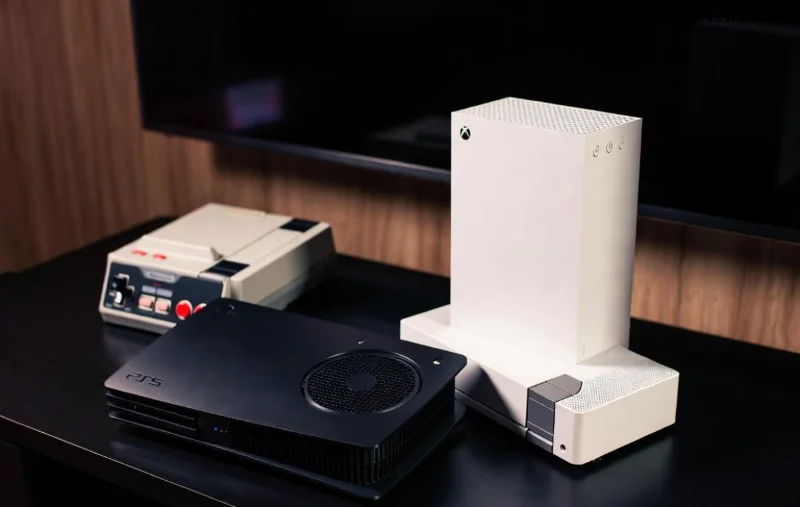
1. Hardware Limitations: Console Power vs. PC Beast Mode 💻
The biggest culprit? Xbox hardware isn't built for heavy browsing. Unlike your gaming PC with a beastly CPU and RAM, Xbox Series X|S prioritizes games over web rendering. Edge on Xbox uses a stripped-down version optimized for controllers, not tabs and JavaScript-heavy sites.
- ⭐ RAM crunch: Consoles allocate memory to games first, leaving scraps for the browser.
- ❌ No multi-threading magic like desktops.
Result? Pages like YouTube or Reddit load at a crawl. But don't rage quit yet—there's a fix incoming!
2. Network Bottlenecks: Your Connection Isn't Console-Ready 🌐
Even with fiber internet, Xbox browser lag hits hard due to Wi-Fi woes. Consoles often sit far from routers, and NAT restrictions throttle speeds.
| Issue | Impact on Xbox Web Browser | Quick Check |
|---|---|---|
| Wi-Fi Signal Weak | Downloads at 1-5 Mbps | Use Speed Test app |
| High NAT Type | Strict = Extra Lag | Network Settings > Test |
| DNS Lag | Slow Site Resolution | Switch to 1.1.1.1 |
Pro tip: Wired Ethernet turns this around. Ready for more reasons?
3. Cache and Cookies Overload: Digital Junk Drawer 🗑️
Your Xbox web browser hoards cache like a gamer's achievement backlog. Outdated files from sites clog the works, causing endless spins.
- 1️⃣ Open Edge on Xbox.
- 2️⃣ Hit menu > Settings > Privacy > Clear browsing data.
- 3️⃣ Select All Time—poof, speed boost!
Gamers report 2-3x faster loads post-clear. Feeling the momentum? Let's keep going.
4. Outdated Software: Missing the Latest Edge Updates 🔄
Microsoft rolls out Edge tweaks regularly, but Xbox auto-updates can lag. An old version misses performance patches for console-specific rendering.
Fix it: Settings > System > Updates. Check for system and app updates. Recent patches have slashed Xbox browser load times by optimizing JavaScript engines.
5. Resource-Hogging Background Apps: Game Multitasking Fail 🛑
Running a game in quick resume? It devours RAM, starving the browser. Snap apps like Twitch also compete.
Solution: Close all—hold Xbox button > Quit apps. Your Xbox web browser will thank you with snappier scrolls.
6. Controller Navigation: Precision Pain 😤
D-pad and sticks? Fine for games, torture for web. Tiny links mean endless overshoots, feeling "slow."
Upgrade: Plug in a USB keyboard/mouse. Instant desktop-like speed—gamers swear by it for browsing marathons.
7. Site-Specific Gremlins: Modern Web vs. Console Limits 🌪️
Heavy sites (think infinite scrolls or ads) overwhelm Xbox Edge. No ad-blocker means bloat city.
Hack: Use Microsoft Edge tips or mobile sites (add "m." prefix). For power users, remote desktop apps bridge the gap.
Ultimate Fixes: Speed Up Your Xbox Web Browser in Minutes! ⚡
Time to act! Follow this prioritized checklist:
- 1️⃣ Restart Console: Power cycle clears temp files (hold power 10s).
- 2️⃣ Clear Cache: As above—do weekly.
- 3️⃣ Wired Connection: Ethernet > Wi-Fi every time.
- 4️⃣ Update Everything: Console, Edge, router firmware.
- 5️⃣ USB Input Devices: Game-changer for navigation.
- 6️⃣ Power Mode: Instant-on drains resources; switch to energy-saving.
- 7️⃣ Test Speeds: Use Xbox Network settings—aim for 100+ Mbps.
Bonus: For Xbox Series X owners, enable Quick Resume sparingly during browsing. Results? Pages load in seconds, not minutes!
Is It Getting Better? The Future of Xbox Browser Speed 🏆
Microsoft's listening—recent Edge updates for Xbox focus on console efficiency, with hints of AI-accelerated rendering. Pair with Xbox Cloud Gaming, and web lag becomes history. But for now, these fixes keep you ahead.
Applied these? Share your before/after speeds in comments! 👇 If Xbox web browser slow woes persist, it might be ISP drama—test on PC. You've got the tools; now dominate the web like you do in-game. Game on! 🎮✨
Optimized for Xbox Series X|S, One, and upcoming models. Sources: Official Xbox Support.









