Why Is My Ping So High in Valorant? (Causes & Fixes)
If your ping is high in Valorant, data is taking too long to travel between your PC and the selected game server. The usual causes are a distant or poorly routed server, Wi-Fi instability, network congestion, or a VPN or proxy adding an unpredictable route. Start by checking the server selected for your match, then compare a wired connection with Wi-Fi and pause other network activity. If the ping number stays low while play still feels delayed, check for packet loss, jitter, processing delay, or low FPS before changing random settings.
First, identify what kind of lag you have
Ping (network round-trip time, or RTT) measures how long data takes to go to a server and return. A consistently high RTT points toward distance or routing. Large jumps suggest jitter; missing packets can cause movement corrections, freezes, or rubber-banding. A stable ping reading with choppy frames may be a performance problem instead of a network problem.
VALORANT also has performance graphs for network RTT, RTT jitter, and processing delays. Check the in-game network and performance stats during a match. Riot explains that buffering or client/server processing can make the game feel slower than the displayed RTT, while a frame-rate drop can create a similar sensation. Its gameplay consistency update describes what these graphs measure.
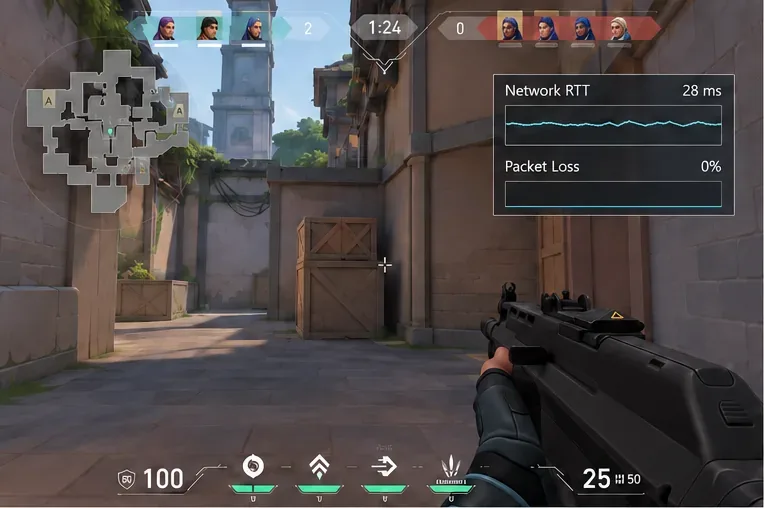
Common causes of high ping in Valorant
1. You selected a higher-ping match server
When you are solo or leading a party, open the server selector before queueing and compare the ping values shown for the available servers. Choose the one with the lowest stable reading, not simply the nearest-sounding city. The available servers depend on your account shard. Riot says players can select among servers in their region, but cannot change their shard from the in-game selector; the shard is tied to the account’s region of residence. If that account region is wrong after a move, use Riot’s account support rather than a VPN or a client setting.
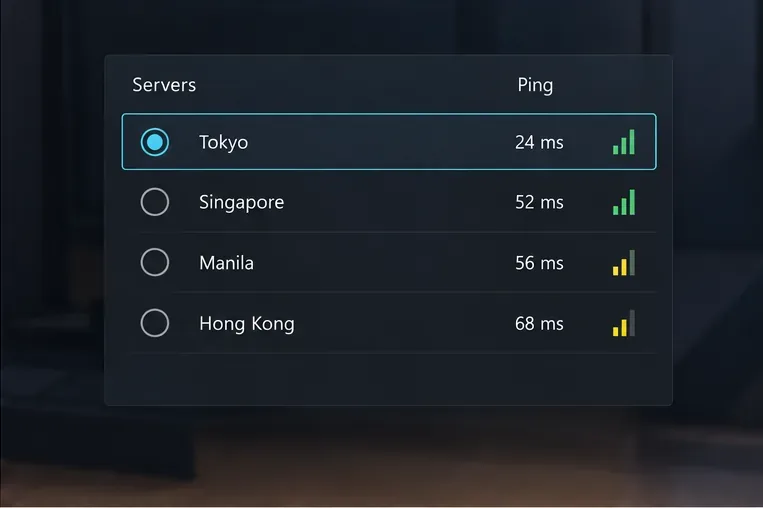
See Riot’s Server Select guide and its overview of shards and region of residence for the distinction.
2. Wi-Fi interference or a weak signal
Wireless latency can change with distance from the router, walls, interference, and other devices sharing the network. If you can, connect the PC directly to your router or modem with Ethernet and play a short test match. If the spikes stop on a cable, the wireless link is a likely part of the problem. If Ethernet is not practical, move closer to the router, reduce obstacles, and try the router’s less-congested band if your device and router support one. Securely reconnect the Ethernet cables and restart the modem and router if the connection is unstable.
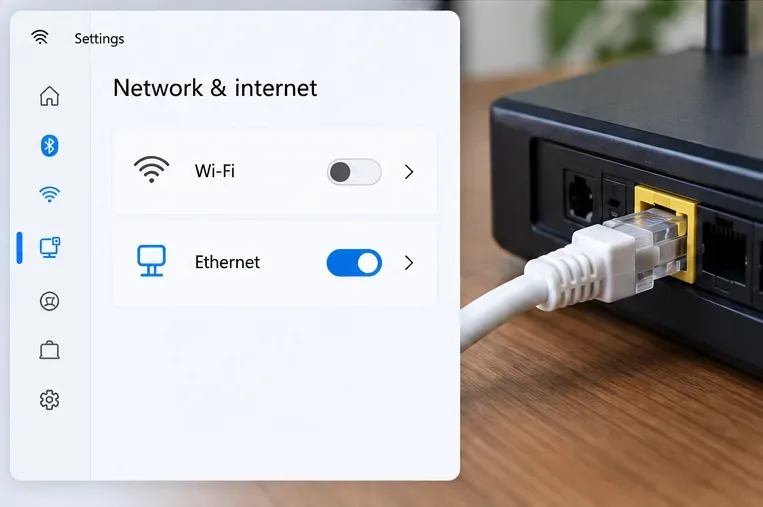
Riot’s VALORANT network troubleshooting guide recommends trying a wired connection when Wi-Fi is unreliable. A cable cannot shorten the physical route to Riot’s server, but it can remove wireless interference as a variable.
3. Downloads, streams, or other devices are saturating the connection
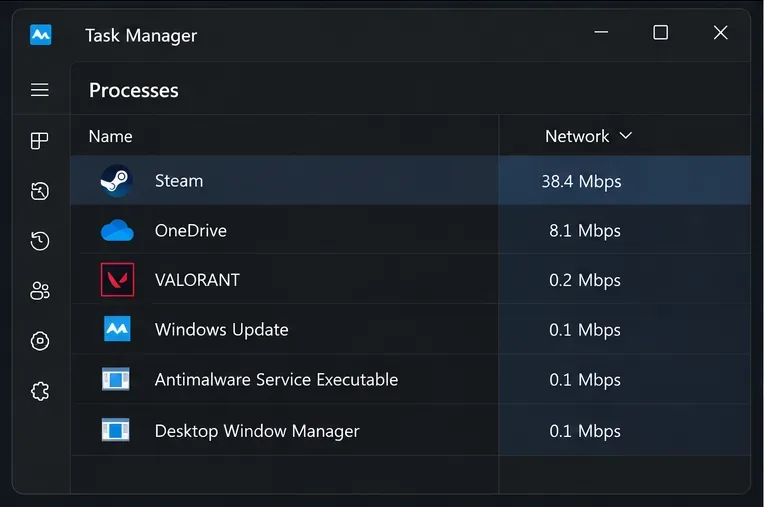
A fast internet plan can still feel laggy when uploads or downloads fill the connection. Pause game updates, cloud backups, file transfers, streams, and large downloads on your PC and other household devices, then test again. On Windows, open Task Manager with Ctrl + Shift + Esc and sort the Processes list by Network to spot active apps. If the ping improves when a launcher or sync app is paused, schedule that traffic outside match time.
4. A VPN or proxy is changing the route
A VPN sends game traffic through another server before it reaches Riot. That can add distance or create a less reliable route, although routing varies by provider and location. Turn off VPNs and proxies while diagnosing the issue, then compare the same available match server. Riot also recommends testing without them. Keep one disabled during the comparison so you can tell whether it changes the result.
5. The issue is with the ISP route or Riot service
If every available match server is unusually high, check Riot’s service status for a regional incident. If the problem appears across multiple games or devices, or regularly starts during busy evening hours, contact your ISP and ask it to check line quality and routing. If it happens only in VALORANT and no service issue is posted, gather the game’s network stats and submit a Riot support ticket. Riot’s Tracert guide explains how to create a route log for support; an individual slow-looking hop does not by itself prove that hop is causing your lag.
Will changing DNS lower Valorant ping?
Usually, changing DNS is not a direct fix for high in-match ping. DNS looks up server names when a connection is made; it does not normally choose a faster route for packets after the match is connected. A public DNS service can help rule out a DNS or Riot Client connection problem, but do not expect it to cut your RTT by a set number of milliseconds. If you test it, follow Riot’s DNS instructions and restore your previous setting if connectivity gets worse.
A quick troubleshooting order
- Check Riot service status and note whether the ping is high on every available server or just one.
- Select a lower-ping server available in your shard, if you are solo or party leader.
- Pause downloads and cloud syncing, including traffic from other devices.
- Compare Wi-Fi with a direct Ethernet connection; restart the modem and router if needed.
- Turn off VPNs or proxies for a controlled test, then compare the same server again.
- If the issue remains, save the network stats and send Riot Support or your ISP the relevant logs.
Frequently asked questions
What is a good ping for Valorant?
There is no single cutoff that feels the same for every player or route. Lower and steadier RTT is generally better. Compare your usual reading on the same server and watch for spikes, jitter, and packet loss instead of treating one universal number as a guarantee.
Why is my ping high only in Valorant?
The route or selected server may differ from other games, or the game may be showing network buffering or processing delay that another title reports differently. Check the in-client server selector and network graphs, then compare the same PC and connection in another game.
Do graphics settings reduce ping?
No. Graphics settings primarily affect frame rate and visual performance, not the network RTT to the server. Lowering settings may help if low FPS is making the game feel unresponsive, but it will not repair a congested or unstable internet route.









