Where to Find the Pit in Diablo 4 (2026): Cerrigar, Temis, and Unlocks
The Pit in Diablo 4 is accessed through the Artificer’s Obelisk in Cerrigar, Scosglen. If you own Lord of Hatred and have reached its endgame hub, you can also start a Pit run from the Obelisk in Temis, Skovos. You do not enter it through a dungeon marker out in the open world: travel to one of these towns, interact with the Obelisk, and select The Pit. The unlock steps have changed since older guides were written, so the 2026 route depends on whether your character is on the Eternal or Seasonal Realm.

Where is the Pit in Diablo 4?
Look for the Artificer’s Obelisk, a freestanding activity structure in the town hub. The Obelisk opens a menu where you choose between available Artificer activities and Pit tiers. The Pit itself is a separate, instanced endgame dungeon; the town is where you queue for a run.
Cerrigar: the Scosglen entrance
Open your map and travel to the Cerrigar waypoint in Scosglen. If you have not activated that waypoint yet, follow the map to the town and unlock it for easier return trips. Once inside Cerrigar, look through the central activity area for the Obelisk and its map or minimap marker. Interact with it and choose The Pit. You do not need to search the surrounding wilderness for a physical cave entrance.
Temis: an additional endgame hub
Players with Lord of Hatred can use Temis, the capital of Skovos, as another starting point after reaching the expansion’s endgame hub. Blizzard lists the Artificer’s Obelisk in Temis as a place to access both The Pit and the Tower. If Temis is not available to your character, use Cerrigar instead. See Blizzard’s Lord of Hatred overview for the expansion’s endgame details.

What you need to unlock The Pit
First check the realm your character is playing on. Current Pit access is not the same as the old World Tier IV unlock path. The Obelisk’s own prompt is the best final check because it shows the requirement for your character and realm.
| Realm | Current access gate | Where to check progress |
|---|---|---|
| Eternal | Complete the original campaign and reach level 70. | Read the locked activity prompt at the Obelisk; confirm campaign completion and character level. |
| Seasonal | Complete the required Season Rank II progression gate. | Open the Seasonal Journal and follow the advancement requirement shown for Rank II. |
The game’s post-expansion progression raised the character level cap to 70 and revised endgame systems; Blizzard’s Patch 3.0 notes document those changes. On a Seasonal character, focus on the required Rank II advancement objective shown in the Seasonal Journal rather than assuming every optional checklist objective is mandatory. If the Obelisk remains locked, read its exact message and satisfy that gate before farming entry materials.
How to find and start a Pit run
-
Step 1: Check the character’s unlock prompt
Before traveling, note whether you are on Eternal or Seasonal. If the Pit is locked, use the realm-specific table above and follow the instruction displayed at the Artificer’s Obelisk. The old advice to reach World Tier IV and clear a Tier 46 Nightmare Dungeon describes an earlier version of Diablo 4, not the current unlock route.
-
Step 2: Travel to Cerrigar or Temis
Use the map to fast-travel to Cerrigar. If you have access to the Lord of Hatred endgame hub, Temis is also an option. Choose the town that is available to your character; you do not need to complete a special route between the two cities to enter the Pit.
-
Step 3: Interact with the Artificer’s Obelisk
Approach the tall stone structure in the town activity area and interact with it. Select The Pit in the activity menu, then choose a tier your character has unlocked. The Obelisk can also display other Artificer activities, so make sure you have selected The Pit before confirming.
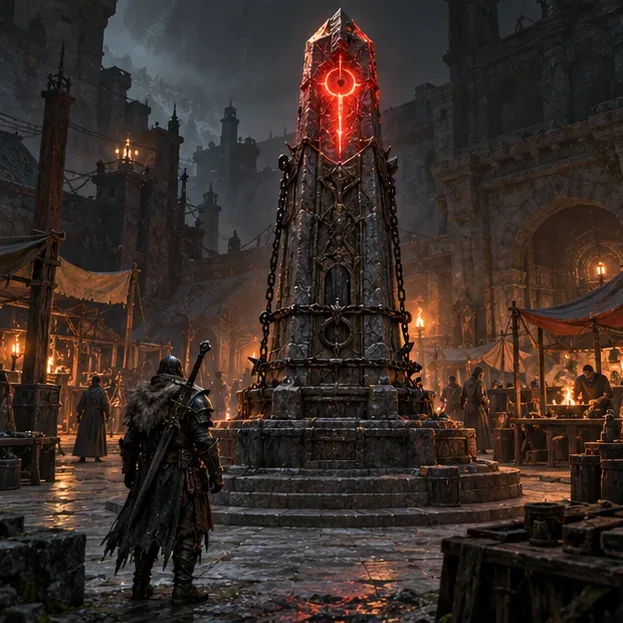
Interact with the Artificer’s Obelisk to open the activity menu and select The Pit. -
Step 4: Confirm the entry cost and enter the portal
Check the selected tier and the entry requirement shown in the menu, then confirm the run. The current Pit currency is Artificer’s Stones; older guides may call the entry currency Runeshards. Blizzard’s Patch 2.4 notes refer to Artificer’s Stones as a reward from Nightmare Dungeons even before Torment, but the in-game currency tooltip is the best guide to current sources. Once the portal appears, enter it to begin the run.
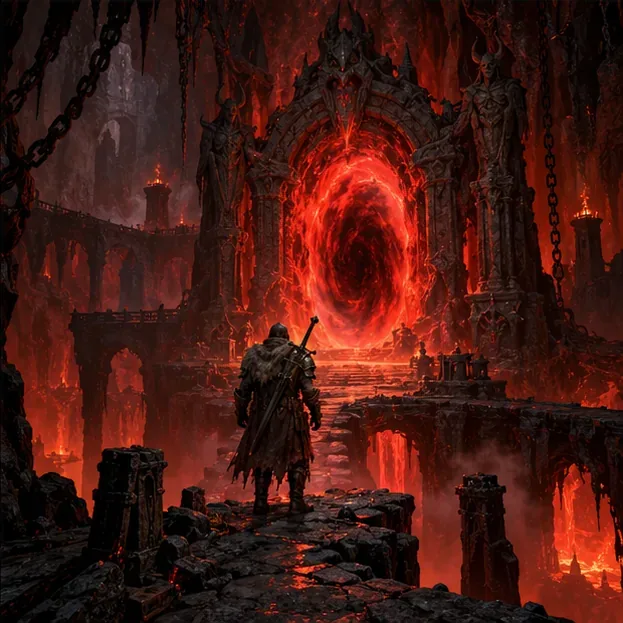
After you confirm a tier at the Obelisk, enter the portal to begin the Pit run.
What happens inside The Pit?
The Pit is a timed, escalating dungeon. Defeat monsters to advance the objective, fill the progress bar, and draw out the final guardian. Finish the run within the timer to progress through higher Pit tiers and continue the endgame challenge. Start at a tier you can clear reliably; a fast, controlled run is more useful than repeatedly timing out on a tier that is far beyond your current build.
The activity menu determines the tier available to you, while the Pit’s combat takes place in a separate instance. If you are playing with a group, agree on the tier before the party leader opens the run so everyone knows which challenge is starting.
Troubleshooting: why can’t I see or enter the Pit?
- The Obelisk is missing or unusable: Confirm that you are in Cerrigar or, if eligible, Temis. Then check the current unlock message. Do not rely on an old guide’s World Tier IV or Nightmare Tier 46 instructions.
- Your Seasonal character is still locked out: Open the Seasonal Journal and complete the required Rank II progression gate. The rank screen explains the next advancement step.
- Your Eternal character is still locked out: Verify the original campaign is complete for the relevant progression state and that the character has reached level 70.
- You can open the menu but cannot start a run: Check the selected tier and the required Artificer’s Stones shown in the menu. If you need more, consult the currency tooltip for current reward sources; these can change with patches.
- You cannot find Temis: Temis is an expansion endgame hub. Use Cerrigar if Temis is not unlocked or available to you.
In short, go to the Artificer’s Obelisk in Cerrigar, or to Temis if you have reached the Lord of Hatred endgame hub. Check your realm’s current unlock gate, select The Pit, confirm the tier and entry requirement, and enter the portal. That is the reliable way to find the Pit in Diablo 4 in 2026.









