Home
» 🎮 Esports
»
Where to Find Shimmer in Terraria: Aether Location Guide
Where to Find Shimmer in Terraria: Aether Location Guide
Where to Find Shimmer in Terraria: Aether Location Guide
Where to find Shimmer in Terraria: search for the Aether on the Jungle side of your world, toward the ocean, in the Underground or Cavern layer. Start inland of that coast and expand your search sideways. You can reach the natural pool before Hardmode; defeating a boss is not required to use its basic transformations.
Two details can save you a wasted trip: older worlds do not gain an Aether just because you update the game, and an Empty Bucket cannot collect Shimmer. This guide covers standard, unmodded worlds; unusual world seeds and mods may change the usual search assumptions.
Shimmer location: narrow down the search first
The Official Terraria Wiki's Aether reference places this mini-biome in the outer fifth of the world on the same side as the Jungle. In ordinary worlds, that is opposite the Dungeon. Use the Jungle itself as your primary direction marker.
Question
What to look for
Which side?
The Jungle side, toward its ocean.
How deep?
Underground or Cavern; there is no single universal depth.
Which worlds?
Worlds generated in version 1.4.4 or later normally contain one natural Aether.
What identifies it?
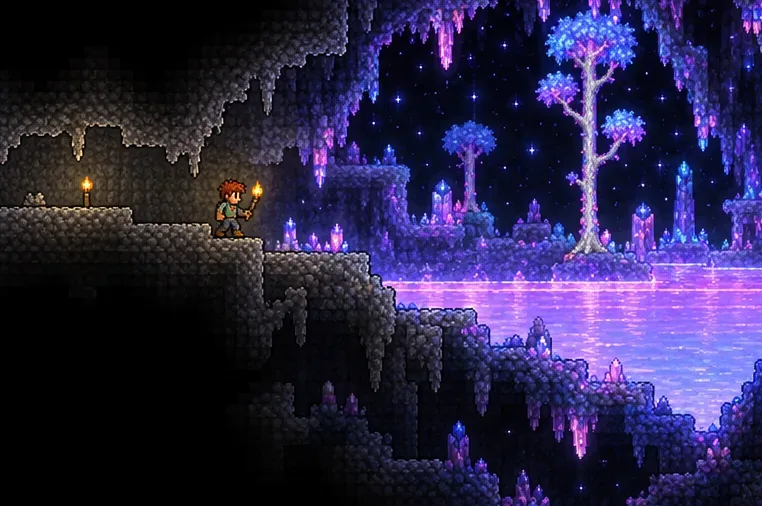
A lavender pool and a distinctive dark, star-filled background.
Do not interpret “Jungle side” as “directly beneath the Jungle's center.” Treat it as a direction, then focus your exploration near that end of the map. Likewise, searching only deep Cavern tunnels can miss a shallower pool.
How to find Shimmer in four steps
1. Head toward the Jungle-side coast
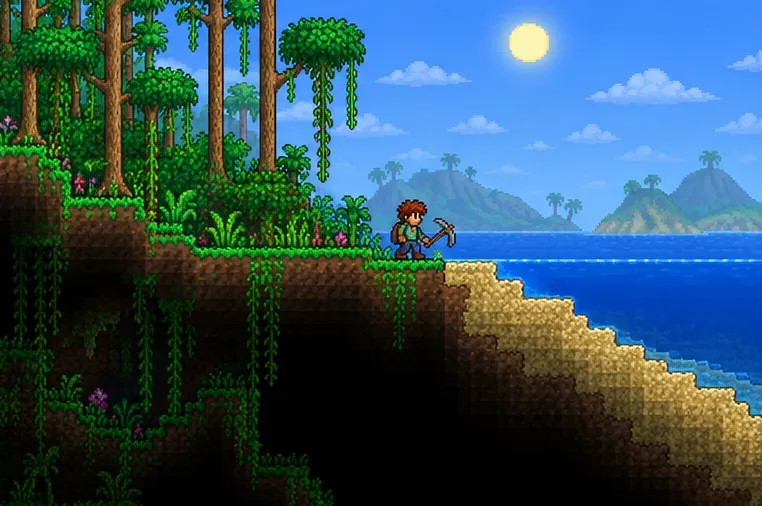
Explore the surface until you know which direction the Jungle lies. Continue toward the ocean on that side, then choose a digging spot on land near the coast. This gives you a practical starting point without assuming the pool must sit directly under the beach.
Bring a pickaxe, torches, rope or platforms, a weapon, healing supplies, and a Recall Potion or Magic Mirror. Leave some inventory space for materials and recovered items. Before committing to a long excavation, confirm that this is not a world you originally created before the Shimmer update.
Coastal search illustration: choose land near the ocean on the Jungle side.
2. Descend with a controlled route
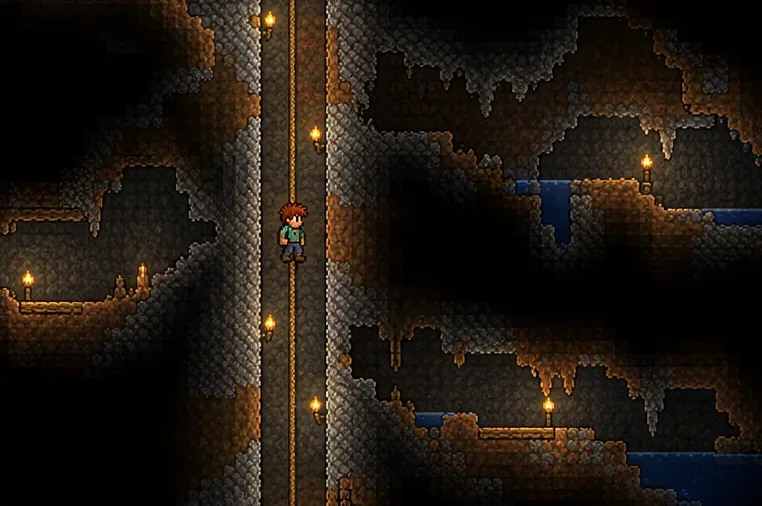
Dig a shaft with rope or staggered platforms, checking natural cave openings as you go. Avoid dropping into darkness: a safe descent also gives you a reusable route if you need to return for supplies.
Search the Underground as well as the Cavern layer. A Depth Meter is useful if you own one, but you do not need a specific accessory to discover the pool. If your first shaft misses it, that tells you only that the pool is not along that narrow line.
Descent illustration: rope and torches make the shaft easier to revisit.
3. Branch sideways and track unexplored gaps
From your shaft, follow nearby caves and cut horizontal connections into unexplored areas. Work through one section at a time instead of repeatedly digging new shafts beside each other. If the coastward area looks exhausted, expand inland within the outer portion of the Jungle-side world.
Use the full-screen map to compare tunnels and identify gaps. The in-game map records explored terrain; opening it does not automatically reveal an undiscovered Shimmer pool. A blank area is still a search target, not proof that nothing is there.
Aether illustration: a lavender pool and star-filled background are the key visual clues.
4. Secure a ledge beside the pool
When you find the Aether, approach from the bank and make a safe standing area. Keep the pool accessible for dropping items, and mark your entrance with a recognizable torch trail or built passage.
Avoid jumping into the liquid to investigate it. The Shimmering debuff makes a submerged character phase downward through blocks until reaching an opening. You also lose normal item use while Shimmering, so a Recall Potion is not a dependable instant escape during the effect.
Pool-side illustration: keep a safe standing area while preparing items for transmutation.
What to try when you reach Shimmer
Shimmer transmutation affects specific dropped items. Many crafted items can also be broken back into ingredients, but this is not a universal recycling system: exceptions and progression requirements apply. Check the official Shimmer transformation reference before dropping valuable equipment.
Life Crystal: transforms into a Vital Crystal, a permanent health-regeneration booster.
Mana Crystal: transforms into an Arcane Crystal, a permanent mana-regeneration booster.
Town NPCs: many receive alternate appearances after contact with Shimmer.
For a first experiment, drop one spare item from a safe bank and collect the result before trying a larger stack. A Vital Crystal improves regeneration rather than adding another ordinary maximum-health upgrade. The Arcane Crystal similarly targets mana regeneration.
Can you move Shimmer to your base?
Yes, but ordinary buckets do not work. Pumps can transfer the liquid through a wired setup. Keep other liquids away from your storage pool because contact with Shimmer creates Aetherium Blocks.
For a convenient renewable supply, obtain a Bottomless Shimmer Bucket. The official bucket recipes list two routes:
Craft a Bottomless Water Bucket with 10 Luminite Bars at an Ancient Manipulator.
After Moon Lord has been defeated in the world, drop a Bottomless Water Bucket into Shimmer.
The crafting route is useful when an older world has no natural pool: it does not require finding existing Shimmer to make the bucket. Until you have the necessary resources, a well-marked route to your discovered pool is often simpler than relocating it.
Why you still cannot find Shimmer
Your world predates version 1.4.4
Updating Terraria does not regenerate existing terrain. Keep your original world and visit a newly generated compatible world with your character to look for a natural Aether, or bring in a Bottomless Shimmer Bucket when available. You do not need to delete your established base.
You searched too narrow an area
Review your map for large unexplored spaces above, below, and beside the tunnels you already dug. Change direction before extending the same shaft indefinitely. Searching a broader section is more useful than assuming a particular depth or beach coordinate must work in every world.
You found an Aether-shaped cave without liquid
This can be a version issue rather than a navigation mistake. The Desktop 1.4.5.7 patch notes specifically record a fix for the Aether sometimes generating without Shimmer. Update your game before creating another search world; do not assume installing a patch will refill terrain already generated incorrectly.