What PUBG Mobile Gameplay Is Like (2026 Guide)
PUBG Mobile gameplay is a tactical battle royale built around a simple loop: land on an island, find equipment, adapt as the safe area shrinks, and try to outlast the other players. A Classic match can hold up to 100 players, but the game also offers faster arena matches and rotating modes. Expect bursts of intense shooting separated by quieter stretches of looting, travel, and listening for other players.
The touchscreen version keeps the survival-shooter fundamentals while adding customizable controls, training, and voice chat. If you want a quick picture of the experience, think less nonstop action and more a series of choices: where to land, what to carry, when to move, and whether a fight is worth taking.
How a Classic match unfolds
A Classic round starts with a flight across the map. You choose when to jump, steer toward a landing area, and begin with no weapons or supplies. Busy towns can put you near better loot and nearby opponents; quieter edges give you more room to get equipped, though you may need to travel farther. There is no single “best” landing style—your choice sets the pace of that match.
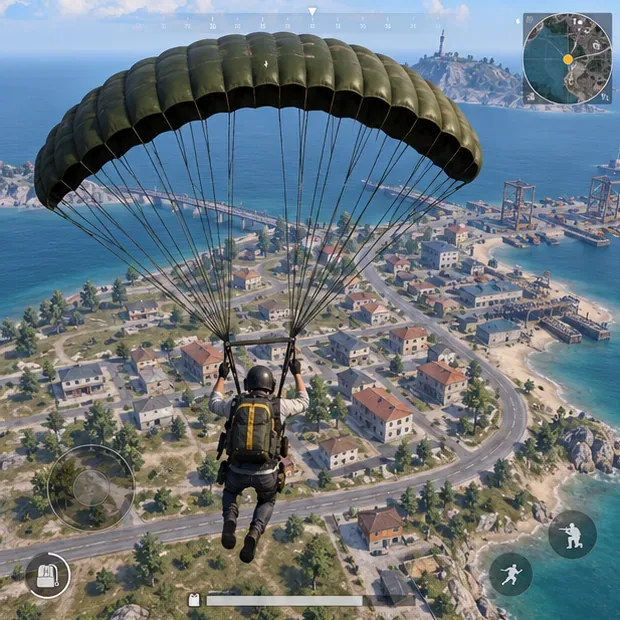
Once on the ground, you search buildings and containers for weapons, ammunition, armor, healing items, and useful attachments. You have to make quick tradeoffs: pick up a workable gun before searching for the perfect one, keep enough supplies to recover after a fight, and avoid filling your inventory with equipment you will not use. Vehicles can help you cross open ground or reach the next area, but their noise can also reveal your position.
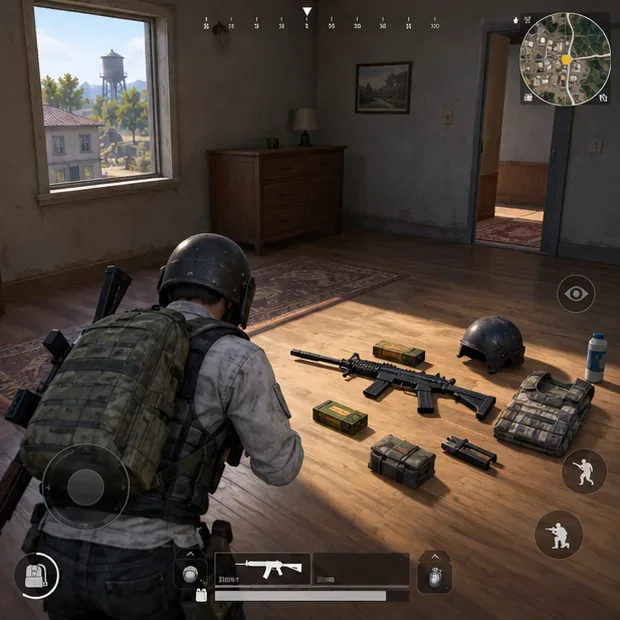
The map keeps changing the decisions. A marked safe area contracts over time, and players caught outside the damaging blue zone must move toward safety. That pressure steadily brings surviving players closer together. Early on, you may have time to heal, reload, and choose a route; later, a short rotation or a poor crossing can expose your whole team.
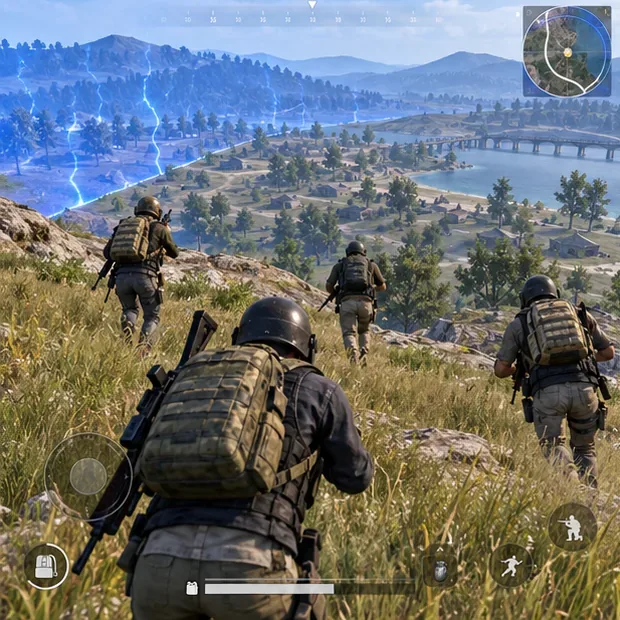
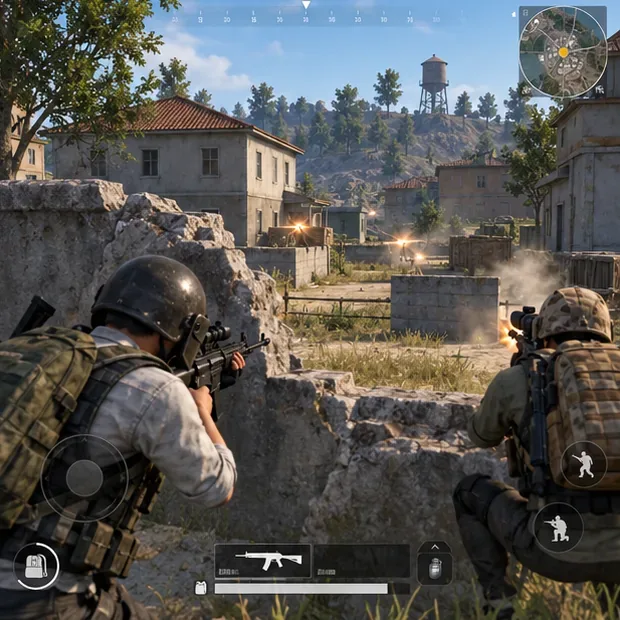
Combat is about more than aiming at whoever appears first. Cover, distance, weapon choice, and timing all matter. Gunfire and footsteps can give away a nearby opponent, so sound awareness and positioning are part of the PUBG Mobile battle royale experience. Winning a firefight can improve your position, but it can also attract a second team. A strong match often means knowing when to disengage and keep moving.
What the mobile controls feel like
The default setup uses on-screen controls: one side handles movement while swipes and buttons on the other side handle looking, aiming, firing, and common actions such as reloading or changing stance. The exact layout and button placement can be adjusted in the settings. New players may find it awkward to move and aim at the same time, especially during close fights; that is the main adjustment when switching from a controller or keyboard.
Start with a two-thumb layout, then resize or reposition controls only after you know what is uncomfortable. The official store listing highlights customizable controls and a training mode, so you can test weapons and practice aiming before risking a full match. Voice chat is available for coordinating with friends. Headphones can also help you notice nearby movement and gunfire, though sound cues work best when you pause long enough to listen.
Maps, modes, and match pace
Map choice changes sightlines, travel, and how quickly you are likely to meet opponents. The official overview lists maps such as Erangel, Miramar, Sanhok, and Livik, alongside others. These are examples rather than a promise that every map will appear in every queue: the available selection can shift with updates, region, and playlist.
| Playlist type | What it feels like |
|---|---|
| Classic battle royale | Longer survival decisions, looting, rotations, and an endgame against the remaining players or teams. |
| Arena and Team Deathmatch | More direct, repeat engagements; useful if you want to practice aiming without a full island match. |
| Payload, Infection, and themed modes | Different rules and objectives that can make a session feel unlike standard Classic play. |
| Metro Royale and World of Wonder | Alternative experiences, including a separate progression-focused playlist and player-created modes. |
Modes rotate and their rules can change, so check the in-game playlist before planning around a particular event. As of October 16, 2026, the Google Play listing highlights the V4.6 Midnight Hunters themed mode, while the official announcement page includes V4.7 beta posts. A beta announcement does not mean the same content is live for every player. Use the official PUBG MOBILE announcements for updates and the current in-game screen for your region’s available queues.
Solo play, squads, and progression
You can queue alone or play with friends. Solo play makes every sound and rotation your own responsibility; team play adds callouts, shared decisions, and the chance to support teammates. In a squad, agree on a landing area, stay close enough to help, and use short callouts that describe a location or direction. Rushing separately tends to make it harder to trade help when a fight starts.
Between matches, account and seasonal systems give you goals beyond winning a single round. Ranked play tracks competitive progress, while the Royale Pass and events provide reward tracks that change over time. The game is free to download, but it includes in-app purchases; Google Play also labels some purchases as random items. Treat paid passes and store items as optional, and check the current listing for the purchase details that apply to your region. The official site and store page describe the latest content, but they do not guarantee that every reward is free or identical across regions.
Beginner tips that make the first matches easier
- Choose a quieter drop while learning. You will have more time to understand looting and movement before a fight.
- Pick up a usable weapon immediately. Then add ammunition, basic protection, and healing supplies.
- Watch the zone timer and route. Leaving early is often safer than sprinting across open ground at the last moment.
- Use cover and listen. Avoid crossing exposed spaces without a reason, and pause when nearby sound could reveal a threat.
- Practice before adjusting everything. Try the training mode, then make small control or sensitivity changes and see whether they help.
- In a squad, move together. Share enemy locations and avoid starting fights that leave teammates too far away to help.
Is PUBG Mobile a good fit?
PUBG Mobile gameplay suits players who enjoy suspense, map awareness, and making tactical choices under pressure. It can feel slower than a pure arena shooter because much of a Classic round is spent preparing and repositioning; then one short encounter can decide the result. If you prefer immediate action, try an Arena or Team Deathmatch playlist first. If you like survival games where a safe landing, smart route, and well-timed fight matter, start with Classic and give the controls a few practice sessions.
For the official game description, platform links, and current updates, visit the PUBG MOBILE website, the Google Play listing, and the official events and map overview.









