What Is League of Legends? Everything You Need to Know (2026)
League of Legends (LoL) is a free-to-play, team-based online strategy game from Riot Games. In its best-known mode, Summoner’s Rift, two teams of five choose champions, build strength during the match, and try to destroy the other team’s Nexus. It belongs to the multiplayer online battle arena (MOBA) genre: players control one character each, cooperate across a shared map, and fight for objectives that open a path to the enemy base.
In short, LoL is part action game and part team strategy. Quick decisions in combat matter, but so do map awareness, timing, and coordinating with four teammates. Riot’s current champion directory lists more than 170 champions, each with a different set of abilities and ways to contribute.
How League of Legends works
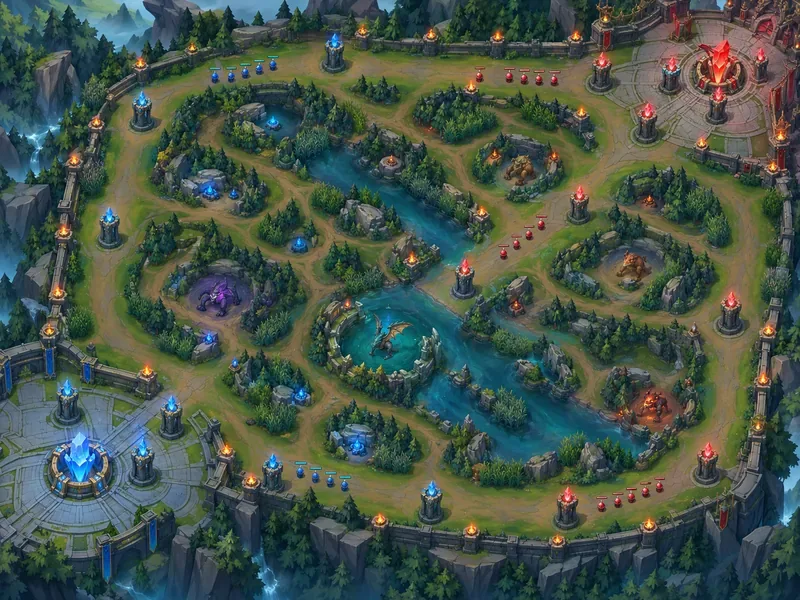
In a standard Summoner’s Rift match, each team protects its own base while advancing through one or more of three lanes: top, mid, and bot. Between those lanes is the jungle, where neutral monsters and ambush routes create additional ways to gain resources or help teammates. A steady stream of computer-controlled minions travels down each lane and meets the opposing wave.
Players earn gold and experience by fighting minions, champions, and neutral monsters and by taking part in objectives. Experience raises a champion’s level and strengthens abilities; gold buys items that improve stats or add effects for that match. These gains reset between games, so a team that falls behind can still recover by defending well, collecting resources, and winning a later fight.
The map’s towers and inhibitors protect the route to each base. Teams use minion waves to pressure structures, then look for a safe opening to attack the Nexus. The jungle also contains major objectives, including dragons and Baron Nashor, that can grant powerful team advantages. A kill can help, but it does not automatically win the game: teams still need to turn a lead into map control and a push toward the enemy base.
What the five positions do
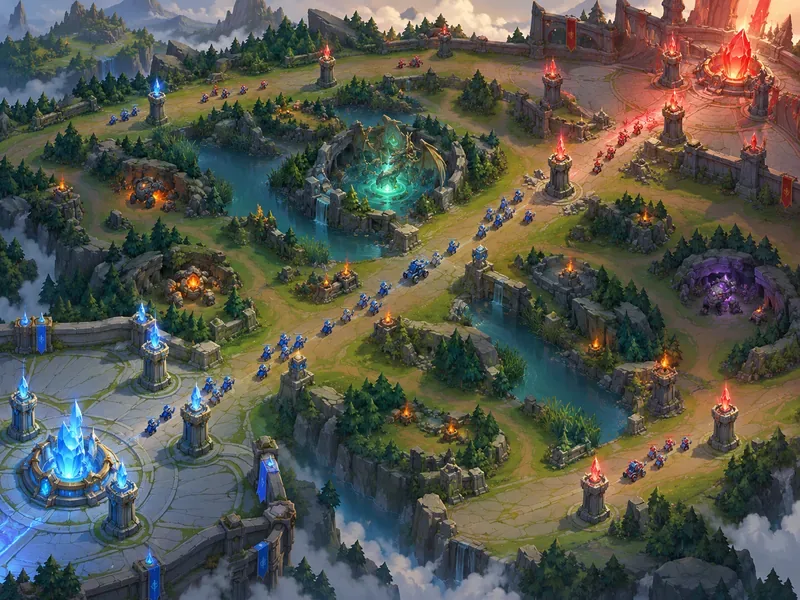
Teams commonly divide across five positions. These are practical assignments rather than rigid character classes; a champion can sometimes work in more than one position, and strategies change with patches.
| Position | Typical job |
|---|---|
| Top | Hold a side lane and often bring durability, dueling, or frontline strength to fights. |
| Jungle | Clear neutral camps, move between lanes to help teammates, and contest major monsters. |
| Mid | Play the central lane, often using a mage or assassin who can threaten opponents or roam to another area. |
| Bot (marksman) | Deal sustained ranged damage, usually alongside a support in the bottom lane. |
| Support | Help the bot-lane partner, protect or engage for the team, and contribute vision and crowd control. |
Champions, abilities, and playstyles
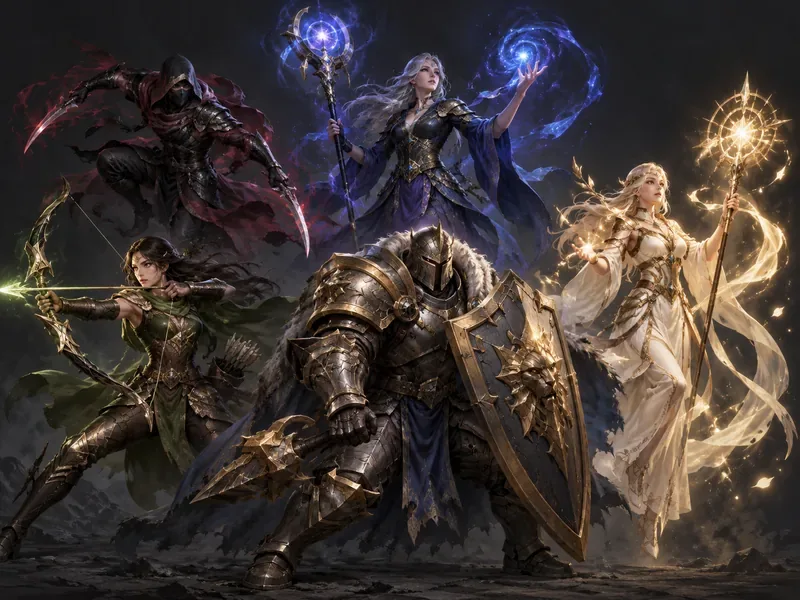
A champion is the character one player controls for the match. The roster includes assassins, fighters, mages, marksmen, supports, and tanks. Those labels describe common strengths: an assassin looks for a quick takedown, a tank can absorb pressure, and a support may shield allies or disrupt opponents. They are useful starting points, not a promise that every champion plays the same way.
Most champions have a passive trait and four active abilities, including an ultimate ability, plus two summoner spells chosen before the match. Learning when to use those tools is only part of the challenge: players also learn attack range, movement, positioning, item choices, and which opponents their champion can handle. Riot’s champion directory includes role and difficulty information, which can help a new player find a manageable first pick.
Which game modes can you play?
Summoner’s Rift is the core 5v5 mode and the setting most players mean when they talk about a regular League match. It rewards learning lanes, jungle routes, vision, team fights, and the timing of objectives.
ARAM puts both teams on a single lane for more frequent fights and less emphasis on choosing a lane assignment. Riot also features ARAM: Mayhem, which adds a different ruleset to the ARAM format. Other limited-time modes can rotate in and out, so check the in-game client or Riot’s official site for what is currently available. Teamfight Tactics appears in the broader League ecosystem, but it is an auto-battler with a different core game loop; it is not the standard champion-controlled MOBA match.
Is League of Legends free to play?
Yes. You can download and play League of Legends without buying the game. New accounts receive starter rewards, and champions can be unlocked over time with Blue Essence earned through play and account progression. That means the full roster is not necessarily available to a new account immediately. The client may also offer a free champion rotation, letting players try characters before committing to unlocks.
Optional store purchases include cosmetics such as champion skins, which change appearance rather than a champion’s in-match stats or abilities. Paid items and account unlocks do not replace the decisions and teamwork that determine a match. You can start without spending money and decide later whether you want any optional items.
What computer do you need?
League of Legends is supported on Windows and macOS; Riot’s support page says Linux and other operating systems are not supported. System requirements change, so check Riot’s current minimum and recommended requirements before installing. That page was updated on September 22, 2026. It lists Windows 10 (Build 19041 or newer) and Windows 11, DirectX 11-level graphics, and 16 GB of free storage for Windows. For macOS it lists macOS 12, Apple M1, 8 GB of unified memory, and 40 GB of storage; Riot says Intel Mac players may continue to play, while support is primarily focused on Apple Silicon.
Is LoL a good first MOBA?
It can be, if you are willing to learn in stages. The number of champions and unfamiliar terms can make the first matches feel busy, and other players may know the map far better than a beginner. Start with the built-in tutorial, try a few bot games, then focus on one position and a small group of straightforward champions. Use ARAM to practice movement and team fights without learning all three lanes at once.
For your first Summoner’s Rift games, focus on a few habits: look at the minimap often, avoid chasing a low-health opponent into unknown territory, and learn when to return to base and spend your gold. You do not need to memorize the whole roster or every item before joining a match. The official How to Play guide explains the basic map, objectives, positions, and champion abilities.
Frequently asked questions
What does LoL stand for?
LoL is the common abbreviation for League of Legends.
Is League of Legends the same as a MOBA?
League of Legends is a MOBA: a team-based arena game where players control individual characters, gain strength during a match, and work together to defeat the enemy team’s base.
Do I have to unlock every champion?
No. You choose a champion you own or can access for that match. New players can expand their collection over time with Blue Essence and account rewards, and free rotations can provide temporary access to additional champions.
Where can I check the current champion list?
Use Riot’s official champion directory, which currently lists more than 170 champions and offers filters to explore the roster.
For the official overview of the game and its current featured modes, visit League of Legends by Riot Games.









