What Is Dota 2? A Beginner’s Guide (2026)
Dota 2 is a free-to-play, 5v5 multiplayer online battle arena (MOBA) from Valve. Each player controls one hero, works with four teammates, and tries to break through the opposing team’s defenses to destroy its Ancient. The basics are easy to state: earn gold and experience, choose useful items, coordinate with your team, and take objectives. The strategy behind those decisions is what gives Dota 2 its depth.
The name comes from Defense of the Ancients, a community-made Warcraft III map that preceded the standalone game. Valve’s 2012 Steam post describes Dota 2 as a standalone sequel to that map. Today, Dota 2 is played through Steam, and it is still free to download and play.
What kind of game is Dota 2?
MOBA means “multiplayer online battle arena.” In a standard Dota 2 match, two teams of five compete in real time on one shared map. You guide a hero from a top-down view, use abilities and items, and make decisions alongside your team. Defeating enemy heroes can help, but kills alone do not win the match: the main objective is to reach and destroy the enemy Ancient.
Dota 2 combines action with strategy. Players decide where to move, when to fight, which abilities to use, and how to spend the gold they earn. A team may win a fight but still lose map control, or avoid a fight to protect a teammate who is collecting resources. Good timing and cooperation matter as much as quick reactions.
It is also a free-to-play game with a large roster: Steam currently describes more than 100 heroes and states that all heroes are free. Optional in-game purchases are available, but you do not need to buy heroes to play the full roster. Because Valve updates Dota 2 regularly, specific abilities, items, and strategies can change over time.
The map: Radiant, Dire, lanes, and the Ancient
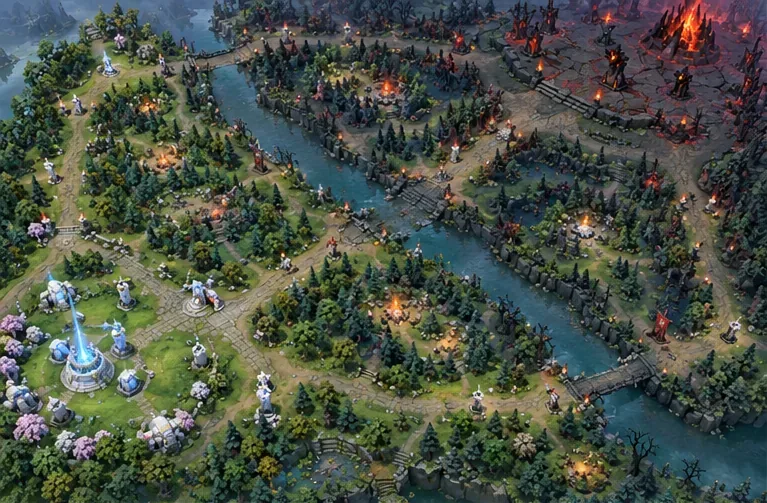
The two sides are called Radiant and Dire. The classic battlefield has three main lanes—top, middle (mid), and bottom—connecting the bases. A river and wooded areas sit between and around those routes. Lane creeps travel toward the opposing side, and defensive towers make it dangerous to advance alone. The Ancient sits within each team’s base; destroying the enemy’s structure ends the match.
That layout explains why Dota 2 is more than a series of duels. A hero moving from one lane to another may help an ally, defend a tower, or create space for teammates to collect gold. The map has changed through major updates, so think of the lanes as a strategic framework rather than three isolated tracks. The official New Frontiers update is one example of how Valve has expanded and revised the battlefield.
Heroes and team roles
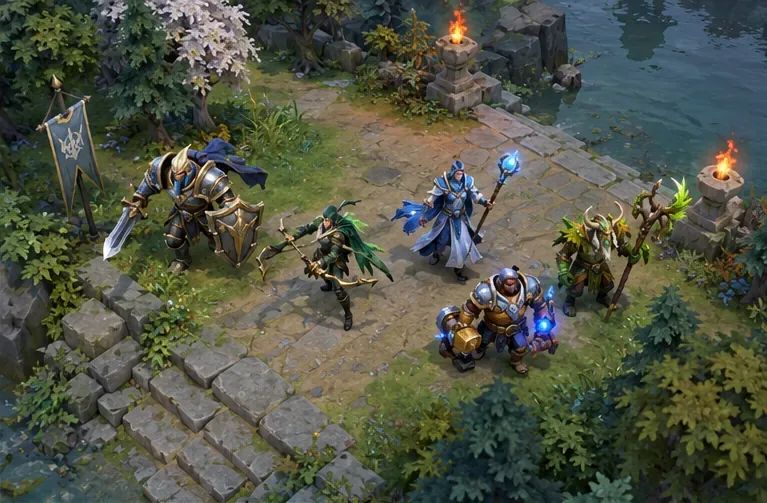
Every player chooses a hero, a character with distinct abilities, strengths, and weaknesses. Some heroes are durable and can start fights; others deal damage from a distance, disable opponents, or help allies survive. Items add more options as a match progresses. The right choice depends on the team and the situation, not just a hero’s popularity.
Players often describe team jobs using role names such as carry, mid, offlane, and support. They are useful labels, not fixed character classes: many heroes can fill more than one role, as Steam’s Dota 2 listing notes.
| Role | What it usually means |
|---|---|
| Carry | A hero who often benefits from collecting gold and items to become a major damage threat later. |
| Mid | A hero who commonly plays the middle lane and can use early levels to influence other parts of the map. |
| Offlaner | A hero who helps contest a difficult lane and often brings durability or fight-starting abilities. |
| Support | A hero focused on enabling teammates with protection, setup, vision, or other utility. |
Beginners do not need to memorize every hero before joining a game. Pick one whose abilities make sense to you, learn what your team expects from its role, and add another hero after you are comfortable with the basics.
How a Dota 2 match unfolds
Matches do not follow a fixed clock, but the game often moves through three broad phases:
- Laning: Heroes begin in different parts of the map and deal with waves of lane creeps. A last hit is the finishing blow on an enemy creep; getting it is a basic way to earn gold. Learning to collect farm while staying safe is more valuable than chasing every fight.
- Midgame: Heroes gain levels, unlock stronger abilities, and buy items. Teams rotate between lanes, defend towers, and look for favorable fights. A small numbers advantage or a well-timed ability can turn a fight into room to take an objective.
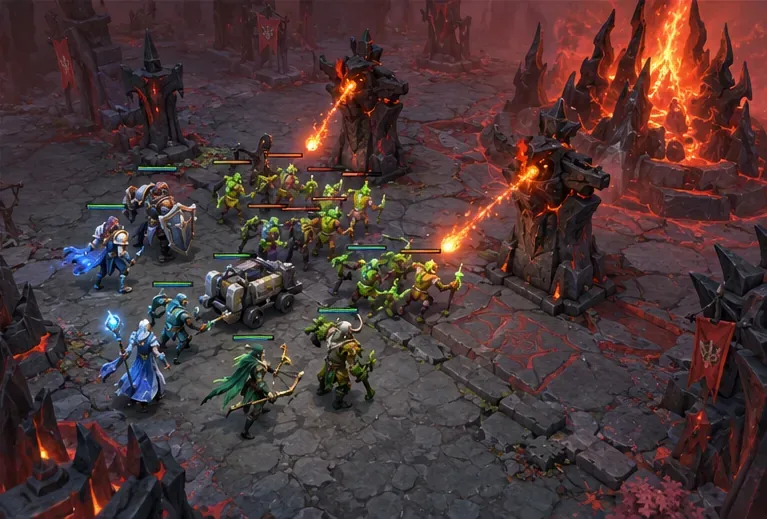
- Closing the game: The team that creates an opening advances through enemy defenses toward the base. Teammates group up, bring lane creeps forward, and attack structures together. A successful push eventually reaches the Ancient.
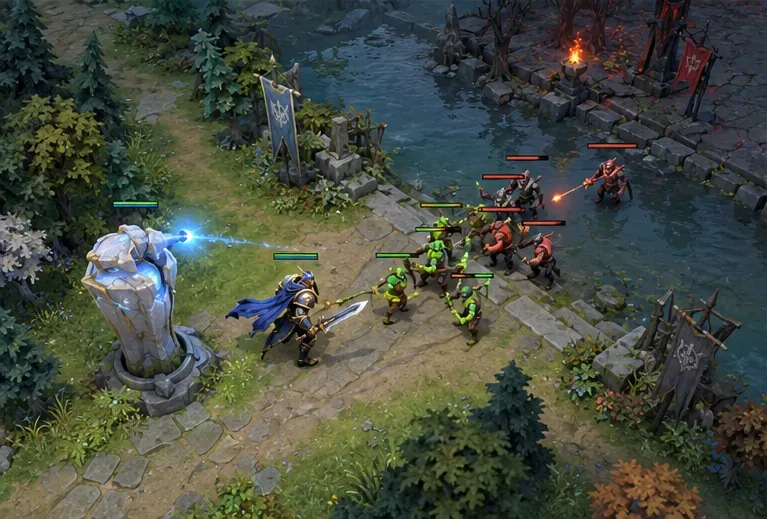
These phases overlap. A team can defend while farming, fight near a tower, or push after winning a battle. The important beginner lesson is to connect each action to the objective: collecting gold helps your hero, but the team ultimately needs to move across the map and damage the enemy base.
How to start playing Dota 2
Steam currently lists Dota 2 for Windows, macOS, and SteamOS + Linux. To begin, open the official Steam page, sign in to Steam, and install the free game. Check that page for current platform and system requirements before downloading, since support details can change.
- Explore a hero in Demo Mode. Try moving, attacking, and using the hero’s abilities without having to learn everything in a live match.
- Play a co-op match against bots. Practice the map, lane creeps, and basic teamwork at your own pace. Steam recommends bot matches as a way to learn.
- Keep your first hero pool small. Choose one or two heroes with readable abilities. Learning how they move and what they contribute is easier than switching across the whole roster every game.
- Set one goal for each match. For example, focus on getting last hits, checking the minimap regularly, staying near teammates, or understanding when your hero is strong.
It is normal to feel overwhelmed at first. Dota 2 has many heroes, items, and interactions, and updates can change familiar strategies. You do not have to learn all of them before playing. Start with the official game’s practice options, read the current descriptions in-game, and build your understanding one match at a time.
Frequently asked questions
Is Dota 2 free to play?
Yes. Dota 2 is free to download and play on Steam, and every hero is available without a hero purchase. Optional in-game purchases are listed separately on the Steam page.
What does Dota stand for?
Dota comes from Defense of the Ancients, the name of the Warcraft III custom map that inspired the standalone game. The word MOBA describes the broader multiplayer battle-arena genre.
Is Dota 2 hard for beginners?
It has a steep learning curve because players must learn heroes, items, map movement, and team objectives. Bot matches and Hero Demo Mode offer a lower-pressure way to learn before entering standard matchmaking.
How long does a Dota 2 match take?
There is no fixed match length. A game ends when one team destroys the other team’s Ancient, so the time depends on how the match develops.
For current details, visit the official Dota 2 website or its Steam listing.









