VALORANT Mobile Beta: How to Get In (2026)
If you are looking for a worldwide VALORANT Mobile beta, there is no verified global sign-up to join as of October 16, 2026. Riot announced a China-first rollout, and Tencent’s official VALORANT Mobile portal currently provides the Chinese service’s download route and QQ or WeChat sign-in. If you can access that service, use the live Tencent portal and follow its current instructions. If it is not available to you, there is no official beta key, APK mirror, or region-switch trick that grants global access.
Is the VALORANT Mobile beta still open?
The word “beta” can be misleading in older guides. Riot’s official announcement on April 21, 2025 said the mobile game was starting in China. Tencent’s current official portal is for 无畏契约:源能行动 (VALORANT Mobile) and shows a download-by-QR route plus QQ and WeChat login choices. That is the current official access path shown on the Chinese service page—not proof that an open beta is available in every country.
As of October 16, 2026, the official pages checked for this rewrite do not provide a global beta registration form or a worldwide release date. Riot’s 2025 post said it would share updates, so treat later dates, regions, account-transfer claims, and “beta invite” offers as unconfirmed unless Riot or Tencent publishes them. The current sources also do not establish that a global PC Riot ID, PC unlocks, or cosmetics transfer to the Chinese mobile service.
Check the primary sources before downloading: Riot’s VALORANT announcement and the official Tencent VALORANT Mobile portal.
How to access VALORANT Mobile through the official route
Step 1: Confirm that the Chinese service is available to you
Start on Tencent’s official mobile-game portal and check the current page, notices, and download route. Riot described the first rollout as China-first, while the Tencent page is the Chinese game service. Do not assume that a search result, old beta map, or third-party article proves access is open in your country. Store availability and account requirements can differ by territory; use only the instructions shown by the official portal and the app listing it points to.
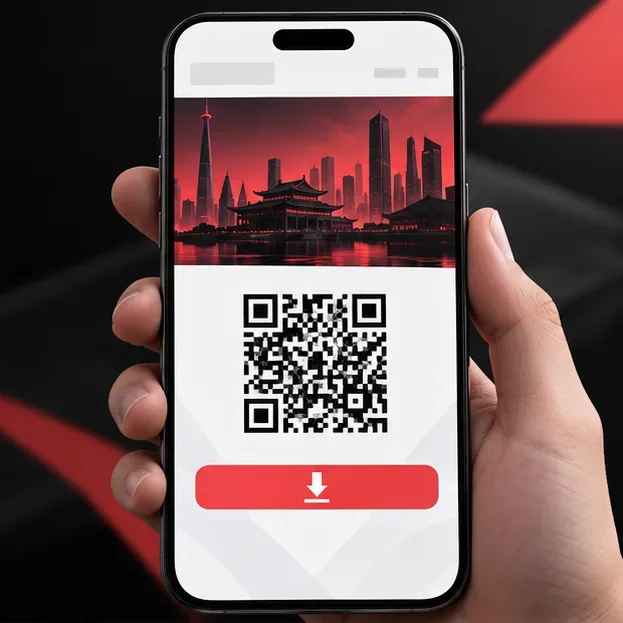
This visual represents the portal’s QR download path. Scan the live code on Tencent’s official page, not a copied image. Step 2: Open the Tencent page and use its current download link
Visit valm.qq.com directly. The page currently displays a QR-code download route. If you are viewing it on a computer, use your phone’s camera to scan the code displayed on the live official page; if you are already on a phone, follow the page’s download button or store redirect. Check the app name and publisher on the destination page before installing. A QR code in an old screenshot or a link sent in chat may no longer point to the right package.
Use Wi-Fi if the download is large, and check the live listing for the supported operating-system version, device compatibility, storage needs, and permissions. Riot and Tencent may change these details between updates, so this guide does not guess minimum phone specifications.
Step 3: Sign in using an account option shown by the official service
The Tencent portal currently displays QQ Login and WeChat Login. Choose an account you control and complete the official sign-in flow. Do not enter your Riot password into a third-party site or an unofficial launcher. The Tencent page’s listed login methods do not confirm that a global Riot account can be used, or that PC progression and purchases will carry over. Check the current in-game or official support notice for any account-linking rules before you expect shared progress.
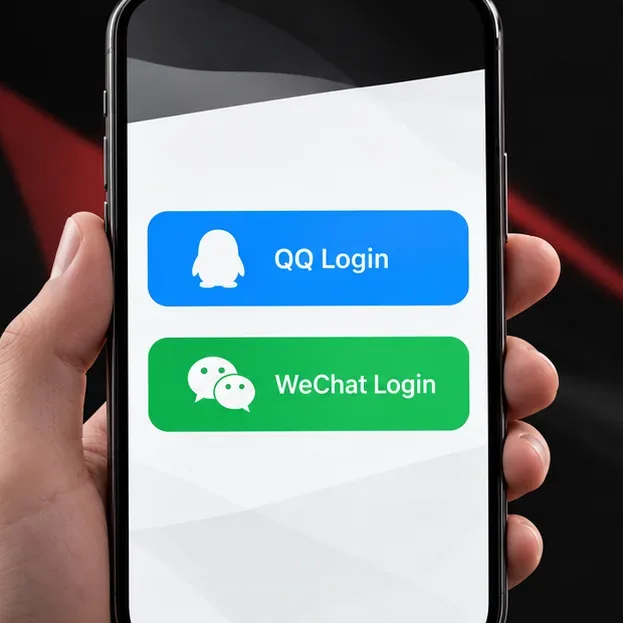
Tencent’s current portal lists QQ and WeChat as sign-in options for the Chinese mobile service. Step 4: Install the current build and follow its on-screen setup
After the official download completes, open the app and follow the prompts actually shown by that build. Accept any required service terms, finish its setup, and review the control tutorial if the game offers one. Beta builds and released builds can differ, so do not rely on old walkthroughs for menus, game modes, or tutorial screens. Keep the app updated through the same official channel used for installation.
If the download page says your device or account is not supported, stop there and check Tencent’s current help or announcements. Reinstalling repeatedly, changing store details, or installing a package from an unknown file-sharing site will not create official eligibility.
If you are outside the China service
There is no official global beta registration flow to complete in the sources checked for this update. The useful next step is to follow Riot’s official VALORANT news and Tencent’s mobile portal for a region announcement, then check your local official app store when Riot or Tencent confirms availability. If the game does not appear in your store, treat that as a sign that the official route is not currently offered there—not as a prompt to install an APK from a mirror.
Avoid paid “beta access,” invitation codes sold by strangers, unofficial app packages, and websites that promise to unlock the game through a VPN. Riot and Tencent’s official pages are the sources to trust for an actual opening. A social post, video, or countdown from an unrelated account is not an access announcement.
Quick troubleshooting
The game does not appear in my app store
Open the official Tencent portal and check the destination it currently provides. If that route does not offer an install for your store or account, access is not confirmed for you. Do not change your account’s country just to force a listing or download an unofficial package.
The QR code or download link fails
Refresh the live Tencent page and scan its current QR code again. Make sure the phone opens the link in the expected official service or store. Do not use a saved screenshot of a code from an older post; campaign links and test registration pages can expire.
I cannot sign in with my Riot ID
The current Tencent portal lists QQ and WeChat sign-in. Follow the account options presented by that official service and check its support page if the login fails. The available sources do not confirm that a Riot ID is an accepted substitute.
Frequently asked questions
Can I join the VALORANT Mobile beta from any country?
No global beta sign-up was confirmed in the official sources checked as of October 16, 2026. Riot’s public announcement said the rollout would start in China. Check official Riot and Tencent pages for any later regional change.
Can I use my PC VALORANT account on mobile?
Do not assume so. Tencent’s current portal shows QQ and WeChat login, and the sources linked here do not confirm PC account linking or cross-platform cosmetic and progression transfers.
Should I download an APK from another website?
No. Use the current download route linked from Tencent’s official portal. Unofficial packages and paid invite offers are not evidence of beta access and may put your account or device at risk.









