How to Check Real-Time Server Latency in the PUBG HUD

Enable PUBG’s network statistics HUD to monitor ping and packet loss in a match. See where to find it, what the numbers mean, and what they cannot diagnose.
If you want free diamonds in Free Fire, the safe answer is conditional: use a Garena event, redemption code, or official promotion only when its published terms explicitly list diamonds as a prize. There is no reliable “diamond generator,” secret daily code, or guaranteed method that adds unlimited diamonds. Many legitimate Free Fire events give cosmetics, tokens, or vouchers instead, so check the reward details before spending time or sharing account information.
This guide focuses on options you can verify and explains which ones award diamonds directly, which only provide other rewards, and which should be treated as scams. Availability, codes, and eligibility can vary by server and change over time.
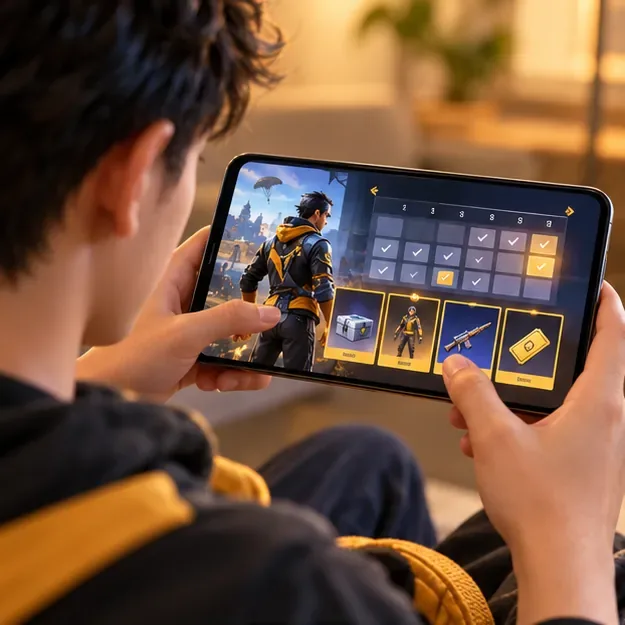
Start with Garena’s in-game event details and official announcements. Some promotional codes and prize campaigns can include currency, but a code or event does not automatically mean diamonds. Garena’s support pages describe free items and redemption codes as variable rewards; read the individual offer rather than relying on an old list or a creator’s claim. See Garena’s guide to free items and its Free Fire events help page.
| Option | Can it award diamonds? | What to verify |
|---|---|---|
| In-game events and missions | Only if the event explicitly lists diamonds | Reward, server, eligibility, end date, and claim steps |
| Official redemption codes | Sometimes; each code’s reward varies | Official source, region, expiry, and account eligibility |
| Survey or store rewards | Indirectly, where supported and where in-app payment is available | Country, platform, account currency, and app-store rules |
| Tournaments or creator promotions | Only when official rules name diamonds as a prize | Organizer, entry requirements, prize terms, and deadlines |
Open the official Free Fire client and review the current Events area, login rewards, and mission pages. Tap the event’s details or “More Info” before you participate. Garena notes that event rewards can come from a defined list and that details are shown in the event; the live listing is the source for what that specific promotion offers.
Daily logins and missions are worthwhile for free progression, but they do not guarantee a weekly or monthly diamond payout. The old claim that routine missions reliably produce a fixed number of diamonds is not supported by a current official reward schedule. A “first top-up” promotion may add bonus diamonds or a skin, but it requires a purchase, so it is not a no-cost method.
Free Fire redeem codes are promotional rewards, not a permanent diamond faucet. Garena says codes are distributed through events and that the reward varies. Codes may expire, be limited to one use per account, or be region-specific; guest accounts cannot redeem them. Successful item rewards are delivered through in-game mail, while currency rewards are credited to the account wallet. Review Garena’s current redemption-code rules before submitting one.
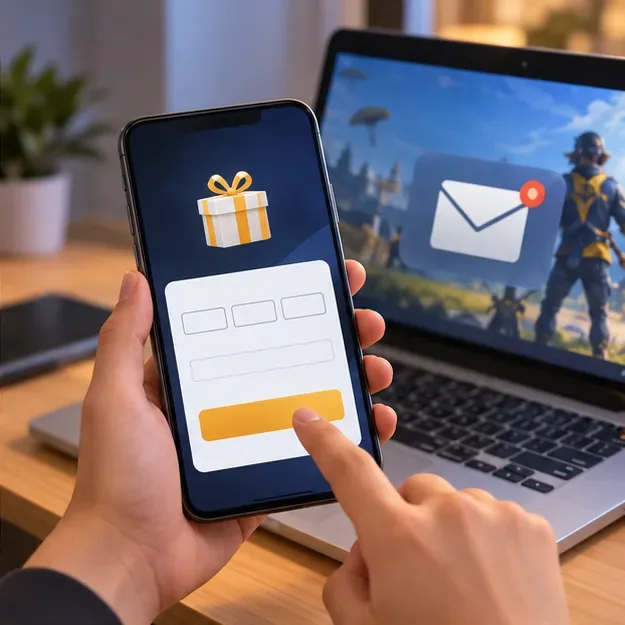
Do not trust a code list merely because it includes a year or looks plausible. Garena’s portal accepts only valid codes, and an expired, already-used, or region-mismatched code will not become valid if you try it on another “generator” website.
Google Opinion Rewards does not directly add Free Fire diamonds. Depending on your country and device, Google may reward surveys with Google Play credit on Android or PayPal payments on iOS in supported markets. Survey availability and reward amounts vary; the app is not a dependable monthly income stream. Google explains the platform-specific reward types in its Opinion Rewards overview; check its availability and eligibility list for your country.

If you earn Google Play credit, you may be able to use it toward an eligible in-app purchase on Google Play, subject to your country, currency, account, and the payment options shown at checkout. That is an indirect way to fund a purchase, not a Free Fire giveaway. Google explains what Play balance can buy. Do not change your account country or use a VPN to chase surveys or region-specific rewards; that can make rewards or payments unavailable.
Garena, local partners, and tournament organizers may run creator contests, livestream promotions, or community competitions. Entry does not guarantee a prize, and the reward may be cash, merchandise, or an item rather than diamonds. Use the official Free Fire news site and the promotion’s complete rules. Before submitting account details or content, verify the organizer, eligibility, region, deadlines, and exact prize. Treat a tournament’s existence as an opportunity to compete—not proof that every participant receives diamonds.

Garena warns that offers for free or unusually cheap in-game diamonds are often scams. A site that asks for your password, one-time verification code, payment information, or an app installation in exchange for currency is not an official shortcut. Never provide your login credentials, install modified clients, use scripts, or let someone remotely control your device. Garena’s diamond scam warning and game security FAQ explain the risks of unauthorized tools and suspicious offers.
If any answer raises doubt, skip the offer and check Garena’s support page. The practical way to pursue Free Fire free diamonds in 2026 is to watch official event and code announcements, verify the exact prize, and treat every third-party promise as untrusted until Garena confirms it.
Enable PUBG’s network statistics HUD to monitor ping and packet loss in a match. See where to find it, what the numbers mean, and what they cannot diagnose.
Learn how to import VALORANT crosshair codes, compare presets with manual settings and spectator copy, and fix common import issues.
Choose Dota 2 minimap size, hero icons, team colors, and background settings by readability, fewer misclicks, and clear results on your own display.
Fix Fortnite texture pop-in on PC with official steps for GPU drivers, file verification, DirectX 12, high-resolution textures, VRAM, SSDs, and stutter.
Learn what Heroes of the Storm minimap size and position options are verified, improve readability, and choose camera-click controls that suit you.
Set Super Smash Bros. Ultimate Quickplay to prefer hazards-off stages. Follow the Preferred Rules menu steps and learn why matchmaking may not always honor them.
Enable Server Latency and Packet Loss in Warzone to monitor connection quality, read the overlay, and use recurring spikes to guide troubleshooting.
Learn how to carry from mid lane in League of Legends by setting up waves, choosing safe roam windows, reading side lanes, and converting pressure into objectives.
Fix Minecraft Evoker spell problems with a safe vanilla test, version checks, log review, and a step-by-step way to isolate mod or datapack conflicts.
Fix PUBG stuck on Initializing on Steam with a focused checklist for PC service notices, launch options, game files, downloads, and connection issues.








