How to Import Custom Crosshair Codes in VALORANT: Steps, Options, and Fixes

Learn how to import VALORANT crosshair codes, compare presets with manual settings and spectator copy, and fix common import issues.
If you want to buy an Xbox membership without entering a card at checkout, you can use your Microsoft account balance for eligible Xbox subscriptions. The current Xbox storefront presents multiplayer memberships under Xbox Game Pass; the old Xbox Live Gold wording is outdated for new purchases. The quickest route is to check your balance, redeem a compatible gift card if needed, choose the plan that fits your console, then review the payment and renewal details before confirming.
One useful exception: eligible free-to-play games can be played online on Xbox without a paid Game Pass membership. If your only goal is to play a free-to-play title, check its Xbox Store listing before adding funds.
Xbox’s current plan overview lists Game Pass Essential, Premium, Ultimate, and PC Game Pass. Game Pass Essential includes online console multiplayer; Premium and Ultimate also list it alongside broader benefits. PC Game Pass is for PC and does not provide console multiplayer access. Plan names, availability, prices, and included benefits can vary by country and change over time, so use the plan details shown in your own Xbox storefront rather than relying on old dollar amounts.
| Plan shown in the current Xbox lineup | Useful for |
|---|---|
| Game Pass Essential | Console online multiplayer and the entry-level Game Pass benefits available in your market. |
| Game Pass Premium | Console multiplayer plus a broader game catalog and other listed benefits. |
| Game Pass Ultimate | Console multiplayer and the broadest set of benefits across supported devices. |
| PC Game Pass | PC gaming; choose a console plan if you need multiplayer on an Xbox console. |
Compare the plans on the official Xbox Game Pass page. Its catalog and offer details are market-specific.
Use the same Microsoft account you use on your Xbox console. Account funds belong to that account, so redeeming a card on a different profile will not pay for the subscription on your main profile. Check the balance by signing in at Microsoft account payments. Microsoft also explains how to check your Microsoft account balance.
Sign in to your Microsoft account and confirm that the balance is enough for the plan’s full checkout total. The displayed total may include tax or other market-specific charges. If you already have enough funds, continue to the plan selection. If not, redeem a Microsoft or Xbox gift card first.
Go to Microsoft’s Redeem page, sign in to the account that will own the subscription, enter the code, and follow the confirmation prompt. Microsoft says a redeemed gift-card amount is added to the Microsoft account balance and that balance can be used for Xbox-related subscriptions. Read its instructions for adding money if you need help.
Buy a code intended for the country or region on your account. Microsoft’s gift-card terms say that currency denominations are restricted to their eligible jurisdiction and account balances are non-transferable. Microsoft also warns that funds do not move when you change regions. Don’t change your region just to force a purchase; review the country and region guidance if your account location has genuinely changed.
Open the Xbox Game Pass page or the subscription offer in the Microsoft Store on your console. Sign in with the account that holds the balance, select a plan available in your market, and follow the store’s current purchase prompts. Menus can move after updates, so use the current offer page instead of relying on old paths such as “Xbox Live Gold” or a specific app menu.
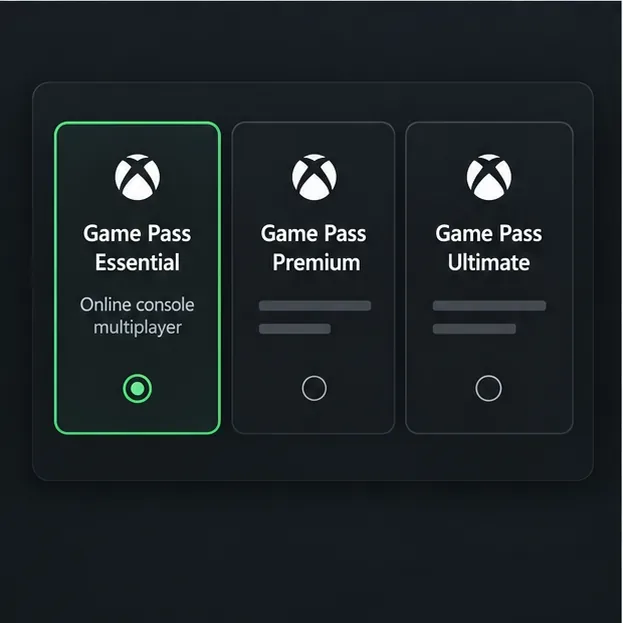
If you mainly need online play for purchased console games, Essential may be enough. Choose Premium or Ultimate only if you also want benefits shown with those plans. If the game is free-to-play, check whether it needs a membership at all: Xbox says online multiplayer for supported free-to-play games does not require a paid subscription.
On the payment screen, select Microsoft account balance if it is offered. Review the plan name, full amount, billing interval, and any additional payment prompt before confirming. Microsoft lists Xbox subscriptions as purchases that can be made with gift-card funds, but the available payment options and requirements can vary by market, offer, and account. If the balance is short, the store may ask you to add funds or use another available payment method; don’t assume a small remaining balance will be covered automatically.

Xbox subscriptions continue automatically by default. Check the renewal date and price displayed at checkout. If you want the plan to end after the paid term, turn off recurring billing in Microsoft account Services & subscriptions before the next billing date. After you buy, return to that page or check your order history to confirm the subscription was recorded before trying the purchase again.
| What you see | What to check |
|---|---|
| Balance is missing | Make sure the browser, console, and gift-card redemption use the same Microsoft account. Reopen the balance page after redeeming. |
| Gift-card code won’t redeem | Check for typing errors and confirm the code’s currency or region matches the account and storefront. Use Microsoft’s gift-card redemption help if it still fails. |
| There isn’t enough balance | Compare the balance with the final checkout total, including any displayed tax. Add enough funds or choose another payment method offered by the store. |
| The subscription won’t renew or purchase | Check Services & subscriptions and your order history for a past-due charge, expired payment option, or pending order. Microsoft says a past-due subscription can’t be paid with gift cards or account balance; follow its past-due payment guidance. |
| The plan doesn’t appear | Availability differs by market. Check the current Xbox plan page for your region and make sure the store is signed in to the correct account. |
To buy Xbox Game Pass using Microsoft account balance, sign in to the correct account, check or top up its balance with a region-compatible gift card, choose a current Game Pass plan that includes console multiplayer, and select the balance at checkout if it appears. Review the local price and recurring-billing terms, then verify the purchase in your Microsoft account. That keeps the guide accurate even as Xbox changes plan names, prices, and store menus.
Learn how to import VALORANT crosshair codes, compare presets with manual settings and spectator copy, and fix common import issues.
Choose Dota 2 minimap size, hero icons, team colors, and background settings by readability, fewer misclicks, and clear results on your own display.
Fix Fortnite texture pop-in on PC with official steps for GPU drivers, file verification, DirectX 12, high-resolution textures, VRAM, SSDs, and stutter.
Learn what Heroes of the Storm minimap size and position options are verified, improve readability, and choose camera-click controls that suit you.
Set Super Smash Bros. Ultimate Quickplay to prefer hazards-off stages. Follow the Preferred Rules menu steps and learn why matchmaking may not always honor them.
Enable Server Latency and Packet Loss in Warzone to monitor connection quality, read the overlay, and use recurring spikes to guide troubleshooting.
Learn how to carry from mid lane in League of Legends by setting up waves, choosing safe roam windows, reading side lanes, and converting pressure into objectives.
Fix Minecraft Evoker spell problems with a safe vanilla test, version checks, log review, and a step-by-step way to isolate mod or datapack conflicts.
Fix PUBG stuck on Initializing on Steam with a focused checklist for PC service notices, launch options, game files, downloads, and connection issues.
Fix Brawl Stars stuck at 92% loading with an ordered checklist for service notices, network tests, safe updates, Android cache, and account-safe reinstalling.








