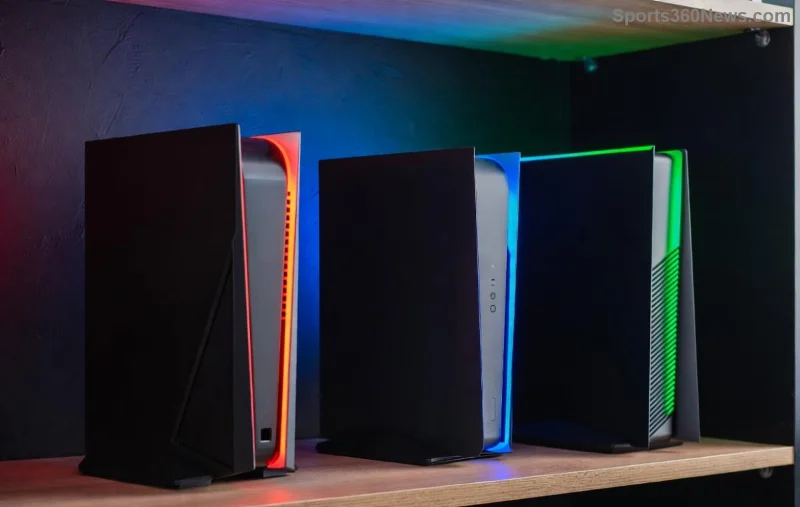
Hey, fellow gamer! 🚀 Ever stared at that endless PlayStation download bar, tapping your controller in frustration? Full storage is the silent killer of your gaming sessions. But fear not—mastering how to manage your PlayStation storage for faster downloads can slash wait times and keep you diving into epic worlds ASAP. This guide packs actionable steps for PS5 and PS4, turning storage chaos into smooth sailing. Ready to level up? Let's dive in!
Why Storage Management Supercharges Your PlayStation Downloads
A cluttered drive throttles speeds because your console juggles data inefficiently. Sony's latest firmware prioritizes free space for caching and processing—aim for at least 20-30% free to hit peak performance. Pro tip: Full storage forces constant data shuffling, slowing everything. Clear it out, and watch downloads fly! Curious how to check? Next up...
Step 1️⃣: Audit Your Storage – Know What's Hogging Space
Start here to reclaim gigabytes effortlessly.
- Boot to home screen → Gear icon (Settings) → Storage.
- Select Console Storage → Games and Apps. Sort by size—blockbusters like Call of Duty can gobble 200GB+!
- Check Captures (screenshots/videos) under Media Gallery—they pile up fast.
PS5 tip: Use the built-in search to filter large installs. Delete unused demos or patches. Boom—instant wins! Pro gamers do this weekly. Now, let's purge smartly.
Step 2️⃣: Smart Deletion – Free Space Without the Heartache
Don't uninstall blindly. Here's your game plan:
| Category | Action | Space Saved (Avg) |
|---|
| Unused Games | Press Options → Delete (re-download later via library) | 50-150GB |
| Captures | Media Gallery → Select All → Delete | 10-50GB |
| Auto-Uploads | Settings → Captures → Disable if not using cloud | Prevents future bloat |
| Apps/DLC | Sort by last played → Nuke old ones | 5-20GB |
Enable Auto-Delete in Settings → Saved Data to zap old cloud uploads. Feeling lighter? Pair this with external storage for endless capacity—coming right up! 💥
![External SSD connected to PS5 for managing PlayStation storage and faster downloads]()
Step 3️⃣: Expand with External Drives – The Ultimate Speed Hack
PS5 supports USB extended storage up to 8TB (SSD recommended for faster downloads). PS4? Same vibe, but format first!
- Connect & Format: Plug in USB 3.0+ drive → Settings → Storage → Extended Storage → Format as USB Extended Storage. ⭐ Takes 5 mins.
- Move Games: Select game → Options → Move to Extended Storage. Play PS4 titles directly; PS5 games install here too (reinstall boosts if internal full).
- SSD vs HDD: SSDs read/write 5x faster—perfect for quick loads and downloads. Budget pick: 1TB under $100.
Bonus: Internal SSD upgrades (via Sony's M.2 slot) demand disassembly—stick to external for noobs. Thunderbolt? Skip it; USB rules. This alone can double speeds. Intrigued by software tweaks? Keep reading!
Step 4️⃣: Tweak Settings for Peak PlayStation Download Speeds
Hardware's half the battle—settings seal the deal:
- Power Saving: Settings → System → Power Saving → Set Featured Stories to Off (frees bandwidth).
- Download Priority: Downloads screen → Options → Download to Multiple USB (if available) or prioritize during off-peak hours (2-6 AM).
- Auto-Update: Enable but pause during big downloads—Settings → System → Automatic Updates.
- Rebuild Database: Safe Mode (hold power button) → Option 5. Clears junk without data loss—game-changer for laggy storage!
Wi-Fi woes? Hardwire Ethernet for 2x speeds. Test your connection—Sony recommends 15Mbps+ for smooth sails. These tweaks make your console purr. Last stretch: advanced tricks!
Step 5️⃣: Pro Tips & Maintenance for Non-Stop Gaming Bliss
Stay ahead with these gems:
- Cloud Saves: Upload to PS Plus—frees local space (Settings → Saved Data → Sync).
- PS Plus Storage: Extra 100GB cloud for games—game changer for hoarders.
- Firmware Updates: Always install latest—recent ones optimized SSD caching for 20% faster installs. Check Settings → System → System Software.
- Monitor Tools: Third-party apps like USB storage analyzers (safe mode).
Weekly ritual: Audit + clean. Result? Downloads in minutes, not hours. 😎
![PS5 dashboard showing optimized storage for faster PlayStation downloads]()
Common Pitfalls to Dodge – Keep Speeds Maxed
Avoid these traps:
- Don't delete save data—cloud handles it!
- Skip cheap no-name drives; stick to Seagate/WD (Sony approved).
- Full external? Same slowdown—balance both drives.
For official deets, check PlayStation's Extended Storage Guide.
Wrap-Up: Game On with Lightning PlayStation Storage!
There you have it—your blueprint to conquer how to manage your PlayStation storage for faster downloads. From audits to SSDs, these steps deliver real results. Implement one today, and thank me mid-game. What's your biggest storage hog? Drop it below, and level up your setup now! 🎮✨