Imagine doubling your PlayStation game library without spending extra cash. That's the magic of game sharing on PlayStation! Whether you're teaming up with a friend, family member, or roommate, this feature lets you access each other's digital games on PS5 or PS4. No more duplicate purchases—just pure gaming bliss. 😎
In this concise, step-by-step guide, we'll walk you through everything you need: from setup to troubleshooting. Get ready to unlock endless adventures and keep your wallet happy. Let's dive in!
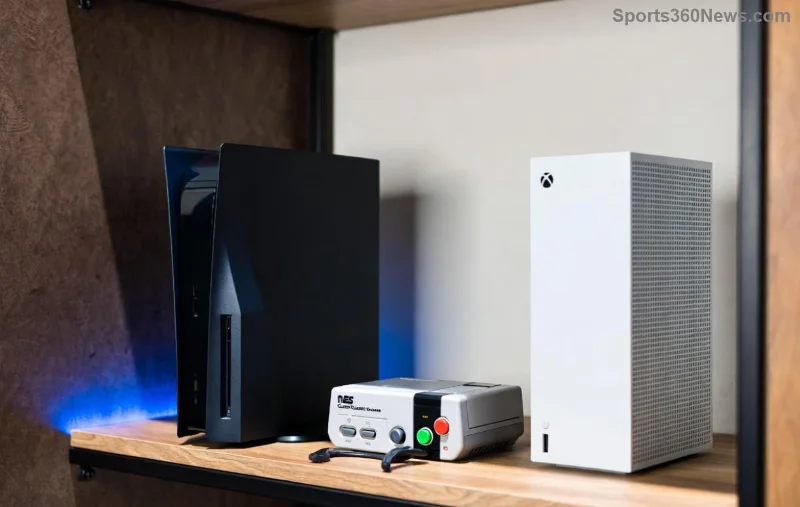
What is Game Sharing on PlayStation? ⭐
Game Sharing on PlayStation (also called Console Sharing and Offline Play) allows multiple accounts to access purchased games on the same or different consoles. Your PSN account can designate one console as primary, enabling anyone signed in there to play your games—even offline.
Key perks:
- ✅ Share your entire digital library
- ✅ Play offline on the primary console
- ✅ Works across PS5 and PS4 (with some tweaks)
- ➡️ Perfect for households with multiple gamers
Note: Sony limits activations to prevent abuse—one primary console per account at a time.
Requirements for PS5 Game Sharing & PS4 Game Sharing
Before starting, ensure:
| Requirement |
PS5 |
PS4 |
| PSN Accounts |
2+ active accounts |
2+ active accounts |
| Internet Connection |
Required for initial setup |
Required for initial setup |
| Console Ownership |
Works on 1 or 2 consoles |
Works on 1 or 2 consoles |
| PS Plus |
Not required for sharing |
Not required for sharing |
Pro tip: Both accounts need to purchase games separately for full sharing reciprocity. Ready? Let's set it up! 🎮
Step-by-Step Game Sharing on PlayStation Setup ➡️
Step 1: Sign In Both Accounts on the Same Console
On your main PS5 or PS4:
- Go to Settings > Users and Accounts > Add User.
- Sign in the second account (your sharing partner's).
- Both accounts must be active—no guest mode!
Step 2: Activate Console as Primary
For the account sharing games:
- Highlight the account > Settings > Users and Accounts > Other > Console Sharing and Offline Play.
- Select Enable. This console is now primary for that account! ✨
Repeat for the second account if sharing both ways.
![PS5 settings menu for console sharing activation]()
Step 3: Test on the Same Console
Sign out and into the non-primary account. Download/play games from the primary account's library. Boom—shared! 🎉
Step 4: Game Sharing Across Two Consoles (Advanced)
For remote sharing (e.g., friend's house):
- On Console A (yours): Make it primary for Account 1. Sign in Account 2.
- On Console B (theirs): Make it primary for Account 2. Sign in Account 1.
- Sync licenses via internet. Games now accessible on both!
Warning: Deactivating primary on one console disables sharing there. Only one primary per account. ❌
Step 5: Download Shared Games
Library > Purchased > Select shared account's games > Download. Prioritize must-haves to save space.
PS5 Game Sharing vs PS4 Game Sharing: Quick Comparison
| Feature |
PS5 |
PS4 |
| Primary Console Limit |
1 per account |
1 per account |
| Offline Play |
Yes, full library |
Yes, full library |
| Cross-Gen Sharing |
PS5 games to PS4? No |
Backward compatible |
| Setup Location |
Settings > Users > Console Sharing |
Account Management > Activate |
PS5 shines with faster downloads and better performance—ideal for modern titles!
![Gamers enjoying shared PlayStation library]()
Troubleshooting Game Sharing on PlayStation Issues 😤
Running into snags? Common fixes:
- "Can't activate primary": Deactivate old console first (Settings > Account Management > Deactivate).
- Games not showing: Check internet, re-sign in, or restart console.
- License error: Restore licenses via Settings > Users > Other > Restore Licenses.
- PS Plus mismatch: Sharing doesn't require matching subs, but online multiplayer does.
For official help, check PlayStation Support.
Pro Tips to Maximize PlayStation Game Sharing 💡
- Share with family: Use Family Management for kids' accounts.
- Combine with PS Plus: Share Extra/Premium games too!
- Space saver: Delete unused shared games and re-download later.
- Stay updated: Latest firmware ensures smooth sharing.
- Backup saves: Cloud saves via PS Plus prevent losses.
Level up your setup and dominate more titles together. Who's your sharing buddy? 👥
FAQs: Game Sharing on PlayStation Answered
Q: Can I share with more than one person?
A: Yes, on one primary console—multiple users access your library.
Q: Does PS5 game sharing work with PS4?
A: PS4 games share to PS5, but not vice versa.
Q: What if I sell my console?
A: Deactivate remotely via Account Management online (once every 6 months).
Mastered game sharing on PlayStation? Drop your success story in the comments and help fellow gamers! Keep sharing, keep winning. 🏆