Home
» 🎮 Esports
»
Kosatka Guided Missiles in GTA Online: How to Unlock, Fire, and Aim
Kosatka Guided Missiles in GTA Online: How to Unlock, Fire, and Aim
How to Master Kosatka Guided Missiles in GTA Online
Kosatka guided missiles in GTA Online are remotely piloted weapons launched from the submarine's optional Guided Missiles station. To use them, own a Kosatka, buy the Guided Missiles upgrade, keep the submarine surfaced, sit at one of its two missile consoles, and fly the missile toward your target. These are manually steered cruise missiles—not the homing rockets fired through the periscope and not a weapon you can take into the Cayo Perico finale.
The distinction matters. The original submarine is a heist headquarters; its guided-missile system is mostly a free-roam tool for striking exposed surface targets. Here's how to buy it, operate it, and avoid wasting shots or GTA$.
How to Unlock and Buy Kosatka Guided Missiles
Step 1: Unlock the Kosatka submarine
Visit The Music Locker, the nightclub beneath The Diamond Casino & Resort, and meet Miguel Madrazo to begin the Cayo Perico introduction. Then open the in-game internet and find the Kosatka on Warstock Cache & Carry. The submarine's standard list price is GTA$2,200,000 before optional equipment and any active promotions.
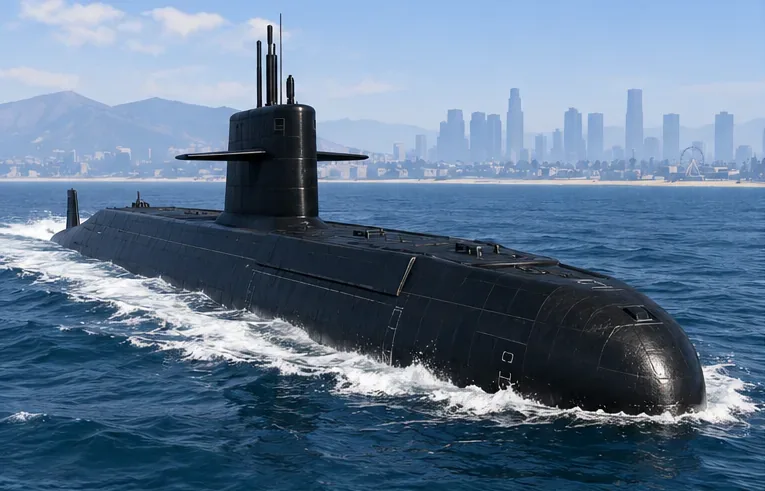
The Kosatka serves as the Cayo Perico planning base; its remote-guided missiles require an optional purchase.
Once purchased, request your Kosatka through the Interaction Menu → Services → Kosatka. The submarine appears offshore. Reach it by boat, use the available dinghy service, or travel in one of your other vehicles. Enter the submarine and locate its main command area.
Step 2: Add the separate Guided Missiles upgrade
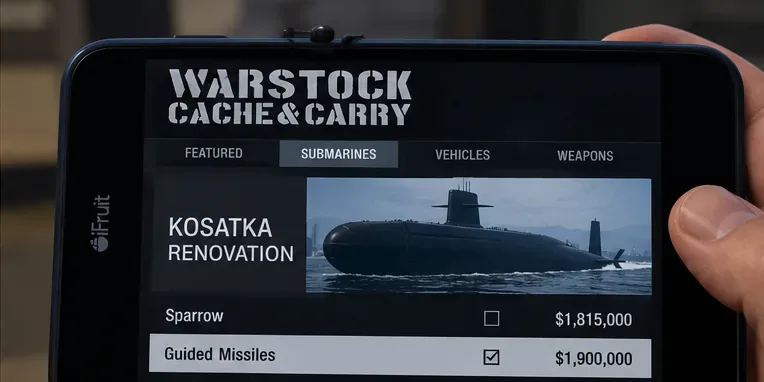
In the Warstock Kosatka purchase or renovation options, select Guided Missiles. The established non-discounted price is GTA$1,900,000, making the usual minimum outlay for a Kosatka equipped with guided missiles GTA$4,100,000. If you already own the base submarine, you only need the upgrade; use Warstock's renovation option rather than buying another sub.
Look for the Guided Missiles renovation when purchasing or modifying your Kosatka; the displayed menus can vary by game version.
Purchase
Standard GTA$ price
Do you need it to fire Kosatka guided missiles?
Base Kosatka
2,200,000
Yes
Guided Missiles
1,900,000
Yes
Sparrow helicopter
1,815,000
No; helps with transportation and heist prep
Sonar Station
1,200,000
No; used for underwater detection and caches
Weapon Workshop
350,000
No; used for personal weapon customization
Price note: These are established base prices, not a claim about a temporary event-week sale. Check the in-game Warstock listing before paying. There is no Kosatka "Missile Lock-On Jammer" or "Remote-Controlled Submarine" upgrade that improves guided-missile accuracy; those claims should not be confused with other vehicles' equipment.
How to Fire and Steer Kosatka Guided Missiles
Step 3: Surface the submarine and use a missile control seat
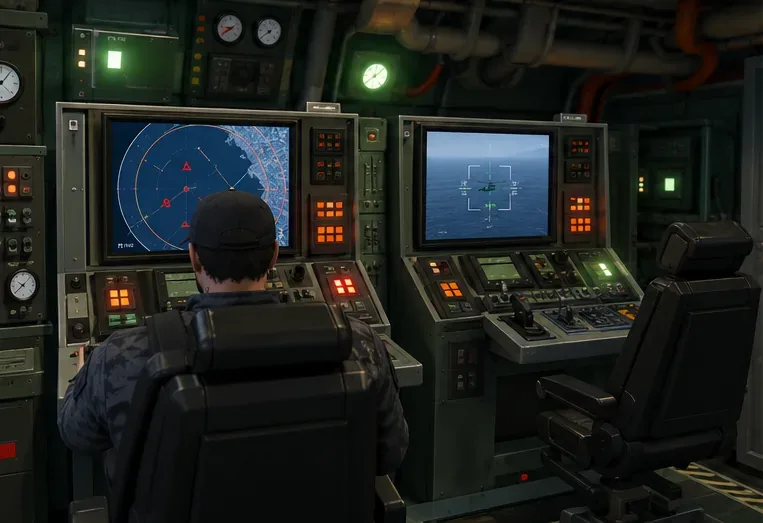
With the Kosatka at the surface, go to the command area and look for the two Guided Missile Systems seats near the sonar equipment. They are not the periscope. Approach an available chair and follow the on-screen interaction prompt to take control of the launcher. If the submarine is underwater, surface it first: guided missiles cannot be launched while submerged.
The dedicated missile control seats are separate from the periscope and the Cayo Perico planning table.
Choose a direction with open sky and enough room above the water. You do not need to line up a red lock-on reticle, and the Cayo Perico planning table is not the launcher. The screen prompt will show the action to launch on your platform.
Step 4: Launch, steer, and detonate
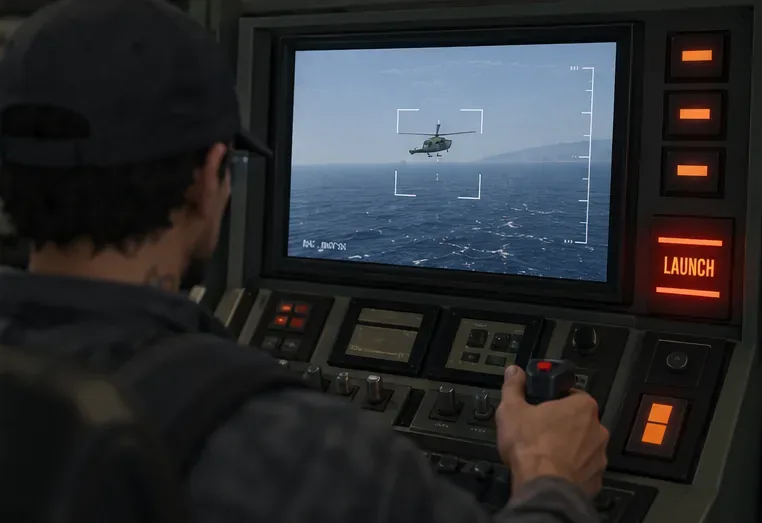
Fire from the missile console. The camera switches to the missile's forward view, and you can pilot its flight path with your regular steering controls. On PC, use the displayed mouse or control prompts; on PlayStation and Xbox, use the controller prompts shown in the missile view. Bindings can differ depending on settings, so it is more reliable to follow the in-game display than a table of universal keys.
After firing, steer the missile toward the target yourself rather than expecting automatic lock-on.
Turn early, not at the last second. The missile has a relatively wide turning arc, so trying to whip around a moving helicopter at close range is less effective than intercepting where it is going. Direct contact with a target triggers the explosion. Ending missile control also destroys the projectile, so avoid leaving the camera until you intend to stop the run.
Range, Cooldown, and Other Limits
Mechanic
What to expect
Practical effect
Steering
Manual, camera-guided flight
No automatic target tracking
Distance
Approximately 4 km (2.5 miles) from the submarine
Launch from a useful position near your intended area
Reload
About 60 seconds per station after the previous missile ends
The two seats have separate cooldowns
Submarine depth
Launch only while surfaced
Do not remain submerged expecting the launcher to work
Water contact
Missile explodes when it touches water
Poor choice against underwater targets
Ammo supply
No stock of 20 missiles to refill at the Weapon Workshop
Wait for the station cooldown; do not buy imaginary refills
The approximate distance and cooldown figures describe the weapon's observed mechanics and may be adjusted by future updates. The missile can also be intercepted, and armored targets may survive a hit. Because the two missile stations operate independently, moving to the other chair can sometimes let you launch again sooner, though changing seats still takes time.
Practical Aiming Tips for Free Roam
Start with stationary objects: Practice over an empty shoreline in an Invite Only session to learn climb, steering sensitivity, and the size of your turning circle.
Plan the approach: Aim toward the road a moving vehicle is about to reach, rather than flying directly behind it for the whole chase.
Respect the range warning: If you see the distance limit approaching, redirect toward a nearer target instead of wasting the flight.
Use clear lines of travel: Buildings, bridges, hillside terrain, and water can end a missile run early. Approach a street target from above rather than skimming the pavement.
Protect the launch position: The sub has to be surfaced to fire and is more exposed than when underwater. Choose a quiet offshore location and be prepared to relocate if opponents discover you.
Don't count on anti-air perfection: Fast jets and agile pilots can outpace or evade a slow, manually guided missile. It works better against predictable or stationary targets.
Are Guided Missiles Worth Buying for the Cayo Perico Heist?
Guided Missiles are optional for Cayo Perico. They can be entertaining in free roam and sometimes useful around open-world activities, but they do not let you bombard El Rubio's compound during the finale or skip the heist's required preparation steps. The base Kosatka provides the planning room required for the heist.
For a new player focused on repeated Cayo Perico preparation missions, the Sparrow often deserves priority over the GTA$1.9 million guided-missile upgrade because it speeds up travel between objectives. The Sparrow's own weapon upgrade is a separate system; owning Sparrow rockets does not unlock the submarine missile seats, and vice versa.
Rockstar's official Cayo Perico Heist page explains the heist's starting sequence. Its Kosatka release notes identify Guided Missiles, Sonar, and the Weapon Workshop as distinct submarine customization options.
Why Won't My Kosatka Guided Missiles Work?
Can't find the seats? Confirm you bought the Guided Missiles option, not just the base submarine or the Sparrow. Look near the sonar equipment inside the command room.
Launch prompt unavailable? Make sure the submarine is at the surface, not submerged, and that the current activity allows normal free-roam weapons.
Launcher says it's cooling down? Wait for its timer. If the other seat is available, it has a separate cooldown.
Missile explodes near the ocean? Avoid dipping into the water; it detonates on contact.
Missile flies straight past a target? It is not a homing weapon. Steer toward a predicted intercept point and make gradual corrections.
Quick Questions
Are Kosatka guided missiles the same as periscope homing missiles?
No. The Kosatka's periscope or helm weapon is a separate anti-aircraft missile system. The optional Guided Missiles equipment gives you a first-person, manually controlled missile launched from a dedicated chair.
Do you have to buy missiles again after firing?
No. The guided-missile seats have a cooldown; there is no 20-round inventory or GTA$10,000 reload purchase for this system.
Can you launch while the Kosatka is submerged?
No. Surface first, fire, and then use the submarine's other defenses or reposition when appropriate. For a reliable first shot, prioritize an open-water launch position, a nearby surface target, and smooth steering rather than chasing every aircraft on the map.