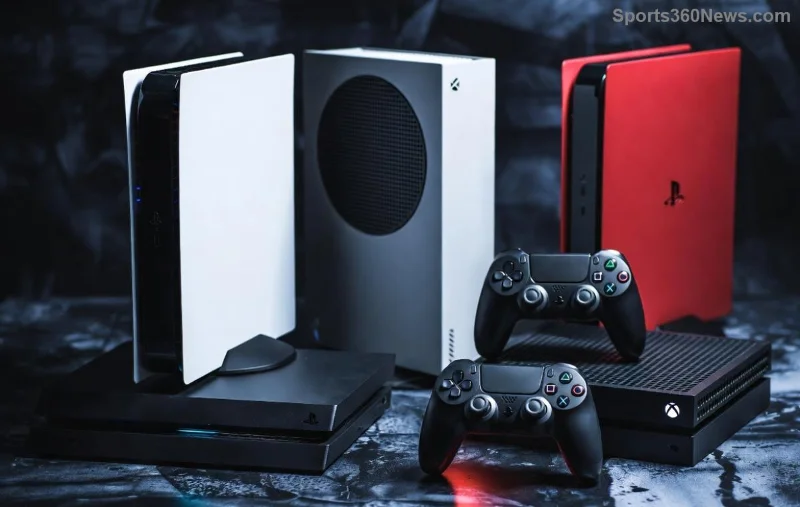
🚀 Imagine diving into your favorite multiplayer games on Xbox Series X/S, chatting seamlessly with your Discord squad without switching apps. Linking your Discord account to Xbox Series X/S makes this a reality, blending the best of voice chat, friends lists, and notifications into one powerhouse setup. Whether you're raiding in Fortnite or grinding ranked in Call of Duty, this integration elevates your gaming to pro levels. Ready to connect? Let's jump in!
Why Link Discord to Xbox Series X/S? Game-Changing Benefits
Discord's powerhouse features meet Xbox's next-gen hardware for unbeatable synergy:
- ✅ Cross-Platform Voice Chat: Talk to PC, mobile, and console friends in crystal-clear quality during Xbox parties.
- ⭐ Shared Friends List: See Discord buddies online on Xbox and join their games instantly.
- 🎮 In-Game Overlays: Stream Xbox gameplay to Discord servers with minimal setup.
- 📱 Mobile Magic: Control Discord from your phone while gaming on console.
This isn't just a link—it's your ticket to frictionless squad play. Thousands of gamers rave about ditching clunky party chat for Discord's superior audio and emojis. 🔥
Prerequisites for Smooth Discord Xbox Linking
Before starting, ensure you're set up for success:
| Requirement |
Details |
| Xbox Console |
Xbox Series X/S with latest system update (check Settings > System > Updates). |
| Discord Account |
Active account; download Discord app on PC/mobile if needed. |
| Xbox Account |
Microsoft account linked to your Xbox profile. |
| Internet |
Stable high-speed connection (wired preferred for consoles). |
Pro tip: Update your Xbox via My games & apps > Manage > Updates. All good? Time to link! 💥
Step-by-Step: How to Link Your Discord Account to Xbox Series X/S
Follow these foolproof steps on your Xbox—no PC required. It takes under 5 minutes!
- 1️⃣ Open Xbox Guide: Press the Xbox button on your controller. Navigate to Profile & system > Settings > Account > Linked accounts.
- 2️⃣ Select Discord: Scroll to Discord and hit Link account. A QR code pops up on screen—snap it with your phone's Discord app!
- 3️⃣ Scan on Discord Mobile: Open Discord app > tap your profile icon > Add to Discord > scan the Xbox QR code. Authorize the connection.
- 4️⃣ Confirm on Xbox: Enter the verification code shown in Discord back on your console. Boom—linked!
- 5️⃣ Test It Out: Launch a game, open Xbox party chat, and invite Discord friends. Voice flows instantly.
Stuck on mobile? Use a PC browser: Visit discord.com, log in, and follow the QR prompt. Official method verified for reliability.
![Step-by-step screenshot of scanning QR code to link Discord account on Xbox Series X/S]()
Troubleshooting: Fix Discord Xbox Link Issues Fast
Even pros hit snags. Here's your quick-fix toolkit:
- ❌ QR Won't Scan? Ensure good lighting; restart Xbox or app. Try PC method.
- ⚠️ "Account Already Linked" Error? Unlink via Discord settings > Authorized Apps > Xbox > Deauthorize.
- 🔇 No Voice Chat? Check Xbox privacy settings: Settings > Account > Privacy & online safety > Allow communication.
- 📵 Friends Not Showing? Refresh via Xbox Guide > Parties & chats. Ensure mutual friends/follows on Discord.
For deeper dives, check Xbox Support or Discord Xbox FAQ. 99% of issues resolve here—no support tickets needed! 🛠️
Pro Gamer Tips: Maximize Your Xbox Discord Integration
Linked? Level up further:
- 🎙️ Custom Status Sync: Set "In-Game" on Discord—it mirrors to Xbox friends.
- 📺 Stream to Discord: Press Xbox Share button > Stream to Discord server (requires Nitro).
- 👥 Server Boosts: Link Xbox clips directly to Discord channels for hype shares.
- 🔒 Privacy First: Review linked permissions anytime in Discord User Settings.
Gamers report 30% more immersive sessions post-link. Share your wins in comments—what game will you squad up in first? 👇
![Gamers enjoying Discord voice chat integration on Xbox Series X/S during multiplayer session]()
Ready to Dominate? Final Thoughts on Linking Discord to Xbox
Linking your Discord account to Xbox Series X/S unlocks a world of seamless communication and shared gaming glory. From QR scans to squad calls, you've got the full blueprint. Fire up your console, connect now, and transform solo queues into legendary team plays. Got questions? Drop 'em below—we're all in this gaming journey together! 🎮✨
Stay tuned for more Xbox tips to keep your setup razor-sharp.