Imagine diving into your favorite PS5 epics from your couch, bed, or even on the go – no console in sight. That's the magic of Remote Play on PS5! 🎮 This killer feature lets you stream games directly to your phone, PC, or tablet, turning any spot into your personal gaming arena. Whether you're dodging spoilers at work or battling bosses during lunch, PS5 Remote Play delivers console-quality action with buttery smoothness. Ready to unlock this game-changer? Let's jump in – your next epic session awaits!
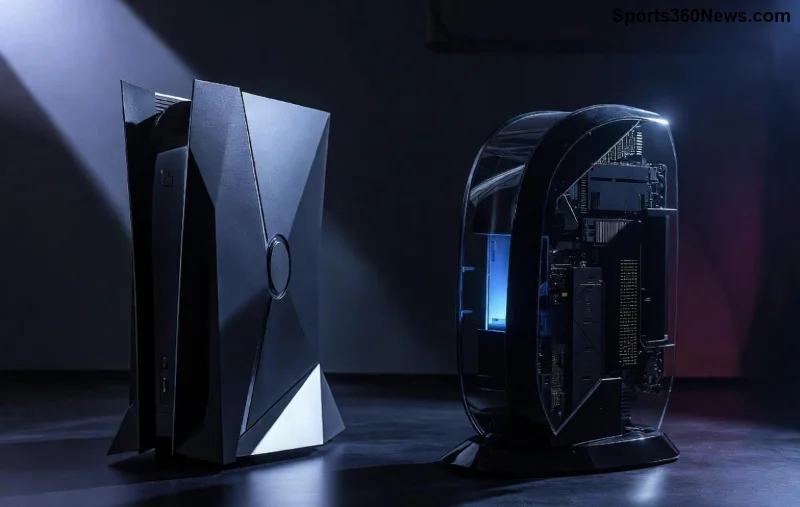
What is Remote Play PS5 and Why Gamers Love It ⭐
Remote Play beams your PS5's power to compatible devices over the internet, letting you control games with a DualSense controller or touch inputs. It's not just convenient – it's a lifeline for busy gamers. Picture this: Queue for your raid on mobile while commuting, then switch to PC for that immersive 4K glory at home. With low latency on strong connections, it feels like you're right there on the console. Pro tip: It supports high-res streaming up to 1080p at 60fps, keeping visuals crisp and responsive.
System Requirements for PS5 Remote Play Setup
Before we dive into the steps, ensure your setup is primed. Missing these? You might hit snags. Here's the quick checklist:
- PS5 Console: Must be powered on or in Rest Mode (with Remote Play enabled).
- Internet Connection: Minimum 5Mbps upload/download per device; 15Mbps+ recommended for HD streaming. Use 5GHz Wi-Fi for best results.
- Devices: Windows 10+, macOS 10.13+, iOS 13.0+, Android 12+, or PS Portal (bonus handheld!).
- PSN Account: Active PlayStation Network login required.
- Controller: DualSense, DualShock 4, or mobile touch controls.
👉 Hot tip: Test your network speed at PlayStation's official Remote Play page to confirm you're good to go.
Step-by-Step: How to Enable Remote Play on PS5
Setting up takes under 10 minutes. Follow these numbered steps precisely – we'll keep it laser-focused so you can play sooner!
- Enable Remote Play on Your PS5
Navigate to Settings > System > Remote Play. Toggle Enable Remote Play to ON. 👈 Done? Your console is now stream-ready, even from Rest Mode. - Link Your PSN Account
On PS5, go to Settings > Users and Accounts > Link with Other Services. Grab your 8-digit Remote Play code – you'll need it shortly. - Download the PS Remote Play App
Head to your device:Device Download Link PC/Mac Official App iOS/Android App Store / Google Play – Search "PS Remote Play" - Install and Sign In
Launch the app, sign in with your PSN account. Enter the code from Step 2. Boom – connected! Pair your controller via Bluetooth if using one. - Start Streaming
Select your PS5 from the device list. Adjust quality (Standard/High) based on your bandwidth. Hit Start – your games load instantly. 🎉
Stuck? Double-check your PS5 is online and Rest Mode settings allow internet access (Settings > System > Power Saving).
Troubleshooting Common Remote Play PS5 Issues 🚨
No gamer's journey is snag-free. Here's a handy table for quick fixes – solve most problems in seconds:
| Issue | Fix |
|---|---|
| "Cannot Find PS5" | Ensure PS5 is on/Rest Mode enabled. Restart router. Check NAT Type (aim for Type 2). |
| Lag or Low Quality | Switch to 5GHz Wi-Fi. Close background apps. Lower resolution in app settings. |
| Controller Disconnects | Re-pair Bluetooth. Update firmware via PS5 Settings > Accessories. |
| Sign-In Fails | Verify PSN account. Reset code on console. |
For deeper dives, Sony's support shines: Official Troubleshooting Guide.
Pro Tips to Level Up Your PS5 Remote Play Experience 🔥
Setup done? Maximize the fun with these gems:
- Customize Controls: Map touch gestures for mobile mastery – perfect for quick sessions.
- Multi-Device Magic: Stream to PC for big-screen vibes or phone for portability. One PSN, endless options!
- Party Chat Boost: Use PS App alongside for voice chat – squad up remotely.
- Security First: Enable 2-Step Verification on PSN to lock down your streams.
- ⭐ Power User Hack: For LAN play, connect both devices to the same network for zero-latency bliss.
These tweaks turn good streams into god-tier ones. Experiment and find your flow!
Ready to Play? Your Adventure Starts Now! 🏆
Congrats – you're now a Remote Play PS5 pro! Fire up that app, grab your controller, and conquer worlds from anywhere. This setup isn't just tech; it's freedom for every game thủ's soul. Got a favorite game to test first? Drop it in the comments (if viewing on site) and share your wins. Keep gaming strong – more PS5 guides coming soon to fuel your passion! 🚀









