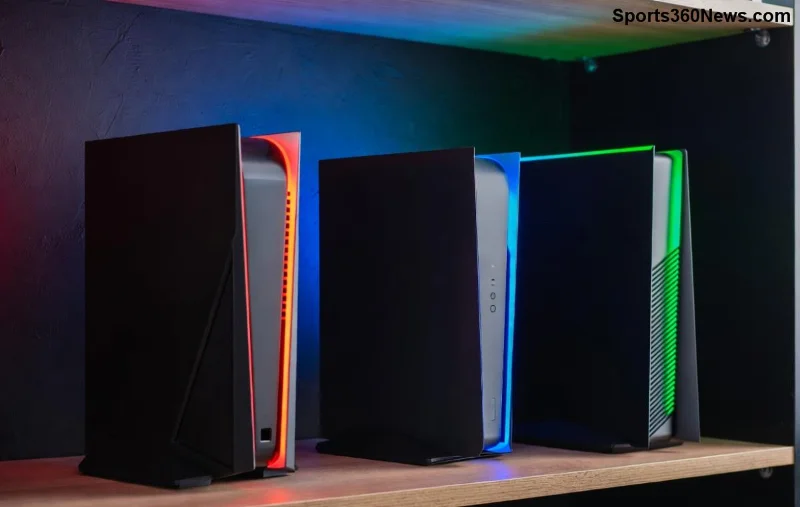
Hey, fellow gamer! 😎 Nothing kills the vibe like your Xbox overheating mid-boss fight. Dust buildup in the Xbox vents is the silent killer of smooth sessions. Learning how to properly clean your Xbox vents keeps your console cool, quiet, and crushing games for years. This guide delivers precise, gamer-approved steps to restore airflow and performance. Ready to level up your setup? Let's dive in!

Why Cleaning Xbox Vents Matters for Every Gamer
Your Xbox relies on vents for airflow—top, sides, and rear on models like Series X or Series S. Dust blocks this, causing throttling, loud fans, and shutdowns. Regular Xbox vent cleaning can drop temps by 10-20°C, silence fans, and prevent hardware damage. Pro gamers swear by it for marathon sessions. Skip it, and you're risking RRoD (Red Ring of Death) flashbacks. ⭐ Pro Tip: Clean every 3-6 months or when fans roar like a jet engine.
Tools You'll Need for Xbox Vents Cleaning
Gather these essentials—no fancy gear required. Focus on safe, effective tools to avoid static or scratches.
| Tool |
Why It's Essential |
Gamer Pick |
| Compressed Air Canister |
Blasts dust without contact |
Dust-Off or Falcon Dust |
| Microfiber Cloth |
Wipes exterior gently |
Any lint-free |
| Soft Brush (e.g., Paintbrush) |
Dislodges stubborn particles |
Camel hair brush |
| Isopropyl Alcohol (90%+) |
Spot-cleans grilles |
Safe for plastics |
👉 Cost under $20 total—cheaper than a new controller!
Step-by-Step: How to Properly Clean Your Xbox Vents
Power off and unplug your Xbox. Work in a well-lit, dust-free area. Patience pays off—rushing leads to mishaps. Follow these steps for flawless results.
- Prep Your Console: Place Xbox upside down on a soft towel. This exposes bottom vents safely. Wait 30 mins for full cooldown. Why? Residual heat loosens dust.
- Exterior Wipe-Down: Dampen microfiber with isopropyl alcohol. Gently wipe vents and casing. No soaking—moisture is the enemy! 🎮
- Brush Loose Dust: Use soft brush to sweep vents. Angle bristles into slots. Twist gently for side/rear vents. Watch dust fly!
- Compressed Air Blast: Hold canister upright, 6-8 inches away. Short 2-3 sec bursts into vents. 👉 Key: Never shake can or use vacuum—static risk!
- Target Stubborn Spots: Flip console. Repeat air blasts on top vents. Rotate for 360° coverage. Hear that satisfying whoosh?
- Final Inspection: Shine flashlight inside vents. Repeat if needed. Let dry 10 mins.
- Test Run: Plug in, power up. Run a demanding game for 30 mins. Monitor temps via Xbox settings or apps like Xbox Accessories.
![Step-by-step Xbox vent cleaning with compressed air]()
Done right, your Xbox runs cooler and quieter. Gamers report 15% better FPS stability post-clean!
Common Mistakes to Avoid During Xbox Vent Cleaning ❌
- Vacuum Use: Sucks in static, damaging components. Stick to air cans.
- Water or Harsh Cleaners: Corrodes internals. Alcohol only for exteriors.
- Console On: Dust + fans = mess everywhere. Always unplug!
- Tilting Air Can: Liquid propellant sprays out, causing shorts.
Microsoft warns against disassembly—voids warranty. For deep cleans, visit authorized service. Xbox Support echoes these safe methods.
Pro Maintenance Tips to Keep Vents Pristine Long-Term
Don't stop at one clean—make it routine:
- Position Xbox vertically with space around vents. No carpet burial!
- Use dust filters (third-party, Xbox-compatible) for high-dust rooms.
- Weekly quick-air blasts during off-hours.
- Monitor via Xbox Network settings for temp alerts.
These habits turn your console into a beast. Imagine lag-free raids forever! 🔥
![Clean Xbox vents after maintenance for optimal airflow]()
FAQs: Your Clean Xbox Vents Questions Answered
Q: How often should I clean Xbox vents?
A: Every 3-6 months, or sooner in dusty/pet-heavy homes.
Q: Does cleaning fix Xbox shutdowns?
A: Often yes! If not, check paste or vents professionally.
Q: Safe for Xbox Series S?
A: Absolutely—same vents, same process. Compact design loves airflow.
Q: Warranty impact?
A: None, per Microsoft, as long as no internals touched.
Mastered it? Share your before/after temps in comments. Your Xbox thanks you—happy gaming! 👏