How to Check Real-Time Server Latency in the PUBG HUD

Enable PUBG’s network statistics HUD to monitor ping and packet loss in a match. See where to find it, what the numbers mean, and what they cannot diagnose.
For Xbox controller button mapping, open the Xbox Accessories app on your Xbox or Windows PC, select a supported controller, choose Configure, and edit its mapping profile. The Xbox Elite Wireless Controller Series 2 has the broadest remapping options, including rear paddles and up to three custom profiles. Standard Xbox Wireless Controllers also expose supported remapping options, but the controls available depend on the controller, console or Windows version, and app. If the app does not offer the change you need, use the game’s own controller settings.
This guide covers Xbox Series X|S, Xbox One, and Windows 10/11. The menu artwork below is illustrative; the exact layout and available assignments can vary by device and app version.
| Method | Where it applies | Best for |
|---|---|---|
| Xbox Accessories app | Xbox Series X|S, Xbox One, and Windows 10/11 on supported controllers | System-level button assignments and Elite profiles |
| In-game control settings | The game where you make the change | Game-specific layouts, sensitivity, and controls the app does not expose |
A system-level profile changes the input your active controller sends while that profile is selected. A game’s own layout affects only that title. Some games continue to display default button prompts even after you remap controls, so test the actual action rather than relying only on on-screen labels.
For extensive customization, an Elite Series 2 supports assignments for the face buttons, D-pad, bumpers, triggers, stick clicks, and four rear paddles. A standard controller may offer fewer choices. On a standard controller, a remap can behave as a button swap; Elite profiles can assign the same action to more than one physical control. Do not assume every model has the same profile slots or features.
Use these steps on an Xbox console or Windows PC with a supported controller. The screenshots are simplified illustrations of the app flow, not captured screenshots.
Turn on and connect the controller to your Xbox Series X|S or Xbox One, then launch Xbox Accessories. On Windows, install the official app from Microsoft Store and connect the controller. For the most dependable PC setup, use a compatible USB cable. Xbox’s keyboard-mapping feature for Elite Series 2 and Adaptive Controllers specifically requires USB or an Xbox Wireless Adapter; Bluetooth is not supported for that keyboard feature.
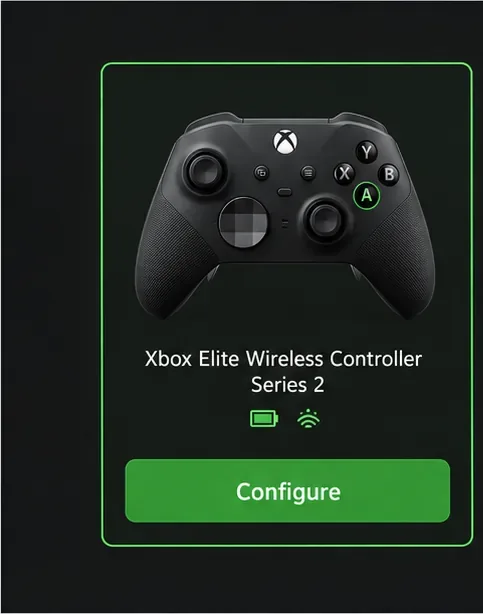
When the app lists your connected controller, select it and choose Configure. If more than one controller is connected, check the displayed model before editing. If Configure or mapping controls are missing, the connected model or current app build may not support that option; move to the game’s controller menu for a title-specific remap.
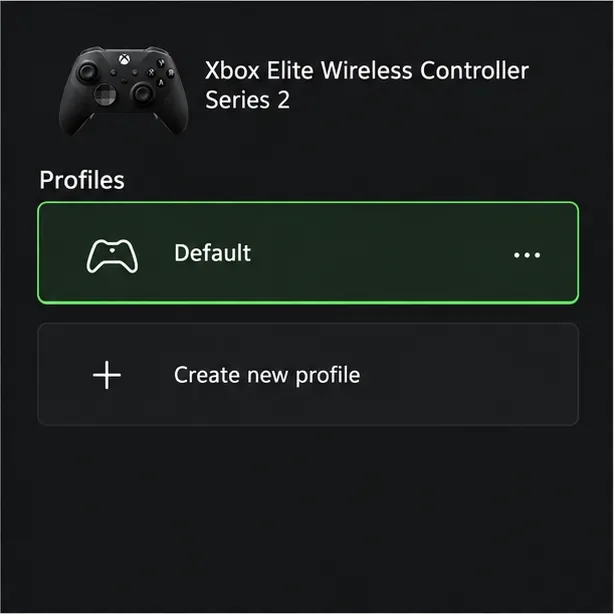
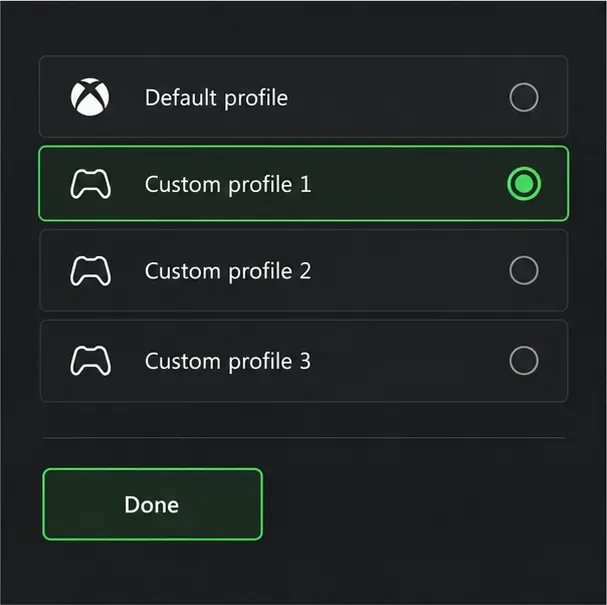
Select an existing configuration or choose Create new profile. Give profiles clear names when the app offers that option, such as “Platformer” or “Racing,” so you can tell layouts apart. Profile capacity differs by controller. The Elite Wireless Controller Series 2 stores up to three custom profiles plus its default profile.
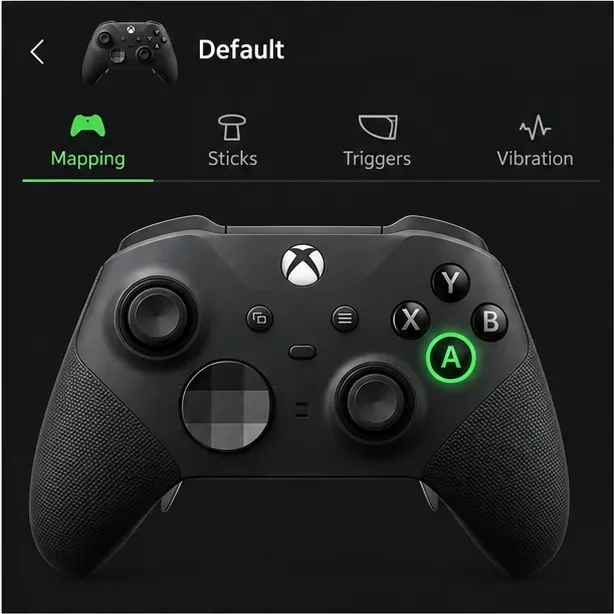
Choose the Mapping tab, then select the button or input you want to change on the controller diagram. Start with one control at a time. For example, pick A if you want a different face-button position for a frequently used action. The app’s list is the source of truth for what your particular controller can remap.
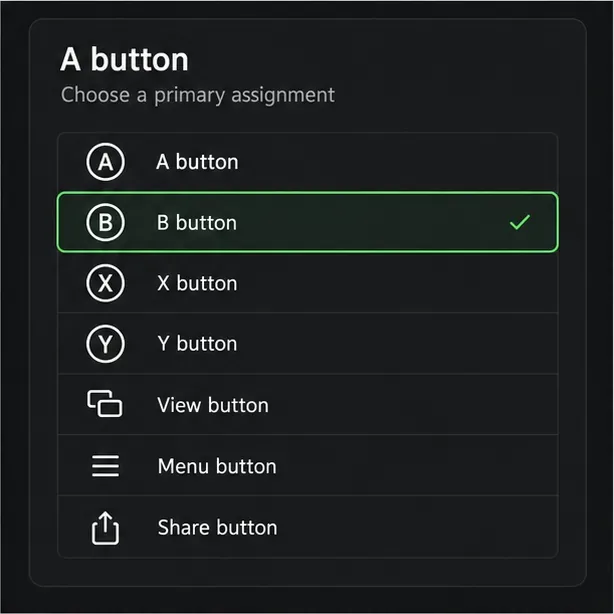
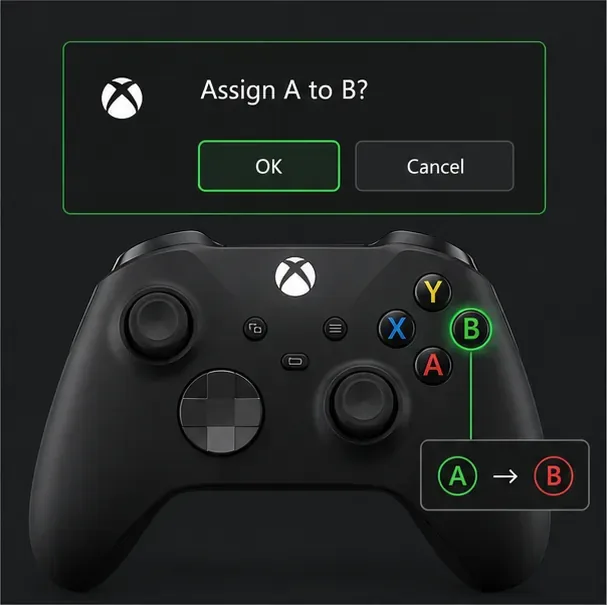
Select Primary, choose the function you want the selected control to send, and confirm with OK when prompted. For example, you could assign B to the physical A button. Read any swap prompt carefully: basic controller remapping can exchange a pair of buttons, while Elite controllers support more flexible assignments. Keep the default mapping in mind so you can reverse the change if it feels awkward.
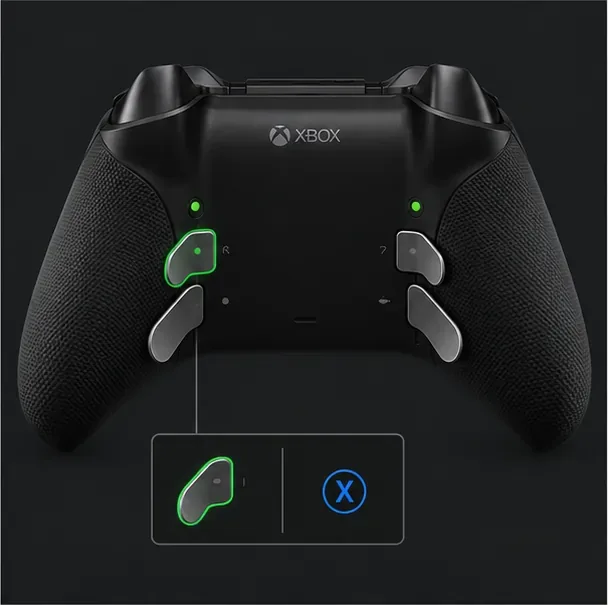
If you use an Elite Series 2, select a rear paddle in the mapping diagram and assign it to an action you already use often, such as a face button. This lets you keep your thumbs on the sticks during some actions. The Elite Series 2 Core package does not include the paddles in the box, though the controller supports the accessory. Standard Xbox Wireless Controllers do not have built-in rear paddles.
Choose Done or back out to the profile list, then make sure the configuration is assigned to a profile slot if the app asks. On Elite Series 2, the Profile button cycles between the default configuration and the saved custom profiles; check the indicator to confirm the selected profile. Standard controllers may store or apply remaps differently, so do not expect an Elite profile to transfer to another controller.
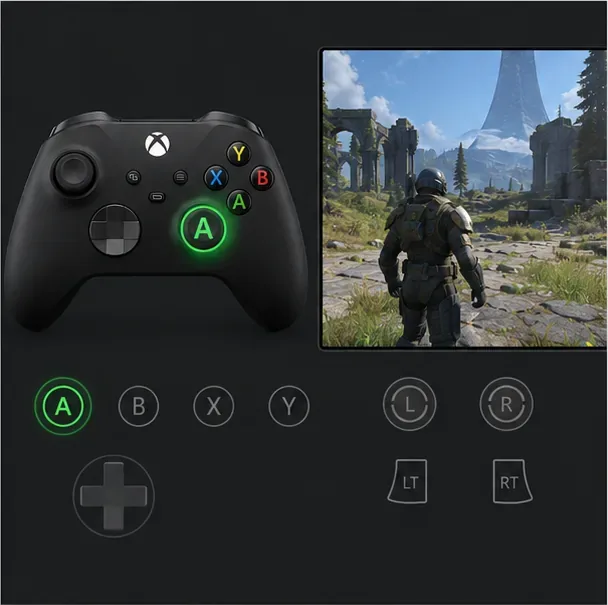
Use the app’s controller test view, when available, to check that the selected physical button registers as expected. Then open a low-risk area of a game and try the action. If the game has its own control menu, check for a conflicting assignment and adjust it there. Test movement, menus, and any button you changed before starting a competitive match.
On either console, launch Xbox Accessories with the controller connected and follow the eight-step profile workflow above. If the app does not appear in your library, install it from the Microsoft Store on the console. For an Xbox One standard controller, Microsoft’s older documentation also lists Settings > Ease of Access > Button mapping; menu names have changed across console updates, so use the Accessories app if that path is not present. Available actions vary by model. For example, Microsoft has documented remapping the Share button on supported Xbox Wireless Controllers for Series X|S.
Install Xbox Accessories from Microsoft Store, connect a supported controller, and use the same Configure, profile, Mapping, and assignment steps. Windows can connect Xbox controllers in several ways, but the mapping feature’s connection requirements depend on the controller and function. Use a USB cable if the app does not detect the controller or expose its profile controls. The controller must also be supported by the game you want to play.
Elite Series 2 and Xbox Adaptive Controllers can also map buttons to keyboard keys through Xbox Accessories. This is useful for a game that accepts keyboard input for certain actions, but keyboard support is game-dependent. The controller-to-keyboard mapping feature does not work over Bluetooth on PC; connect by USB or use an Xbox Wireless Adapter.
The best Xbox controller button mapping is one you can activate consistently and test before relying on it. Save a simple baseline, change only the controls you need, and keep game-specific adjustments in the game when the Accessories app does not offer the right option.
Enable PUBG’s network statistics HUD to monitor ping and packet loss in a match. See where to find it, what the numbers mean, and what they cannot diagnose.
Learn how to import VALORANT crosshair codes, compare presets with manual settings and spectator copy, and fix common import issues.
Choose Dota 2 minimap size, hero icons, team colors, and background settings by readability, fewer misclicks, and clear results on your own display.
Fix Fortnite texture pop-in on PC with official steps for GPU drivers, file verification, DirectX 12, high-resolution textures, VRAM, SSDs, and stutter.
Learn what Heroes of the Storm minimap size and position options are verified, improve readability, and choose camera-click controls that suit you.
Set Super Smash Bros. Ultimate Quickplay to prefer hazards-off stages. Follow the Preferred Rules menu steps and learn why matchmaking may not always honor them.
Enable Server Latency and Packet Loss in Warzone to monitor connection quality, read the overlay, and use recurring spikes to guide troubleshooting.
Learn how to carry from mid lane in League of Legends by setting up waves, choosing safe roam windows, reading side lanes, and converting pressure into objectives.
Fix Minecraft Evoker spell problems with a safe vanilla test, version checks, log review, and a step-by-step way to isolate mod or datapack conflicts.
Fix PUBG stuck on Initializing on Steam with a focused checklist for PC service notices, launch options, game files, downloads, and connection issues.








