Ultimate Guide: How to Factory Reset Your Xbox One Safely – Step-by-Step No Data Loss Tips!

Is your Xbox One lagging, crashing, or acting up? 😩 A factory reset Xbox One can breathe new life into your console, wiping out glitches and restoring it to like-new condition. But don't worry – we'll show you how to factory reset your Xbox One safely, with crucial backups to protect your saves, profiles, and epic progress. Follow this guide, and you'll be back to dominating multiplayer lobbies in no time! 🎮
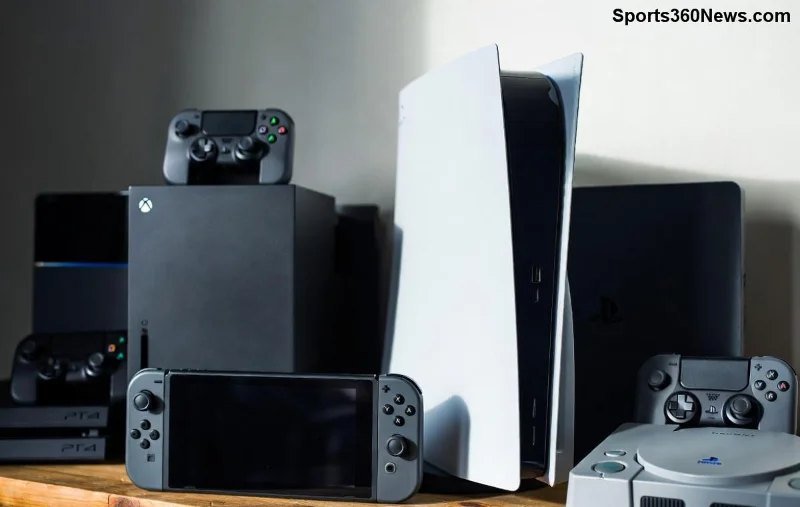
Xbox One console ready for factory reset with controller and games

Why Should You Factory Reset Your Xbox One? 🚀

A factory reset erases all data, settings, and apps, reinstalling the original software. Perfect for:

  • Fixing frozen screens, slow performance, or login issues.
  • Preparing to sell or trade-in your console.
  • Resolving corrupted updates or software bugs.
  • ⚠️ Warning: This is a last resort after trying restarts or cache clears!

Pro tip: Always back up first to avoid heartbreak over lost achievements. Ready? Let's dive in! ⭐

Step 1: Backup Your Data Before Factory Reset – The Non-Negotiable Safety Net! 💾

Nothing ruins gaming more than losing your Xbox One cloud saves. Here's how to safeguard everything:

  1. Enable Cloud Saves: Go to Settings > System > Backup & transfer > Cloud saved games. Toggle Enable automatic cloud saves. ✅
  2. Upload Profiles & Games: Sign in to Xbox Live. Your progress auto-syncs to the cloud.
  3. External USB Backup (for local files):
    • Format a USB drive in Settings > System > Storage.
    • Select apps/games, choose Move or Copy to USB.
  4. Check Xbox App on PC/Phone: Verify saves under your profile.
Backup Type What It Saves Best For
Cloud Saves Game progress, achievements Online gamers (automatic!)
USB Drive Games, apps, screenshots Offline or large files
Xbox App Sync Profiles, clips Quick mobile checks

Done? Your data is safe. Now, onto the reset! 🎉

How to Factory Reset Xbox One Safely: Two Foolproof Methods 🛠️

Microsoft offers two reset options: Reset and keep my games & apps (removes settings only) or Remove everything (full wipe). Choose based on your needs.

Method 1: Factory Reset from Settings Menu (Easiest for Working Consoles) 📱

If your Xbox boots up:

  1. Open Settings (gear icon) > System > Console info > Reset console.
  2. Select Reset and keep my games & apps or Remove everything.
  3. Confirm with your PIN if prompted. The process takes 5-30 minutes.
  4. Your console restarts fresh! 🔄
Step-by-step Xbox One settings menu for factory reset

Method 2: Factory Reset Using Recovery Mode (For Frozen or Unresponsive Xbox One) 🔧

If it won't boot:

  1. Hold power button for 10 seconds to shut down.
  2. Press power to turn on, then immediately hold Eject + Power (or controller pair button) until the reset screen appears.
  3. Choose Troubleshoot > Reset this Xbox > Remove everything.
  4. Follow prompts. USB controllers may be needed if wireless fails.

Official Source: For detailed visuals, check Xbox Support.

What Happens After Factory Reset Xbox One? Quick Recovery Guide ⏱️

Your console reboots to the initial setup screen:

  1. Reconnect to Internet: Essential for updates and cloud restore.
  2. Sign In: Games and saves download automatically from the cloud! ✨
  3. Reinstall Games: From My games & apps or Xbox Store.
  4. Update Firmware: Go to Settings > System > Updates for latest performance boosts.
Xbox One post-reset setup screen with fresh interface

Bonus: Expect smoother gameplay post-reset – no more frame drops! 👏

Common Xbox One Factory Reset Issues & Fixes ❌➡️✅

Trouble? We've got you:

  • Stuck on Reset Screen: Unplug power for 10 mins, retry recovery mode.
  • No Cloud Saves Restore: Check Xbox Live status; manually download from profile.
  • Controller Won't Pair: Use USB cable or fresh batteries.
  • Error Codes (E101, E102): Run offline troubleshooter first.

Still stuck? Power cycle (hold power 10s) three times for auto-repair. 🛡️

Pro Tips for Safe Xbox One Reset & Long-Term Gaming Bliss 🎯

  • Reset monthly if heavy use to prevent buildup.
  • Use external SSD for faster loads post-reset.
  • Enable auto-updates to avoid future glitches.
  • For Xbox Series X/S owners: Steps are similar – migrate if upgrading!

FAQs: Your Factory Reset Xbox One Questions Answered ❓

Q: Does factory reset delete subscriptions?
A: No, Xbox Game Pass and Live sync to your Microsoft account.

Q: Can I factory reset without internet?
A: Yes, but cloud restores need it later.

Q: How long does it take?
A: 5-45 mins, depending on storage size.

Q: What if I forget my Microsoft password?
A: Reset via account.microsoft.com before starting.

Congrats, gamer! Your Xbox One is reset and roaring. Dive back into your favorites – what's your go-to game post-reset? Drop a comment below! 👇🚀


Leave a Comment

Ultimate Guide: How to Factory Reset Your Xbox One Safely – Step-by-Step No Data Loss Tips!

Ultimate Guide: How to Factory Reset Your Xbox One Safely – Step-by-Step No Data Loss Tips!

Discover how to factory reset your Xbox One safely with expert step-by-step instructions. Backup data, avoid common pitfalls, and restore peak performance for epic gaming sessions. Updated for the latest firmware.

PS5 Crashing? Master How to Hard Reset Your PS5 Using Safe Mode – Quick Fix Guide

PS5 Crashing? Master How to Hard Reset Your PS5 Using Safe Mode – Quick Fix Guide

Discover the ultimate step-by-step guide on how to hard reset your PS5 using Safe Mode. Fix freezes, errors, and glitches fast without data loss. Essential PS5 troubleshooting for gamers.

Xbox App Loading Games at a Snails Pace? Shocking Reasons & Instant Fixes Revealed!

Xbox App Loading Games at a Snails Pace? Shocking Reasons & Instant Fixes Revealed!

Frustrated why the Xbox App takes so long to load games? Uncover the top culprits like slow internet, bloated cache, and hardware hiccups, plus step-by-step fixes to launch games lightning-fast. Game on without the wait!

🚀 Fix Your Console Wasnt Turned Off Properly Error Instantly – PS5 & Xbox Ultimate Guide

🚀 Fix Your Console Wasnt Turned Off Properly Error Instantly – PS5 & Xbox Ultimate Guide

Tired of "Your Console Wasn

🚀 Ultimate Best Apps for Using PlayStation Controllers on Windows: Level Up Your PC Gaming Now!

🚀 Ultimate Best Apps for Using PlayStation Controllers on Windows: Level Up Your PC Gaming Now!

Unlock the best apps for using PlayStation controllers on Windows! Dive into top tools like DS4Windows and Steam Input for flawless DualShock 4 & DualSense support. Seamless setup, pro tips, and comparisons for epic wins.

Master PS5 Console Sharing and Offline Play: Unlock Endless Gaming Freedom!

Master PS5 Console Sharing and Offline Play: Unlock Endless Gaming Freedom!

Dive into our ultimate guide on how to use Console Sharing and Offline Play on PS5. Effortlessly share games with family, enjoy offline adventures, and maximize your gaming setup with step-by-step instructions. Perfect for every PS5 gamer!

Why Your Xbox Demands More Space for Ventilation: Stop Overheating Nightmares Now!

Why Your Xbox Demands More Space for Ventilation: Stop Overheating Nightmares Now!

Unlock why your Xbox needs more space for ventilation to avoid crashes, extend console life, and maximize gaming sessions. Proven tips for optimal Xbox airflow and performance.

🚀 Ultimate Fix: How to Eliminate Lag & Latency on PlayStation Portal Instantly!

🚀 Ultimate Fix: How to Eliminate Lag & Latency on PlayStation Portal Instantly!

Tired of lag ruining your PlayStation Portal sessions? Follow our expert guide on how to fix lag and latency on PlayStation Portal with proven network tweaks, settings optimizations, and pro tips for buttery-smooth remote play.

🚀 Reset Your Xbox Live Password FAST: Ultimate 2026 Step-by-Step Guide for Gamers

🚀 Reset Your Xbox Live Password FAST: Ultimate 2026 Step-by-Step Guide for Gamers

Struggling to log in? Discover how to reset your Xbox Live account password in minutes. Easy steps via web, app, or console—secure, quick fixes for seamless gaming. Latest methods included!

🚀 Why PlayStation Portal Crushes Long Sessions: Comfort, Battery & Immersion Secrets Revealed

🚀 Why PlayStation Portal Crushes Long Sessions: Comfort, Battery & Immersion Secrets Revealed

Unlock why the PlayStation Portal dominates long gaming sessions with superior comfort, epic battery life, stunning visuals, and zero compromises. Perfect for marathon gamers craving uninterrupted PS5 action anywhere.









